
1. Uvod
This manual provides essential instructions for the proper installation, operation, and maintenance of the Traxon TI.IC.0030000 TX-Connect Smart Indoor Interconnection Cable. Please read this manual thoroughly before using the product to ensure safe and efficient functionality.
The Traxon TI.IC.0030000 is an 11.82-inch interconnection cable designed exclusively for use with the Traxon TX-Connect System in indoor environments. It facilitates reliable data and power transmission between compatible Traxon devices.
2. Izdelek je končanview
The Traxon TI.IC.0030000 cable is a compact and durable solution for connecting components within the Traxon TX-Connect ecosystem. Its design ensures secure and stable connections for various indoor applications.
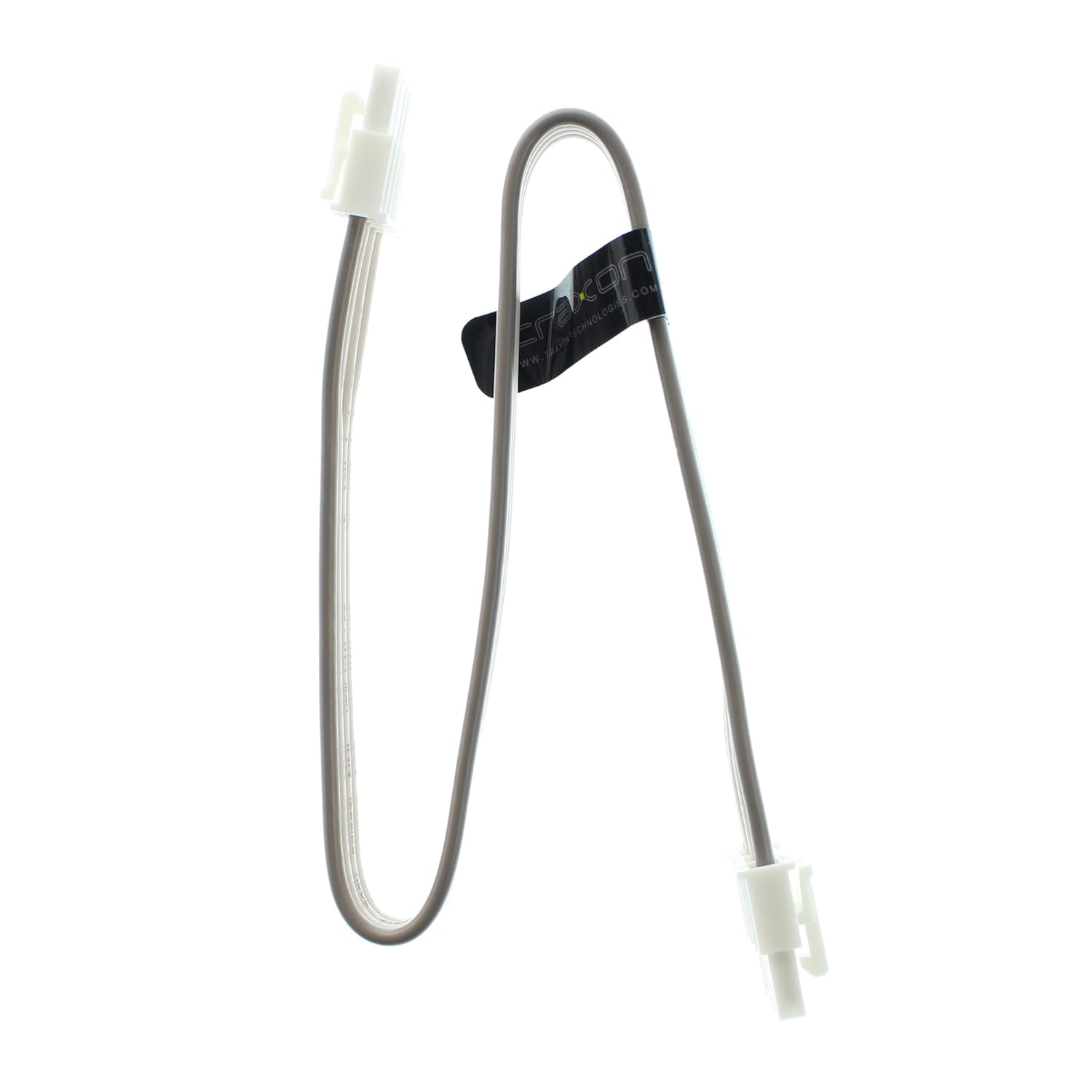
Figure 1: Traxon TI.IC.0030000 TX-Connect Smart Indoor Interconnection Cable. This image displays the full length of the 11.82-inch cable with its white connectors at each end.
3. Nastavitev in namestitev
This cable is designed for plug-and-play functionality within the specified system. Ensure all devices are powered off before making connections.
- Identify Compatible Ports: Locate the designated TX-Connect ports on your Traxon devices. These ports are typically labeled or identifiable by their specific connector shape.
- Priključite kabel: Gently insert one end of the TI.IC.0030000 cable into the TX-Connect output port of the first device. Ensure the connector is fully seated and secure.
- Connect to Second Device: Insert the other end of the cable into the TX-Connect input port of the second device. Verify a firm connection.
- Vklop: Once all connections are secure, power on your Traxon TX-Connect System components.
Pomembna opomba: This cable is exclusively for indoor use and must only be connected to Traxon TX-Connect System components. Using it with incompatible systems or in outdoor environments may result in damage or malfunction.

Slika 2: Bližnji posnetek view of the cable's connector. This image highlights the specific design of the connector, which ensures proper fit and secure connection within the Traxon TX-Connect System.
4. Delovanje
Once properly connected, the Traxon TI.IC.0030000 cable operates passively, facilitating the intended communication and power transfer between the connected Traxon TX-Connect devices. No user interaction is required for its operation beyond initial setup.
5. Vzdrževanje in nega
To ensure the longevity and optimal performance of your Traxon TI.IC.0030000 cable, follow these guidelines:
- Čiščenje: Kabel in priključke nežno obrišite z mehko, suho krpo. Izogibajte se uporabi tekočih čistil ali abrazivnih materialov.
- Shranjevanje: Store the cable in a cool, dry place away from direct sunlight and extreme temperatures when not in use. Avoid sharp bends or kinks in the cable.
- Ravnanje: Always grasp the connector housing when plugging or unplugging the cable. Do not pull on the cable itself, as this can damage the internal wiring.
- Okolje: Ensure the cable is used strictly in indoor environments, as it is not designed to withstand outdoor elements.
6. Odpravljanje težav
If you experience issues with your Traxon TX-Connect System that you suspect are related to the interconnection cable, consider the following:
- No Connection/Intermittent Connection:
- Ensure both ends of the cable are fully and securely seated in their respective ports.
- Verify that the cable is not visibly damaged (e.g., cuts, severe kinks).
- Test with a known working Traxon TI.IC.0030000 cable if available, to rule out the cable as the source of the problem.
- Sistem se ne vklopi:
- Confirm that all power supplies for the Traxon TX-Connect System components are correctly connected and functioning.
- Ensure the cable is properly connected between the power-distributing and power-receiving components.
If problems persist after following these steps, consult the user manuals for your specific Traxon TX-Connect devices or contact Traxon customer support.
7. Specifikacije
The following are the technical specifications for the Traxon TI.IC.0030000 TX-Connect Smart Indoor Interconnection Cable:
| Številka modela | TI.IC.0030000 |
| Znamka | Traxon |
| Dolžina | 11.82 palcev (približno 30 cm) |
| Vrsta priključka | Proprietary TX-Connect (RJ45-like) |
| Vrsta kabla | Interconnection Cable (Ethernet-based signaling) |
| Združljive naprave | Traxon TX-Connect System components |
| Priporočene uporabe | Indoor networking, Connecting electronic devices, Stage/studio equipment |
| Dimenzije izdelka | 12 x 0.6 x 0.1 palcev |
| Teža predmeta | 1 funt |

Figure 3: Close-up of the cable's identification label. This image clearly shows the model number TI.IC.0030000 printed on the cable's label, confirming the product's identity.
8. Garancija in podpora
For information regarding warranty coverage, technical support, or service inquiries for your Traxon TI.IC.0030000 cable, please refer to the documentation provided with your complete Traxon TX-Connect System or visit the official Traxon webspletnem mestu. Kontaktni podatki za podporo strankam so običajno na voljo na proizvajalčevem webmesto.