
1. Izdelek je končanview
The KWANWA KW715S is a versatile 2-in-1 device functioning as both a digital alarm clock and an indoor thermometer. Designed for portability and ease of use, it features a clear digital display, adjustable brightness, and long-lasting battery operation. Simply flip the device to switch between time and temperature display modes.

2. Nastavitev
2.1 Namestitev baterije
The KWANWA KW715S operates on 2x AA alkalne baterije (not included). Ensure correct polarity when inserting the batteries into the compartment located on the back of the device.

2.2 Začetna nastavitev časa
- Pritisnite in držite ČAS NAST button (located on the back) for 2 seconds until the hour digits begin to flash.
- Uporabite URA in MIN gumbe za nastavitev časa.
- Pritisnite ČAS NAST ponovno za potrditev in izhod iz načina nastavitve časa.
2.3 Izbira enote za temperaturo (°C/°F)
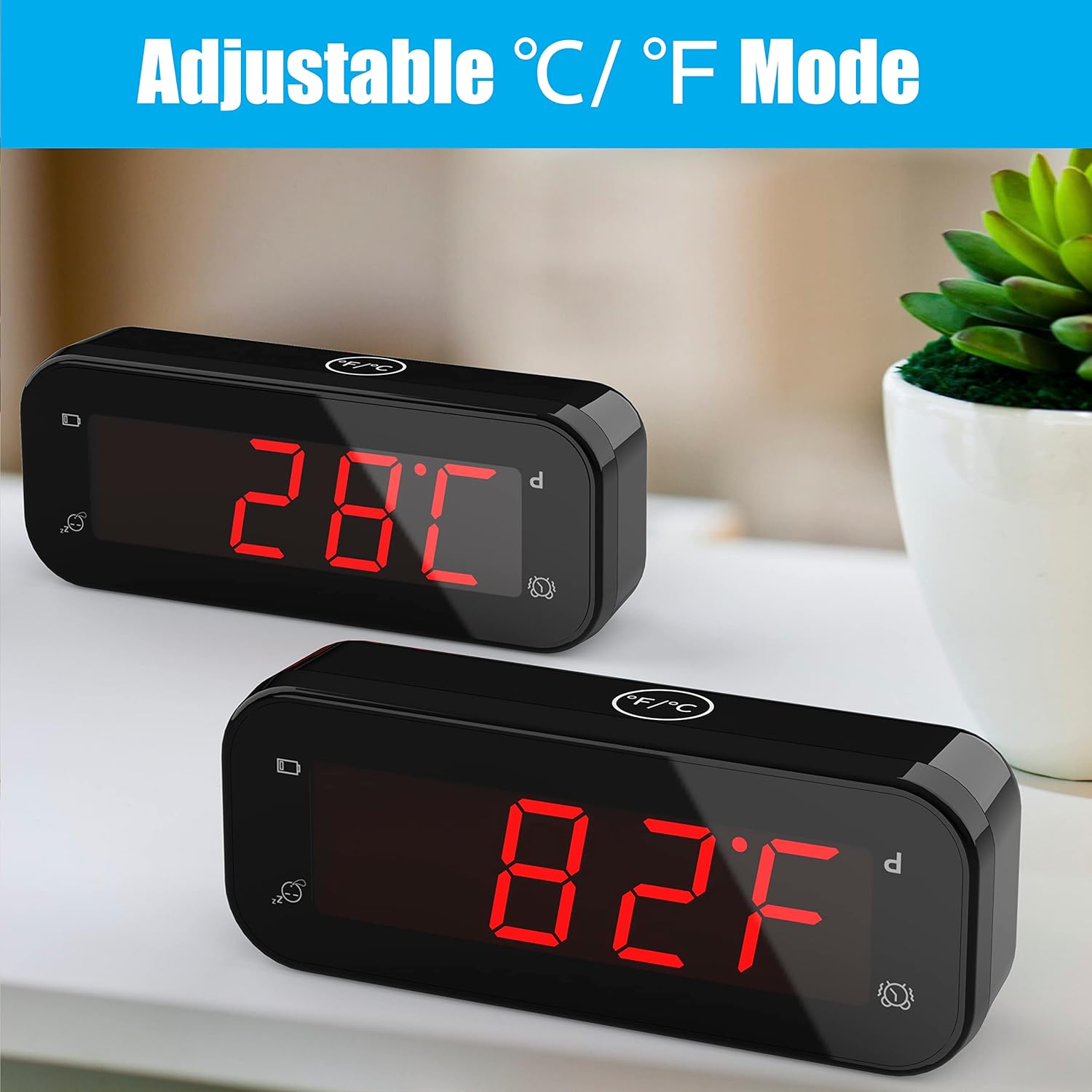
The device allows you to switch between Celsius (°C) and Fahrenheit (°F) display modes. This can be done by flipping the clock over to display temperature, then using the dedicated °C/°F button if available, or by following specific instructions in the operating section.
3. Navodila za uporabo
3.1 Nastavitev alarma
- Pritisnite in držite AL SET button (on the back) for 2 seconds until the alarm hour digits flash.
- Uporabite URA in MIN buttons to set your desired alarm time.
- Pritisnite AL SET again to confirm and exit alarm setting mode.
3.2 Vklop/izklop alarma
Uporabite AL VKLOP/IZKLOP switch (on the back) to activate or deactivate the alarm. When the alarm is active, an alarm icon will appear on the display.
3.3 Funkcija dremeža
When the alarm sounds, gently touch the large DREMEŽ button on the top of the clock. This will temporarily silence the alarm for 7 minutes. The snooze function can be repeated up to 3 times.

3.4 Nastavljiva svetlost
Pritisnite ČAS NAST button for 2 seconds to cycle through 3 levels of brightness: low, middle, and high. The clock also features an automatic night mode, which dims the display between 8:00 PM and 6:00 AM to create a peaceful sleeping environment.

3.5 Switching Between Time and Temperature
To switch between displaying the time and the indoor temperature, simply flip the alarm clock upside down. The display will automatically change to show the current indoor temperature.

3.6 12-Hour / 24-Hour Mode
The clock supports both 12-hour and 24-hour time formats. Refer to the buttons on the back for the specific button to toggle between these modes (e.g., a dedicated 12/24H gumb).
4. Vzdrževanje
4.1 Zamenjava baterije
The device features a low battery indicator. When this indicator appears, it is time to replace the 2x AA alkaline batteries to ensure continuous operation and accurate readings. The improved design allows batteries to last over 1 year.
4.2 Čiščenje
To clean the clock, use a soft, dry cloth. Avoid using abrasive cleaners or solvents, as these may damage the display or casing.
5. Odpravljanje težav
- Utripanje zaslona: If you observe flickering in videos of the product, please note that this is often an artifact of video recording and not indicative of actual product performance. The display is stable in real-life use.
- Alarm se ne oglasi: Zagotovite AL VKLOP/IZKLOP switch is in the 'ON' position. Verify that the alarm time is correctly set. Check the battery level and replace batteries if the low battery indicator is active.
- Incorrect Time/Temperature: Re-set the time following the instructions in Section 2.2. For temperature, ensure the device is placed in a stable indoor environment away from direct heat sources or drafts for accurate readings.
- Indikator prazne baterije: This icon signals that the batteries are running low and should be replaced soon.
6. Specifikacije
| Funkcija | Podrobnost |
|---|---|
| Znamka | KWANWA |
| Številka modela | KW715S |
| Vrsta zaslona | Digitalno |
| barva | Črna |
| Dimenzije izdelka | 4.7 cm Š x 1.9 cm V |
| Teža predmeta | 3.17 unč (0.09 kilograma) |
| Vir napajanja | Na baterije (potrebni sta 2 bateriji AA, nista priloženi) |
| Posebna funkcija | Battery Indicator, Indoor Thermometer, Adjustable Brightness, Snooze |
| Natančnost temperature | ± 0.1°C (Sensor made in USA, updates every 20s) |
| Časovna natančnost | ± 30 sekund na mesec |
| Vrsta sobe | Bedroom, Kid's Room, Schoolroom, Dining Room, Living Room, Guest room, Bathroom, Kitchen, RV, Holiday House, Home Office |
7. Garancija in podpora
For warranty information or product support, please contact KWANWA customer service at: podpora@odokeeshop.com.