
Uvod
This manual provides detailed instructions for the installation, setup, and operation of your LUX Kono KN-S-MG1 Smart Thermostat. Please read this manual thoroughly before beginning installation or operation to ensure proper functionality and safety.
The LUX Kono KN-S-MG1 is a programmable smart thermostat designed to personalize your home comfort and optimize energy savings through features like geofencing and remote control via the LUX app.
Varnostne informacije
OPOZORILO: Nevarnost električnega udara
- Pred namestitvijo ali servisiranjem termostata vedno izklopite napajanje ogrevalnega in hladilnega sistema na glavnem odklopniku ali v omarici z varovalkami.
- Improper wiring can cause damage to the thermostat or the HVAC system.
- Če ste glede katerega koli koraka negotovi, naj namestitev opravi usposobljen tehnik.
- Prepričajte se, da so vse žične povezave varne in izolirane.
Vsebina paketa
Preverite, ali so v paketu vsi elementi:
- LUX Kono KN-S-MG1 Smart Thermostat
- Pritrdilni material (vijaki, stenski sidri)
- LUX Power Bridge (for systems without a C-wire)
- Navodila za namestitev (ta dokument)
Namestitev
Before installation, ensure the power to your HVAC system is turned off at the circuit breaker.
1. Odstranite stari termostat
- Izklopite napajanje sistema HVAC na odklopniku.
- Odstranite pokrov starega termostata.
- Za referenco posnemite sliko priključkov ožičenja.
- Disconnect the wires one by one, labeling each wire with the corresponding terminal letter (e.g., R, C, Y, G, W).
- Remove the old thermostat's backplate from the wall.
2. Wiring the Kono KN-S-MG1
The Kono KN-S-MG1 requires a C-wire for continuous power. If your system does not have a C-wire, use the included LUX Power Bridge.
Združljivost:
- Forced air, gas, oil & electric furnaces (up to 2 Heat/1 Cool stages)
- Heat pump systems (with or without auxiliary/emergency heat)
Refer to the wiring diagram specific to your HVAC system type. Connect the labeled wires to the corresponding terminals on the Kono backplate.
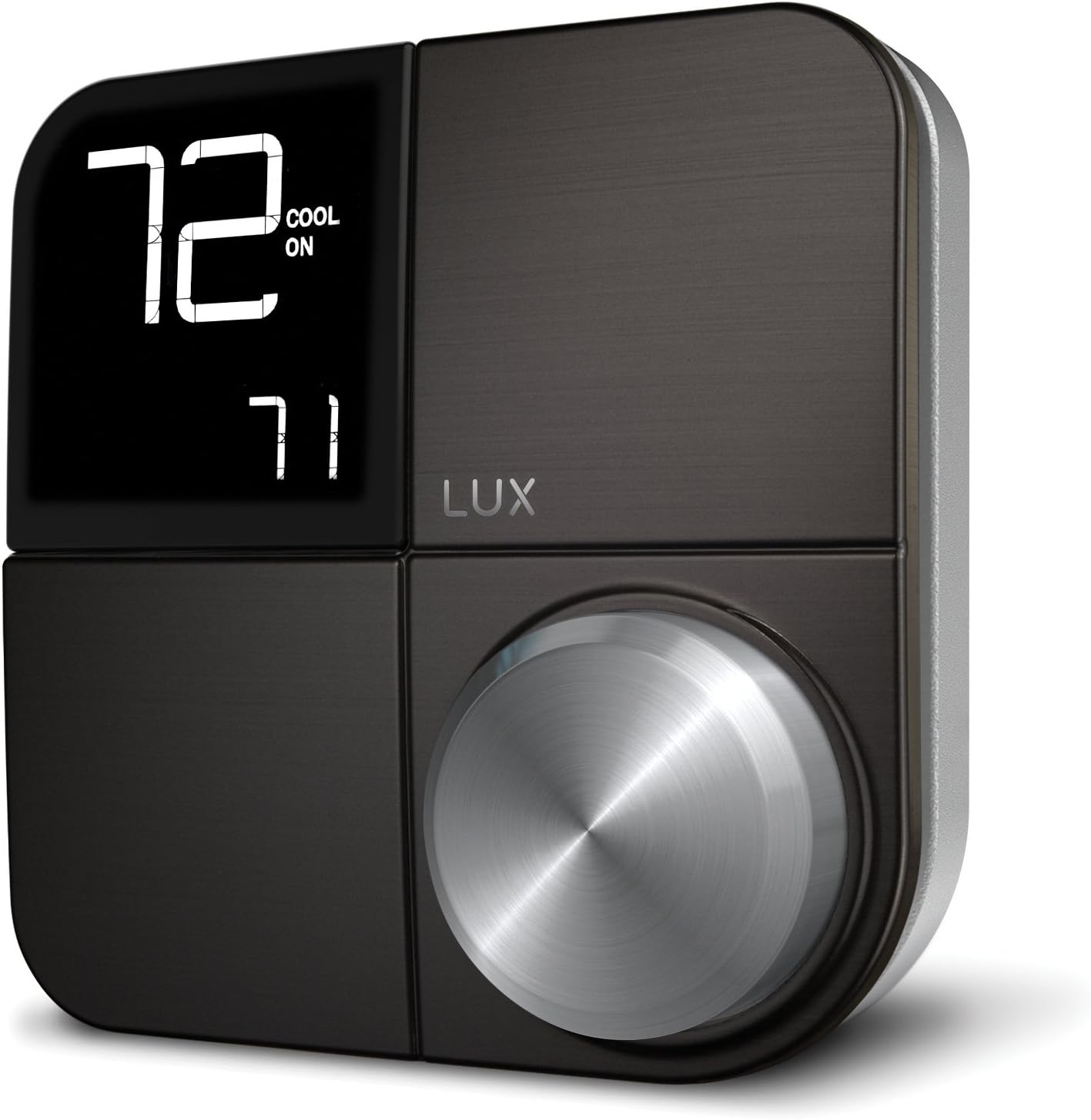 Slika: spredaj view of the LUX Kono KN-S-MG1 Smart Thermostat, displaying its digital screen and control knob.
3. Montaža termostata
- Mount the Kono backplate to the wall using the provided screws and anchors. Ensure it is level.
- Carefully push any excess wire back into the wall opening.
- Align the Kono thermostat body with the backplate and gently push it into place until it clicks securely.
 Image: The LUX Kono KN-S-MG1 Smart Thermostat installed on a wall, blending into a modern dining room environment.
Začetna nastavitev in povezava Wi-Fi
- Vklop: Ponovno vklopite napajanje sistema HVAC na odklopniku. Zaslon termostata bi se moral prižgati.
- Download the LUX App: Download the official LUX app from your smartphone's app store.
- Ustvari račun: Sledite navodilom v aplikaciji, da ustvarite nov uporabniški račun ali se prijavite, če ga že imate.
- Povežite se z Wi-Fi: The app will guide you through connecting your Kono thermostat to your home Wi-Fi network. Ensure your Wi-Fi network is 2.4GHz compatible.
- Konfiguracija sistema: The app will prompt you to configure your HVAC system type (e.g., conventional, heat pump) and other settings.
Navodila za uporabo
Osnovno delovanje
- Prilagoditev temperature: Use the control knob on the thermostat or the LUX app to set your desired temperature.
- Sistemski način: Switch between Heat, Cool, Auto, and Off modes using the thermostat interface or the app.
- Način ventilatorja: Select Fan On (continuous operation) or Fan Auto (fan runs only when heating/cooling) via the thermostat or app.
Programiranje urnikov
The Kono KN-S-MG1 allows you to create custom heating and cooling schedules to optimize comfort and energy usage. Schedules are typically managed through the LUX app for ease of use.
- Open the LUX app and navigate to the scheduling section.
- Create daily or weekly schedules with different temperature settings for various times of the day (e.g., Wake, Away, Home, Sleep).
- Save your schedules to activate them on the thermostat.
Napredne funkcije
- Geofencing (Home & Away Aware): This feature uses your smartphone's location to automatically adjust the thermostat when you leave or approach your home, saving energy when away and ensuring comfort upon return. Enable and configure this feature within the LUX app.
- Daljinski upravljalnik: Control your thermostat from anywhere using the LUX app on your smartphone.
- Glasovni nadzor: The Kono KN-S-MG1 supports integration with certain smart home platforms like Android and Vera for voice control. Note: This product does NOT work with Amazon Alexa or Apple HomeKit.
Vzdrževanje
- Čiščenje: Zunanjost termostata obrišite z mehko krpoamp krpo. Ne uporabljajte abrazivnih čistil ali topil.
- Posodobitve programske opreme: Ensure your LUX app and thermostat firmware are up to date for optimal performance and new features. Updates are typically managed through the LUX app.
- Baterije niso potrebne: The Kono KN-S-MG1 is powered by your HVAC system (C-wire) or the LUX Power Bridge, so no battery replacement is necessary.
Odpravljanje težav
| Težava | Možen vzrok | rešitev |
|---|---|---|
| Zaslon termostata je prazen. | Termostat ni priključen na napajanje. | Check the circuit breaker for your HVAC system. Ensure the C-wire or LUX Power Bridge is correctly installed and connected. |
| Sistem HVAC se ne odziva na termostat. | Incorrect wiring; system mode incorrect; power issue. | Verify wiring connections. Ensure the system mode (Heat/Cool/Auto) is correctly selected. Check power to the HVAC unit. |
| Cannot connect to Wi-Fi or app shows "no internet". | Incorrect Wi-Fi password; router issues; 5GHz network. | Ensure correct Wi-Fi password. Restart your router. Confirm your Wi-Fi network is 2.4GHz. Re-attempt Wi-Fi setup through the LUX app. |
| Temperature not maintained as programmed. | Incorrect schedule settings; geofencing interference; system limitations. | Review your schedules in the LUX app. Check geofencing settings. Ensure your HVAC system is functioning correctly. |
For further assistance, please contact LUX customer support.
Specifikacije
| Znamka | LUX |
| Ime modela | KN-S-MG1 |
| Dimenzije izdelka | 2.8 x 6.5 x 6 palcev |
| Teža predmeta | 9.6 unč |
| barva | Črna |
| Material | Plastika |
| Vir napajanja | Electric (System C-wire or LUX Power Bridge) |
| voltage | 230 voltov (AC) |
| Tehnologija povezljivosti | Wi-Fi (2.4 GHz) |
| Vrsta krmilnika | Android, Vera (Note: Does NOT work with Amazon Alexa or Apple HomeKit) |
| Posebna funkcija | Geofencing: Home & Away Aware |
| Vrsta zaslona | LCD z osvetlitvijo ozadja |
| Vrsta nadzora | Button Control, Voice |
| Vrsta namestitve | Stenski nosilec |
| UPC | 021079170098 |
Garancija in podpora
For warranty information and technical support, please refer to the official LUX website or contact LUX customer service directly. Keep your purchase receipt as proof of purchase.
 Image: The retail packaging for the LUX Kono Smart Thermostat, showing the product image and key features.