
1. Uvod
This manual provides essential information for the proper installation, operation, maintenance, and troubleshooting of your Supermicro PWS-2K05A-1R Power Supply. Please read this manual thoroughly before attempting to install or operate the unit. Retain this manual for future reference.
2. Varnostne informacije
- Električna nevarnost: Ta enota deluje z visoko glasnostjotage. Do not open the power supply casing. V notranjosti ni delov, ki bi jih lahko uporabnik popravil. Vsa servisna dela prepustite usposobljenemu serviserju.
- Ozemljitev: Always ensure the power supply is properly grounded to prevent electrical shock.
- Prezračevanje: Ensure adequate airflow around the power supply. Do not block ventilation openings. Overheating can cause damage or fire.
- Okolje: Operate the power supply in a dry, well-ventilated environment, away from moisture, dust, and extreme temperatures.
- Napajalni kabel: Use only the power cord supplied with the unit or a suitable replacement rated for the local voltage in trenutne zahteve.
3. Izdelek je končanview
The Supermicro PWS-2K05A-1R is a high-performance 2000-watt power supply designed for personal computer systems. It features an ATX form factor, air cooling with two integrated fans, and a 24-pin system bus connector, providing reliable and efficient power delivery for demanding applications.
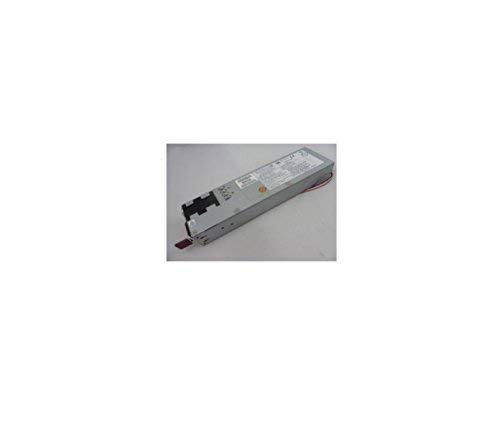
Slika 1: Spredaj view of the Supermicro PWS-2K05A-1R Power Supply, showing its compact design and ventilation grilles.
4. Nastavitev in namestitev
- Priprava: Before installation, ensure your computer system is powered off and disconnected from the main power outlet.
- Montaža: Carefully insert the PWS-2K05A-1R power supply into the designated ATX power supply bay in your computer chassis. Secure it with the appropriate screws.
- Glavni napajalni priključek: Connect the 24-pin ATX system bus connector from the power supply to the corresponding port on your motherboard. Ensure it is firmly seated.
- Periferne povezave: Connect all necessary peripheral power cables (e.g., CPU, GPU, storage drives) from the power supply to their respective components. Refer to your motherboard and component manuals for specific connection requirements.
- Napajalni kabel: Connect the AC power cord to the power supply's input socket and then to a grounded electrical outlet.
5. Navodila za uporabo
Once the power supply is correctly installed and all connections are secure, you can power on your computer system. The PWS-2K05A-1R is designed for continuous operation within its specified voltage in kajtage meje.
- Vhodna voltage: The power supply is designed to operate with an AC input voltage between 110 Volts and 120 Volts. Ensure your power source falls within this range.
- Vklop/izklop: Use the main power switch on your computer chassis to turn the system on or off. The power supply will activate or deactivate accordingly.
- Spremljanje: Modern motherboards and operating systems often provide tools to monitor power supply voltages. Consult your system's documentation for details.
6. Vzdrževanje
Redno vzdrževanje pomaga zagotoviti dolgo življenjsko dobo in optimalno delovanje vašega napajalnika.
- Čistilni ventilatorji: Periodically inspect the power supply's cooling fans for dust accumulation. If dust is present, carefully clean the fan blades and grilles using compressed air. Ensure the system is powered off and unplugged before cleaning.
- Prezračevanje: Ensure that the computer case's ventilation paths are clear and unobstructed to allow for proper airflow to and from the power supply.
- Upravljanje kablov: Maintain tidy cable management within your computer case to prevent obstruction of airflow and potential overheating.
7. Odpravljanje težav
If you encounter issues with your Supermicro PWS-2K05A-1R Power Supply, consider the following troubleshooting steps:
- Brez napajanja:
- Verify the power cord is securely connected to both the power supply and the wall outlet.
- Preverite, ali stenska vtičnica deluje, tako da vanjo priključite drugo napravo.
- Ensure the main power switch on the power supply (if present) is in the 'ON' position.
- Confirm all internal power connectors (24-pin ATX, CPU, GPU) are firmly seated.
- Nestabilnost sistema/naključni izklopi:
- This could indicate an overloaded power supply or a faulty unit. Ensure your system's total power consumption does not exceed the power supply's 2000-watt capacity.
- Check for proper ventilation and ensure the power supply fans are spinning freely. Overheating can cause shutdowns.
- Glasen hrup ventilatorja:
- Excessive fan noise can be caused by dust accumulation. Refer to the Maintenance section for cleaning instructions.
- If the noise persists after cleaning, it may indicate a worn-out fan bearing.
If these steps do not resolve the issue, contact Supermicro technical support or a qualified technician.
8. Specifikacije
| Funkcija | Specifikacija |
|---|---|
| Znamka | Supermikro |
| Model | PWS-2K05A-1R |
| Izhodna vattage | 2000 vatov |
| Faktor oblike | ATX |
| Metoda hlajenja | zrak |
| Število oboževalcev | 2 |
| Najmanjša vhodna glasnosttage | 110 voltov (AC) |
| Največja vhodna voltage | 120 voltov (AC) |
| Vrsta priključka | ATX |
| System Bus Connector Type | 24 Pin |
| Združljive naprave | Osebni računalnik |
9. Informacije o garanciji
Warranty terms and conditions for the Supermicro PWS-2K05A-1R Power Supply are typically provided by the manufacturer or the point of purchase. Please refer to the documentation included with your purchase or visit the official Supermicro webza podrobne informacije o garanciji in postopkih registracije.
10. Podpora
For technical assistance, product inquiries, or further support, please contact Supermicro customer service or visit their official support website. Have your product model number (PWS-2K05A-1R) and any relevant purchase information ready when contacting support.
Supermicro Official Webspletno mesto: www.supermicro.com