
1. Uvod
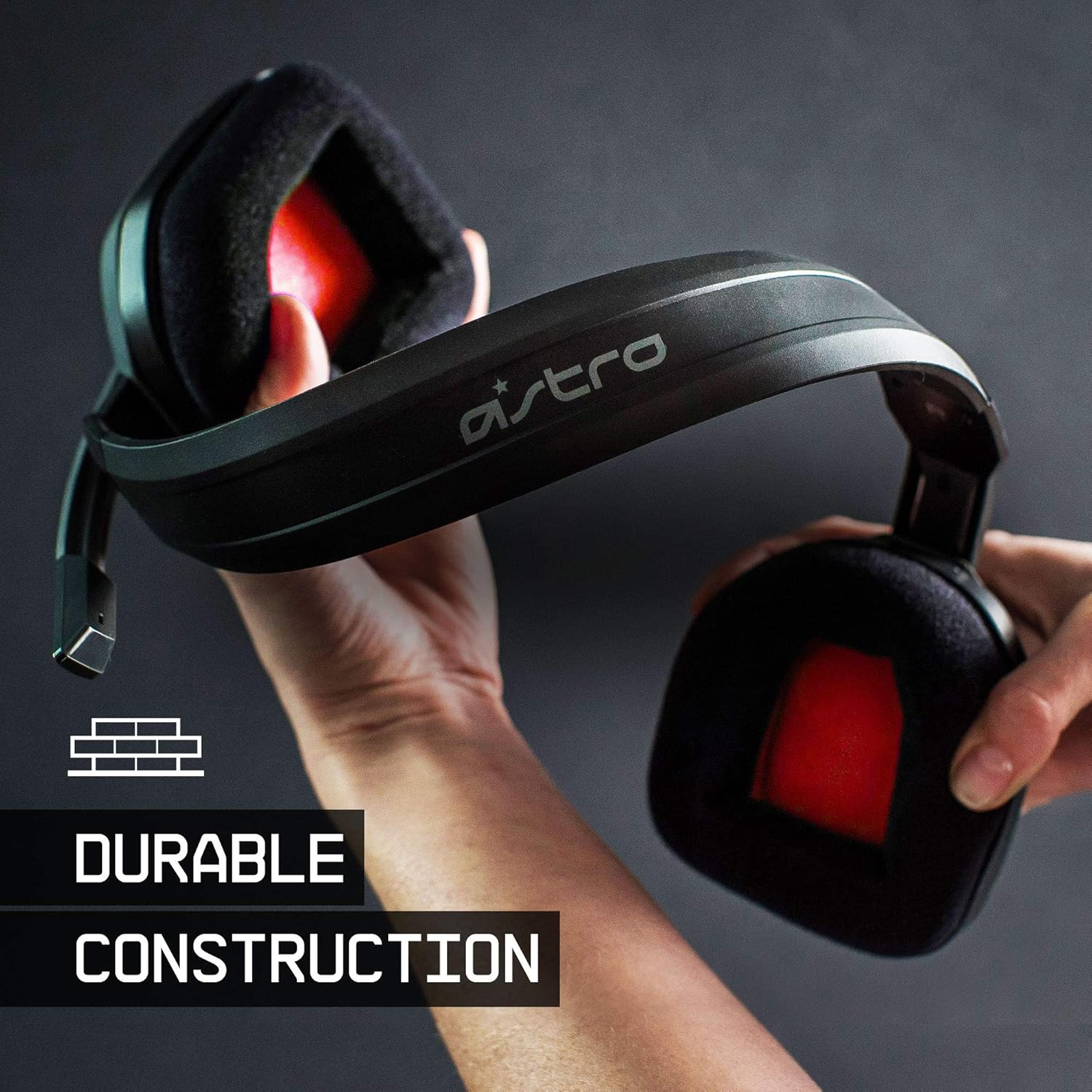
The ASTRO Gaming A10 Headset is engineered for gaming, offering durable construction and extended comfort for prolonged use. It features ASTRO Audio for clear and precise sound, an omnidirectional microphone with flip-up mute functionality, and in-line volume control for a comprehensive audio experience.
2. Kaj je v škatli
Upon unboxing your ASTRO Gaming A10 Headset, you should find the following components:
- ASTRO Gaming A10 Headset
- A10 Volume Cable (3.5mm jack)

3. Značilnosti izdelka
- Vzdržljivost: The A10 Headset is constructed with a durable headband made of anodized aluminum and a damage-resistant polycarbonate blend, designed to withstand rigorous use.
- Udobje: Featuring extended comfort memory foam ear-cushions, the headset is designed to minimize fatigue during long gaming sessions.
- Komunikacija: An omnidirectional microphone with flip-up mute functionality and in-line volume control ensures clear communication with teammates.
- Kakovost zvoka: Tuned with ASTRO Audio, the A10 delivers immersive and accurate audio, providing low latency and precise voice communication.
- Združljivost: The headset is compatible with multiple platforms including PS5, PC/MAC, XBOX SERIES X|S, NINTENDO SWITCH, VR, and streaming devices.



4. Navodila za nastavitev
- Connect the A10 Volume Cable: Insert the smaller end of the A10 Volume Cable into the 3.5mm port located on the left earcup of the ASTRO A10 Headset. Ensure it is securely connected.
- Povežite se z napravo: Plug the larger end of the A10 Volume Cable into the 3.5mm headphone jack on your gaming controller (e.g., Xbox, PlayStation), PC, Mac, Nintendo Switch, or other compatible device.
- Prilagodi glasnost: Use the in-line volume control wheel on the A10 Volume Cable to adjust the audio level to your preference.
- Položaj mikrofona: Lower the microphone boom arm to activate the microphone. Position it appropriately for clear voice capture.

5. Navodila za uporabo
Uporaba mikrofona (obrni za izklop zvoka)
The ASTRO A10 Headset features a convenient flip-to-mute microphone. To activate the microphone, simply lower the boom arm into the speaking position. To mute the microphone, flip the boom arm upwards until it clicks into the vertical position. This action instantly mutes your voice input.
Nadzor glasnosti
Adjust the audio volume using the in-line control wheel located on the A10 Volume Cable. Rotate the wheel upwards to increase volume and downwards to decrease volume.
6. Združljivost
The ASTRO Gaming A10 Headset is designed for broad compatibility across various gaming and media platforms:
- PlayStation 5 (PS5)
- PlayStation 4 (PS4)
- Xbox Series X|S
- Xbox One
- Nintendo Switch
- PC
- Mac
- VR devices
- Pretočne naprave
- Most mobile phones and tablets with a 3.5mm jack

7. Vzdrževanje
- Čiščenje: Za čiščenje slušalk uporabljajte mehko, suho krpo. Izogibajte se uporabi agresivnih kemikalij ali abrazivnih materialov.
- Shranjevanje: Slušalke shranjujte na hladnem in suhem mestu, stran od neposredne sončne svetlobe in ekstremnih temperatur.
- Skrb za kabel: Izogibajte se ostrim ovinkom ali prekomernemu vlečenju kabla, da preprečite poškodbe.
- Ušesne blazinice: Občasno preverite, ali so blazinice za ušesa obrabljene. Nadomestne blazinice so morda na voljo pri proizvajalcu.
8. Odpravljanje težav
- Ni zvoka / Nizek zvok:
- Ensure the 3.5mm cable is fully inserted into both the headset and the device.
- Check the in-line volume control and ensure it is turned up.
- Verify that the audio output settings on your device are correctly configured for the headset.
- Slušalke preizkusite z drugo napravo, da izključite težavo, specifično za napravo.
- Mikrofon ne deluje:
- Ensure the microphone boom arm is fully lowered into the speaking position (not flipped up for mute).
- Check the microphone input settings on your device to ensure the headset microphone is selected and not muted.
- Preizkusite mikrofon z drugo aplikacijo ali napravo.
- Statični ali popačen zvok:
- Ensure the 3.5mm cable connections are secure and free from debris.
- Try using a different 3.5mm cable if available, to rule out a faulty cable.
- Reduce the volume on your device or headset if the audio is clipping.
9. Specifikacije
| Funkcija | Podrobnost |
|---|---|
| Znamka | ASTRO Gaming |
| Ime modela | ASTRO Gaming A10 |
| Številka modela | 939-001508 |
| Tehnologija povezljivosti | Žično |
| Priključek za slušalke | 3.5 mm Jack |
| Teža predmeta | 12.35 unč |
| Frekvenčno območje | 20 Hz - 20 kHz |
| Vrsta zvočnega gonilnika | Dinamični gonilnik |
| Material ohišja | Aluminij |
| Dodatne funkcije | Microphone Included, Volume Control |
| Združljive naprave | PS5, PC/MAC, XBOX SERIES X|S, NINTENDO SWITCH, VR, STREAMING, most mobile phones, tablets |
10. Garancija in podpora
The ASTRO Gaming A10 Headset comes with a 2-letna garancija proizvajalca. For warranty claims, technical support, or additional product information, please visit the official ASTRO Gaming webspletno mesto ali se obrnite neposredno na njihovo službo za stranke.
11. Videoposnetki izdelkov
ASTRO A10 Experience
Video: Uradna video predstavitevasing the overall experience and key aspects of the ASTRO A10 Headset. This video provides a visual overview zasnove in funkcionalnosti izdelka.