
Uvod
This manual provides instructions for the safe and effective use of your MAXIMUM Waterproof Inspection Camera Scope. This device is designed for visual inspection of hard-to-reach areas in various applications, including automotive, plumbing, and construction. Please read this manual thoroughly before operating the device and retain it for future reference.
Varnostne informacije
- Naprave ne poskušajte razstavljati ali spreminjati. Nepooblaščene spremembe lahko povzročijo električni udar, požar ali poškodbo izdelka.
- Prepričajte se, da so baterije vstavljene s pravilno polarnostjo. Če naprave ne boste uporabljali dlje časa, jih odstranite.
- The camera head is waterproof, but the main unit (LCD monitor) is not. Avoid exposing the main unit to water or excessive moisture.
- Keep the device away from strong magnetic fields, which can interfere with its operation.
- Naprave ne uporabljajte v okoljih z vnetljivimi ali eksplozivnimi plini.
- Clean the camera lens and screen with a soft, dry cloth. Avoid abrasive cleaners.
- This device is not intended for medical use or personal inspection.
Vsebina paketa
Preverite, ali so v vašem paketu prisotni vsi spodaj navedeni elementi:
- MAXIMUM Inspection Camera Unit with 2.7" LCD Monitor
- 9 mm Waterproof Camera Head with 3.3' (1.1 m) Flexible Cable
- Dodatek za ogledalo
- Dodatek za kavelj
- Magnetni dodatek
- Heavy Duty Storage Case
- 4 x AA baterije

Lastnosti izdelka
- Vsestranska uporaba: Ideal for automotive, plumbing, construction, and other hard-to-reach inspection areas.
- Vodoodporna glava kamere: Features a 9 mm diameter waterproof camera head on a 3.3' (1.1 m) flexible cable for navigating tight spaces.
- Integrated LCD Monitor: Images are transmitted directly onto a clear 2.7" (6.85 cm) color LCD monitor.
- Nastavljiva svetlost: Offers 4x brightness with 5 adjustable settings for optimal visibility in dark environments.
- Digitalni zoom: Includes a 2x digital zoom function to magnify details.
- Vrtenje slike: Allows for image rotation on the screen for correct orientation.
- Indikator stanja baterije: Provides a visual indication of remaining battery life.
- Samodejna osvetlitev: Automatically adjusts exposure for clear image capture.

Nastavitev
1. Namestitev baterije
- Poiščite predal za baterije na zadnji strani glavne enote.
- Odprite pokrov prostora za baterije.
- Vstavite štiri (4) baterije AA in pri tem pazite na pravilno polarnost (+/-), kot je označeno v notranjosti predala.
- Trdno zaprite pokrov prostora za baterije.
2. Pritrditev dodatne opreme
The mirror, hook, and magnet accessories can be attached to the camera head for specialized tasks:
- Select the desired accessory (mirror, hook, or magnet).
- Carefully slide the accessory onto the tip of the camera head until it is securely in place.
- Prepričajte se, da dodatna oprema ne ovira objektiva kamere ali LED luči.
Navodila za uporabo
1. Vklop/izklop
- To power on the device, press and hold the power button (usually marked with a power symbol) until the LCD screen illuminates.
- Za izklop znova pritisnite in držite gumb za vklop, dokler se zaslon ne izklopi.
2. Camera Head Placement
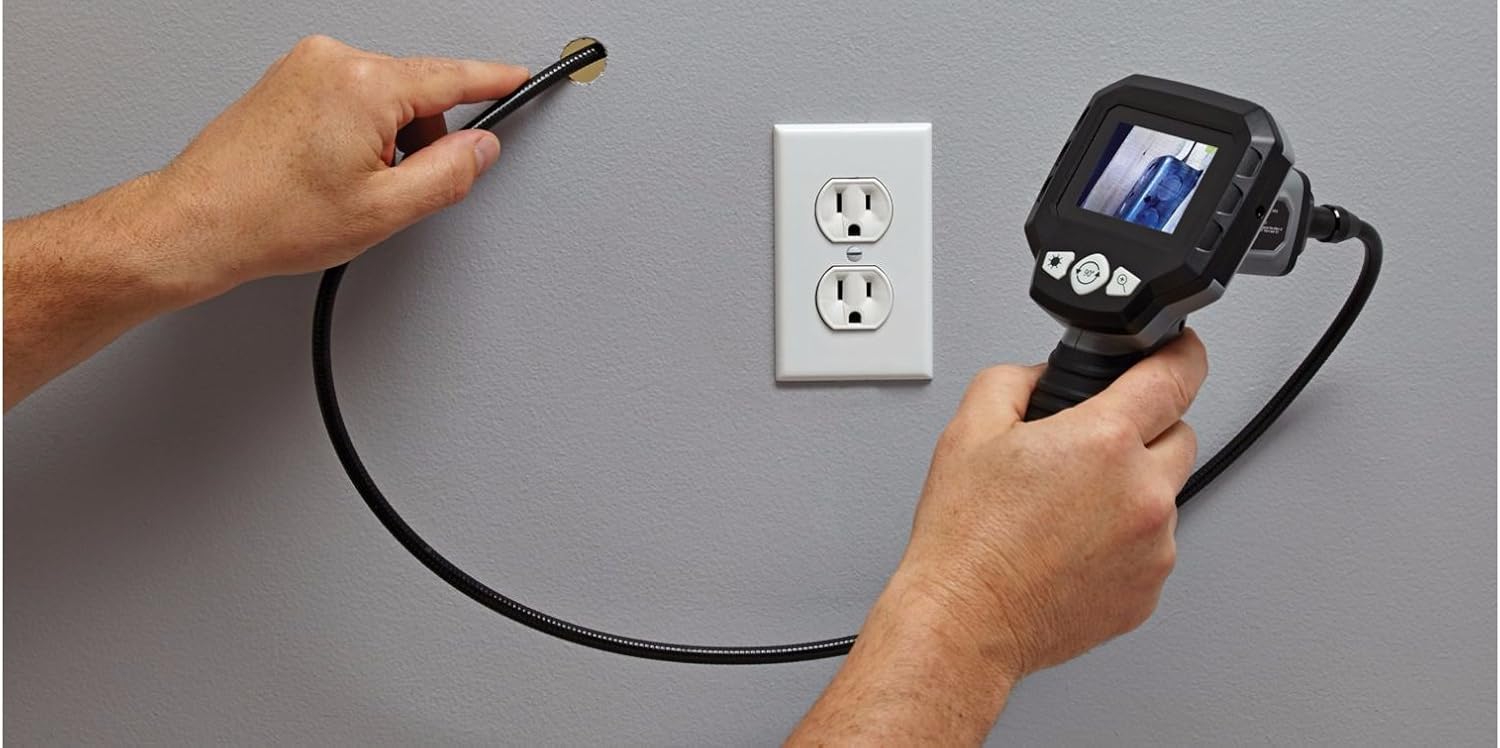
Carefully guide the flexible cable and camera head into the area you wish to inspect. The flexible cable allows for navigation around obstacles.


3. Prilagoditev svetlosti
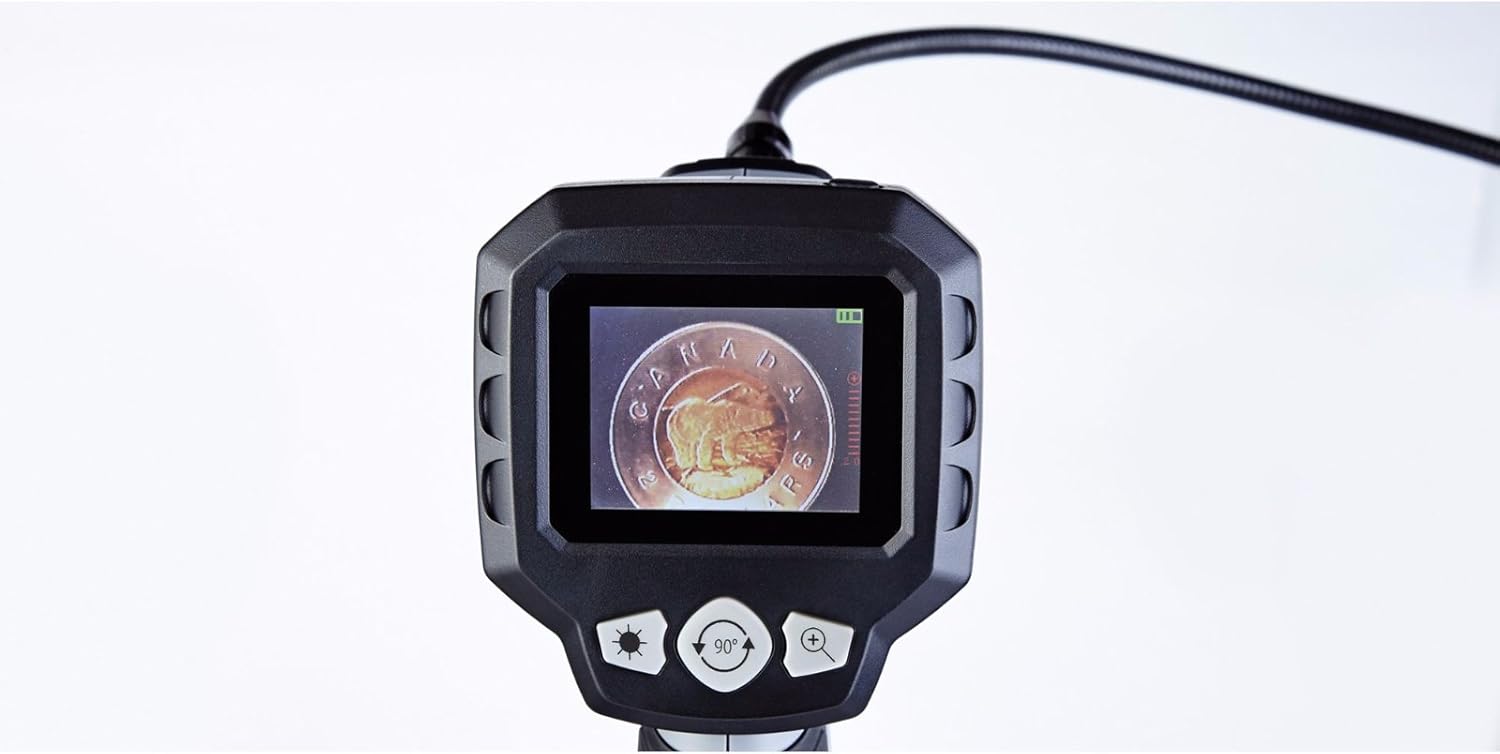
The camera head features built-in LED lights. Use the brightness control buttons (often marked with a sun icon or '+' / '-' symbols) on the main unit to cycle through the 5 brightness settings. Adjust as needed for optimal viewv različnih svetlobnih pogojih.
4. Digitalni zoom
To magnify the image, press the digital zoom button (often marked with a magnifying glass icon or '+'). The device supports up to 2x digital zoom. Press the button repeatedly to cycle through zoom levels or to return to the original view.
5. Image Rotation
If the image on the screen appears upside down or sideways, use the image rotation button (often marked with a circular arrow icon) to adjust the orientation. Press the button to rotate the image in 90-degree increments until the desired view je dosežen.
6. Indikator stanja baterije
The LCD screen displays a battery icon, indicating the current battery charge level. Recharge or replace batteries when the indicator shows low power to ensure uninterrupted operation.
Vzdrževanje
- Čiščenje: Wipe the main unit and flexible cable with a soft, dry cloth. For the camera lens, use a lens cleaning cloth. Do not use harsh chemicals or abrasive materials.
- Shranjevanje: Store the device and its accessories in the provided heavy-duty case in a cool, dry place, away from direct sunlight and extreme temperatures.
- Vzdrževanje baterije: Če naprave ne boste uporabljali dlje časa, odstranite baterije, da preprečite puščanje in poškodbe.
Odpravljanje težav
| Težava | Možen vzrok | rešitev |
|---|---|---|
| Naprava se ne vklopi. | Baterije so prazne ali nepravilno vstavljene. | Baterije zamenjajte z novimi baterijami AA in pri tem pazite na pravilno polarnost. |
| Na zaslonu ni slike. | Cable not fully connected; camera lens obstructed. | Ensure the flexible cable is securely connected to the main unit. Check and clean the camera lens. |
| Image is too dark or too bright. | Brightness settings are incorrect for the environment. | Adjust the LED brightness using the dedicated buttons on the main unit. |
| Slika je zamegljena. | Camera lens is dirty; object is too close or too far. | Clean the camera lens. Adjust the distance between the camera head and the object for optimal focus. |
| Screen is blue or frozen. | System error; low battery. | Power off the device, remove and reinsert batteries, then power on again. Replace batteries if low. |
Specifikacije
- Številka modela: 057-458-0
- Velikost zaslona: 2.7 inches (6.85 cm) Color LCD
- Premer glave kamere: 9 mm
- Dolžina fleksibilnega kabla: 3.3 čevljev (1.1 metrov)
- Vodoodpornost: Waterproof camera head
- Digitalni zoom: 2x
- Nastavitve svetlosti: 5 ravni
- vir energije: 4 x AA baterije (priložene)
- Ločljivost zajema videa: 1080p (for compatible recording, if applicable)
- File Oblika: MP4, JPEG (for compatible recording, if applicable)
- Vmesnik strojne opreme: HDMI (for compatible output, if applicable)
- Proizvajalec: Največ
- ASIN: B01N2M40UB
- GTIN/UPC: 648824745488
- Dimenzije paketa: 31.2 x 25 x 12.2 cm; 1.68 kg
Garancija in podpora
This MAXIMUM product is covered by a manufacturer's warranty. For specific warranty terms, duration, and to obtain support or service, please refer to the documentation included with your purchase or contact the manufacturer directly. Keep your proof of purchase for warranty claims.