
1. Uvod
Thank you for choosing the Lenco PDR-030 DAB+/FM Portable Digital Radio. This manual provides essential information for setting up, operating, and maintaining your device. The PDR-030 offers high-quality digital radio reception (DAB+) and traditional FM radio, along with features such as an integrated rechargeable battery for portability, an RDS display, station memory, and an alarm clock function.
Vključene komponente:
- Lenco PDR-030 Digital Radio
- AC Power Adapter (220 Volt)
- Uporabniški priročnik
2. Pomembne varnostne informacije
- Naprave ne izpostavljajte dežju ali vlagi, da preprečite požar ali električni udar.
- Prepričajte se, da je napajalnik glasentage ustreza vašemu lokalnemu napajalniku.
- Ne odpirajte casing. Vsa servisna dela prepustite usposobljenemu osebju.
- Izogibajte se postavljanju enote v bližino virov toplote ali na neposredno sončno svetlobo.
- Handle the integrated battery with care. Do not attempt to replace it yourself.
- Napravo hranite stran od močnih magnetnih polj.
3. Izdelek je končanview
Familiarize yourself with the main components and controls of your Lenco PDR-030 radio.
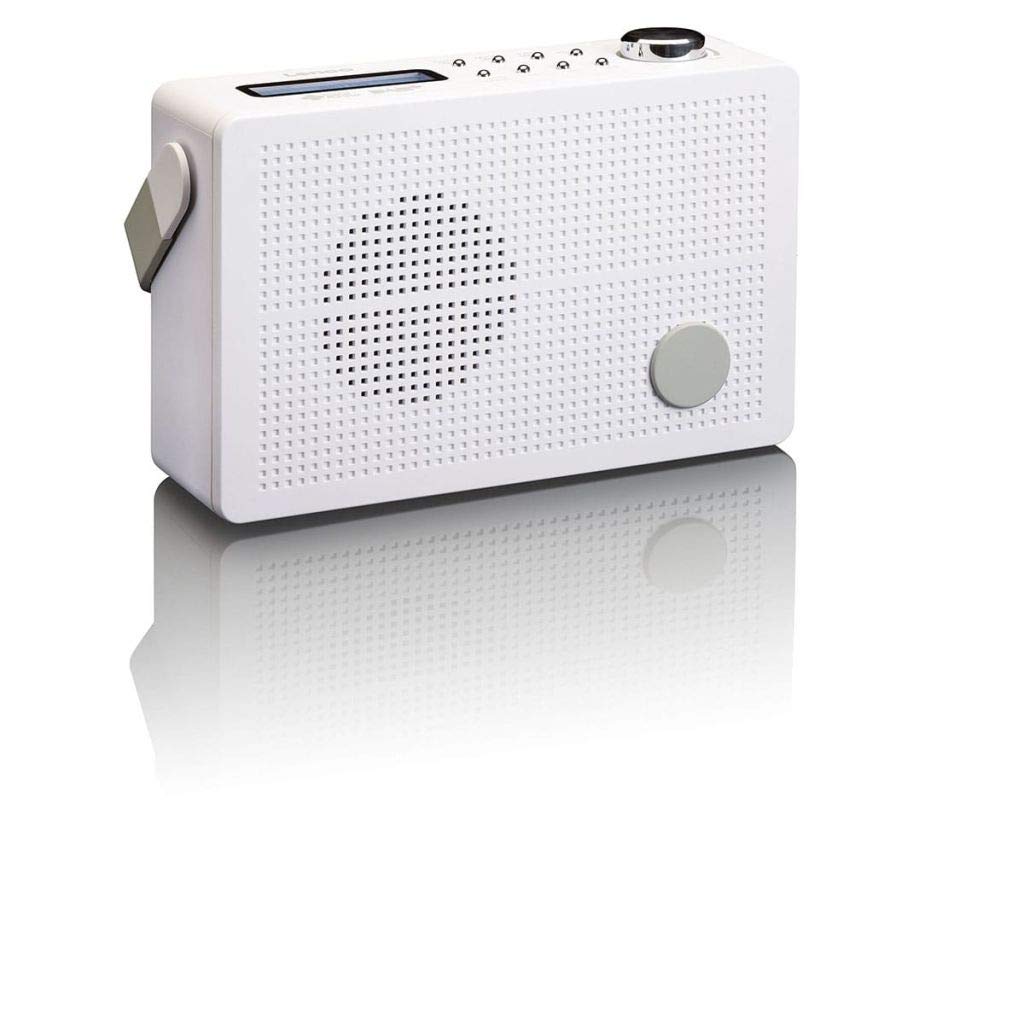
Slika 3.1: Front Panel of Lenco PDR-030 Radio. Features include a blue backlit LCD display, power/source button, alarm, sleep, info/menu, preset buttons, select/snooze, scan, previous, next buttons, and a rotary volume knob.
Ključne kontrole in funkcije:
- Zaslon: Two-line illuminated LCD for time, date, station name, and information.
- Gumb za vklop/izklop: Turns the radio on/off and switches between DAB+ and FM modes.
- Gumb za glasnost: Prilagodi izhodni nivo zvoka.
- Teleskopska antena: Za optimalen sprejem radijskega signala.
- Vhod za slušalke (3.5 mm): Za zasebno poslušanje.
- Alarm/Sleep/Info/Menu/Preset Buttons: For various functions including setting alarms, sleep timer, accessing information, menu navigation, and managing station presets.
- Select/Snooze/Scan/Prev/Next Buttons: For station tuning, menu selection, and snooze function.
4. Nastavitev
4.1 Vklop radia
The PDR-030 can be powered by the included AC adapter or its integrated rechargeable battery.
- AC napajanje: Connect the supplied 220V AC power adapter to the DC input jack on the radio and then to a wall outlet. The radio will automatically begin charging the internal battery.
- Moč baterije: The integrated Lithium-ion battery allows for portable use. Ensure the battery is sufficiently charged before use without the AC adapter.
4.2 Nastavitev antene
Extend the telescopic antenna fully for optimal reception of both DAB+ and FM signals. Adjust its position for the best signal quality.
4.3 Initial Power On and Station Scan
- Pritisnite Vir energije gumb za vklop radia.
- Upon first use, the radio will automatically enter DAB+ mode and perform a full scan for available digital radio stations. This may take a few minutes.
- Ko je iskanje končano, se bo radio uglasil na prvo razpoložljivo postajo.
5. Navodila za uporabo
5.1 Vklop/izklop
Pritisnite Vir energije gumb za vklop ali izklop radia.
5.2 Mode Selection (DAB+/FM)
Pritisnite Vir button repeatedly to switch between DAB+ and FM radio modes.
5.3 Uglaševanje postaj
- DAB+ Mode:
- After the initial scan, use the Prejšnji in Naprej gumbe za navigacijo po seznamu razpoložljivih postaj DAB+.
- To perform a new full scan, press the meni button, navigate to "Full Scan" using Nazaj/Naslednjiin pritisnite Izberite.
- FM način:
- Pritisnite Skeniraj gumb za samodejno iskanje naslednje razpoložljive FM postaje.
- Za ročno iskanje pritisnite in držite Prejšnji or Naprej gumbe za natančno nastavitev frekvence.
5.4 Saving and Recalling Preset Stations
The radio allows you to store up to 10 DAB+ and 10 FM preset stations.
- Če želite shraniti prednastavitev:
- Nastavite želeno postajo.
- Pritisnite in držite Prednastavitev gumb, dokler se na zaslonu ne prikaže »Preset Store« (Shrani prednastavitev).
- Uporabite Nazaj/Naslednji gumbe za izbiro prednastavljene številke (1–10).
- Pritisnite Izberite za potrditev in shranjevanje postaje.
- Če želite priklicati prednastavitev:
- Pritisnite Prednastavitev gumb na kratko.
- Uporabite Nazaj/Naslednji gumbe za izbiro želene prednastavljene številke.
- Pritisnite Izberite za uglaševanje prednastavljene postaje.
5.5 Nadzor glasnosti
Zavrtite Gumb za glasnost clockwise to increase the volume and counter-clockwise to decrease it.
5.6 RDS Functionality (FM Mode)
In FM mode, the RDS (Radio Data System) function displays information such as station name, program type, and other broadcast data on the two-line LCD display.
5.7 Funkcija budilke
The PDR-030 can be used as an alarm clock with two separate alarm times.
- Nastavitev alarma:
- Pritisnite Alarm gumb.
- Uporaba Nazaj/Naslednji to select Alarm 1 or Alarm 2, then press Izberite.
- Follow the on-screen prompts to set the alarm time, duration, source (Buzzer or Radio), frequency (Daily, Once, Weekdays, Weekends), and volume.
- Ensure the alarm is set to "On" and press Izberite shraniti.
- Funkcija dremeža: Ko se oglasi alarm, pritisnite tipko dremež gumb, da ga začasno utišate za določen čas.
- Časovnik spanja: Pritisnite spi button repeatedly to set a sleep timer (e.g., 15, 30, 45, 60 minutes) after which the radio will automatically turn off.
5.8 Priključek za slušalke
Connect 3.5mm stereo headphones to the headphone jack for private listening. The internal speaker will be muted automatically.
6. Vzdrževanje
6.1 Čiščenje
Wipe the radio's exterior with a soft, dry cloth. Do not use abrasive cleaners, waxes, or solvents as they may damage the finish. Ensure no liquids enter the device.
6.2 Skrb za baterije
The integrated Lithium-ion battery is designed for long life. To maximize battery lifespan:
- Izogibajte se pogostemu popolnemu praznjenju baterije.
- If storing the radio for an extended period, charge the battery to approximately 50% and store in a cool, dry place.
- Do not attempt to replace the battery yourself. Contact qualified service personnel if battery issues arise.
7. Odpravljanje težav
| Težava | Možen vzrok | rešitev |
|---|---|---|
| Brez moči | AC adapter not connected or faulty; battery discharged. | Check AC adapter connection. Charge the battery. |
| Slab sprejem DAB+/FM | Antena ni iztegnjena; območje šibkega signala; motnje. | Fully extend and adjust the telescopic antenna. Move the radio to a location with better signal. Avoid placing near other electronic devices. |
| Brez zvoka | Volume too low; headphones connected; mute activated. | Increase volume. Disconnect headphones. Check if mute is active (if applicable). |
| Alarm se ne oglasi | Alarm ni aktiviran; glasnost alarma je prenizka; napačna nastavitev časa. | Ensure alarm is set to "On". Check alarm volume. Verify current time and alarm time settings. |
8. Specifikacije
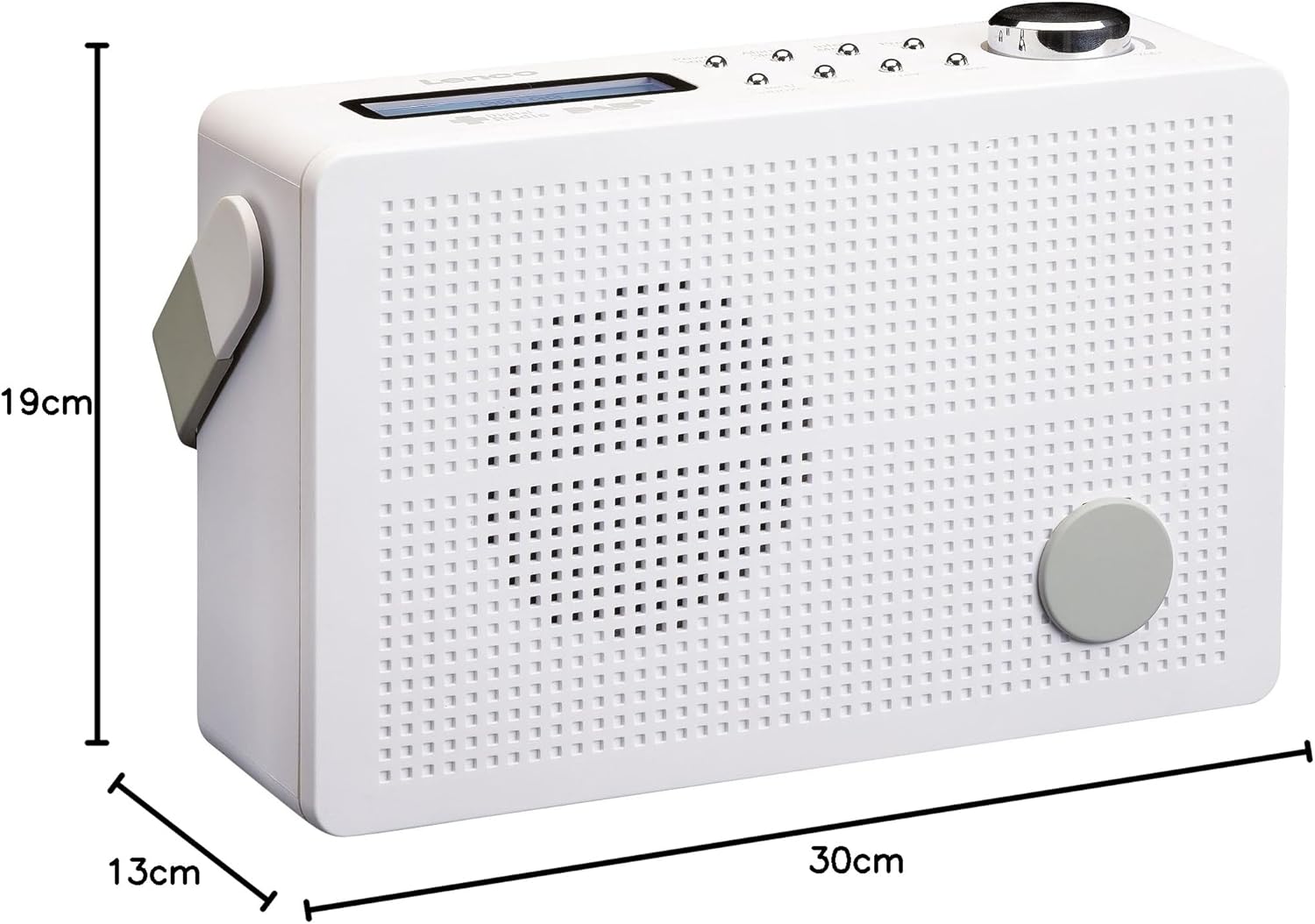
Slika 8.1: Lenco PDR-030 Dimensions.
| Funkcija | Podrobnost |
|---|---|
| Številka modela | PDR-030 |
| Tehnologija sprejemnika | DAB+, FM (Ukw) |
| Vir napajanja | Battery-Powered (Integrated Lithium-ion), AC Adapter |
| AC Voltage | 220 volt |
| Dimenzije izdelka (Š x D x V) | 21.4 x 6.5 x 13.8 cm (approx. 22.5 x 8.5 x 15 cm as per another spec) |
| Teža predmeta | 9 g (Note: This seems incorrect, likely 670g from description) |
| Vrsta materiala | Plastika |
| Strojni vmesnik | 3.5 mm Audio (Headphone Jack) |
| Posebne lastnosti | Portable, RDS Display, Alarm Clock, Station Memory (10 DAB+, 10 FM) |
Note: Some dimensions and weight specifications provided by the manufacturer may vary slightly. The description states 670 grams for weight, while specifications list 9g. Please refer to the product packaging for the most accurate information.
9. Garancija in podpora
Lenco products are designed for reliability and performance. This product typically comes with a 24-month manufacturer's warranty from the date of purchase, covering defects in materials and workmanship. Please retain your proof of purchase for warranty claims.
For technical support, service, or warranty inquiries, please refer to the contact information provided on the Lenco official website or your local retailer. Do not attempt to repair the device yourself.
Za več informacij lahko obiščete Trgovina Lenco na Amazonu.