
Biconic Bluetooth Tough Weatherproof Portable Wireless Speaker User Manual
Model: ABC-AU-BS-103-BK
Blagovna znamka: Bytech
1. Izdelek je končanview
The Biconic Bluetooth Tough Weatherproof Portable Wireless Speaker is designed for robust outdoor and indoor use, providing enhanced bass and clear audio. Its wireless capabilities allow for easy connection to various devices, and its durable, weatherproof construction ensures reliable performance in diverse environments.

Slika 1.1: Spredaj view of the Biconic Bluetooth Speaker, showcasinzaradi robustne zasnove in mrežice zvočnika.
Ključne značilnosti:
- Brezžična povezljivost: Seamless Bluetooth pairing with smartphones, tablets, and other compatible devices.
- Vremensko odporen dizajn: IPX6 water resistance protects against strong jets of water, making it suitable for outdoor use.
- Izboljšan bas: Delivers rich, deep bass for a superior audio experience.
- Prenosni: Compact design with a durable strap for easy transport.
- Dolg čas predvajanja: Up to 4 hours of continuous audio playback on a single charge.
2. Varnostne informacije
Pred uporabo tega izdelka natančno preberite vsa varnostna opozorila in navodila, da zagotovite varno delovanje in preprečite poškodbe.
- Zvočnika ne izpostavljajte ekstremnim temperaturam (vročini ali mrazu).
- Do not immerse the speaker in water. While it is IPX6 water resistant, it is not designed for submersion.
- Keep the speaker away from direct heat sources, open flames, and flammable liquids.
- Use only the provided charging cable and a compatible power adapter (5V/1A recommended) to charge the device.
- Do not attempt to disassemble, repair, or modify the speaker. This will void the warranty and may cause harm.
- Hraniti izven dosega otrok.
- Zvočnik očistite z mehko, suho krpo. Ne uporabljajte abrazivnih čistil ali topil.
3. Vsebina paketa
Po razpakiranju preverite, ali so v paketu vsi elementi:
- Biconic Bluetooth Tough Weatherproof Portable Wireless Speaker
- USB polnilni kabel
- Uporabniški priročnik (ta dokument)
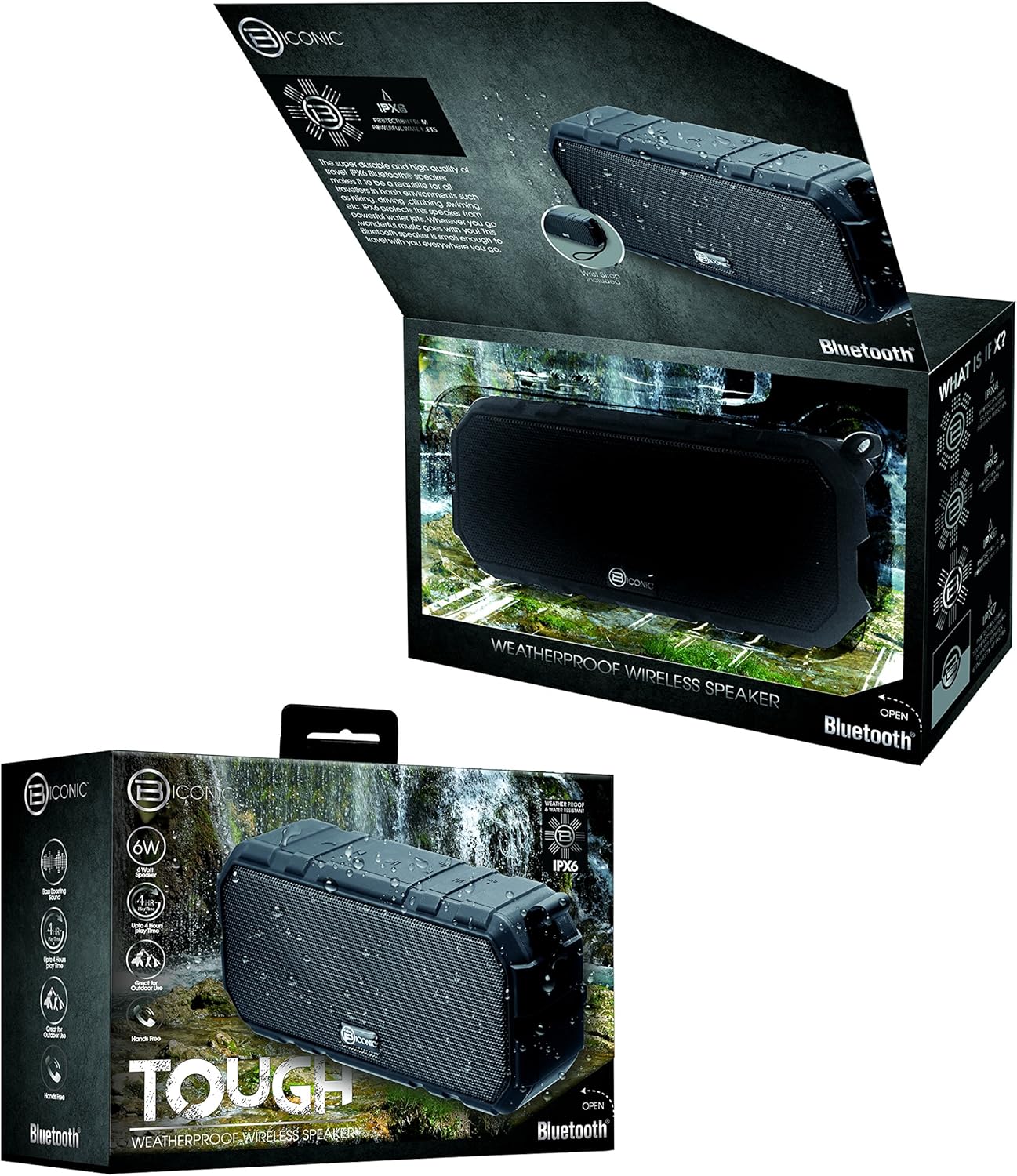
Figure 3.1: The Biconic Bluetooth Speaker shown with its retail packaging, indicating typical package contents.
4. Nastavitev
4.1 Polnjenje zvočnika
- Locate the charging port on the side of the speaker. This port is typically protected by a rubber flap to maintain water resistance.
- Odprite gumijasto loputo.
- Priključite manjši konec priloženega polnilnega kabla USB v polnilno vtičnico zvočnika.
- Večji konec kabla USB priključite na vir napajanja USB (npr. vrata USB računalnika, stenski adapter USB).
- Indikatorska lučka polnjenja bo zasvetila, običajno rdeče, kar pomeni, da se zvočnik polni.
- Once fully charged (approximately 2-3 hours), the indicator light will change color (e.g., turn off or turn blue/green). Disconnect the charging cable and close the rubber flap securely to maintain water resistance.
4.2 Vklop/izklop
- Za vklop: Press and hold the Power button (usually marked with a power symbol) for a few seconds until you hear an audible tone or see an indicator light illuminate.
- Za izklop: Press and hold the Power button again for a few seconds until you hear an audible tone or the indicator light turns off.
5. Navodila za uporabo
5.1 Bluetooth seznanjanje
Before first use, you need to pair the speaker with your Bluetooth-enabled device.
- Ensure the speaker is fully charged and powered on. It will automatically enter pairing mode, indicated by a flashing blue LED light.
- On your smartphone, tablet, or other Bluetooth device, go to the Bluetooth settings menu.
- Omogočite Bluetooth, če še ni omogočen.
- Scan for available devices. You should see "Biconic Speaker" or a similar name appear in the list.
- Select "Biconic Speaker" to connect. Once successfully paired, you will hear a confirmation tone, and the blue LED light on the speaker will stop flashing and remain solid.
- Če se od vas zahteva geslo, vnesite »0000«.
- Zvočnik se bo ob vklopu samodejno ponovno povezal z zadnjo seznanjeno napravo, če je naprava v dosegu in je Bluetooth omogočen.
5.2 Predvajanje glasbe
Once paired, you can control music playback directly from your connected device or using the speaker's controls.
- Predvajanje/pavza: Press the Play/Pause button (often marked with a triangle or || symbol) once to play or pause music.
- Povečaj glasnost: Press the Volume Up button (+) to increase the volume.
- Znižaj glasnost: Press the Volume Down button (-) to decrease the volume.
- Naslednja skladba: Press and hold the Volume Up button (+) for a few seconds to skip to the next track.
- Prejšnja skladba: Press and hold the Volume Down button (-) for a few seconds to go to the previous track.

Slika 5.1: Zgornji del view of the Biconic Bluetooth Speaker, highlighting the control buttons for power, volume, and playback.
5.3 Answering Calls (Hands-Free Function)
The speaker supports hands-free calling when connected to a smartphone.
- Sprejmi klic: Ko prejmete klic, enkrat pritisnite gumb Predvajaj/Pavza, da ga sprejmete.
- Končaj klic: During a call, press the Play/Pause button once to end the call.
- Zavrni klic: Pritisnite in nekaj sekund držite gumb Predvajaj/Pavza, da zavrnete dohodni klic.
6. Vzdrževanje
Pravilno vzdrževanje zagotavlja dolgo življenjsko dobo in optimalno delovanje vašega zvočnika.
- Čiščenje: Obrišite zvočnik z mehko, damp cloth. Do not use harsh chemicals, solvents, or abrasive cleaners. Ensure the charging port flap is closed before cleaning with a damp krpo.
- Shranjevanje: Zvočnik shranjujte na hladnem in suhem mestu, stran od neposredne sončne svetlobe in ekstremnih temperatur, ko ga dlje časa ne uporabljate.
- Vzdrževanje baterije: To preserve battery life, fully charge the speaker before storing it for long periods. Recharge every 3-6 months if not used regularly.
- Vodoodpornost: Always ensure the rubber flap covering the charging port is securely closed to maintain the IPX6 water resistance rating.

Figure 6.1: The Biconic Bluetooth Speaker demonstrating its water-resistant capabilities, highlighting the importance of proper sealing for maintenance.
7. Odpravljanje težav
| Težava | Možen vzrok | rešitev |
|---|---|---|
| Zvočnik se ne vklopi. | Baterija je prazna. | Zvočnik popolnoma napolnite. |
| Ni mogoče seznaniti z napravo Bluetooth. | Bluetooth is off on your device; speaker is not in pairing mode; device is too far. | Ensure Bluetooth is enabled on your device. Power off and on the speaker to re-enter pairing mode. Move device closer to the speaker (within 10 meters). Forget the device on your phone and try pairing again. |
| Ni zvoka ali nizka glasnost. | Glasnost zvočnika ali naprave je prenizka; zvočnik ni priključen. | Increase volume on both the speaker and your connected device. Ensure the speaker is properly paired and connected. |
| Popačenje zvoka. | Previsoka glasnost; motnje; prazna baterija. | Zmanjšajte glasnost. Zvočnik premaknite stran od drugih elektronskih naprav. Napolnite zvočnik. |
8. Specifikacije
| Funkcija | Podrobnost |
|---|---|
| Številka modela | ABC-AU-BS-103-BK |
| Znamka | Bytech |
| Tehnologija povezljivosti | Bluetooth |
| Največja izhodna moč zvočnika | 3 vatov |
| Način avdio izhoda | Stereo |
| Ocena vodoodpornosti | IPX6 (Water resistant, not submersible) |
| Vrsta baterije | 1 litij-ionska baterija (obvezna) |
| Igralni čas | Do 4 ur |
| Dimenzije izdelka | 2.54 x 2.54 x 2.54 cm |
| Teža predmeta | 522 g |
| Vrsta namestitve | Namizna |
9. Garancija in podpora
For warranty information and technical support, please contact Bytech customer service. Details are typically provided on the product packaging or the official Bytech webmesto.
Prosimo, shranite dokazilo o nakupu za morebitne garancijske zahtevke.
Opomba: Garancijski pogoji se lahko razlikujejo glede na regijo.