
Karlsson KA5620WD
Karlsson Flip Table Clock - Bamboo User Manual
Model: KA5620WD | Brand: Karlsson
1. Uvod
Thank you for choosing the Karlsson Flip Table Clock. This manual provides essential information for the proper setup, operation, and maintenance of your new clock. Please read this manual thoroughly before use and retain it for future reference.
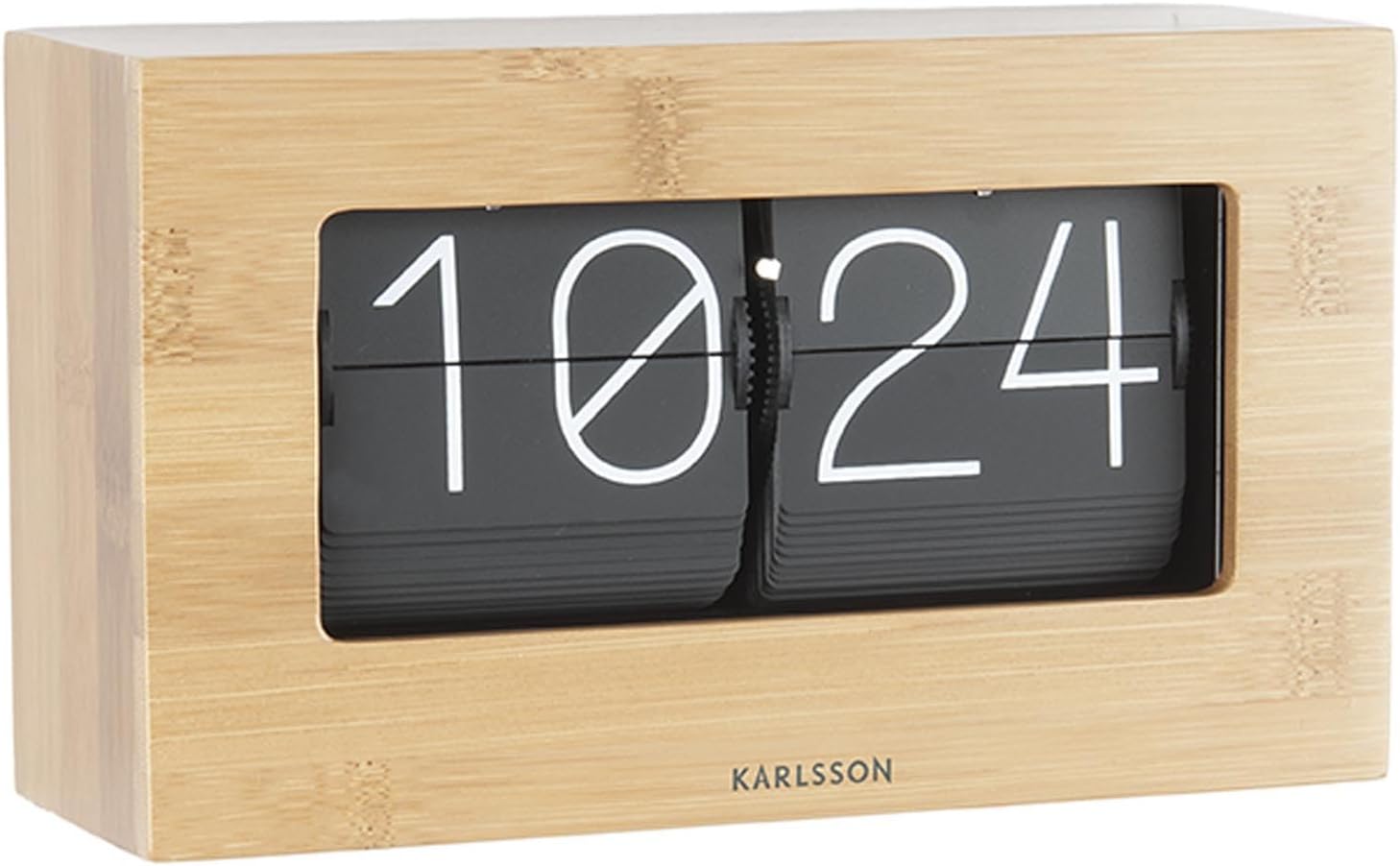
The Karlsson Flip Table Clock combines modern design with classic functionality, featuring a unique flip mechanism for displaying time. Its bamboo finish adds a natural and elegant touch to any space.
2. Varnostne informacije
- Uro hranite stran od neposredne sončne svetlobe, ekstremnih temperatur in visoke vlažnosti.
- Ure ne izpostavljajte vodi ali drugim tekočinam.
- Handle the clock with care. Avoid dropping or subjecting it to strong impacts.
- Do not attempt to disassemble or modify the clock. This may void the warranty and cause damage.
- Keep batteries out of reach of children and pets. Dispose of used batteries properly according to local regulations.
- Uporabljajte samo navedeno vrsto in število baterij.
3. Vsebina paketa
Po razpakiranju preverite vsebino paketa:
- Karlsson Flip Table Clock (Bamboo)
- Uporabniški priročnik (ta dokument)
Opomba: Baterije niso priložene in jih je treba kupiti posebej.
4. Nastavitev
4.1 Razpakiranje
Carefully remove the clock from its packaging. Inspect the clock for any signs of damage during transit. If any damage is found, do not proceed with setup and contact customer support.
4.2 Namestitev baterije
The Karlsson Flip Table Clock is battery-powered. It requires 1 x D battery (not included).
- Poiščite pokrovček predalčka za baterije na zadnji ali spodnji strani ure.
- Pokrov odstranite tako, da ga potisnete ali nežno odprete.
- Insert one D battery, ensuring the positive (+) and negative (-) terminals align correctly with the markings inside the compartment.
- Varno namestite pokrov prostora za baterije.
Slika: Zadaj view of the Karlsson Flip Table Clock, highlighting its compact design and potential location for battery access.
4.3 Namestitev
Place the clock on a stable, flat surface. Ensure it is not near strong magnetic fields or sources of vibration, which could affect its accuracy or mechanism. The clock is designed for indoor use, ideally in a bedroom or living area due to its silent operation.

Image: The Karlsson Flip Table Clock integrated into a home decor setting, demonstrating its aesthetic appeal on a shelf.
5. Navodila za uporabo
5.1 Nastavitev časa
To set the time on your Karlsson Flip Table Clock:
- Locate the time adjustment knob, usually found on the side or back of the clock.
- Gently turn the knob clockwise to advance the time. The minute and hour flaps will flip accordingly.
- Continue turning until the desired time is displayed. It is recommended to set the time a few minutes ahead and then let it catch up to the exact time for precise synchronization.

Slika: Bližnji posnetek spredaj view of the Karlsson Flip Table Clock, showing the clear digital display formed by the flipping number panels.
5.2 Understanding the Flip Mechanism
The clock operates using a mechanical flip mechanism. Every minute, the minute display will audibly click as it flips to the next number. Every hour, the hour display will also flip. This is a normal part of the clock's operation and indicates its proper functioning.
5.3 Silent Operation Feature
While the flip mechanism produces a subtle click, the clock is designed to be generally silent in its continuous operation, making it suitable for quiet environments like bedrooms or offices.
6. Vzdrževanje
6.1 Čiščenje
To clean the clock, gently wipe its surface with a soft, dry cloth. Do not use abrasive cleaners, solvents, or chemical sprays, as these can damage the bamboo finish or the internal components. Avoid getting moisture into the clock's mechanism.
6.2 Zamenjava baterije
When the clock starts to lose time or the flip mechanism becomes sluggish, it is an indication that the battery needs to be replaced. Follow the battery installation steps in Section 4.2. Always replace with a fresh D battery.
6.3 Shranjevanje
If you plan to store the clock for an extended period, remove the battery to prevent leakage and potential damage to the clock's internal components.
7. Odpravljanje težav
| Težava | Možen vzrok | rešitev |
|---|---|---|
| Clock is not running or stops frequently. | Prazna ali prazna baterija. Baterija je nepravilno vstavljena. | Replace with a fresh D battery. Preverite polarnost baterije (+/-). |
| Čas je netočen (teče hitro ali počasi). | Nizka baterija. Environmental factors (extreme temperature). | Zamenjajte baterijo. Ensure clock is in a stable room temperature environment. |
| Flaps are stuck or not flipping correctly. | Ovira v mehanizmu. Nizka baterija. | Gently check for any visible obstructions. Do not force the flaps. Replace battery. If issue persists, contact support. |
| Unusual noise from the clock. | Težava z notranjim mehanizmom. | If the noise is not the normal minute click, discontinue use and contact customer support. |
8. Specifikacije
| Funkcija | Podrobnost |
|---|---|
| Znamka | Karlsson |
| Številka modela | KA5620WD |
| Mere izdelka (D x Š x V) | 43 x 3.81 x 22.6 cm |
| Teža izdelka | 1.03 kg |
| barva | Brown (Bamboo finish) |
| Vrsta zaslona | Digital (Flip mechanism) |
| Vir napajanja | 1 x D Battery (not included) |
| Posebna funkcija | Silent operation (minimal click per minute) |
| Slog | Moderno |
| Vrsta sobe | Spalnica, dnevna soba, pisarna |
| oblika | Pravokotna |
9. Garancija in podpora
Karlsson products are manufactured to high-quality standards. For specific warranty terms and conditions, please refer to the warranty card included with your purchase or visit the official Karlsson webspletnega mesta. Shranite dokazilo o nakupu za uveljavljanje garancije.
For technical support, troubleshooting assistance, or inquiries about replacement parts, please contact Karlsson customer service. Contact information can typically be found on the product packaging or the official brand webmesto.
Upoštevajte, da lahko škoda, ki nastane zaradi nepravilne uporabe, nepooblaščenih popravil ali neupoštevanja navodil v tem priročniku, razveljavi vašo garancijo.
Sorodni dokumentiKA5620WD


Ask a question about this manual
Ask about setup, troubleshooting, compatibility, parts, safety, or missing instructions. Manuals+ will review the question and use this page’s manual context to help answer it.