
MICTUNING MIC-CDL-002-82
MICTUNING 2nd-Gen RGB LED Rock Lights User Manual
Model: MIC-CDL-002-82
1. Uvod
Thank you for choosing MICTUNING 2nd-Gen RGB LED Rock Lights. This kit provides vibrant, customizable lighting for your vehicle's exterior, enhancing visibility and aesthetics. Designed with high-brightness RGB 3-in-1 LEDs, a stable Bluetooth controller, and an IP68 waterproof rating, these lights are built for durability and performance in various conditions. This manual provides essential information for installation, operation, maintenance, and troubleshooting to ensure optimal use of your product.

Slika 1.1: Konecview of the MICTUNING 2nd-Gen RGB LED Rock Lights kit, including the 8 LED pods, control box, and wiring.
2. Varnostne informacije
Pred namestitvijo in uporabo preberite in razumite vsa varnostna navodila. Neupoštevanje teh navodil lahko povzroči električni udar, požar ali resne poškodbe.
- Preden začnete z električno namestitvijo, vedno odklopite akumulator vozila.
- Prepričajte se, da so vse žične povezave varne in pravilno izolirane, da preprečite kratke stike.
- Izdelka ne spreminjajte na noben način. Nepooblaščene spremembe lahko razveljavijo garancijo in predstavljajo varnostno tveganje.
- Keep the control box and wiring away from extreme heat, moving parts, and sharp edges.
- Če ste glede katerega koli dela postopka namestitve negotovi, se posvetujte s strokovnjakom.
3. Vsebina paketa
Verify that all components are present in your package before beginning installation:
- 8 x RGB LED Rock Light Pods
- 1 x Bluetooth Control Box
- Kabelski snopi
- Mounting Hardware (screws, nuts, rubber pads)
- Uporabniški priročnik

Slika 3.1: Podrobno view of all items included in the package, such as the LED pods, control box, wiring, and various mounting accessories.
4. Nastavitev in namestitev
Follow these steps for proper installation of your MICTUNING RGB LED Rock Lights:
- Načrtovanje postavitve: Determine the optimal placement for each of the 8 LED pods on your vehicle's undercarriage. Consider areas that will provide even illumination and are protected from direct impact.
- Mounting the Pods: Securely mount each LED pod using the provided screws and rubber pads. Ensure the mounting surface is clean and flat. The sturdy aluminum housing provides durability.
- Montaža krmilne omarice: Choose a dry, secure location for the Bluetooth control box, such as under the hood or inside the cabin. Ensure it is easily accessible for wiring and protected from water and excessive heat. The control box features a built-in automotive-grade chip for stable Bluetooth connection.
- Žične povezave:
- Connect the wiring harnesses from each LED pod to the control box.
- Connect the main power and ground wires from the control box to your vehicle's 12V power source (e.g., battery). It is recommended to use an inline fuse (a safety protection fuse is included) for circuit protection.
- Ensure all connections are tight and insulated to prevent corrosion and short circuits.
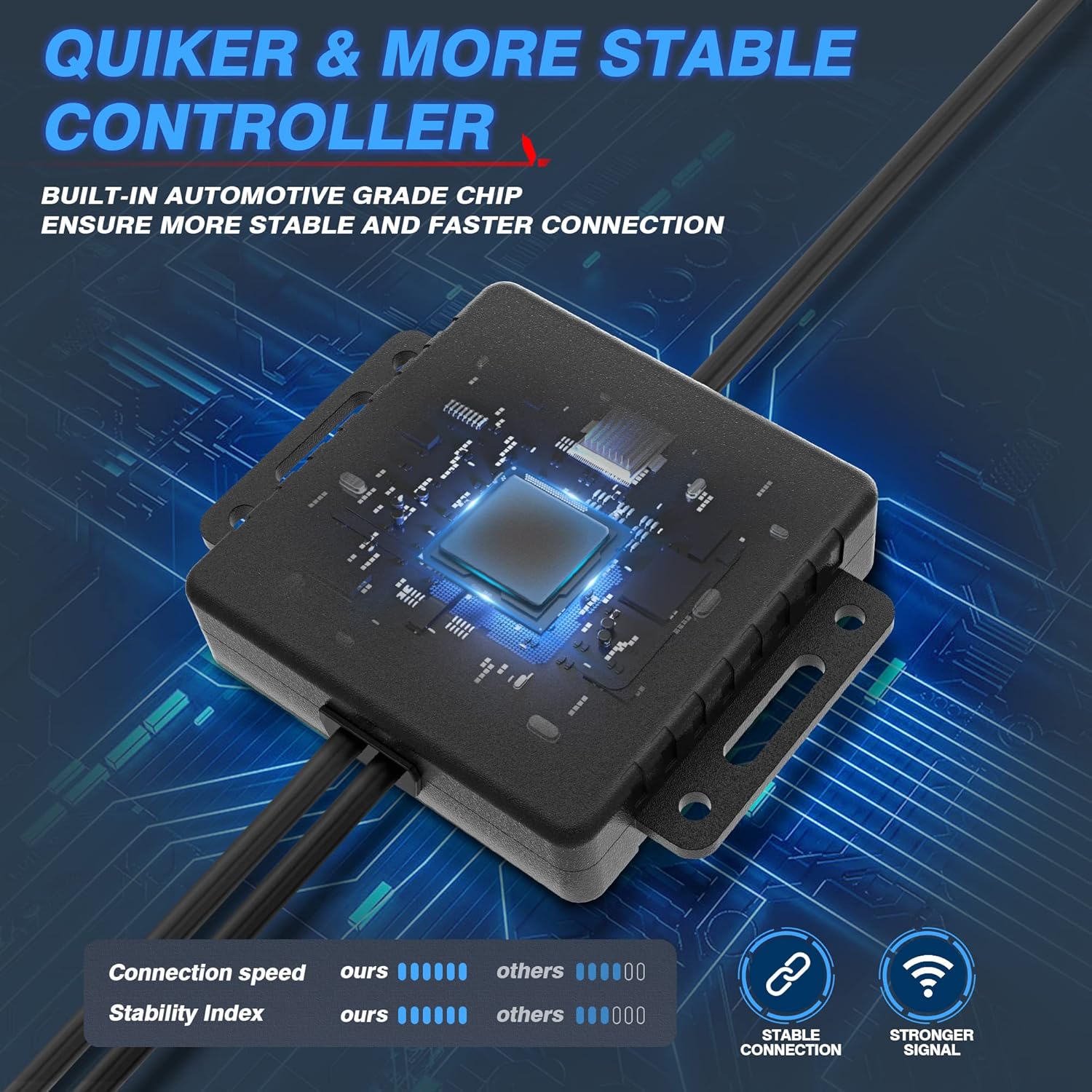
Image 4.1: The Bluetooth control box, highlighting its internal automotive-grade chip for stable and fast connection.

Image 4.2: A MICTUNING LED rock light submerged in water, demonstrating its IP68 waterproof rating and durable aluminum housing with an integrated safety fuse.
- Vklop in preizkus: Reconnect the vehicle's battery. The lights should briefly illuminate.
- Prenos aplikacije: Scan the QR code on the control box or in the user manual to download the "Mictuning" app from your smartphone's app store.
5. Navodila za uporabo
Your MICTUNING RGB LED Rock Lights are controlled via the exclusive MagicLink App. This app allows for comprehensive customization of your lighting experience.
- Povežite se prek Bluetooth: Open the MagicLink App on your smartphone. Ensure Bluetooth is enabled. The app will automatically search for and connect to your MICTUNING control box.
- Izberite načine osvetlitve: The app offers various lighting modes, including:
- Statične barve: Izbirajte med širokim spektrom barv s pomočjo barvnega kolesa.
- Dinamični načini: Select from pre-programmed flashing, strobing, fading, and chasing učinki.
- Glasbeni način: Synchronize the lights with music playing on your phone or through the app's microphone.
- Funkcija merjenja časa: Nastavite urnike za samodejni vklop/izklop luči.
- Prilagoditev svetlosti: Adjust the brightness level to your preference within the app.
- Nadzor več naprav: The MagicLink App allows you to control multiple sets of MICTUNING lights of the same type (e.g., up to 6 sets of X2 CM Q1 RGB rock lights) from a single phone.
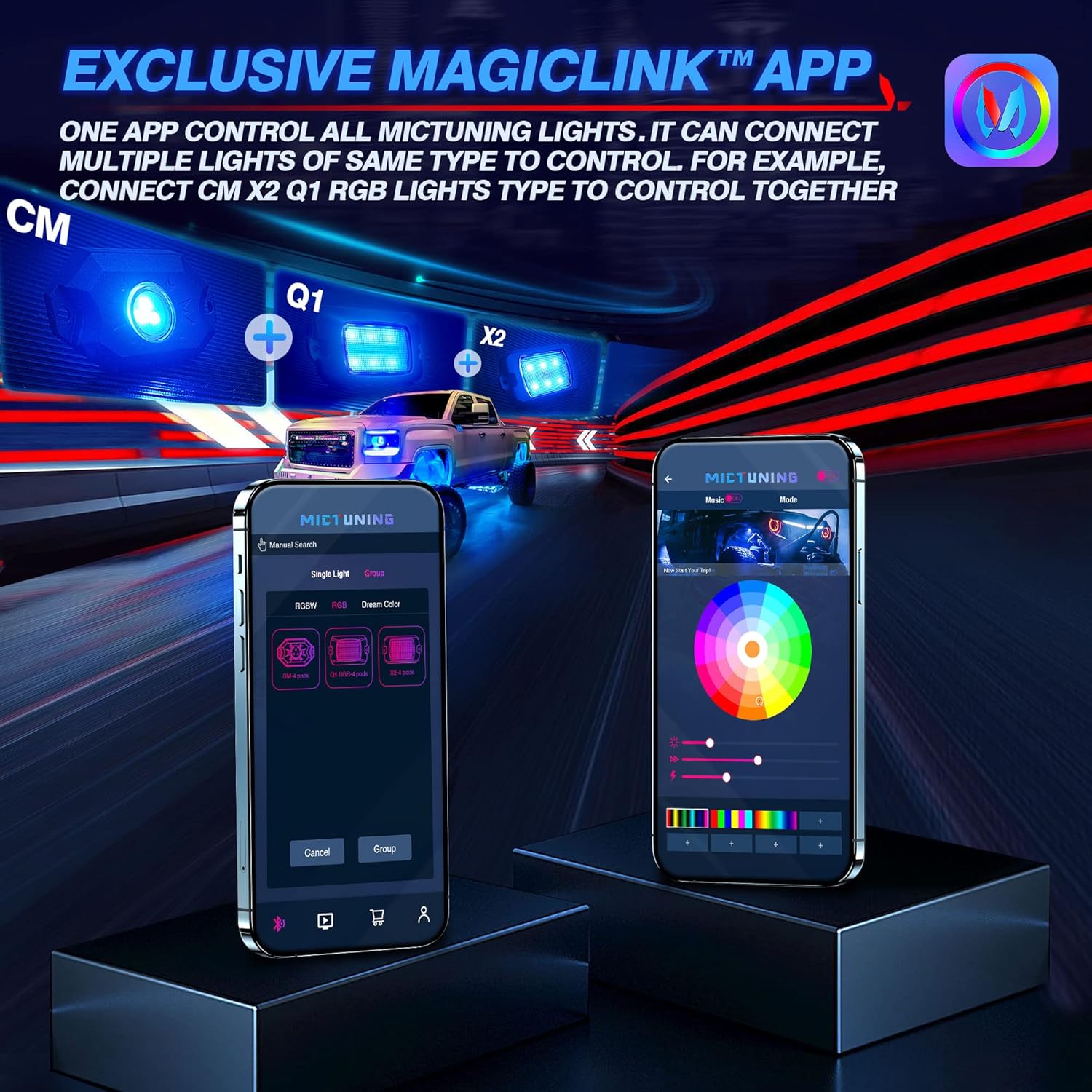
Image 5.1: The MagicLink App interface, showing options for single light or group control, and a color wheel for custom light selection.
6. Vzdrževanje
Regular maintenance will help prolong the lifespan and performance of your rock lights:
- Čiščenje: Periodically clean the LED pods with a soft cloth and mild soap and water. Avoid abrasive cleaners or high-pressure washers directly on the lights.
- Pregled: Regularly inspect the wiring for any signs of wear, fraying, or damage. Check all connections to ensure they remain secure.
- Vodoodporna celovitost: While the lights are IP68 waterproof, ensure that the connections to the control box remain dry and free from moisture buildup.
7. Odpravljanje težav
If you encounter issues with your MICTUNING RGB LED Rock Lights, refer to the following common problems and solutions:
| Težava | Možen vzrok | rešitev |
|---|---|---|
| Luči se ne prižgejo. | Ni elektrike, ohlapna povezava, pregorela varovalka. | Check power connections to the battery. Ensure all wiring is secure. Inspect the inline fuse and replace if blown. |
| Bluetooth connection is unstable or slow. | Interference, app issues, distance from control box. | Ensure your phone's Bluetooth is on. Restart the app and your phone. Move closer to the control box. Ensure the app has necessary permissions (e.g., location access). |
| Colors are inconsistent or mottled. | Individual LED pod issue, wiring problem. | Check the connections to the affected pod. Ensure the app is updated to the latest version. |
| Lights do not respond to app commands. | App not connected, control box issue. | Verify Bluetooth connection in the app. Restart the control box by disconnecting and reconnecting power. |
8. Specifikacije
| Funkcija | Podrobnost |
|---|---|
| Številka modela | MIC-CDL-002-82 |
| barva | RGB |
| Material | Aluminij |
| Teža predmeta | 4.4 funta |
| Dimenzije izdelka | 7.87 x 5.12 x 5.71 palcev |
| Stopnja vodoodpornosti | Vodoodporen IP68 |
| Tehnologija povezljivosti | Bluetooth |
| Število kosov | 8 Pods |
| Življenjska doba | Do 50,000+ ur |
9. Garancija in podpora
MICTUNING stands behind the quality of its products. Your MICTUNING 2nd-Gen RGB LED Rock Lights come with a dvoletna garancija od datuma nakupa.
If you encounter any issues or have questions regarding your product, please do not hesitate to contact MICTUNING customer support. Our responsive team is committed to assisting you within 24 hours to resolve any problems.
Kontaktni podatki:
- Visit the official MICTUNING website for support resources and contact details: MICTUNING Store
- Refer to the user manual for additional contact methods.
Ask a question about this manual
Ask about setup, troubleshooting, compatibility, parts, safety, or missing instructions. Manuals+ will review the question and use this page’s manual context to help answer it.