
1. Uvod
This manual provides instructions for the proper setup, operation, and maintenance of your SUBSONIC Dual Charging Station for PlayStation 4 controllers. This charging station is designed to charge and store two DualShock 4 controllers simultaneously, compatible with PlayStation 4, PS4 Slim, and PS4 Pro consoles.
2. Vsebina paketa
- SUBSONIC Dual Charging Station
- USB polnilni kabel
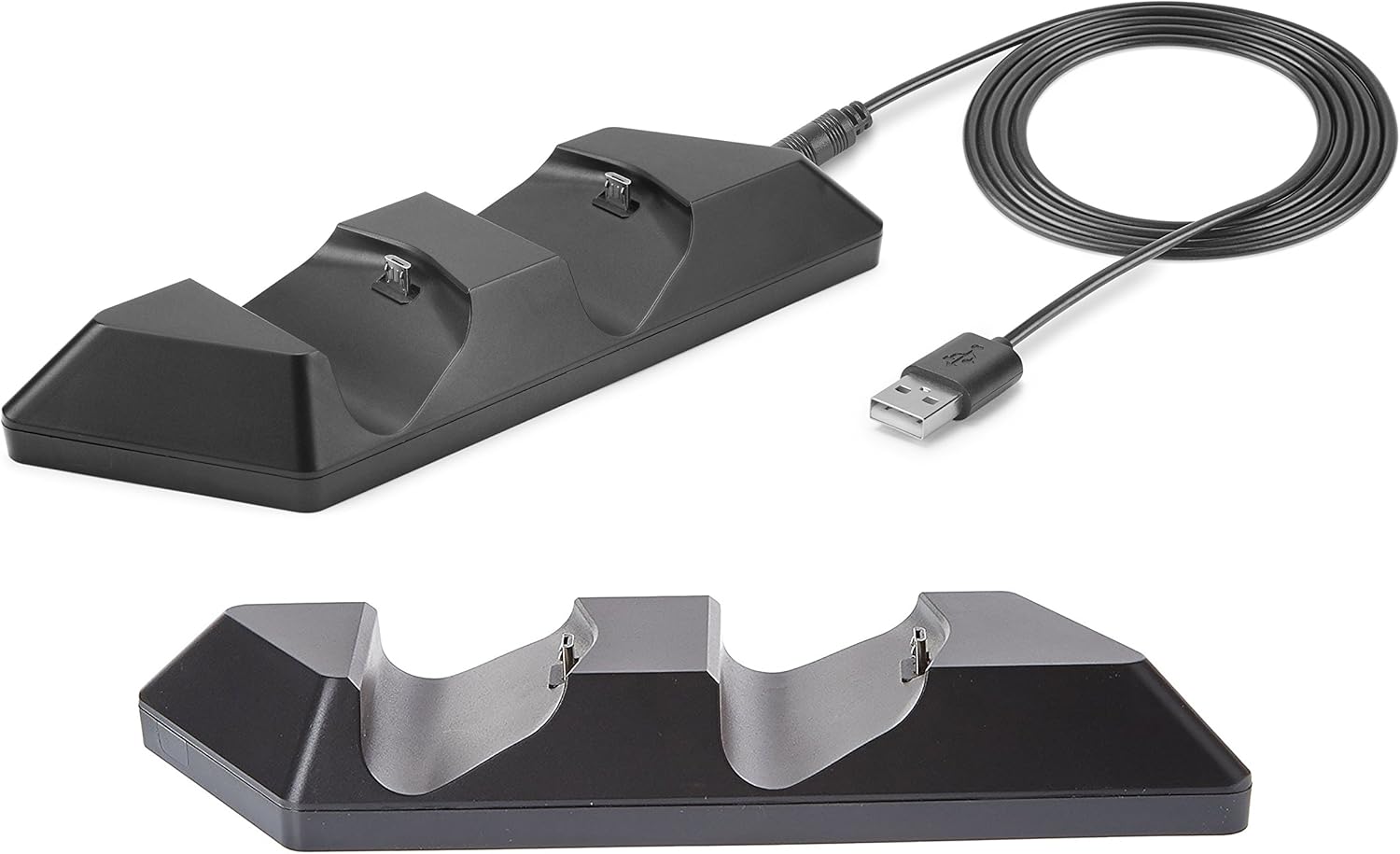
Image: The SUBSONIC Dual Charging Station and its included USB cable. The station features two controller slots and a USB port for connection.
3. Navodila za nastavitev
- Connect the small end of the included USB charging cable to the USB port located on the back of the SUBSONIC Dual Charging Station.
- Connect the standard USB-A end of the cable to an available USB port on your PlayStation 4 console (PS4, PS4 Slim, or PS4 Pro). The charging station will power on.
- Carefully align your DualShock 4 controllers with the charging ports on the station and gently place them into the slots. Ensure a secure connection.

Image: The SUBSONIC Dual Charging Station connected to a PlayStation 4 console via USB, with two DualShock 4 controllers placed in the charging slots. The image highlights the 'FAST CHARGING' capability.
4. Navodila za uporabo
4.1 Krmilniki polnjenja
- Once controllers are placed correctly in the charging station and the station is connected to the console, charging will begin automatically.
- The light bar on your DualShock 4 controller will illuminate orange to indicate that it is currently charging.
- When the controller is fully charged, the orange light bar will turn off.
- The charging station provides ultra-fast charging directly from the console's USB port.
4.2 Funkcija shranjevanja
The charging station also serves as a convenient storage base for your DualShock 4 controllers when not in use, keeping them organized and ready for gameplay.
5. Vzdrževanje
- To clean the charging station, disconnect it from the power source and wipe it with a soft, dry cloth.
- Ne uporabljajte abrazivnih čistil ali topil.
- Ensure the charging ports are free from dust and debris for optimal connection.
6. Odpravljanje težav
- Krmilnik se ne polni:
- Ensure the USB cable is securely connected to both the charging station and the PS4 console.
- Verify that the controller is properly seated in the charging slot.
- Try connecting the charging station to a different USB port on the console.
- Test the USB cable with another device to confirm it is functional.
- Počasno polnjenje:
- Prepričajte se, da je konzola PS4 vklopljena ali v načinu mirovanja z omogočenim napajanjem USB.
- Avoid using USB hubs or extension cables that may reduce power delivery.
7. Specifikacije
| Številka modela | SA5356 |
| Dimenzije izdelka | 20 x 15 x 4 cm |
| Teža | 120 g |
| Združljivost | PlayStation 4, PS4 Slim, PS4 Pro DualShock 4 controllers |
8. Garancija in podpora
For warranty information or technical support, please refer to the documentation provided with your purchase or contact SUBSONIC customer service through their official webspletnega mesta. Shranite dokazilo o nakupu za uveljavljanje garancije.

