
1. Uvod
This manual provides detailed instructions for the Peakeep Digital Alarm Clock, Model MHP3112. This battery-operated digital alarm clock features a clear display, dual alarm settings with weekday mode options, an indoor temperature display, and a smart sensor night light for enhanced visibility in low-light conditions. Its compact and durable design makes it suitable for various indoor environments.

Slika 1: Spredaj view of the Peakeep Digital Alarm Clock MHP3112, displaying current time, date, day of the week, indoor temperature, and active alarm settings.
2. Nastavitev
2.1 Namestitev baterije
The Peakeep Digital Alarm Clock requires 3 AAA batteries for operation. Batteries are not included and must be purchased separately.
- Poiščite pokrovček predalčka za baterije na zadnji strani ure.
- Potisnite pokrov navzdol, da ga odprete.
- Vstavite 3 bateriji AAA in pazite na pravilno polarnost (+ in -).
- Pokrovček predala za baterije namestite nazaj tako, da ga potisnete navzgor, dokler se ne zaskoči.
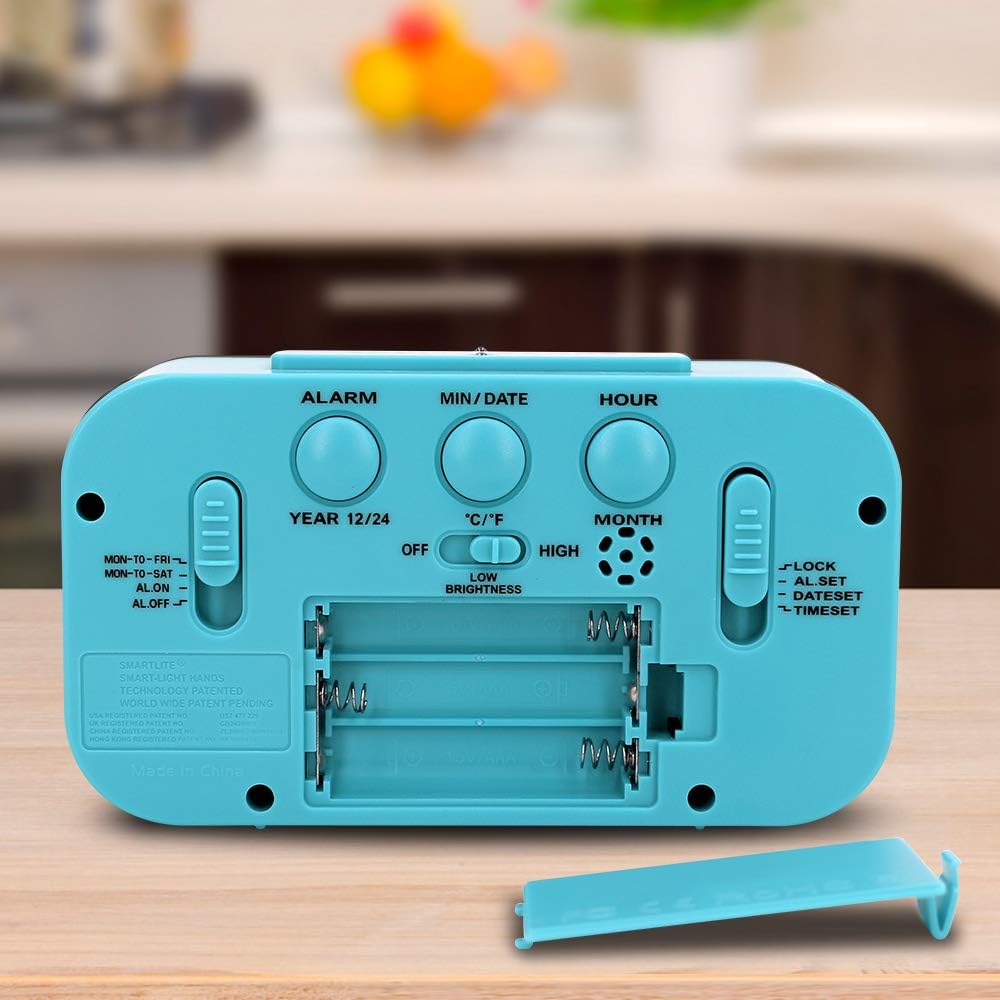
Figure 2: Rear panel of the alarm clock, highlighting the battery compartment and various setting buttons and switches.
2.2 Začetna nastavitev časa in datuma
After installing batteries, the clock will power on. Follow these steps to set the current time and date:
- Poiščite ČAS NAST slider on the right side of the back panel. Slide it to the 'TIME SET' position.
- Uporabite URA button to adjust the hour. Press repeatedly or hold to advance quickly. Observe the AM/PM indicator.
- Uporabite MIN/DATUM button to adjust the minute. Press repeatedly or hold to advance quickly.
- To set the date, press the MIN/DATUM button while in 'TIME SET' mode. The year will flash. Use the URA gumb za nastavitev leta.
- Pritisnite MIN/DATUM again to set the month. Use the URA gumb za nastavitev meseca.
- Pritisnite MIN/DATUM again to set the day. Use the URA gumb za nastavitev dneva.
- Once all settings are correct, slide the ČAS NAST slider back to the 'LOCK' position to save.
Video 1: This video demonstrates the process of setting the time, date, and alarm on a similar digital clock. It shows how to navigate through the settings using the buttons on the back panel.
2.3 Temperature Unit and Time Format
To switch between Celsius (°C) and Fahrenheit (°F) for temperature display, or between 12-hour and 24-hour time format:
- Pritisnite MIN/DATUM button to toggle between °C and °F.
- Pritisnite 12/24H gumb za preklapljanje med 12-urnim in 24-urnim formatom časa.

Figure 3: The clock display showing the indoor temperature reading.

Figure 4: The clock display showing the month, date, and day of the week.
3. Navodila za uporabo
3.1 Nastavitev alarmov (Alarm 1 in Alarm 2)
The clock supports two independent alarms. To set an alarm:
- Poiščite ALARM NASTAVLJEN slider on the right side of the back panel. Slide it to the 'ALARM SET' position.
- Uporabite URA button to adjust the alarm hour. Press repeatedly or hold to advance quickly.
- Uporabite MIN/DATUM button to adjust the alarm minute. Press repeatedly or hold to advance quickly.
- To set the second alarm, press the ALARM button on the back panel. The alarm icon (1 or 2) will change. Repeat steps 2 and 3.
- Once the alarm time(s) are set, slide the ALARM NASTAVLJEN slider back to the 'LOCK' position.

Figure 5: The clock display indicating two alarm settings and the active weekday mode (MON-TO-FRI).
3.2 Activating/Deactivating Alarms and Weekday Mode
Uporabite VKLOP / IZKLOP ALARMA slider on the left side of the back panel to control alarm activation and mode:
- ON: Activates the alarm(s) for all 7 days.
- MON-TO-FRI: Activates the alarm(s) only on weekdays (Monday to Friday).
- MON-TO-SAT: Activates the alarm(s) from Monday to Saturday.
- IZKLOP: Deactivates all alarms.
3.3 Funkcija dremeža
Ko se oglasi alarm, pritisnite veliko SNOOZE / LUČ button on the top of the clock to activate the snooze function. The alarm will temporarily stop and sound again after approximately 9 minutes.
3.4 Smart Sensor Night Light
The clock features a smart sensor night light that automatically illuminates the display in low-light conditions. You can adjust its behavior:
- Uporabite NOČNA LUČ switch on the back panel to select between 'OFF', 'LOW', or 'HIGH' brightness for the automatic night light.
- S pritiskom na SNOOZE / LUČ button on top will temporarily illuminate the display for 5 seconds at full brightness, regardless of the night light switch setting.
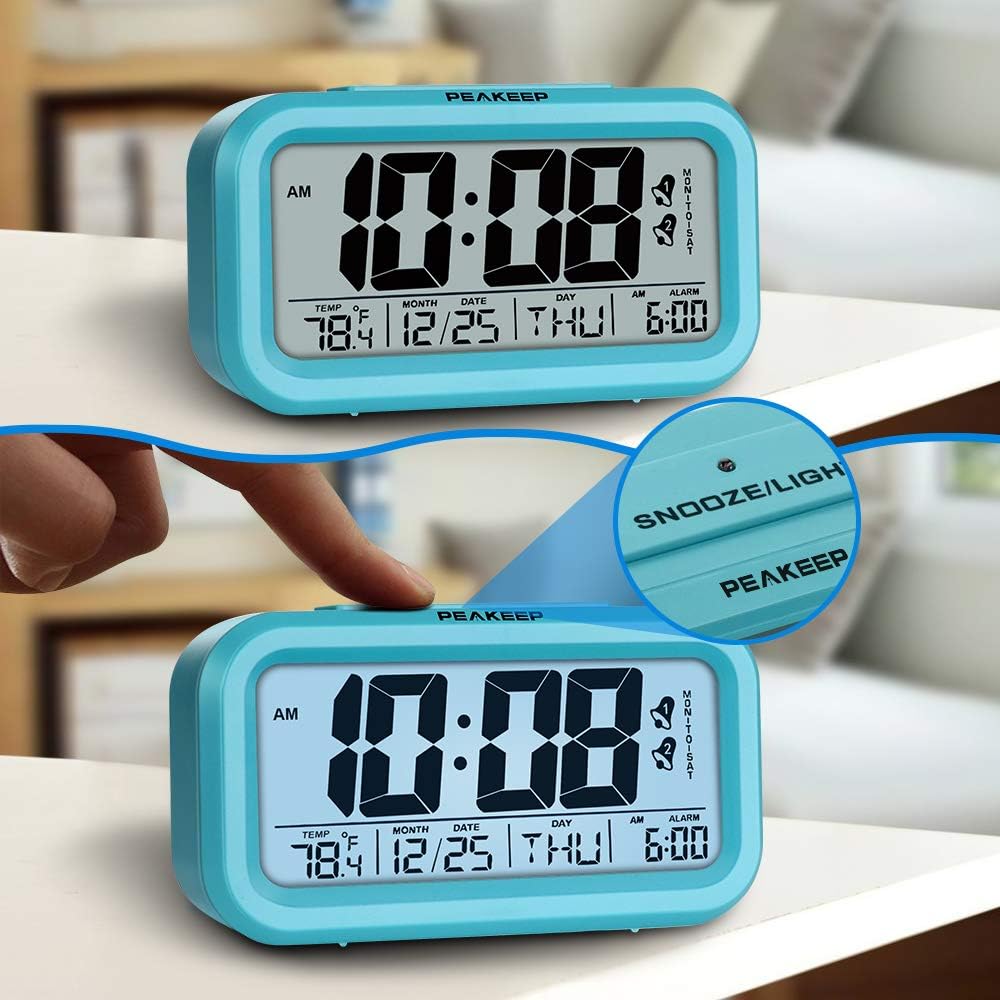
Figure 6: The top snooze/light button and the illuminated display.
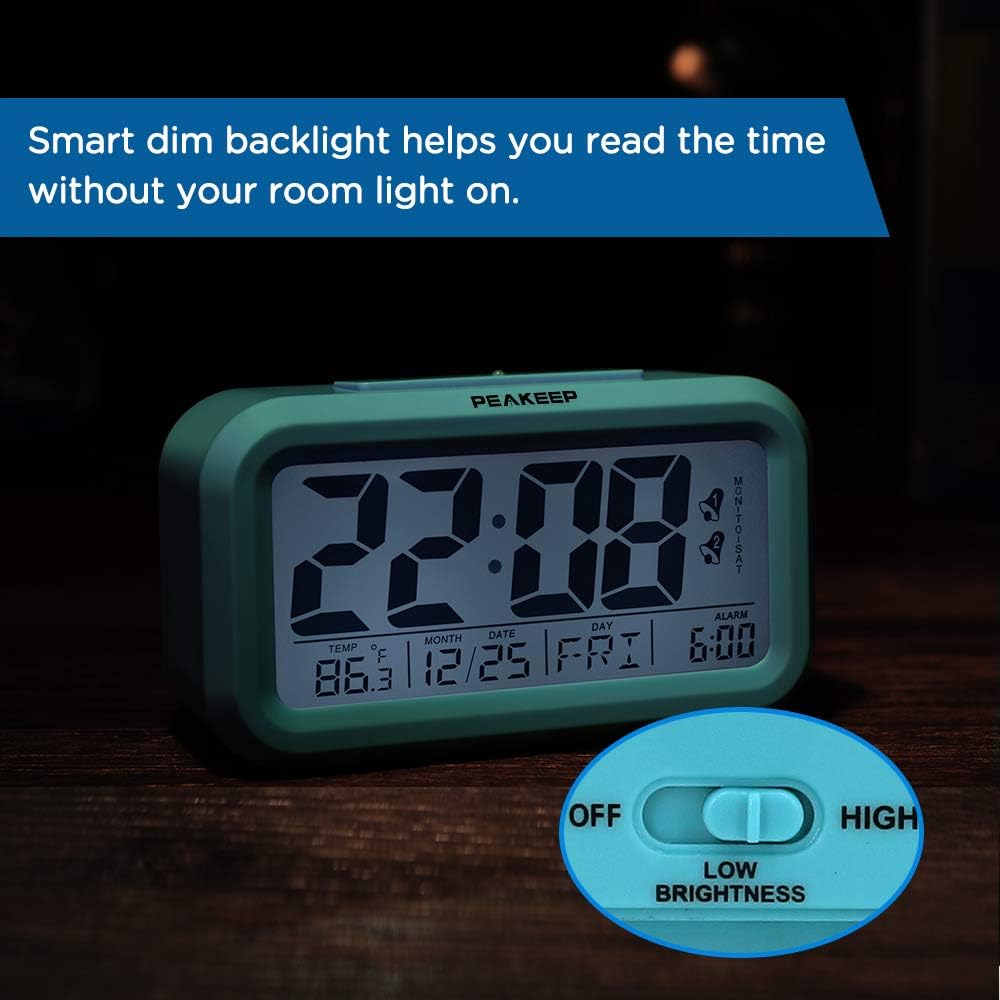
Figure 7: The clock's smart dim backlight feature in action, with the low brightness setting indicated.
Videoposnetek 2: Ta videoposnetek ponuja podroben pregledview of the Peakeep Digital Alarm Clock, demonstrating its various features including the night light, temperature display, and the ease of setting time and alarms using the back panel controls.
4. Vzdrževanje
4.1 Zamenjava baterije
Ko zaslon potemni ali ko funkcije ure postanejo neenakomerne, je čas za zamenjavo baterij. Sledite korakom za namestitev baterij v poglavju 2.1.
4.2 Čiščenje
To clean the clock, use a soft, dry cloth. Do not use abrasive cleaners or solvents, as these may damage the display or casing.
5. Odpravljanje težav
- Brez zaslona/Zatemnjen zaslon: Check battery installation and replace with fresh AAA batteries. Ensure the night light switch is not set to 'OFF' if expecting continuous illumination.
- Alarm se ne oglasi: Preverite VKLOP / IZKLOP ALARMA slider is set to 'ON', 'MON-TO-FRI', or 'MON-TO-SAT' as desired. Ensure the alarm time is correctly set.
- Napačen čas/datum: Re-enter time and date settings as described in Section 2.2. Ensure the ČAS NAST slider is returned to 'LOCK' after adjustments.
6. Specifikacije
| Funkcija | Podrobnost |
|---|---|
| Znamka | Peakeep |
| Številka modela | MHP3112 |
| Dimenzije | 5.2 x 1.8 x 3 palcev |
| Teža predmeta | 5.6 unč |
| Vir napajanja | 3 AAA baterije (niso vključene) |
| Vrsta zaslona | Digitalno |
| Posebne lastnosti | 2 Alarms, Weekday Mode, Indoor Temperature Display, Smart Sensor Night Light |
| Material okvirja | Plastika |

Figure 8: Dimensions of the Peakeep Digital Alarm Clock.
7. Garancija in podpora
For warranty inquiries or product support, please contact Peakeep customer service at: sales@us-myhome.com.