
1. Uvod
The CHERRY KC 1000 is a reliable wired keyboard designed for professional office use and everyday computing. It features a full-size Italian QWERTY layout, a flat design, and quiet keystrokes for comfortable and efficient typing. This manual provides essential information for setting up, operating, maintaining, and troubleshooting your keyboard.
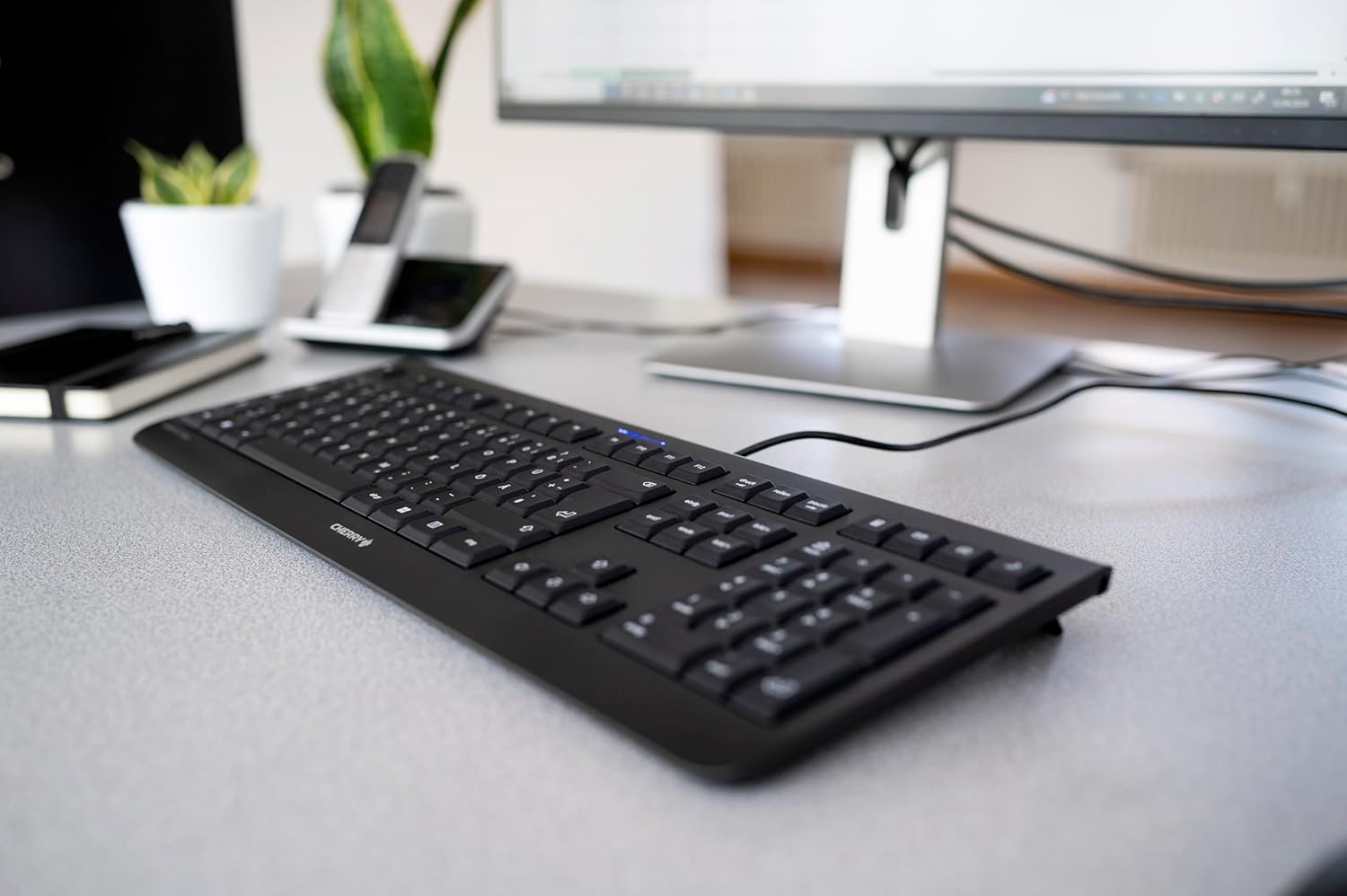
Image 1.1: The CHERRY KC 1000 keyboard in a typical office setup.
2. Nastavitev
The CHERRY KC 1000 keyboard is designed for simple Plug & Play installation. No additional drivers are required for most operating systems.
2.1 Priključitev tipkovnice
- Locate an available USB-A port on your computer (desktop PC, laptop, or compatible device).
- Insert the USB connector of the CHERRY KC 1000 keyboard into the USB-A port.
- Your operating system will automatically detect and install the necessary drivers. This process usually takes a few seconds.
- Tipkovnica je zdaj pripravljena za uporabo.
The keyboard features a 180 cm (approximately 5.9 feet) long cable, providing ample flexibility for desk arrangements.

Image 2.1: The USB cable connection of the CHERRY KC 1000 keyboard.
3. Upravljanje tipkovnice
The CHERRY KC 1000 offers a standard Italian QWERTY layout with additional function keys for enhanced productivity.
3.1 Razporeditev in funkcije tipk
The keyboard includes a full-size layout with a dedicated numeric keypad and cursor keys. The Italian QWERTY layout supports specific characters and symbols commonly used in the Italian language.

Slika 3.1: Konecview of the CHERRY KC 1000 Italian QWERTY key layout.
3.2 Special Function Keys
The keyboard features 4 additional keys located above the numeric keypad for quick access to common functions:
- Kalkulator: Odpre privzeto aplikacijo za kalkulator.
- E-pošta: Zažene vaš privzeti e-poštni odjemalec.
- Brskalnik: Odpre privzeto web brskalnik.
- Spanje: Preklopi računalnik v stanje mirovanja.
3.3 LED diode stanja
Three blue status LEDs are located above the function keys to indicate the status of:
- CAPS LOCK: Sveti, ko je tipka Caps Lock aktivna.
- ŠTEVILO: Sveti, ko je tipka Num Lock aktivna.
- POMIKANJE: Sveti, ko je tipka Scroll Lock aktivna.

Image 3.2: User interacting with the CHERRY KC 1000 keyboard.
4. Vzdrževanje
Proper care and maintenance will ensure the longevity and optimal performance of your CHERRY KC 1000 keyboard.
4.1 Čiščenje tipkovnice
- Pred čiščenjem tipkovnico odklopite iz računalnika.
- Uporabite mehko krpo, ki ne pušča vlaken, dampened with water or a mild cleaning solution (e.g., isopropyl alcohol) to wipe the keycaps and keyboard surface.
- Avoid using abrasive cleaners, solvents, or harsh chemicals, as these can damage the keyboard's finish or key legends.
- Za prah in umazanijo med tipkami uporabite stisnjen zrak ali majhno krtačo.
- Preden tipkovnico ponovno priključite na računalnik, se prepričajte, da je popolnoma suha.
4.2 Splošna nega
- Izogibajte se razlitju tekočin po tipkovnici.
- Do not expose the keyboard to extreme temperatures or direct sunlight for extended periods.
- Do not attempt to disassemble the keyboard, as this may void the warranty.
5. Odpravljanje težav
If you encounter issues with your CHERRY KC 1000 keyboard, refer to the following common troubleshooting steps.
5.1 Tipkovnica se ne odziva
- Preverite povezavo USB: Ensure the USB cable is securely plugged into both the keyboard and the computer's USB port. Try a different USB port.
- Znova zaženite računalnik: Včasih lahko težave s povezljivostjo odpravi že preprost ponovni zagon računalnika.
- Test na drugem računalniku: If possible, connect the keyboard to another computer to determine if the issue is with the keyboard or the original computer.
- Ponovna namestitev gonilnika: Although Plug & Play, sometimes reinstalling drivers can help. Disconnect the keyboard, restart the computer, and then reconnect the keyboard.
5.2 Tipke ne delujejo pravilno
- Čiste tipke: Dust or debris under the keycaps can cause keys to stick or not register. Refer to the cleaning instructions in Section 4.1.
- Konflikti programske opreme: Ensure no other software or keyboard utilities are interfering with the keyboard's operation.
5.3 Status LEDs Not Working
- Verify that the corresponding lock function (Caps Lock, Num Lock, Scroll Lock) is activated.
- If the keyboard is otherwise functional, a minor software glitch might be preventing the LED from lighting up. A computer restart may resolve this.
6. Specifikacije
Below are the technical specifications for the CHERRY KC 1000 Wired Keyboard.
| Funkcija | Podrobnost |
|---|---|
| Ime modela | ČEŠNJA KC 1000 |
| Številka modela | JK-0800IT-2 |
| Povezljivost | Žični USB-A |
| Razporeditev tipkovnice | Italian QWERTY |
| Število ključev | 109 |
| Ključna tehnologija | Membrane or Rubber Dome |
| Posebne lastnosti | Whisper-quiet keystroke, 4 additional function keys (Calculator, Email, Browser, Sleep Mode), 3 blue status LEDs |
| Dolžina kabla | 1.8 metra (5.9 čevljev) |
| Material | Plastika |
| barva | Črna |
| Teža | 530 gramov |
| Združljive naprave | Prenosni računalnik, PC |
| Certifikati | c-tick, cULus, CE, FCC, BSMI, TÜV/GS, Blue Angel eco-label |
7. Garancija in podpora
CHERRY products are manufactured to high-quality standards. For information regarding warranty coverage, please refer to the warranty card included with your product or visit the official CHERRY website. For technical support or further assistance, please contact CHERRY customer service through their official channels.
The product package includes: 1 CHERRY KC 1000 keyboard and a printed instruction manual.