
Uvod
Hvala za nakupasing the Capello Self-Setting Atomic Clock with Calendar & Indoor Temperature. This clock is designed to provide accurate timekeeping, date display, and indoor temperature readings, all within a sleek, contemporary design. Its self-setting atomic feature ensures precise time synchronization.
Ključne značilnosti
- Self-Setting Atomic Time: Automatically synchronizes with the WWVB radio signal for precise time.
- Digitalni zaslon: Bright and easy-to-read digital readout.
- Funkcija koledarja: Displays month, date, and day of the week.
- Notranja temperatura: Provides current indoor temperature in Fahrenheit or Celsius.
- Dvojni alarmi: Two independent alarm settings for versatile use.
- Eleganten dizajn: Durable polyurethane frame with a black plastic face, suitable for any room decor.
- Baterija: Operates on AAA batteries (not included).
Vsebina paketa
- Capello Self-Setting Atomic Clock
- Uporabniški priročnik (ta dokument)
Nastavitev
1. Namestitev baterije
Locate the battery compartment on the back of the clock. Insert 3 AAA batteries (not included) according to the polarity indicators (+ and -). Ensure the battery compartment cover is securely closed.
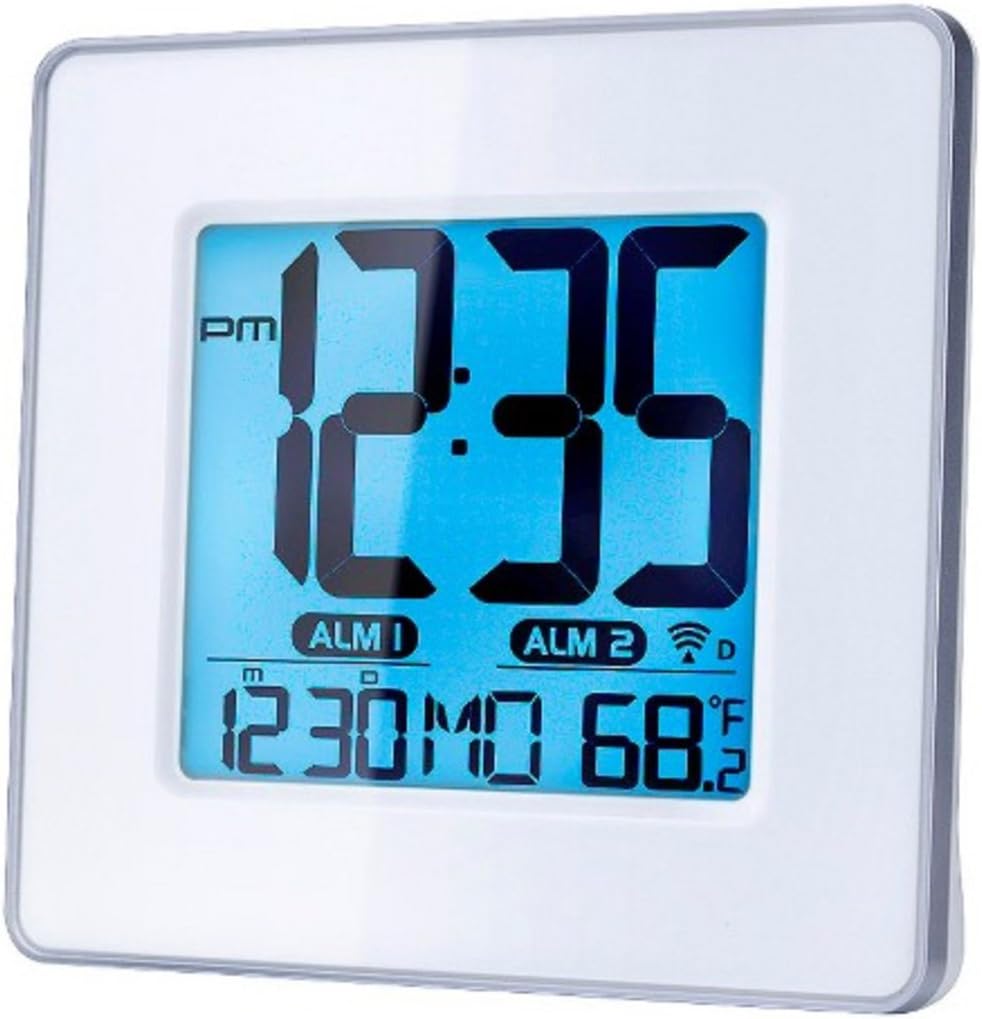
Slika 1: Spredaj view of the Capello Self-Setting Atomic Clock. This image displays the clock's digital screen, showing the time (12:35 PM), two alarm indicators (ALM 1, ALM 2), the date (12:30 MO), and the indoor temperature (68.2°F). The clock has a white frame and a blue-tinted digital display.
2. Initial Power-On and Atomic Signal Reception
Upon battery installation, the clock will automatically attempt to receive the WWVB atomic time signal. This process may take several minutes to several hours, especially during initial setup. For best reception, place the clock near a window and away from electronic devices that may cause interference. The atomic signal is typically stronger at night.

Slika 2: Bližnji posnetek spredaj view of the Capello Self-Setting Atomic Clock. This image highlights the clear digital display, which shows the time, date, and temperature. The white frame of the clock is visible, emphasizing its clean design.
A signal strength indicator (often a tower icon with waves) will appear on the display once a successful signal is received. If the signal is not received immediately, the clock will default to a manual time setting. You can manually initiate a signal search by holding the "WAVE" button (if present) on the back of the clock for a few seconds.
Navodila za uporabo
1. Manual Time and Date Setting
In case the atomic signal is not available or for manual adjustment:
- Pritisnite in držite NASTAVI button (or similar, refer to back panel buttons) for a few seconds until the display flashes.
- Uporabite UP in DOL gumbe za nastavitev utripajoče vrednosti (npr. ura, minuta, leto, mesec, dan).
- Pritisnite NASTAVI again to confirm the selection and move to the next setting.
- Ponavljajte, dokler niso konfigurirane vse želene nastavitve.
2. Nastavitve alarma
The clock features two independent alarms (ALM 1 and ALM 2).
- Pritisnite ALARM button (or ALM 1/ALM 2 button) to select the alarm you wish to set.
- Pritisnite in držite ALARM NASTAVLJEN button (or similar) until the alarm time flashes.
- Uporabite UP in DOL gumbe za nastavitev ure in minute alarma.
- Pritisnite ALARM NASTAVLJEN za potrditev.
- Za vklop/izklop alarma pritisnite ustrezno tipko VKLOP / IZKLOP ALARMA gumb. Ko je aktiven, se na zaslonu prikaže ikona alarma.
3. Prikaz temperature
The clock displays indoor temperature. To switch between Fahrenheit (°F) and Celsius (°C), locate the °F/°C button on the back of the unit and press it.

Slika 3: Pod kotom view of the Capello Self-Setting Atomic Clock. This perspective shows the clock's depth and the sleek design of its white frame, along with the clear digital display from a side angle.
Vzdrževanje
Čiščenje
Uro obrišite z mehko, suho krpo. Ne uporabljajte abrazivnih čistil ali topil, saj lahko poškodujejo zaslon aliasing.
Zamenjava baterije
When the display dims or the clock stops functioning, replace the AAA batteries. Always replace all batteries at the same time with new ones. Dispose of old batteries responsibly according to local regulations.
Odpravljanje težav
| Težava | Možen vzrok | rešitev |
|---|---|---|
| Ura se ne nastavi samodejno. | Weak or no atomic signal reception. Interference from other electronics. Incorrect time zone setting. | Relocate the clock closer to a window, away from electronic devices (TVs, computers, microwaves). Try initiating a manual signal search (WAVE button). Ensure correct time zone is set if applicable. Note that the signal is often stronger at night. |
| Zaslon je zatemnjen ali prazen. | Prazne baterije. | Replace all AAA batteries with new ones. |
| Time is incorrect after Daylight Saving Time change. | Atomic clock may take up to 24 hours to adjust or requires manual adjustment for DST. | Allow up to 24 hours for automatic adjustment. If it doesn't adjust, manually set the time. Some atomic clocks may not automatically adjust for DST and require manual intervention. |
| Alarm se ne oglasi. | Alarm not activated. Alarm volume too low (if adjustable). | Ensure the alarm icon is visible on the display. Check alarm settings and ensure the time is correctly set. |
Specifikacije
| Funkcija | Podrobnost |
|---|---|
| Znamka | Capello |
| Model | B0170ZSMGG |
| Vrsta zaslona | Digitalno |
| Vir napajanja | Na baterije (3 x AAA, nista priloženi) |
| Posebna funkcija | Atomic, Alarm, Calendar, Indoor Temperature |
| Vrsta namestitve | Namizna |
| Dimenzije izdelka | 0.71 x 5.79 x 5.35 palcev |
| Teža predmeta | 9.6 unč |
| Material okvirja | Poliuretan |
| barva | White (Frame), Black (Dial) |
Garancija in podpora
For warranty information or technical support, please refer to the contact details provided with your purchase or visit the official Capello webspletno mesto. Shranite račun kot dokazilo o nakupu.
For further assistance, you may contact Capello customer service through their official channels. Please have your model number (B0170ZSMGG) ready when contacting support.