
Konec izdelkaview
The Cellet Wired Selfie Stick is a compact and extendable accessory designed to enhance your mobile photography experience. It connects directly to your smartphone's 3.5mm headphone jack, eliminating the need for Bluetooth pairing or battery charging. Its lightweight and foldable design makes it convenient for travel and everyday use.
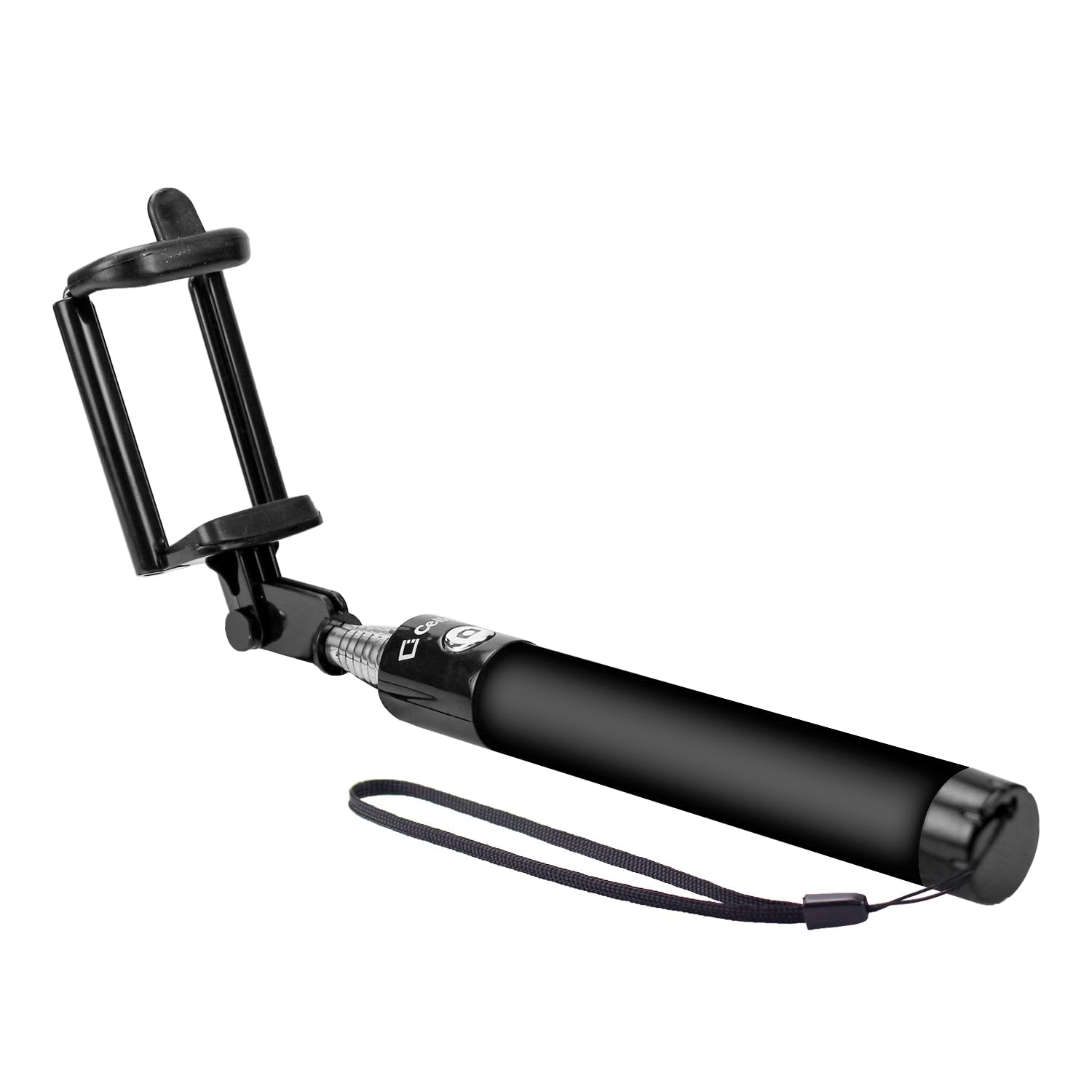
Image: The Cellet Wired Selfie Stick shown in its extended form, featuring the adjustable phone holder and the integrated 3.5mm audio jack cable.
Ključne značilnosti:
- Žična povezava: Plugs directly into your phone's 3.5mm headphone jack for instant use. No Bluetooth pairing or charging required.
- Raztegljiva roka: Extends up to 2.6 feet (approximately 79 cm) for wider shots.
- Kompaktna zasnova: Foldable and portable, with a storing length of 7 inches (17.8 cm), fitting easily into pockets or bags.
- Univerzalna združljivost: Compatible with most Apple iPhones, Samsung Galaxy smartphones, and other Android smartphones.
- Integrirano držalo za telefon: Securely holds your smartphone in place.
Navodila za namestitev
- Razgrnite palico za selfije: Gently extend the telescopic arm of the selfie stick to your desired length.
- Prilagodite držalo za telefon: The phone holder is spring-loaded. Carefully pull apart the clamps to insert your smartphone. Ensure your phone is securely seated in the holder. The holder can accommodate various phone sizes.
- Connect the Audio Jack: Locate the 3.5mm audio cable attached to the selfie stick. Plug this cable firmly into your smartphone's 3.5mm headphone jack.
- Odprite aplikacijo Kamera: Launch your smartphone's default camera application.
Navodila za uporabo
Once the selfie stick is set up and connected, you can begin taking photos or recording videos using the integrated shutter button on the handle.
Za uporabnike iPhone:
- The selfie stick's button typically acts as a volume button. To take a picture, you may need to enable the volume button as a shutter release in your camera settings (if not already default).
- Alternatively, utilize your iPhone's camera timer function for hands-free photo capture. Set the timer (e.g., 3 or 10 seconds), press the shutter button, and pose.
For Samsung and Other Android Phone Users:
- Press the shutter button on the selfie stick handle to take a picture.
- Some Samsung phones support voice commands for photo capture. Try saying "Shoot," "Smile," "Capture," or "Cheese" while the camera app is open.
- For video recording, some devices allow you to start recording by saying "Record Video" or by pressing the shutter button once to start and again to stop.
Vzdrževanje
- Čiščenje: Wipe the selfie stick with a soft, dry cloth. Avoid using harsh chemicals or abrasive cleaners.
- Shranjevanje: When not in use, collapse the selfie stick to its shortest length and store it in a cool, dry place away from direct sunlight and extreme temperatures.
- Ravnajte previdno: Avoid excessive force when extending or collapsing the stick, and when inserting or removing your phone from the holder.
Odpravljanje težav
- Selfie Stick Not Taking Pictures:
- Ensure the 3.5mm audio jack is fully inserted into your phone's headphone port.
- Check your phone's camera settings. Some phones require the volume button function to be set to 'shutter' or 'take picture'.
- For iPhones, if the button doesn't trigger the shutter, use the camera's built-in timer function.
- Verify that your phone's operating system is up to date.
- Phone Not Fitting Securely:
- Ensure the phone holder clamps are fully extended to accommodate your phone's width.
- Remove any bulky phone cases that might prevent a secure fit.
Specifikacije
| Številka modela | ACPOD4BK |
| Znamka | Cellet |
| Vrsta povezave | Wired (3.5mm Audio Jack) |
| Zložena velikost | 7 inches (L) x 1 inch (W) x 1 inch (H) |
| Extendable Arm Length | Do 2.6 čevljev |
| Teža predmeta | 4 unč |
| Združljive naprave | Apple iPhones, Samsung Galaxy Smartphones, all Android Smartphones |
| UPC | 800768693113 |
Informacije o garanciji
This Cellet product comes with a 1-letna garancija od datuma nakupa. Prosimo, shranite dokazilo o nakupu za uveljavljanje garancije. Garancija krije proizvodne napake in okvare pri normalni uporabi. Ne krije škode, ki nastane zaradi napačne uporabe, nesreč, nepooblaščenih sprememb ali normalne obrabe.