
1. Uvod
The BSS BLU-103 is a high-performance conferencing processor designed for professional audio installations. It features Acoustic Echo Cancellation (AEC) and Voice over IP (VoIP) capabilities, making it suitable for a wide range of conferencing applications. This manual provides essential information for the proper setup, operation, and maintenance of your BLU-103 unit.
2. Varnostne informacije
WARNING: THIS EQUIPMENT MUST BE EARTHED.
Za zagotovitev varnega delovanja in preprečevanje poškodb upoštevajte naslednje varnostne ukrepe:
- Napajanje: Connect the unit only to an AC power source within the specified voltage range (100-240V, 50/60Hz, 50W). Ensure the power cord is properly grounded.
- Prezračevanje: Ne blokirajte prezračevalnih odprtin. Zagotovite zadosten pretok zraka okoli enote, da preprečite pregrevanje.
- Vlaga: Naprave ne izpostavljajte dežju ali vlagi. Na napravo ne postavljajte predmetov, napolnjenih s tekočino.
- Servisiranje: Vsa servisna dela prepustite usposobljenemu serviserju. Izdelka ne poskušajte servisirati sami.
- Namestitev: Install the unit in a stable environment, away from excessive heat sources, vibrations, or dust.
3. Izdelek je končanview
3.1. Opis izdelka
Zvokweb London BLU-103 offers a fixed configuration of 8 analog inputs and 8 analog outputs, a Voice over IP (VoIP) interface, configurable signal processing, AEC processing, and a high bandwidth, fault tolerant digital audio bus. The VoIP port enables the BLU-103 to interface with two VoIP (SIP v2.0 or later) lines. The BLU-103 contains dedicated AEC processing for up to 8 independent AEC algorithms. The AEC algorithm can be applied to signals coming from the local analog inputs or from the digital audio bus. 8 individual AEC references (one per algorithm) allow the user to provide a solution for multiple conferencing spaces using a single device. The BLU-103 and the other members of the Soundweb London family provide the building blocks of the perfectly tailored system solution.
3.2. Ključne značilnosti
- 8 Analog Inputs (with 48V Phantom Power per Channel)
- 8 analognih izhodov
- VoIP Port for SIP v2.0 or later
- Dedicated AEC processing for up to 8 independent algorithms
- Rich Palette of Processing and Logic Objects
- Zvokweb London Interface Kit for Third Party Control System Integration
- High bandwidth, fault tolerant digital audio bus (BLU link)
4. Nastavitev
4.1. Rear Panel Connections Overview
The following image illustrates the rear panel of the BSS BLU-103, detailing all available connections for power, audio, and control.
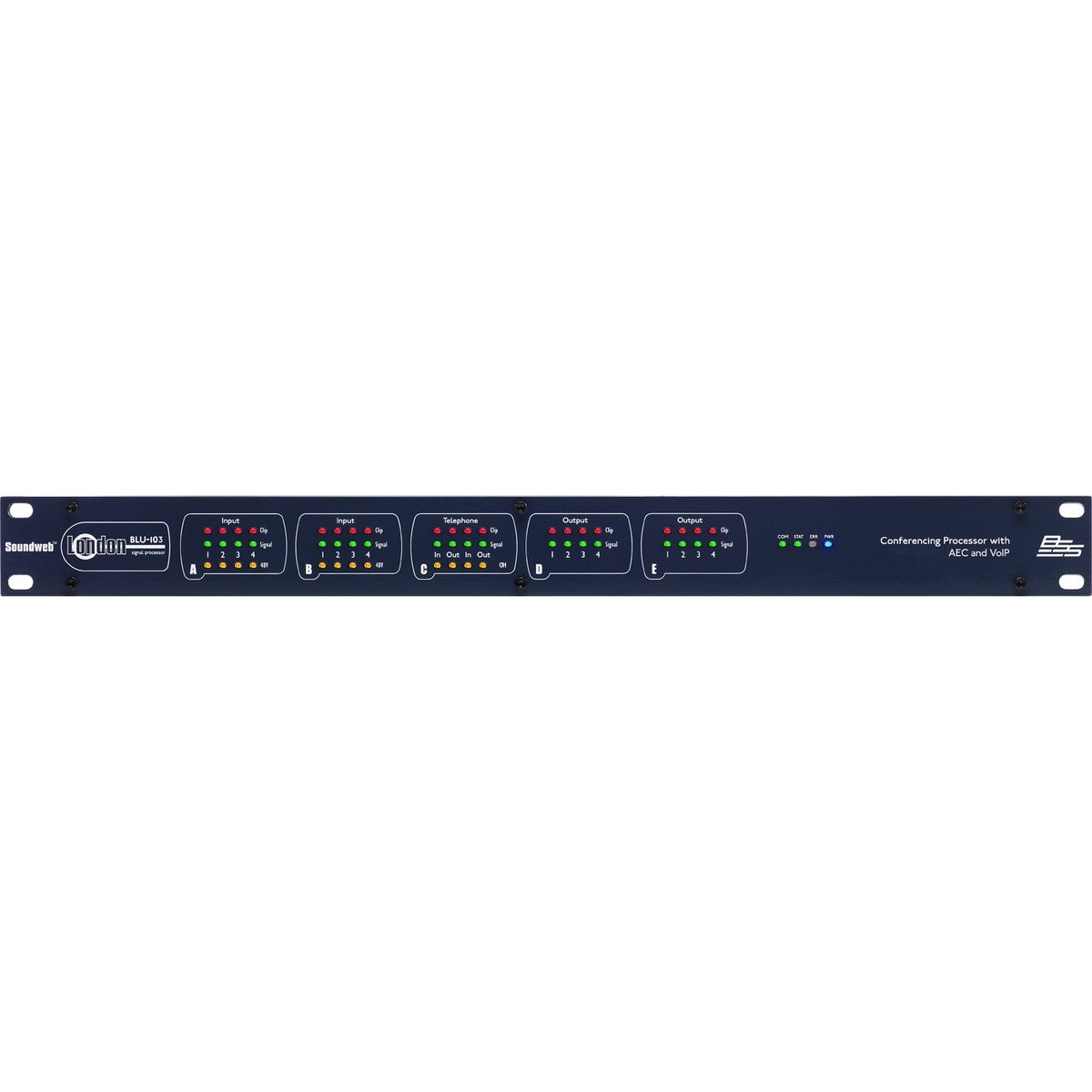
Figure 1: Rear panel of the BSS BLU-103 Conferencing Processor. From left to right: AC power inlet, RS232, Ethernet, BLU Link (IN/OUT), Control Inputs/Outputs, VoIP, Analog Outputs (D, C), Analog Inputs (B, A).
4.2. Napajalni priključek
Connect the supplied IEC power cable to the AC inlet on the far left of the rear panel. Ensure the power source is within the 100-240V, 50/60Hz range. The unit consumes 50W. Always ensure the equipment is properly earthed.
4.3. BLU Link Connection
The BLU Link ports (IN and OUT) are used for connecting the BLU-103 to other Soundweb London devices, forming a high-bandwidth digital audio bus. Use standard CAT5e or higher Ethernet cables for these connections.
4.4. Ethernet povezava
The Ethernet port provides network connectivity for control and configuration of the BLU-103 using the Soundweb London Architect software. Connect this port to your network switch or router using a standard Ethernet cable.
4.5. Povezava RS232
The RS232 serial port allows for integration with third-party control systems. Refer to the Soundweb London Interface Kit documentation for detailed protocol information.
4.6. Control Inputs and Logic Outputs
The Control section features terminals for external control inputs (1-12) and logic outputs (1-6). These can be configured within the Soundweb London Architect software to interface with various external devices and triggers.
4.7. VoIP Connection
The VoIP port allows the BLU-103 to connect to two Voice over IP (SIP v2.0 or later) lines, enabling direct integration into IP-based telephony systems for conferencing.
4.8. Analogni izhodi
The BLU-103 provides 8 analog outputs, labeled D (1-4) and C (1-4). These are balanced outputs, typically connected to amplifiers or other audio distribution equipment using appropriate cabling.
4.9. Analogni vhodi
The unit features 8 analog inputs, labeled B (1-4) and A (1-4). These inputs support 48V phantom power per channel, suitable for connecting condenser microphones. Ensure proper gain staging for optimal audio quality.
5. Navodila za uporabo
The BSS BLU-103 is primarily configured and controlled using the Zvokweb London Architect software, which runs on a personal computer (Windows operating system). This software allows for:
- Designing and loading audio signal processing configurations.
- Setting up AEC algorithms for each input.
- Configuring VoIP lines and parameters.
- Monitoring system status and audio levels.
- Integrating with third-party control systems via RS232 or network commands.
Refer to the Soundweb London Architect software documentation for detailed instructions on creating and deploying configurations.
6. Vzdrževanje
The BSS BLU-103 is designed for reliable operation with minimal maintenance. Follow these guidelines:
- Čiščenje: Za čiščenje zunanjosti enote uporabite mehko, suho krpo. Izogibajte se abrazivnim čistilom ali topilom.
- Prezračevanje: Občasno preverite, ali so prezračevalne odprtine čiste od prahu in umazanije.
- Posodobitve vdelane programske opreme: Preverite pri proizvajalcu webobčasno preverjajte spletno mesto za posodobitve vdelane programske opreme, da zagotovite optimalno delovanje in dostop do novih funkcij.
- Okoljski pogoji: Operate the unit within specified temperature and humidity ranges.
7. Odpravljanje težav
If you encounter issues with your BLU-103, consider the following basic troubleshooting steps:
- Brez napajanja: Ensure the power cable is securely connected and the power outlet is active. Check the power switch on the unit.
- Ni omrežne povezave: Verify Ethernet cable connections. Check network settings on the BLU-103 and your computer. Ensure the unit's IP address is correctly configured and accessible on the network.
- Brez avdio vhoda/izhoda: Check all analog and digital audio cable connections. Verify gain settings and routing within the Soundweb London Architect software. Ensure phantom power is enabled for condenser microphones if required.
- VoIP Issues: Confirm network connectivity and correct SIP account settings within the software. Check firewall settings if applicable.
- System Lock-up: If the unit becomes unresponsive, power cycle the device by disconnecting and reconnecting the power cable.
For persistent issues, consult the Soundweb London Architect software documentation or contact BSS customer support.
8. Specifikacije
The following table details the technical specifications of the BSS BLU-103 Conferencing Processor:
| Specifikacija | Vrednost |
|---|---|
| Dimenzije izdelka | 25 x 5.98 x 17.01 palcev |
| Teža predmeta | 16 funtov |
| Številka modela artikla | MODRI-103 |
| Proizvajalec | BSS |
| Združljive naprave | Osebni računalnik |
| Tehnologija povezljivosti | Ethernet, USB (for service/firmware) |
| Število kanalov | 8 Analog Inputs, 8 Analog Outputs |
| Operating System (for control software) | Windows |
| Zahteve glede napajanja | 100-240V, 50/60Hz, 50W |
| Prvič na voljo | 12. junij 2015 |
9. Garancija in podpora
9.1. Informacije o garanciji
This product is covered by a manufacturer's warranty. Please refer to the warranty card included with your product or visit the official BSS webZa podrobne pogoje glede garancijskega kritja in trajanja obiščite spletno mesto.
9.2. Podpora strankam
For technical assistance, product inquiries, or service requests, please contact BSS customer support through their official website or authorized distributors. Ensure you have your product model number (BLU-103) and serial number available when contacting support.