
Uvod
This manual provides essential information for the safe and efficient operation of your VIZIO SB3851-C0 38-Inch 5.1 Channel Sound Bar System. Please read these instructions thoroughly before using your product and retain them for future reference. This system includes a 38-inch sound bar, a wireless subwoofer, and two satellite speakers, designed to deliver a comprehensive 5.1 channel surround sound experience.
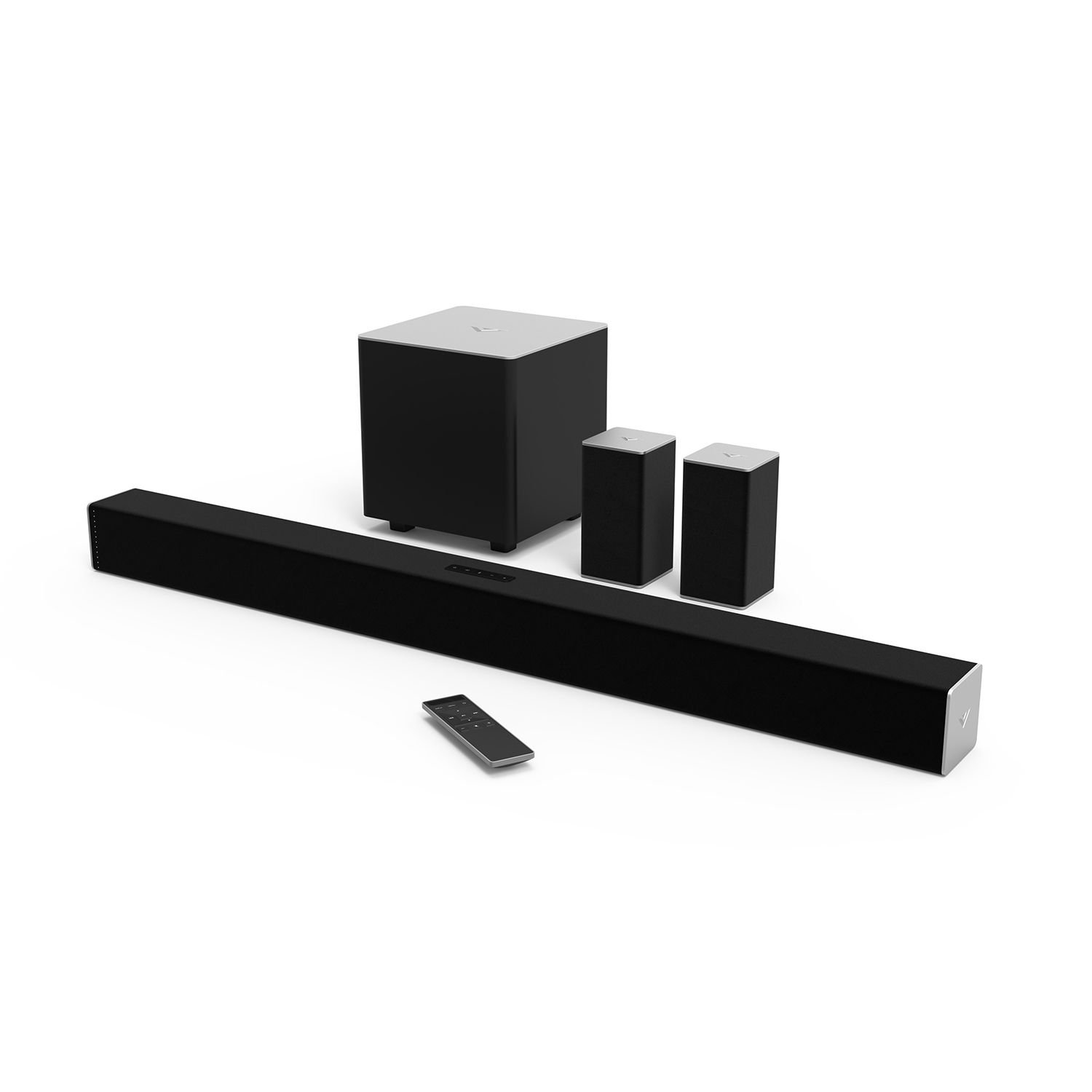
Figure 1: VIZIO SB3851-C0 38-Inch 5.1 Channel Sound Bar System. This image displays the main sound bar unit, the wireless subwoofer, and the two satellite speakers.
1. Nastavitev
1.1 Razpakiranje in pregled komponent
Previdno vzemite vse komponente iz embalaže. Prepričajte se, da so prisotni vsi spodaj navedeni elementi:
- VIZIO 38-Inch Sound Bar (SB3851-C0)
- Brezžični globokotonec
- Dva satelitska zvočnika
- Daljinski upravljalnik z baterijami
- Napajalni kabli (za zvočniški modul in nizkotonec)
- RCA to RCA Audio Cable (for Satellite Speakers)
- Digitalni optični kabel
- Stereo RCA do 3.5 mm avdio kabel
- Stenski nosilci in vijaki
- Vodnik za hiter začetek (ta priročnik vsebuje podrobna navodila)
1.2 Postavitev zvočnikov
Optimal placement is crucial for the best surround sound experience.
- Zvočna vrstica: Place the sound bar centrally below your TV. Ensure it is not obstructed.
- Brezžični globokotonec: Position the subwoofer anywhere in the room. For best bass response, try placing it in a corner or near a wall. The subwoofer connects wirelessly to the sound bar.
- Satelitski zvočniki: Connect the satellite speakers to the wireless subwoofer using the provided RCA cables. Place the satellite speakers behind your primary listening position, one to the left and one to the right, facing towards the listening area.
Slika 2: Nprample of optimal speaker placement. (Image not available, refer to diagram in Quick Start Guide for visual reference).
1.3 Zvočne povezave
Connect your audio source (TV, Blu-ray player, game console) to the sound bar. Only one audio connection type is typically needed.
- Digital Optical (Recommended): Connect one end of the Digital Optical Cable to the OPTICAL OUT port on your TV and the other end to the OPTICAL IN port on the sound bar. This provides the best audio quality and supports Dolby Digital and DTS Digital Surround.
- RCA (Analog): Connect the Stereo RCA to 3.5mm Audio Cable from your TV's audio output (usually red and white RCA jacks) to the AUX IN (3.5mm) port on the sound bar.
- Bluetooth: Za brezžično pretakanje zvoka iz mobilnih naprav glejte poglavje 2.3 za navodila za seznanjanje prek Bluetootha.
Figure 3: Sound bar rear panel connections. (Image not available, refer to diagram in Quick Start Guide for visual reference).
1.4 Napajalni priključek
- Connect the power cable to the AC IN port on the sound bar, then plug the other end into a wall outlet.
- Connect the power cable to the AC IN port on the wireless subwoofer, then plug the other end into a wall outlet.
- The subwoofer and sound bar will automatically pair. The LED indicator on the back of the subwoofer will turn solid white when connected.
2. Navodila za uporabo
2.1 Vklop/izklop
- Pritisnite MOČ gumb na zvočniški letvi ali daljinskem upravljalniku, da vklopite ali izklopite sistem.
- The sound bar will automatically enter standby mode after a period of inactivity.
2.2 Izbira vnosa
Pritisnite VNOS button on the sound bar or the remote control repeatedly to cycle through available audio inputs (Optical, AUX, Bluetooth).
Figure 4: Remote control layout. (Image not available, refer to diagram in Quick Start Guide for visual reference).
2.3 Bluetooth seznanjanje
- Pritisnite in držite BLUETOOTH button on the sound bar or remote control for 3 seconds. The LED indicators on the sound bar will begin to flash.
- On your mobile device, enable Bluetooth and search for new devices. Select "VIZIO SB3851-C0" from the list.
- Once paired, the LED indicators on the sound bar will stop flashing and glow solid. You can now stream audio from your device.
2.4 Volume Control and Audio Settings
- obseg: Uporabite POVEČANJE/ZDOLJANJE GLASNOSTI gumbe na daljinskem upravljalniku ali zvočniški vrstici.
- Raven globokotonca: Uporabite SUBWOOFER +/- buttons on the remote to adjust bass intensity.
- Prostorski zvok: The system supports Dolby Digital and DTS Digital Surround. Ensure your audio source is configured to output these formats for the best experience.
- DTS TruVolume: This feature helps maintain a consistent volume level, preventing sudden jumps in sound. Activate/deactivate via the remote.
- Zvok DTS Studio: Enhances audio for a wider soundstage and clearer dialogue. Activate/deactivate via the remote.
- DTS Circle Surround: Creates a virtual surround sound experience from stereo sources. Activate/deactivate via the remote.
3. Vzdrževanje
- Čiščenje: Disconnect the power before cleaning. Use a soft, dry, lint-free cloth to wipe the surfaces of the sound bar, subwoofer, and satellite speakers. Do not use liquid cleaners or abrasive materials.
- Shranjevanje: If storing the unit for an extended period, disconnect it from power and store it in a cool, dry place, away from direct sunlight and extreme temperatures.
4. Odpravljanje težav
Če naletite na težave, si oglejte naslednje pogoste težave in rešitve:
4.1 Brez napajanja
- Ensure all power cables are securely connected to the sound bar, subwoofer, and wall outlets.
- Preverite delovanje stenske vtičnice tako, da vanjo priključite drugo napravo.
4.2 Ni zvoka
- Preverite, ali je zvočnik vklopljen in ni izklopljen.
- Verify the correct input source is selected on the sound bar (e.g., Optical, AUX, Bluetooth).
- Ensure the audio cable (Optical, RCA) is securely connected between the sound bar and your audio source.
- If using Optical, check your TV's audio output settings to ensure it's set to "PCM" or "Bitstream" and not "TV Speakers."
- Increase the volume on both the sound bar and your audio source.
4.3 Subwoofer / Satellite Speakers Not Working
- Ensure the subwoofer is powered on and its LED indicator is solid white, indicating a successful wireless connection to the sound bar.
- Check that the satellite speakers are securely connected to the subwoofer's RCA ports.
- Glasnost nizkotonca prilagodite z daljinskim upravljalnikom.
4.4 Težave s povezavo Bluetooth
- Ensure the sound bar is in Bluetooth pairing mode (flashing LEDs).
- Make sure your mobile device's Bluetooth is enabled and within range (approximately 30 feet).
- Poskusite prekiniti seznanitev in ponovno seznaniti napravo.
- Clear any previous "VIZIO SB3851-C0" entries from your device's Bluetooth list.
5. Specifikacije
| Funkcija | Opis |
|---|---|
| Model | SB3851-C0 |
| Vrsta sistema | 5.1 Channel Sound Bar System |
| Sound Bar Size | 38 palcev |
| Zvočna zmogljivost | Up to 100 dB SPL, less than 1% Total Harmonic Distortion |
| Frekvenčni odziv | 50 Hz (System) |
| Povezljivost | Bluetooth, Digital Optical, RCA (3.5mm AUX) |
| Avdio dekodiranje | Dolby Digital, DTS digitalni prostorski zvok |
| Audio Post Processing | DTS TruVolume, DTS Studio Sound, DTS Circle Surround |
| Vrsta namestitve | Bar Mount (Wall Mountable) |
6. Garancija in podpora
For warranty information, please refer to the warranty card included with your product or visit the official VIZIO website. For technical support, product registration, or to download the latest version of this manual, please visit www.vizio.com/support or contact VIZIO customer service.