
1. Uvod
This manual provides essential information for the proper setup, operation, and maintenance of your Sony SLV-FT5 VHS Video Cassette Recorder (VCR). Please read these instructions thoroughly before using the unit to ensure optimal performance and safety.
2. Varnostne informacije
Pri uporabi tega izdelka vedno upoštevajte osnovne varnostne ukrepe, da zmanjšate tveganje požara, električnega udara in poškodb.
- Enote ne izpostavljajte dežju ali vlagi.
- Ne odpirajte omare. Servisiranje prepustite samo usposobljenemu osebju.
- Zagotovite ustrezno prezračevanje; ne blokirajte prezračevalnih odprtin.
- Uporabljajte samo napajalnik, ki je predpisan za to enoto.
- Enote hranite ločeno od virov toplote in neposredne sončne svetlobe.
3. Nastavitev
3.1 Razpakiranje
Carefully remove the VCR and all accessories from the packaging. Verify that all components are present: the SLV-FT5 VCR unit, remote control, and necessary connection cables (e.g., RCA audio/video cables).
3.2 Priključitev na televizor
To connect the VCR to your television, use the provided RCA audio/video cables. Match the colored plugs to the corresponding colored jacks on both the VCR and your TV (Yellow for Video, White for Left Audio, Red for Right Audio).

Slika 1: Rear panel of the Sony SLV-FT5 VCR. This image displays the various input and output ports, including RCA jacks for audio and video, and the power input. The product label with model number SLV-FT5 and power specifications (100V 18W 50/60Hz) is also visible.
3.3 Napajalni priključek
Plug the VCR's power cord into a standard electrical outlet (AC 100V, 50/60Hz). Ensure the power outlet is easily accessible.
3.4 Nastavitev daljinskega upravljalnika
Open the battery compartment on the back of the remote control and insert two AA batteries, observing the correct polarity (+/-). Close the compartment securely.

Slika 2: The Sony RMT-V219 remote control, designed for the SLV-FT5 VCR. This image also shows the included RCA audio/video cables, which are typically used for connecting the VCR to a television.
4. Upravljanje videorekorderja
4.1 Vklop/izklop
Pritisnite MOČ button on the VCR's front panel or the remote control to turn the unit on or off.
4.2 Loading and Unloading a VHS Tape
- Nalaganje: Insert a VHS cassette into the tape slot on the front of the VCR with the tape window facing forward. The VCR will automatically pull the tape in.
- Raztovarjanje: Pritisnite IZVRZI button on the VCR or remote control. The tape will be ejected.
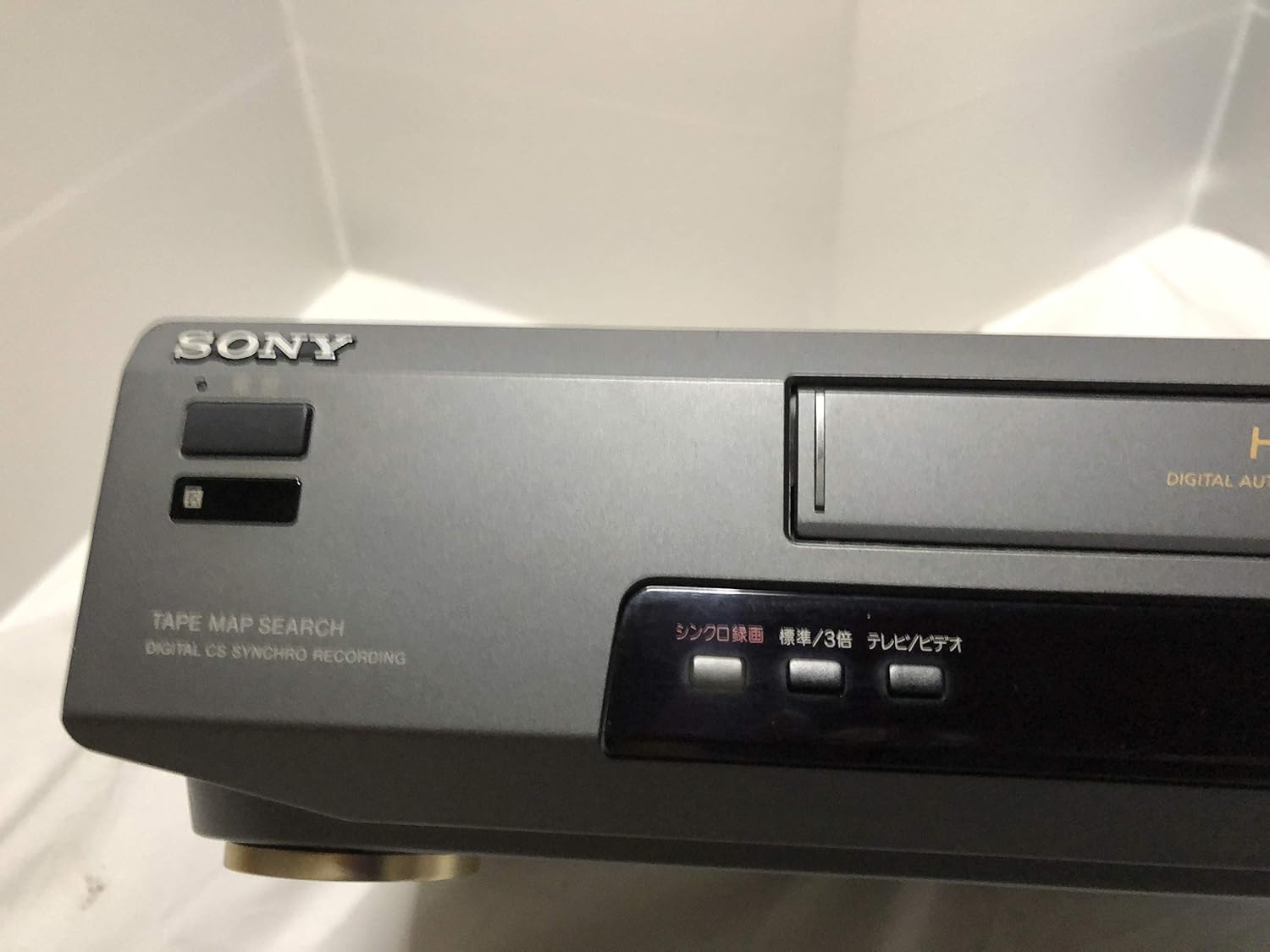
Slika 3: Front left section of the Sony SLV-FT5 VCR. This view highlights the tape loading slot and the 'TAPE MAP SEARCH' feature, which assists in navigating recorded content on a tape.
4.3 Predvajanje
After loading a tape, press the IGRAJ button (►) on the VCR or remote control to begin playback. Use the PREMOR (∥), STOP (■), PREVIJAJ NAZAJ (◀◀), and HITRO NAPREJ (►►) buttons to control playback.

Slika 4: Front right section of the Sony SLV-FT5 VCR. This image displays the main playback controls (Play, Stop, Rewind, Fast Forward, Pause) and additional buttons for 'Quick Timer' and 'Tracking' adjustments.
4.4 Snemanje
To record, ensure a blank or recordable tape is inserted. Select the desired input source (e.g., TV channel). Press the REC (●) button on the VCR or remote control. Press STOP (■) to end recording.
4.5 Tracking Adjustment
If the picture quality during playback is poor (e.g., horizontal lines or noise), use the SLEDENJE buttons on the front panel or remote control to fine-tune the tape's alignment with the VCR's heads.
5. Vzdrževanje
5.1 Čiščenje enote
Wipe the exterior of the VCR with a soft, dry cloth. For stubborn stains, use a cloth lightly dampz blago raztopino detergenta in nato obrišite do suhega. Ne uporabljajte abrazivnih čistil ali topil.
5.2 Čiščenje glave
Over time, VCR heads can accumulate dirt, leading to poor picture and sound quality. Use a commercially available dry-type VHS head cleaning cassette according to its instructions. Avoid wet-type cleaners as they can damage the heads.
5.3 Shranjevanje
When not in use for extended periods, disconnect the VCR from the power outlet. Store the unit in a cool, dry place, away from dust and direct sunlight.
6. Odpravljanje težav
If you encounter issues with your VCR, refer to the following common problems and solutions before seeking professional service.
| Težava | Možen vzrok | rešitev |
|---|---|---|
| Brez moči | Napajalni kabel odklopljen; težava z vtičnico | Preverite priklop napajalnega kabla; poskusite z drugo vtičnico. |
| Ni slike/zvoka | Incorrect TV input; loose A/V cables | Select correct TV input (e.g., Video 1, AV); ensure A/V cables are securely connected. |
| Poor picture quality (snowy, lines) | Dirty VCR heads; tracking issue; old/damaged tape | Clean VCR heads; adjust tracking; try a different tape. |
| Trak se ne izvrže | Power issue; mechanical malfunction | Ensure power is on; try pressing EJECT multiple times. If issue persists, seek service. |
| Daljinski upravljalnik ne deluje | Prazne baterije; blokiran senzor | Replace batteries; ensure no obstacles between remote and VCR sensor. |
7. Specifikacije
| Funkcija | Specifikacija |
|---|---|
| Znamka | Sony |
| Številka modela | SLV-FT5 |
| Vrsta medija | VHS |
| Resolucija | 720 x 480 slikovnih pik |
| Teža izdelka | 4160 gramov |
| Način avdio izhoda | Stereo |
| Podprti zvočni formati | Monaural, Stereo |
| Video kodiranje | Analogni |
| Združljive naprave | televizija |
| Združljivost vhodnega videa | NTSC |
| Zahteve glede napajanja | 100V, 18W, 50/60Hz |
8. Garancija in podpora
For warranty information and customer support, please refer to the documentation included with your purchase or visit the official Sony webspletnega mesta. Shranite dokazilo o nakupu za uveljavljanje garancije.