
Uvod
This manual provides detailed instructions for the setup, operation, and maintenance of your Taylor 1512 Wireless Digital Weather Station. This device is designed to accurately monitor both indoor and outdoor temperatures, offering convenience and essential weather information at a glance. Please read this manual thoroughly before using the device to ensure proper function and longevity.
Varnostne informacije
- Do not expose the main unit or remote sensor to extreme temperatures, direct sunlight, or excessive moisture.
- Izogibajte se padcem naprave in je ne izpostavljajte močnim udarcem.
- Ne mešajte starih in novih baterij ali različnih vrst baterij.
- Izrabljene baterije zavrzite odgovorno v skladu z lokalnimi predpisi.
- Napravo hranite izven dosega otrok.
Vsebina paketa
Preverite, ali so v paketu prisotne vse komponente:
- Taylor 1512 Main Display Unit
- Brezžični daljinski senzor
- Navodila za uporabo (ta dokument)
Konec izdelkaview
The Taylor 1512 Wireless Digital Weather Station consists of a main display unit for indoor use and a remote sensor for outdoor temperature monitoring. The main unit features a clear LCD display showing time, date, indoor temperature, and outdoor temperature.
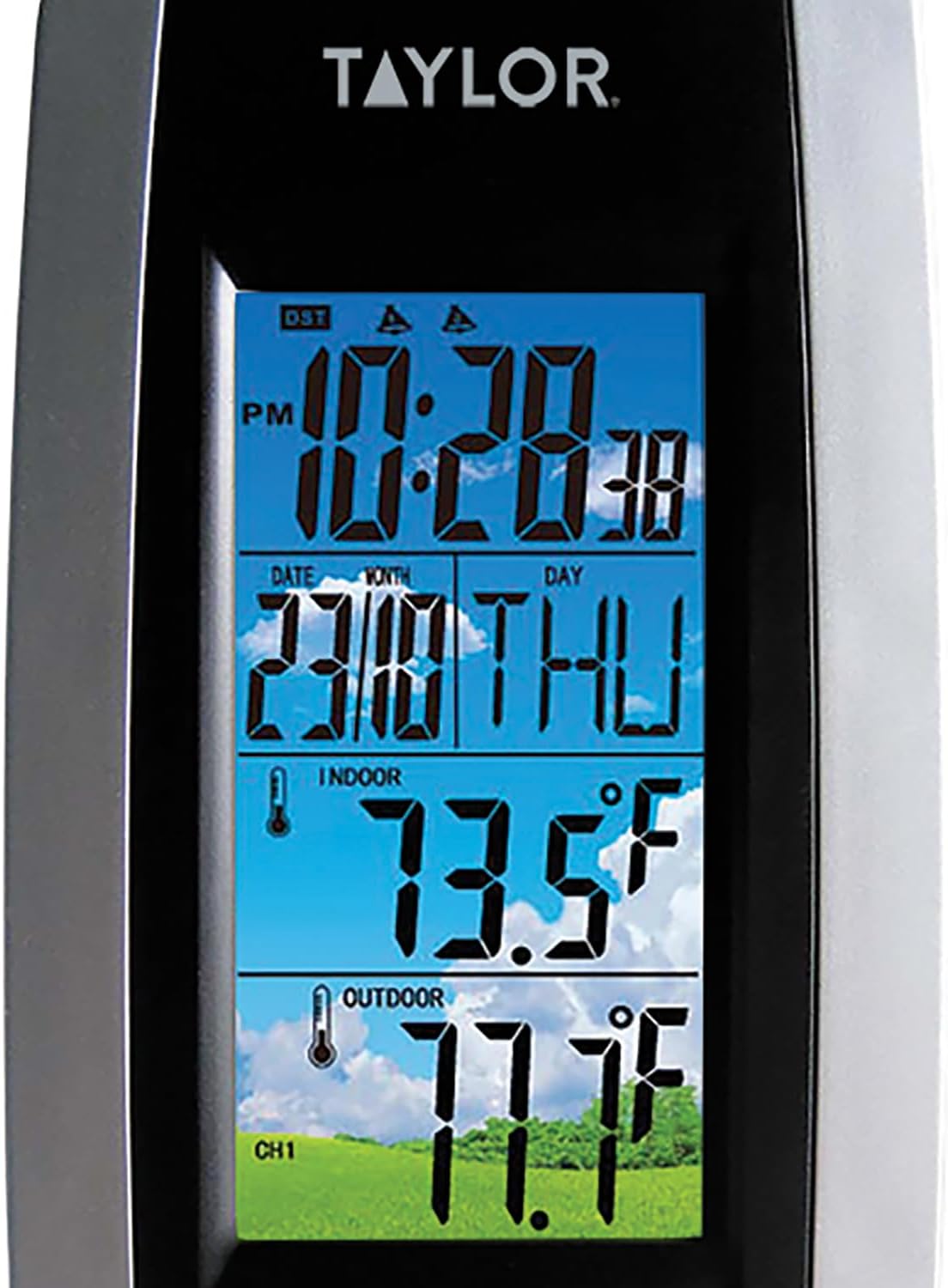
Slika: Spredaj view of the main display unit. This image shows the digital display with time, date, indoor temperature (73.5°F), and outdoor temperature (77.7°F) clearly visible. The unit has a black and silver design.
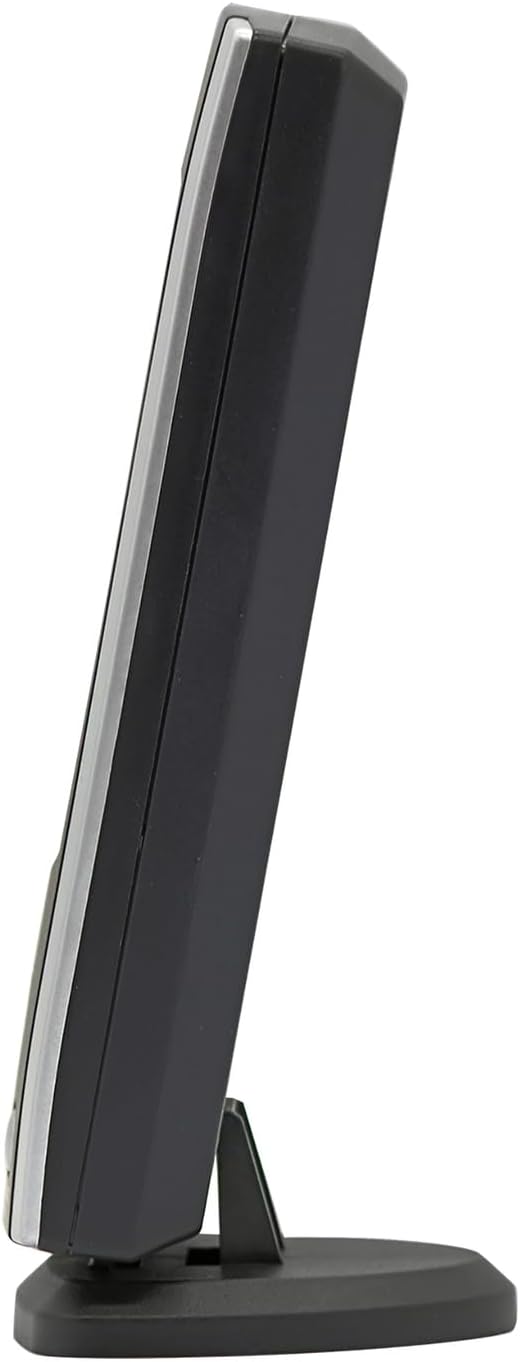
Slika: Stranski profesionalecfile of the main display unit. This view highlights the slim profile of the weather station and its integrated kickstand for desktop placement.

Slika: Spredaj view of the wireless remote sensor. The sensor is white with a black central panel and a small circular display showing temperature (73.5°F) and humidity (45%). It indicates 433MHz transmission.
Nastavitev
1. Namestitev baterije
Za glavno prikazovalno enoto:
- Odprite pokrov predalčka za baterije na zadnji strani glavne enote.
- Insert the required batteries (e.g., 2x AAA, not included) according to the polarity markings (+ and -).
- Trdno zaprite pokrov prostora za baterije.
For the Wireless Remote Sensor:
- Odprite pokrov predalčka za baterije na zadnji strani senzorja daljinskega upravljalnika.
- Insert the required batteries (e.g., 2x AAA, not included) according to the polarity markings (+ and -).
- Trdno zaprite pokrov prostora za baterije.
2. Postavitev senzorja
- Place the main display unit indoors, away from direct sunlight and heat sources, ensuring good ventilation.
- Mount the wireless remote sensor outdoors in a shaded area, protected from direct rain and sunlight, to ensure accurate temperature readings. The sensor transmits up to 100 feet (30 meters).
- Ensure the sensor is within the 100-foot transmission range of the main unit and free from major obstructions like thick walls or large metal objects that could interfere with the wireless signal.
3. Začetna sinhronizacija
After installing batteries in both units, the main display unit will automatically attempt to connect with the remote sensor. This process may take a few minutes. Once connected, the outdoor temperature will appear on the main display.
Navodila za uporabo
1. Prikaz informacij
Glavni prikazovalnik prikazuje naslednje informacije:
- Čas: Current time (hour, minute, second).
- Datum: Month, day, and day of the week.
- Notranja temperatura: Temperatura, ki jo meri glavna enota.
- Zunanja temperatura: Temperature transmitted by the wireless remote sensor.
2. Izbira enote za temperaturo (Fahrenheit/Celzij)
To switch between Fahrenheit (°F) and Celsius (°C) temperature readings, locate the "F/C" button (or similar) on the back or side of the main display unit. Press this button to toggle between the two units.
3. Nastavitev časa in datuma
Specific buttons for setting time and date are usually located on the back of the main unit. Look for buttons labeled "MODE", "SET", "ADJ", or similar. Follow these general steps:
- Pritisnite gumb "MODE" ali "SET", da vstopite v način nastavitve časa/datuma.
- Use "ADJ" or arrow buttons to adjust the flashing value (e.g., hour, minute, year, month, day).
- Press "MODE" or "SET" again to confirm the setting and move to the next value.
- Exit setting mode by pressing "MODE" or "SET" until the display returns to normal, or by leaving it idle for a few seconds.
Vzdrževanje
- Čiščenje: Glavno enoto in senzor obrišite z mehko krpoamp krpo. Ne uporabljajte abrazivnih čistil ali topil.
- Zamenjava baterije: Replace batteries in both units when the low battery indicator appears on the display, or if the display becomes dim or unresponsive. Always replace all batteries at the same time.
- Dolgotrajno shranjevanje: Če naprave ne boste uporabljali dlje časa, odstranite vse baterije, da preprečite puščanje.
Odpravljanje težav
| Težava | Možen vzrok | rešitev |
|---|---|---|
| Na glavni enoti ni prikaza. | Baterije so prazne ali nepravilno vstavljene. | Preverite polarnost baterij in jih zamenjajte z novimi baterijami. |
| Zunanja temperatura ni prikazana ali je netočna. |
|
|
| Zaslon je temen ali težko berljiv. | Prazne baterije v glavni enoti. | Zamenjajte baterije v glavni enoti. |
Specifikacije
- Model: 1512
- Vrsta zaslona: LCD
- Temperaturno območje v zaprtih prostorih: Običajno od 0 °C do 50 °C (od 32 °F do 122 °F)
- Območje zunanje temperature: Typically -4°F to 158°F (-20°C to 70°C)
- Natančnost temperature: ±1°C (±1.8°F)
- Doseg brezžičnega prenosa: Up to 100 feet (30 meters) in open air.
- Tehnologija povezljivosti: Brezžično (433 MHz)
- vir energije:
- Main Unit: AC adapter (not specified if included)
- Remote Sensor: Batteries (e.g., 2x AAA, not included)
- Material: Plastika
- barva: Črna in srebrna
- Teža artikla: 7.2 unč (glavna enota)
Garancija in podpora
This product comes with a manufacturer's warranty. For specific details regarding the warranty period and coverage, please refer to the documentation included with your purchase or contact Taylor customer support. For technical assistance or further inquiries, please visit the official Taylor webali se obrnite na njihov oddelek za pomoč uporabnikom.
Opis garancije: Garancija


