
1. Uvod
This manual provides instructions for the proper setup, operation, and maintenance of your Amazon Basics Large Portable Bluetooth Speaker (Model BTV3_2). Please read this manual thoroughly before using the product to ensure optimal performance and safety.
2. Varnostne informacije
- Zvočnika ne izpostavljajte vodi ali prekomerni vlagi.
- Zvočnika ne postavljajte v bližino virov toplote ali na neposredno sončno svetlobo.
- Zvočnika ne poskušajte razstavljati ali spreminjati. S tem boste razveljavili garancijo.
- Use only the provided AC power adapter for charging.
- Zvočnik hranite stran od otrok.
3. Vsebina paketa
Preverite, ali so v paketu prisotni vsi elementi:
- Amazon Basics Large Portable Bluetooth Speaker
- AC napajalnik

Opis: This image shows the Amazon Basics Large Portable Bluetooth Speaker securely placed within its brown cardboard packaging, indicating how the product is received.
4. Izdelek je končanview
4.1. Spredaj View

Opis: This image displays the front of the Amazon Basics Large Portable Bluetooth Speaker, featuring a black mesh grille that covers the speaker drivers.
4.2. Kontrolniki na zgornji plošči

Opis: This image shows the top panel of the speaker with four circular buttons and a small LED indicator. From left to right, the buttons are: Volume Down (-), Play/Pause, Volume Up (+), and Bluetooth Pairing/Call Answer. Below the buttons, a small Bluetooth logo and an LED indicator are visible.
- - (Zmanjšanje glasnosti): Zmanjša glasnost zvoka.
- Predvajanje/pavza: Predvaja ali začasno ustavi predvajanje zvoka.
- + (Povečaj glasnost): Poveča glasnost zvoka.
- Bluetooth/Call: Initiates Bluetooth pairing mode or answers/ends phone calls.
- LED indikator: Displays power and Bluetooth status.
4.3. Side Panel Ports

Opis: This image shows the right side panel of the speaker, featuring a power switch, a DC input port for charging, and an AUX input port for wired audio connections.
- Stikalo za vklop/izklop: Vklopi ali izklopi zvočnik.
- Vrata DC IN: Connects to the AC power adapter for charging.
- Vrata AUX: Connects to audio devices using a 3.5mm stereo cable (not included).
5. Nastavitev
5.1. Polnjenje zvočnika
- Connect the provided AC power adapter to the DC IN port on the side of the speaker.
- Priključite napajalnik v stensko vtičnico.
- The LED indicator will illuminate to show charging status. A full charge provides up to 8 hours of playback.
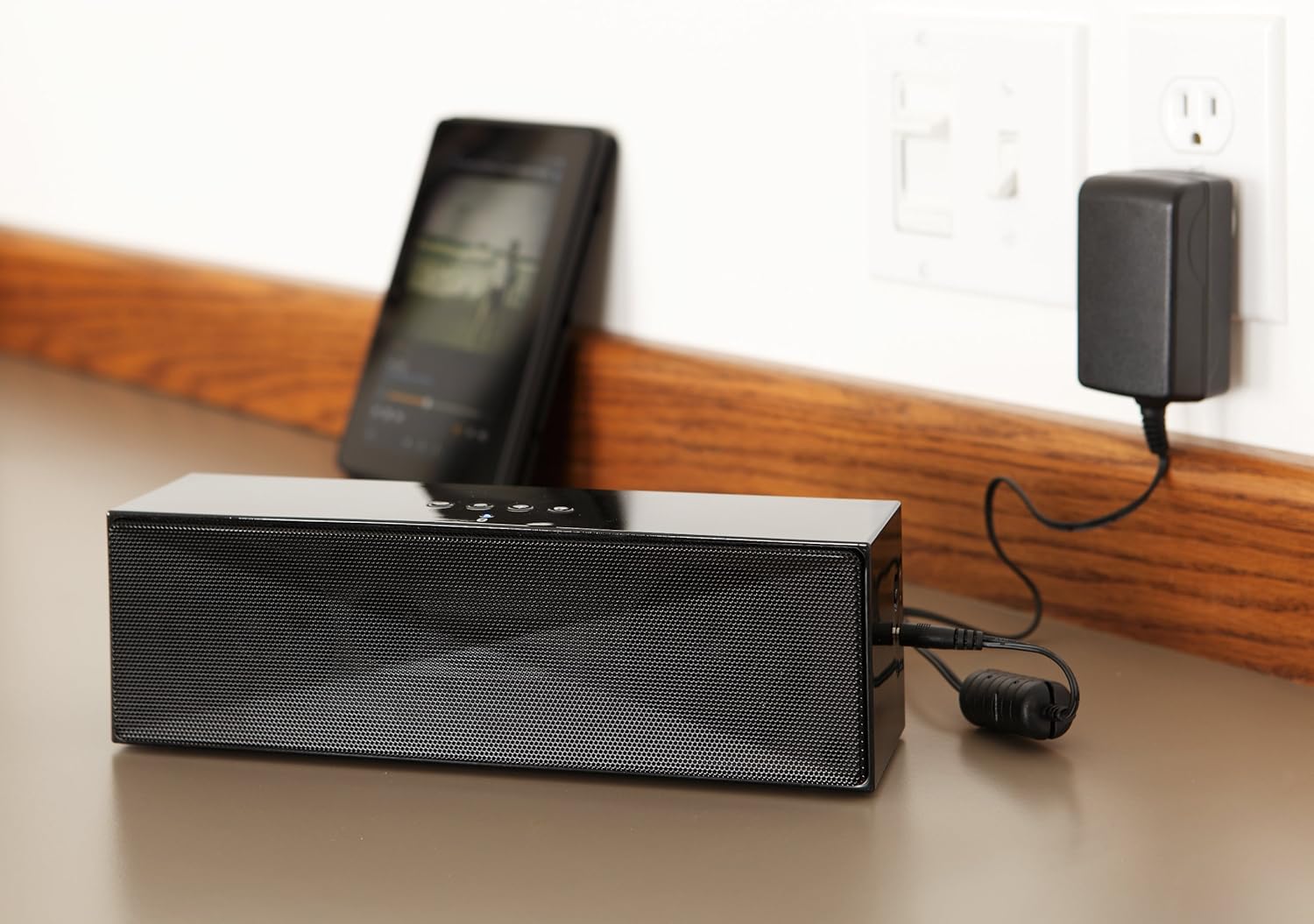
Opis: This image shows the speaker placed on a surface, with its AC power adapter plugged into a wall outlet, illustrating the charging process.
5.2. Vklop/izklop
Slide the ON/OFF switch located on the side panel to the "ON" position to power on the speaker. Slide it to the "OFF" position to power off.
6. Navodila za uporabo
6.1. Bluetooth seznanjanje
- Ensure the speaker is powered on. The LED indicator will flash, indicating it is in pairing mode.
- V napravi, ki podpira Bluetooth (pametni telefon, tablični računalnik, prenosnik), omogočite Bluetooth in poiščite razpoložljive naprave.
- Select "Amazon Basics BTV3_2" from the list of devices.
- Once paired, the LED indicator on the speaker will glow solid blue.
- The speaker can connect to devices up to 30 feet (10 meters) away.

Opis: This image shows the speaker positioned next to a tablet displaying a music playback interface, demonstrating a typical Bluetooth connection scenario.
6.2. Connecting via AUX Cable
- Connect one end of a 3.5mm stereo audio cable (not included) to the AUX port on the speaker.
- Drugi konec kabla priključite na avdio izhod na vaši napravi.
- Zvočnik se bo samodejno preklopil v način AUX vhoda.
6.3. Prostoročno telefoniranje
Zvočnik ima vgrajen mikrofon za prostoročne klice, ko je povezan prek Bluetootha.
- Sprejem klica: Enkrat pritisnite gumb Bluetooth/Klic.
- Končanje klica: Med klicem enkrat pritisnite gumb Bluetooth/Klic.
- Zavrnitev klica: Pritisnite in držite gumb Bluetooth/Klic.
7. Vzdrževanje
- Zvočnik očistite z mehko, suho krpo. Ne uporabljajte tekočih čistil ali aerosolov.
- Zvočnik shranite na hladnem in suhem mestu, ko ga dlje časa ne uporabljate.
- Pazite, da vam zvočnik ne pade ali da ga ne izpostavljate močnim udarcem.
8. Odpravljanje težav
| Težava | Možen vzrok | rešitev |
|---|---|---|
| Zvočnik se ne vklopi. | Baterija je prazna. | Connect the speaker to the AC power adapter and charge it. |
| Seznanitev prek Bluetootha ni mogoča. | Speaker is not in pairing mode; device Bluetooth is off; device is out of range. | Ensure speaker LED is flashing; enable Bluetooth on your device; move device closer to the speaker (within 30 feet/10 meters). |
| Ni zvoka ali nizka glasnost. | Volume on speaker or connected device is too low; incorrect input source. | Increase volume on both the speaker and your connected device. Ensure correct connection (Bluetooth or AUX). |
| Speaker turns off automatically when using AUX. | Automatic power-off feature activated due to prolonged silence. | This model may have an automatic power-off feature after a period of inactivity or silence, even when connected via AUX. To resume playback, power the speaker off and then on again using the side switch. |
| Popačenje zvoka. | Volume too high; weak battery; interference. | Reduce volume; charge the speaker; move away from other electronic devices. |
9. Specifikacije
| Funkcija | Podrobnost |
|---|---|
| Številka modela | BTV3_2 |
| Dimenzije (D x Š x V) | 10.2 x 2.9 x 3.1 palcev (25.9 x 7.4 x 7.9 cm) |
| Teža | 1.61 funtov (0.73 kg) |
| Izhod za zvočnike | 2 x 5W (10W total) |
| Povezljivost | Bluetooth, 3.5 mm AUX |
| Bluetooth obseg | Do 30 čevljev (10 metrov) |
| Življenjska doba baterije | Do 8 ur |
| Kapaciteta baterije | 8000 mAh |
| Vgrajen mikrofon | ja |
| Vir napajanja | Battery Powered, AC Adapter |
| Material | Plastika |

Opis: This image provides a visual representation of the speaker's dimensions, showing its length (10.2"), width (2.9"), and height (3.1").
10. Garancija in podpora
For warranty information and customer support, please refer to the documentation included with your purchase or visit the official Amazon Basics webspletnega mesta. Shranite dokazilo o nakupu za uveljavljanje garancije.
Spletna podpora: Osnovna trgovina Amazon