
Uvod
This manual provides essential information for the Coby LEDTV3916 and LEDTV2916 series television main board. It covers product overview, installation guidelines, operational considerations, maintenance tips, and troubleshooting steps. This main board is a critical component responsible for processing video and audio signals, managing inputs, and controlling various television functions.
Konec izdelkaview
The Coby LEDTV3916/LEDTV2916 main board, identified by part numbers LSC320AN01 and T.RSC8.92, is a replacement component designed for specific Coby television models. It integrates various functionalities including video processing, audio amplification, and input/output management.
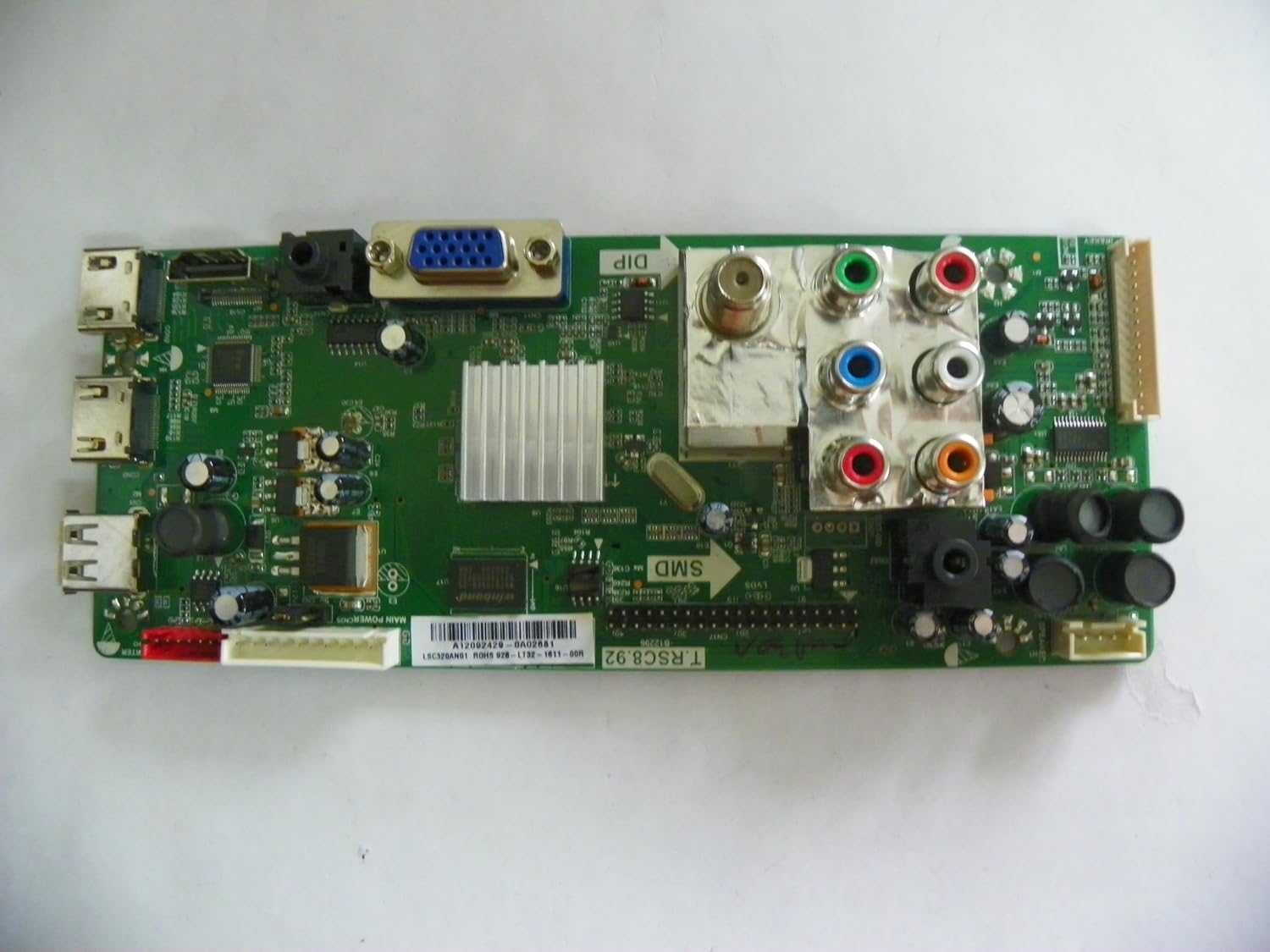
Slika 1: Od zgoraj navzdol view of the Coby LEDTV3916/LEDTV2916 main board, showing various ports and integrated circuits.

Slika 2: Bližnji posnetek view of the main board, highlighting the barcode and part number LSC320AN01. Ensure this matches your existing board for compatibility. The specific part number is A12092429-0A02681.
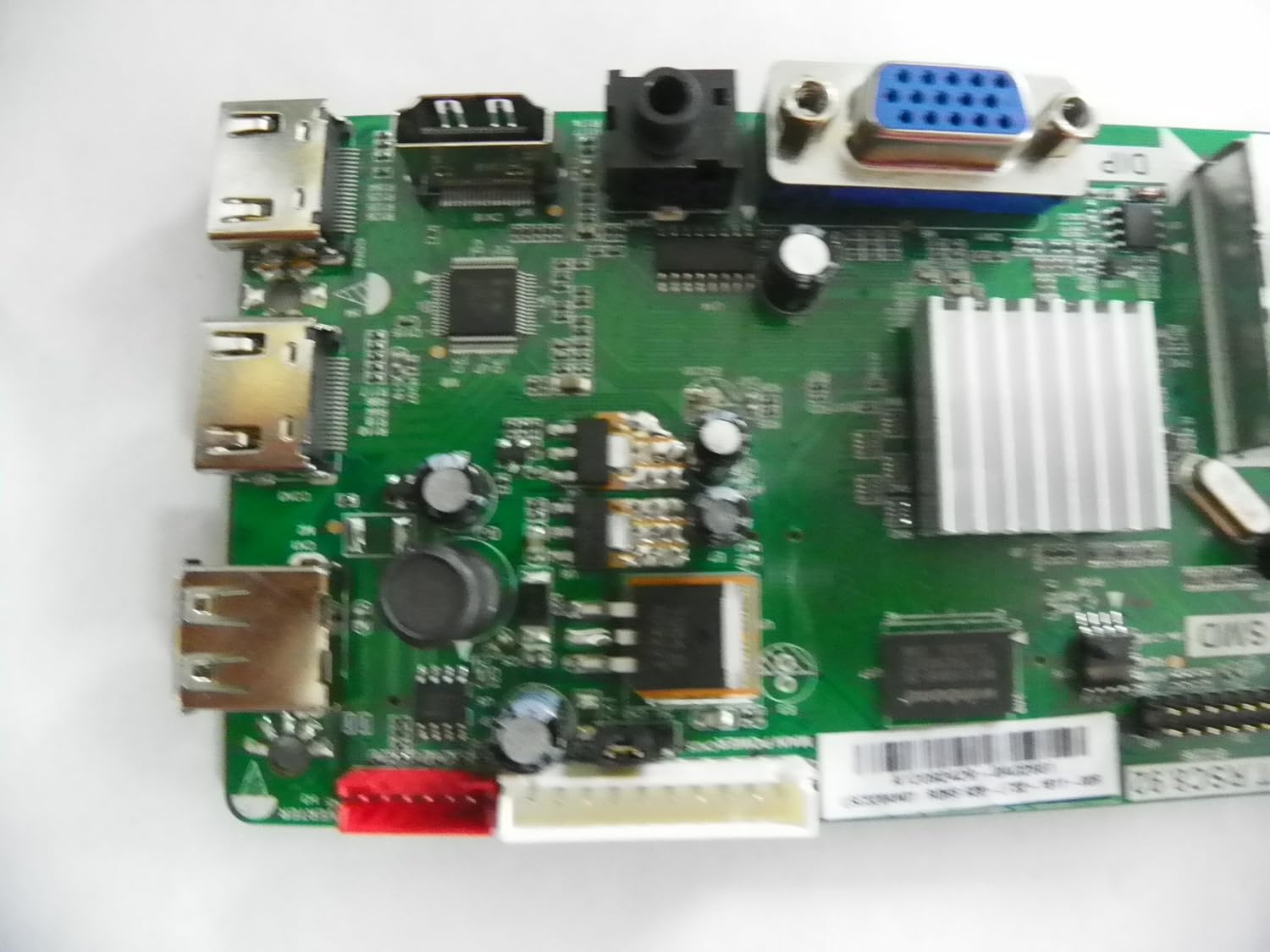
Slika 3: Podrobno view of the left side of the main board, showing various input/output ports such as HDMI and USB.

Figure 4: Angled perspective of the main board, providing a comprehensive view of its layout and components.
Nastavitev in namestitev
Installation of a television main board requires technical expertise and should ideally be performed by a qualified technician. Improper installation can lead to damage to the board or the television.
- Varnost na prvem mestu: Always disconnect the television from the power outlet before beginning any installation or repair work.
- Preverite združljivost: Before installation, ensure that the part number on the replacement board (LSC320AN01, T.RSC8.92) exactly matches the part number of the original board in your Coby LEDTV3916 or LEDTV2916 television.
- Dostop do glavne plošče: Carefully remove the back cover of the television to gain access to the internal components, including the main board. Refer to your television's service manual for specific instructions on cover removal.
- Odklopite kable: Gently disconnect all cables and connectors attached to the old main board. Take note of their positions or take photos for reassembly.
- Odstranite staro ploščo: Unscrew and carefully remove the old main board from the television chassis.
- Namestitev nove plošče: Position the new main board in place and secure it with the screws. Ensure it is seated correctly.
- Ponovno priključite kable: Reconnect all cables and connectors to their corresponding ports on the new main board. Double-check all connections for proper seating.
- Testna funkcionalnost: Before reattaching the back cover, temporarily connect the television to power and perform a basic functionality test to ensure the board is working correctly.
- Končna montaža: Once confirmed operational, disconnect power, reattach the television's back cover, and secure all screws.
Delovanje
As a core component, the main board's operation is integral to the television's overall functionality. Once installed, the board enables the television to power on, display images, produce sound, and process signals from various input sources (HDMI, USB, AV, etc.). There are no direct user operational controls on the main board itself; its function is to facilitate the television's normal operation.
Vzdrževanje
The main board requires minimal direct maintenance. However, adhering to general television care practices can prolong its lifespan:
- Ohranjajte na suhem: Avoid exposing the television to moisture or excessive humidity, which can damage electronic components.
- Nadzor prahu: Periodically clean the television's vents to prevent dust buildup, which can lead to overheating and component failure. Use compressed air for internal cleaning if necessary, ensuring the TV is unplugged.
- Prezračevanje: Ensure adequate airflow around the television to prevent heat accumulation.
- Prenapetostne napetosti: Consider using a surge protector to safeguard the television and its internal components from electrical spikes.
Odpravljanje težav
If your television experiences issues after main board replacement, or if you suspect a main board malfunction, consider the following common troubleshooting steps. Professional diagnosis is recommended for complex issues.
- Brez napajanja/brez prikaza:
Preverite: Ensure all power cables are securely connected. Verify the power outlet is functional. If the TV still does not power on, the main board or power supply board may be faulty. - No Audio/Video from Inputs:
Preverite: Confirm external devices are working and connected to the correct input ports. Try different cables. If the issue persists across multiple inputs, the main board's input processing section may be affected. - Občasna funkcionalnost:
Preverite: Loose connections can cause intermittent issues. Re-seat all internal cables. Overheating can also cause intermittent problems; ensure proper ventilation. - Incorrect Display/Picture Issues:
Preverite: If the picture is distorted, discolored, or has lines, it could indicate a main board issue, or potentially a T-Con board or panel problem. - Daljinski upravljalnik se ne odziva:
Preverite: Replace remote batteries. If the TV still doesn't respond, the IR receiver or the main board's control circuit might be faulty.
If these steps do not resolve the issue, it is advisable to consult a professional television repair technician.
Tehnične specifikacije
| Funkcija | Specifikacija |
|---|---|
| Znamka | Coby |
| Združljivi modeli televizorjev | LEDTV3916, LEDTV2916 |
| Številke delov plošče | LSC320AN01, T.RSC8.92 |
| CPU vtičnica | LGA 775 (Note: This specification appears to be for a computer motherboard, not a TV main board. Please verify with product documentation.) |
| Združljivi procesorji | Intel Core 2 DUO (Note: This specification appears to be for a computer motherboard, not a TV main board. Please verify with product documentation.) |
| Vrsta čipseta | Intel H61 Express (Note: This specification appears to be for a computer motherboard, not a TV main board. Please verify with product documentation.) |
| Vmesnik grafične kartice | Integrirano |
| Na voljo pomnilniške reže | 2 (Note: This specification appears to be for a computer motherboard, not a TV main board. Please verify with product documentation.) |
| Število vrat | 2 (Refers to USB ports, other ports are present.) |
| Podprt standard sistemskega vodila | SATA 2 (Note: This specification appears to be for a computer motherboard, not a TV main board. Please verify with product documentation.) |
| Total SATA Ports | 1 (Note: This specification appears to be for a computer motherboard, not a TV main board. Please verify with product documentation.) |
| Prvi razpoložljivi datum | 31. marec 2014 |
Note: Some specifications provided (e.g., CPU Socket, Compatible Processors, Chipset Type, Memory Slots, SATA Ports) appear to be generic motherboard specifications and may not directly apply to a television main board. Please refer to the specific Coby TV service manual for precise technical details.
Garancija in podpora
This product is described as a "used tested board, from a new cracked screen TV, in perfect working order." Due to its nature as a replacement part and potentially used condition, standard manufacturer warranties may not apply. It is crucial to clarify any warranty terms directly with the seller at the time of purchase.
For technical support or further assistance with installation and troubleshooting, please contact the seller from whom you purchased this main board. Alternatively, consult a certified television repair technician for professional service.