
1. Uvod
This manual provides essential instructions for the safe and efficient operation of your ICOM BC-152 charger. Please read this manual thoroughly before using the charger to ensure proper setup, operation, and maintenance. Keep this manual for future reference.
2. Varnostne informacije
Always observe the following safety precautions to prevent injury, damage to the charger, or damage to the device being charged.
- Use only with compatible ICOM battery packs. Using incompatible batteries may cause fire, explosion, or injury.
- Polnilnika ne izpostavljajte dežju, vlagi ali ekstremnim temperaturam.
- Polnilnika ne razstavljajte ali spreminjajte. Vsa servisna dela prepustite usposobljenemu osebju.
- Prepričajte se, da je glasnost vtičnicetage ustreza specifikacijam polnilnika.
- Polnilnik hranite stran od virov toplote in neposredne sončne svetlobe.
- Polnilnik izključite iz električne vtičnice, ko ga ne uporabljate ali pred čiščenjem.
3. Nastavitev
3.1 Razpakiranje
Carefully remove the ICOM BC-152 charger from its packaging. Verify that all components are present:
- ICOM BC-152 Charger Unit
- AC Adapter (if included)
- Navodila za uporabo (ta dokument)
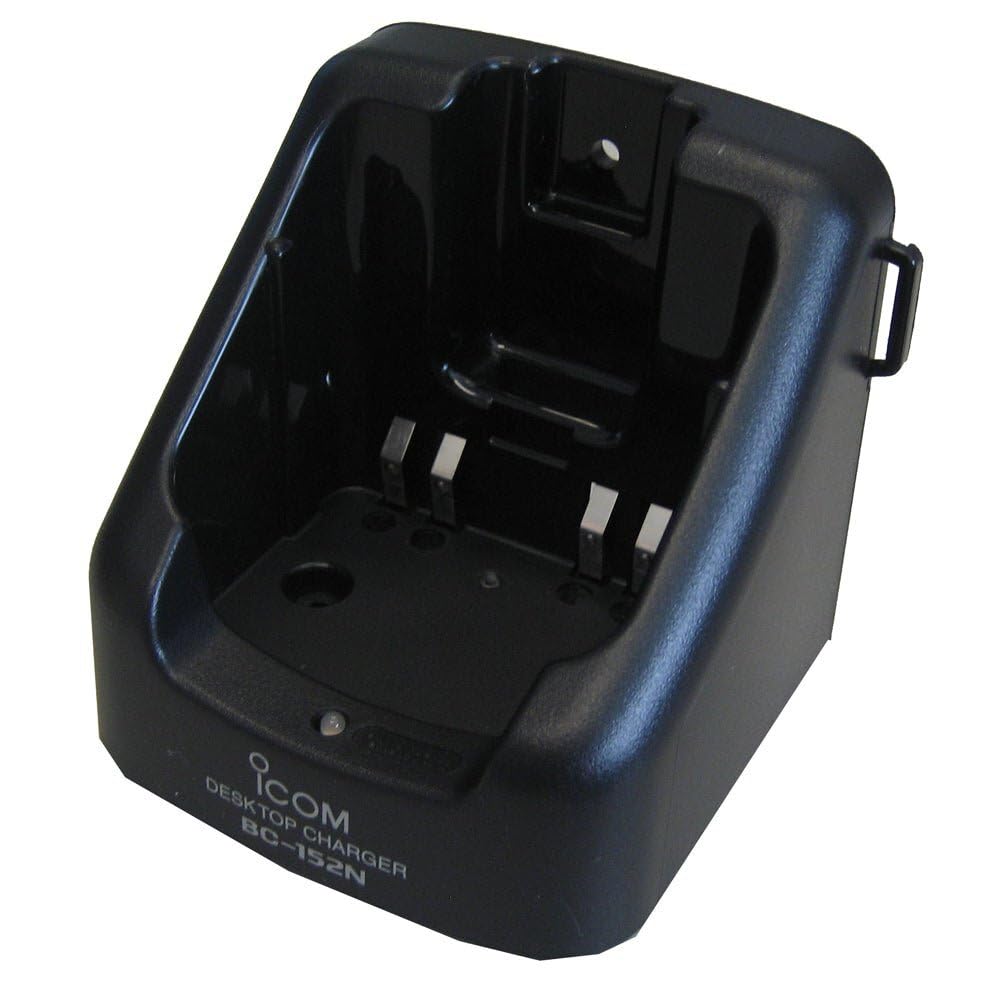
Figure 1: The ICOM BC-152 charger unit. This image shows the compact black charger with a single slot for a battery pack.
3.2 Priključitev napajanja
- Connect the AC adapter cable to the DC input jack on the rear of the BC-152 charger unit.
- Napajalnik priključite v standardno stensko vtičnico.
- Polnilnik je sedaj pripravljen za uporabo.
4. Navodila za uporabo
4.1 Polnjenje baterijskega sklopa
Follow these steps to charge a compatible ICOM battery pack:
- Prepričajte se, da je polnilnik priključen na vir napajanja, kot je opisano v poglavju 3.2.
- Carefully insert the battery pack into the charging slot of the BC-152 charger. Ensure it is seated firmly.
- Observe the charging indicator light.
4.2 Indikatorske lučke
The BC-152 charger features an LED indicator to show the charging status:
- Rdeča (sveti neprekinjeno): Baterija se trenutno polni.
- Zelena (trdna): Charging is complete. The battery pack is fully charged.
- Utripajoča rdeča: Charging error or battery fault. Remove the battery and re-insert. If the error persists, consult the troubleshooting section.
- Brez svetlobe: Charger is not connected to power, or no battery is inserted.
Charging time may vary depending on the battery's capacity and its current charge level. Typically, a fully depleted battery will take approximately 2-4 hours to charge.
5. Vzdrževanje
5.1 Čiščenje
Za ohranjanje optimalne zmogljivosti in videza:
- Pred čiščenjem vedno izključite polnilnik iz električne vtičnice.
- Use a soft, dry cloth to wipe the exterior of the charger.
- Ne uporabljajte abrazivnih čistil, topil ali agresivnih kemikalij.
- Ensure no moisture enters the charging slot or power input.
5.2 Shranjevanje
When not in use for extended periods, store the charger in a cool, dry place, away from direct sunlight and extreme temperatures. Disconnect it from the power supply.
6. Odpravljanje težav
If you encounter issues with your BC-152 charger, refer to the table below for common problems and solutions.
| Težava | Možen vzrok | rešitev |
|---|---|---|
| Charger indicator light is off. | No power supply or battery not inserted. | Check AC adapter connection. Ensure battery is correctly inserted. |
| Indicator light flashes red. | Battery fault or charging error. | Remove and re-insert the battery. Try a different compatible battery if available. |
| Baterija se ne polni. | Faulty battery, charger, or power supply. | Verify power connection. Test with a known good battery. If problem persists, contact support. |
7. Specifikacije
| Znamka | ICOM |
| Model | BC-152 |
| Vhodna voltage | 12-16V DC (via AC adapter) |
| Izhodna voltage | 8.4V DC |
| Polnilni tok | Pribl. 450 mA |
| Dimenzije (Š×V×G) | Approx. 80 × 50 × 90 mm (3.1 × 2.0 × 3.5 inches) |
| Teža | 0.18 funta (približno 82 g) |
| barva | Črna |
Opomba: Specifikacije se lahko spremenijo brez predhodnega obvestila zaradi izboljšav.
8. Informacije o garanciji
ICOM products are manufactured with high-quality components and are subject to rigorous quality control. This product is covered by a limited warranty against defects in materials and workmanship. The specific terms and duration of the warranty may vary by region. Please refer to the warranty card included with your purchase or visit the official ICOM webza podrobne informacije o garanciji.
This warranty does not cover damage caused by misuse, accident, unauthorized modification, or improper installation.
9. Podpora strankam
If you have any questions, require technical assistance, or need to report a problem that cannot be resolved using the troubleshooting guide, please contact ICOM customer support.
ICOM America Inc.
Visit ICOM America's Contact Page
Please have your product model (BC-152) and serial number ready when contacting support.