
1. Uvod
The COUGAR Evolution Galaxy is a full tower computer case designed for enthusiasts, offering a spacious interior and advanced cooling capabilities. This manual provides detailed instructions for the assembly, operation, and maintenance of your computer case, ensuring optimal performance and longevity.
2. Ključne značilnosti
- Prostorna notranjost: Accommodates up to 8 PCI cards, providing flexibility for multiple graphics solutions.
- Napredno hlajenje: Supports up to 7 fans, including dual 12cm COUGAR TURBINE HYPER-SPIN Bearing Silent Fans, with a unique dual-fan-set management system for excellent ventilation.
- Združljivost matične plošče: Supports Extended ATX and ATX motherboards.
- Vzdržljiva konstrukcija: Made from SECC Alloy Steel for robust protection.
- Povezljivost sprednje plošče: Features 4 USB 3.0 ports for high-speed data transfer.
- Bottom Mount PSU: Power supply mounts at the bottom for improved thermal management.
3. Nastavitev in namestitev
3.1 Razpakiranje in pregled
Carefully remove the computer case from its packaging. Inspect for any signs of damage during transit. Retain all packaging materials for future transport or warranty claims.
3.2 Namestitev matične plošče
- Remove the side panel by unscrewing the thumbscrews at the rear of the case.
- Namestite V/I zaščito, ki je priložena matični plošči, v zadnjo odprtino ohišja.
- Matično ploščo poravnajte z vnaprej nameščenimi distančniki. Po potrebi namestite dodatne distančnike glede na obliko vaše matične plošče.
- Gently place the motherboard onto the standoffs and secure it with screws.
Slika 1: Notranjost view of the COUGAR Evolution Galaxy case, highlighting the motherboard tray and tool-less drive bays.
3.3 Namestitev pogona
The COUGAR Evolution Galaxy features tool-less drive bays for easy installation.
- 5.25" Devices (Optical Drives): Remove the front panel bay cover. Slide the 5.25" device into the bay until it clicks into place.
- 3.5-palčni trdi diski: Slide the hard drive into the designated 3.5" drive tray until it secures.
- 2.5" SSDs/HDDs: These can be mounted in the 3.5" trays using adapter screws or dedicated 2.5" mounts if available.

Slika 2: Podrobna notranjost view showing the orange tool-less drive bay mechanisms for easy installation of storage devices.
3.4 Namestitev napajalnika
Napajalna enota (PSU) je nameščena na spodnjem zadnjem delu ohišja.
- Position the PSU into the designated compartment at the bottom rear.
- Napajalnik pritrdite na ohišje z vijaki na zadnji strani.
Slika 3: Zadaj view of the COUGAR Evolution Galaxy case, illustrating the bottom-mounted power supply area, multiple PCI expansion slots, and the rear exhaust fan.
3.5 Upravljanje kablov
Utilize the cutouts and tie-down points behind the motherboard tray to route cables. This improves airflow and maintains a clean interior aesthetic.
3.6 Fan and Front Panel Connections
Connect all case fans to the motherboard or the integrated fan controller. Connect the front panel headers (USB 3.0, audio, power switch, reset switch, HDD LED, Power LED) to the corresponding pins on your motherboard. Refer to your motherboard manual for pin assignments.
4. Navodila za uporabo
4.1 Vklop
Once all components are installed and connected, ensure the power supply switch is in the 'ON' position. Press the power button on the front panel of the case to start your system.
4.2 Krmilnik ventilatorja
The COUGAR Evolution Galaxy includes an integrated fan controller. Use the controls on the top panel to adjust fan speeds for optimal balance between cooling performance and noise levels. Connect your case fans to this controller for centralized management.
4.3 Priključki na sprednji plošči
The front panel provides convenient access to USB 3.0 ports and audio jacks for headphones and microphones. Ensure these are correctly connected to your motherboard's internal headers during setup.

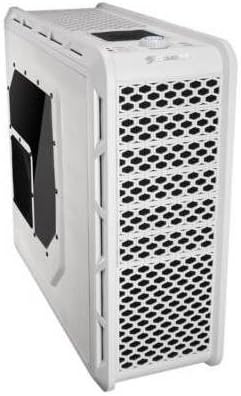
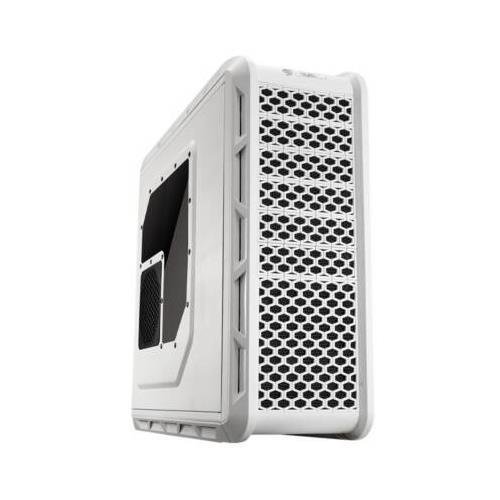
Figure 4: Angled front-side view of the COUGAR Evolution Galaxy case, showcasing the mesh front panel for airflow and the top-mounted controls and ports.
5. Vzdrževanje
5.1 Čiščenje filtra za prah
The case is equipped with dust filters to prevent dust accumulation inside. Regularly clean these filters (e.g., monthly) by removing them and washing with water or using a vacuum cleaner. Ensure filters are completely dry before reinstallation.
5.2 Generalno čiščenje
Uporabite mehko, damp cloth to clean the exterior surfaces of the case. Avoid abrasive cleaners or solvents that may damage the finish. For interior cleaning, use compressed air to remove dust from components and fans.
5.3 Pregled ventilatorja
Periodically check all fans for proper operation. Ensure they are spinning freely and quietly. Replace any fans that are noisy or not functioning correctly to maintain optimal cooling.

Slika 5: stran view of the COUGAR Evolution Galaxy case, featuring a clear side panel window and a dedicated fan mount for additional cooling.
6. Odpravljanje težav
- Sistem se ne vklopi:
- Check all power connections, including the PSU to the wall outlet, PSU to motherboard, and front panel power switch header.
- Prepričajte se, da je stikalo napajalnika v položaju »VKLOP«.
- Ventilatorji se ne vrtijo:
- Verify fan cables are securely connected to the motherboard or fan controller.
- Check fan controller settings if applicable.
- Front Panel USB Ports Not Working:
- Ensure the USB 3.0 header cable from the case is correctly connected to the motherboard.
- Check motherboard BIOS settings for USB port enablement.
7. Specifikacije
| Funkcija | Specifikacija |
|---|---|
| Vrsta ohišja | Poln stolp |
| Združljivost matične plošče | Extended ATX, ATX |
| Material | Alloy Steel (SECC) |
| barva | Bela |
| Teža predmeta | 29.8 funtov |
| Velikost ventilatorja | 12 Centimeters (Dual COUGAR TURBINE HYPER-SPIN Bearing Silent Fans included) |
| Metoda hlajenja | zrak |
| Vrsta montaže napajalnika | Spodnji nosilec |
| Število vrat USB 3.0 | 4 |
8. Garancija in podpora
For warranty information and technical support, please refer to the official COUGAR webali se obrnite na lokalnega prodajalca. Shranite dokazilo o nakupu za uveljavljanje garancije.