
1. Izdelek je končanview
The TP-Link TL-WA750RE is a 150Mbps Universal Wireless Range Extender designed to expand the coverage of an existing wireless network. It eliminates Wi-Fi dead zones by boosting the wireless signal to previously unreachable or hard-to-wire areas. Its compact, wall-mounted design allows for flexible deployment and easy relocation within your home or office.
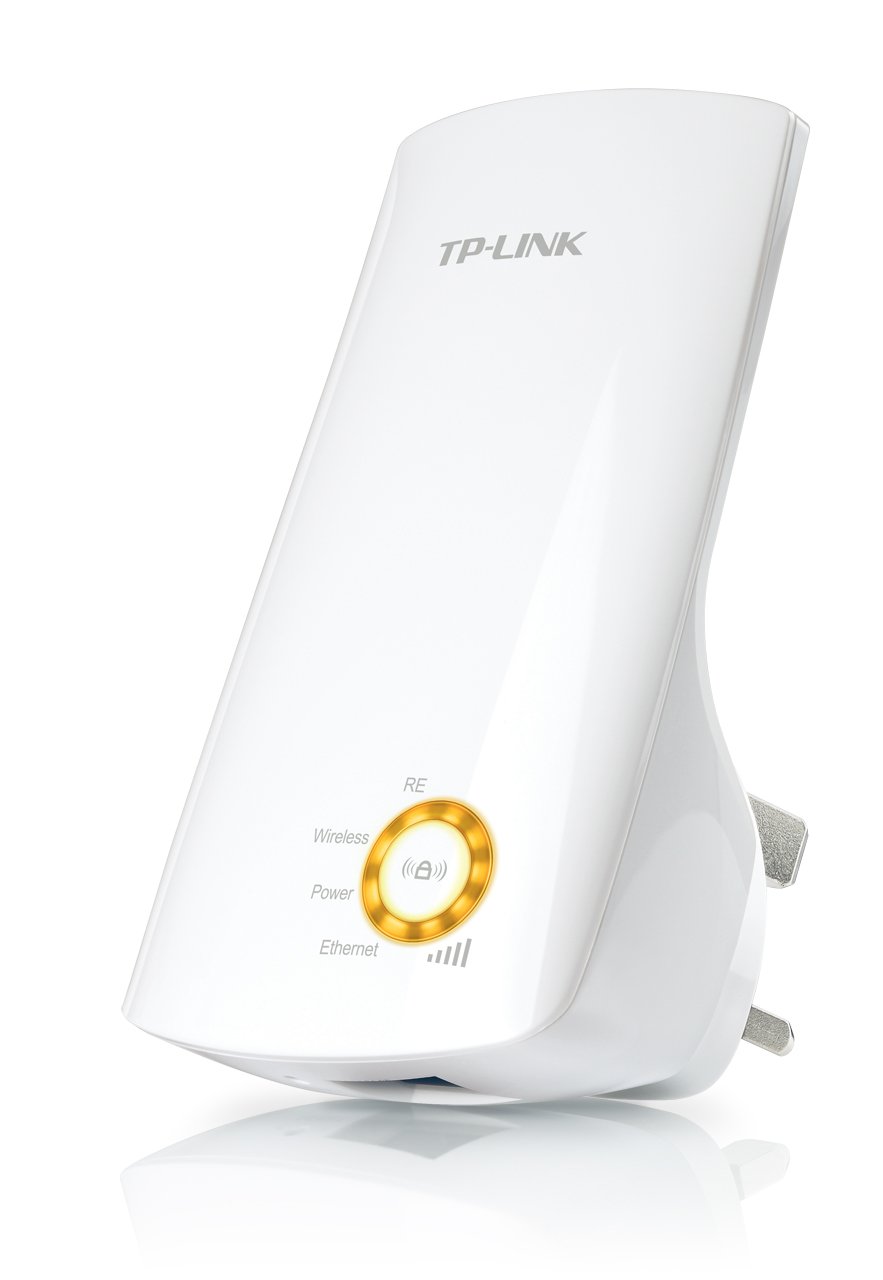
Slika 1: TP-Link TL-WA750RE Universal Wireless Range Extender. This image shows the device in its retail packaging, highlighting its compact design and wall-plug form factor.
2. Ključne značilnosti
- Način razširitve dosega: Boosts wireless signal to eliminate Wi-Fi dead zones and extend network coverage.
- Kompaktna zasnova: Small size and wall-mounted design for easy deployment and flexible movement.
- Gumb WPS: Allows for instant setup and secure connection with compatible routers.
- Indikator pametnega signala: Helps users find the optimal location for placing the range extender for best performance.
- Univerzalna združljivost: Works seamlessly with all 802.11n/g/b wireless devices.
3. Vsebina paketa
Paket izdelkov običajno vključuje naslednje elemente:
- TP-Link TL-WA750RE 150Mbps Universal Wireless Range Extender
- Navodila za uporabo
4. Navodila za namestitev
4.1. Hitra namestitev z gumbom WPS
- Plug In: Plug the TL-WA750RE into an electrical outlet near your wireless router.
- Aktivirajte WPS na usmerjevalniku: Pritisnite gumb WPS na glavnem brezžičnem usmerjevalniku. Za natančno lokacijo in postopek glejte priročnik za usmerjevalnik.
- Aktivirajte WPS na razširjevalniku: Within two minutes, press the WPS button on the TL-WA750RE. The Signal LED on the extender should begin to flash.
- Počakajte na povezavo: The Signal LED will turn solid blue or green when a successful connection is established.
- Premesti podaljšek: Unplug the extender and move it to a location between your router and the Wi-Fi dead zone. Ensure the Signal LED indicates a strong connection (e.g., solid blue or green) in the new location.
4.2. Manual Setup via Web Brskalnik
- Plug In: Plug the TL-WA750RE into an electrical outlet near your computer.
- Povezava z razširjevalnikom signala: Connect your computer to the extender's Wi-Fi network (e.g., "TP-LINK_Extender_XXXXXX"). No password is required initially.
- Dostop Web Vmesnik: Odpri a web brskalnik in tip http://tplinkrepeater.net or the extender's default IP address (usually 192.168.0.254) into the address bar.
- Prijava: Enter "admin" for both the username and password when prompted.
- Sledite navodilom na zaslonu: Use the Quick Setup wizard to select your main Wi-Fi network and enter its password.
- Premesti podaljšek: Once configured, unplug the extender and move it to an optimal location between your router and the desired coverage area.
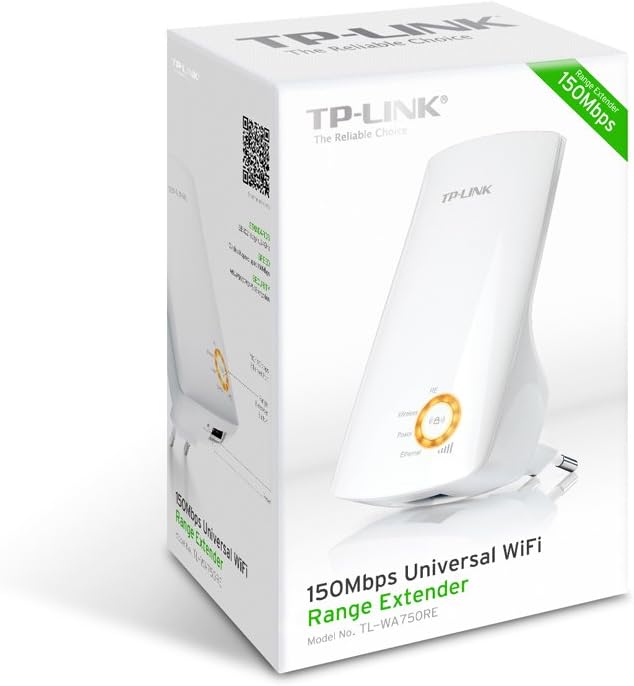
Slika 2: Stran view of the TL-WA750RE. This image illustrates the physical layout of the device, including the WPS button and Ethernet port, which are crucial for setup and operation.
5. Upravljanje ojačevalnika signala
Once the TL-WA750RE is successfully set up, it will automatically extend your existing Wi-Fi network. Devices within the extended range can connect to the network name created by the extender (e.g., "YourNetworkName_EXT").
5.1. Pametni indikator signala
The Smart Signal Indicator LEDs on the front of the device provide real-time feedback on the signal strength received from your main router. This helps you determine the best placement for the extender:
- Svetlo modro/zeleno: Odlična moč signala.
- Trdno rdeče: Weak signal strength. Consider relocating the extender closer to your router.
- Izklop: No connection to the main router.
5.2. Ethernet Port Usage
The TL-WA750RE includes an Ethernet port. This port can be used to connect a wired device, such as a desktop computer, gaming console, or smart TV, to your wireless network, providing a stable wired connection in the extended Wi-Fi area.
6. Vzdrževanje
- Čiščenje: Za čiščenje naprave uporabite mehko, suho krpo. Ne uporabljajte tekočih ali aerosolnih čistil.
- Umestitev: Avoid placing the extender in direct sunlight, near heat sources, or in areas with high humidity.
- Posodobitve vdelane programske opreme: Občasno preverite uradno spletno stran TP-Linka. webspletno mesto za posodobitve vdelane programske opreme za zagotovitev optimalne zmogljivosti in varnosti.
- Cikel moči: If the device experiences issues, try unplugging it from the power outlet for 10 seconds and then plugging it back in.
7. Odpravljanje težav
- Q1: What should I do if I cannot access the extender's web stran za upravljanje?
- A1: Ensure your computer is connected to the extender's network. Verify that http://tplinkrepeater.net is correctly typed in the browser. If issues persist, try using the extender's IP address (e.g., 192.168.0.254) or reset the extender to factory defaults.
- Q2: My extended network has poor signal or frequent disconnections.
- A2: Check the Smart Signal Indicator on the extender. If it's red or off, the extender is too far from your main router. Relocate the extender to a position where the indicator shows a strong signal (solid blue/green). Ensure there are no major obstructions between the router and the extender.
- Q3: How do I reset the extender to factory default settings?
- A3: With the extender powered on, use a pin to press and hold the Reset button (usually a small hole) for approximately 5-10 seconds until all LEDs flash briefly. The extender will then restart with factory default settings.
8. Specifikacije
| Znamka | TP-Link |
| Številka modela | TL-WA750RE |
| Brezžični standard | 802.11b/g/n |
| Hitrost prenosa podatkov | 150 Mbps |
| Pogostost | 2.4 GHz |
| Posebne lastnosti | Smart Signal Indicator, WPS Button |
| Vrsta priključka | RJ45 (Ethernet Port) |
| Teža predmeta | 0.4 funta |
| barva | Bela |
9. Garancija in podpora
9.1. Informacije o garanciji
This TP-Link TL-WA750RE device comes with a 2-letna garancija od datuma nakupa. Za uveljavljanje garancije shranite dokazilo o nakupu. Garancija krije napake v materialu in izdelavi pri normalni uporabi.
9.2. Tehnična podpora
For technical assistance, troubleshooting, or further inquiries, please visit the official TP-Link support website or contact their customer service. You can find detailed support resources, FAQs, and contact information at www.tp-link.com/support.