
Uvod
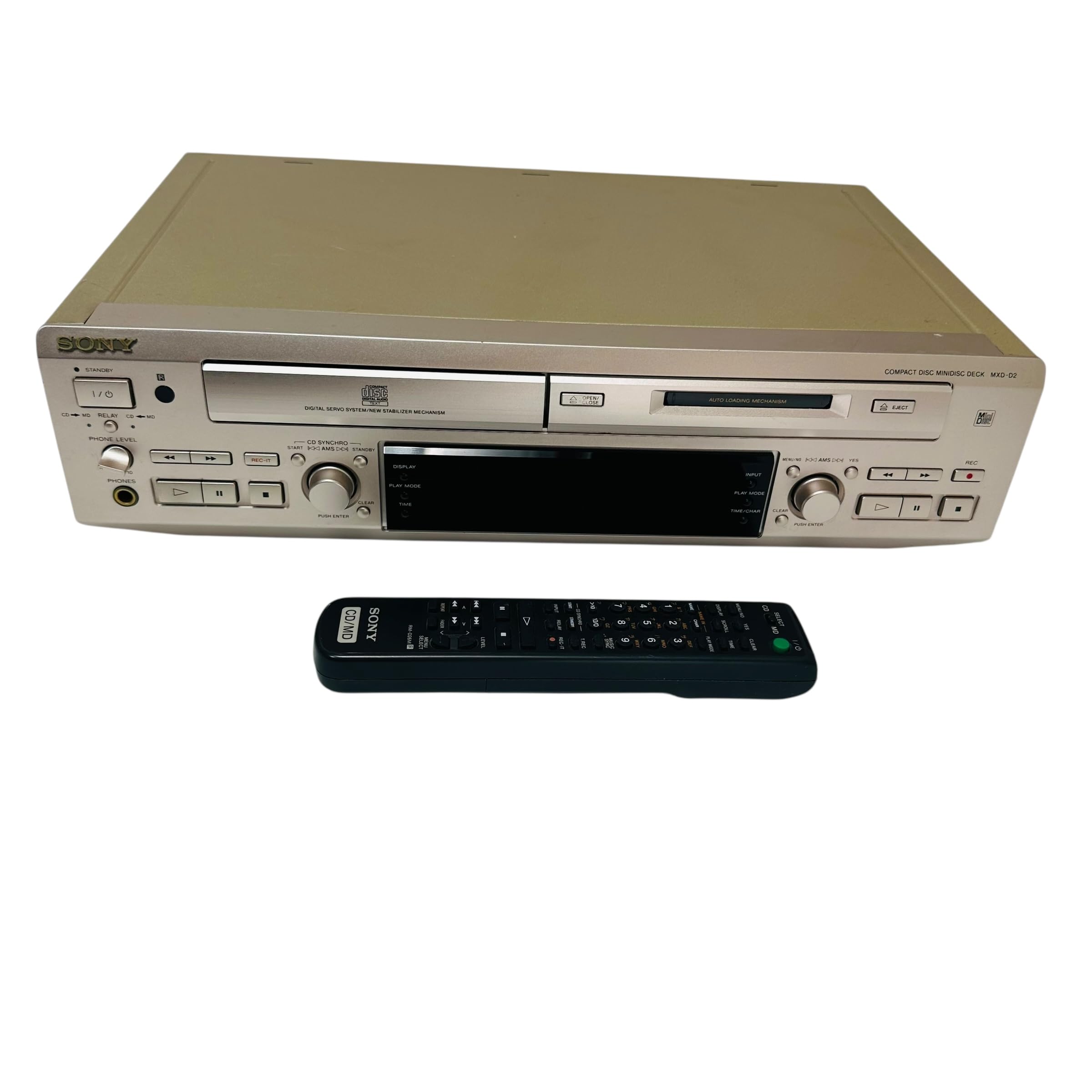
This manual provides essential information for the safe and efficient use of your Sony MXD-D2 MD Recorder/CD Player integrated deck. Please read these instructions thoroughly before operating the unit and retain them for future reference.
Varnostne informacije
Za preprečitev električnega udara, požara ali poškodbe enote upoštevajte naslednje varnostne ukrepe:
- vir energije: Connect the unit only to an AC 100V, 50/60Hz power supply.
- Prezračevanje: Ensure adequate ventilation by not blocking the ventilation openings. Do not place the unit on soft surfaces that may block these openings.
- Vlaga: Enote ne izpostavljajte dežju ali vlagi. Na enoto ne postavljajte predmetov, napolnjenih s tekočinami, kot so vaze.
- Tuji predmeti: Do not insert any metallic objects or liquids into the unit.
- Servisiranje: Ne poskušajte sami servisirati enote. Vsa servisna dela prepustite usposobljenemu osebju.
Nastavitev
Razpakiranje in namestitev
Carefully remove the unit from its packaging. Place the unit on a stable, level surface, ensuring sufficient space around it for proper ventilation.
Priključki na zadnji plošči
The rear panel of the MXD-D2 provides various input and output terminals for connecting to other audio components. Refer to the image below for a visual guide to the connections.
Slika: Rear panel of the Sony MXD-D2 unit. This view displays the analog RCA input/output, digital coaxial input, optical input/output, and Control 1 port, along with the power cord connection and product information label.
- Analogne avdio povezave: Za povezavo uporabite RCA kable ANALOGNI VHOD (入力) to the audio output of an external device (e.g., a tape deck or tuner). Connect the ANALOGNI IZHOD (出力) to the audio input of your amplifier or receiver. Ensure left (左) and right (右) channels are matched.
- Digitalne avdio povezave:
- Coaxial Digital Input (コアキシャル 入力): Connect a coaxial digital cable from the digital output of an external device.
- Optical Digital Input (オプチカル 入力): Connect an optical digital cable from the digital output of an external device.
- Optical Digital Output (オプチカル 出力): Connect an optical digital cable to the digital input of an external recording device or amplifier.
- Control 1 (コントロール 1): This port is for connecting to other compatible Sony components for synchronized operation. Refer to the manuals of connected components for specific instructions.
- Napajalni priključek: After all audio connections are made, plug the power cord into an AC 100V wall outlet.
Navodila za uporabo
Vklop/izklop
Pritisnite MOČ button on the front panel to turn the unit on or off.
Predvajanje CD-ja
- Pritisnite CD OPEN/CLOSE gumb za odpiranje pladnja za CD.
- Place a CD with the label side up in the tray.
- Pritisnite CD OPEN/CLOSE znova zaprite pladenj.
- Pritisnite PREDVAJANJE CD-ja gumb za začetek predvajanja.
- Uporabite PREMOR, STOP, PRESKOČI (►►| / |◄◄), and ISKANJE gumbi za nadzor predvajanja.
MD Playback
- Insert a MiniDisc into the MD slot with the arrow pointing inwards.
- Pritisnite MD PLAY gumb za začetek predvajanja.
- Uporabite PREMOR, STOP, PRESKOČI (►►| / |◄◄), and ISKANJE gumbi za nadzor predvajanja.
MD Recording
The MXD-D2 allows recording from CD, analog, or digital sources to a MiniDisc.
- Insert a blank or erasable MiniDisc into the MD slot.
- Select the desired input source (CD, ANALOG, DIGITAL COAXIAL, or DIGITAL OPTICAL) using the IZBORNIK VHODA gumb.
- For CD-to-MD recording, load the CD and select CD as the input source.
- Pritisnite MD REC gumb za vstop v stanje pripravljenosti za snemanje.
- Start playback on the source device (if external) or press PREDVAJANJE CD-ja (for CD-to-MD recording).
- Pritisnite MD REC znova, da začnete snemati.
- Pritisnite MD STOP končati snemanje.
- Track Marking: The unit can automatically mark tracks during digital recording. For manual marking, press the MARK button during recording.
Vzdrževanje
Čiščenje enote
Zunanjost enote obrišite z mehko, suho krpo. Za trdovratne madeže uporabite krpo, ki jo rahloampened with a mild detergent solution, then wipe dry. Do not use abrasive pads, scouring powder, or solvents such as alcohol or benzene.
Skrb za disk
- Handle discs by their edges to avoid fingerprints on the recording surface.
- Keep discs in their cases when not in use to protect them from dust and scratches.
- Ne izpostavljajte diskov neposredni sončni svetlobi ali virom toplote.
Odpravljanje težav
If you experience problems with your unit, consult the following table before seeking professional service.
| Težava | Možen vzrok | rešitev |
|---|---|---|
| Brez moči | Napajalni kabel ni varno priključen. | Check that the power cord is firmly plugged into the unit and the wall outlet. |
| Brez zvoka | Incorrect input selected; audio cables not connected properly; ampProstornina polnilnika je prenizka. | Select the correct input source. Check all audio cable connections. Increase the volume on your amplifier. |
| CD/MD does not play or record | Disc inserted incorrectly; disc is dirty or scratched; disc is unrecordable (for MD). | Ensure the disc is inserted correctly. Clean the disc with a soft cloth. Use a recordable MD. |
| Recording level is too low/high | Source device output level is incorrect. | Adjust the output level on the source device or the recording level on the MXD-D2 if available. |
Specifikacije
| Funkcija | Podrobnost |
|---|---|
| Številka modela | MXD-D2 |
| Znamka | Sony |
| Zahteve glede napajanja | AC 100V, 16W, 50/60Hz |
| Oblike medijev | Compact Disc (CD), MiniDisc (MD) |
| Analogni vhodi | RCA (Left/Right) |
| Analogni izhodi | RCA (Left/Right) |
| Digitalni vhodi | Coaxial (1), Optical (1) |
| Digitalni izhodi | Optični (1) |
| Nadzorna vrata | Nadzor 1 |
| Združljive naprave | Speakers, Headphones |
| Serijska številka | 213013 (izv.ample) |
| Država izvora | Izdelano na Japonskem |
Garancija in podpora
For warranty information and technical support, please refer to the warranty card included with your product or visit the official Sony webspletno mesto za vašo regijo. Račun shranite kot dokazilo o nakupu.