
Keystone KSTAD70B
Keystone KSTAD70B 70-Pint Dehumidifier User Manual
1. Uvod
This manual provides essential information for the safe and efficient operation of your Keystone KSTAD70B 70-Pint Dehumidifier. This unit is designed to remove up to 70 pints of moisture from the air daily, suitable for rooms up to 4500 square feet. Key features include electronic controls with an LED display, a 24-hour timer, a transparent water level indicator, and a full bucket alert with automatic shutoff. It also offers a continuous draining option and a removable, easy-to-clean dust filter with a clean-filter alert. The auto-restart function preserves your settings after a power outage, and rolling casters facilitate easy movement.
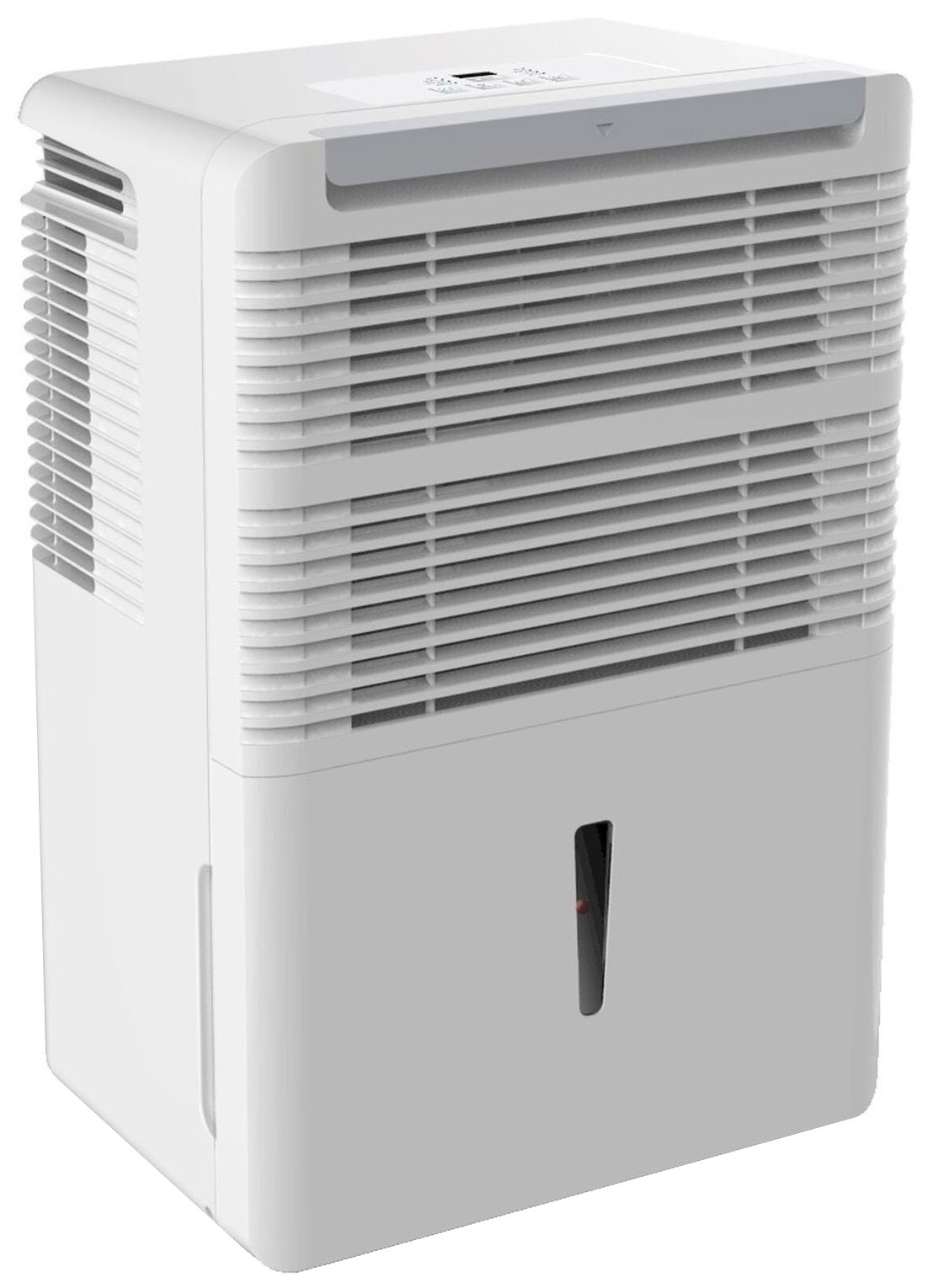
Slika 1: Spredaj view of the Keystone KSTAD70B Dehumidifier.
2. Varnostne informacije
Please read all safety instructions before operating the dehumidifier to prevent injury or damage. Keep this manual for future reference.
- Always connect the unit to a properly grounded electrical outlet of the correct voltage.
- Ne uporabljajte enote s poškodovanim napajalnim kablom ali vtičem.
- Ensure adequate clearance (at least 12-18 inches) around the air intake and outlet to prevent overheating and ensure efficient operation.
- Ne zapirajte odprtin za zrak.
- Razvlažilnika zraka ne uporabljajte v bližini vode ali v prekomerno vlažnem okolju.
- Pred čiščenjem ali kakršnim koli vzdrževanjem izključite enoto iz električnega omrežja.
- Ta naprava ni namenjena uporabi s strani oseb (vključno z otroki) z zmanjšanimi fizičnimi, senzoričnimi ali duševnimi sposobnostmi ali s pomanjkanjem izkušenj in znanja, razen če jih oseba, ki je odgovorna za njihovo varnost, nadzoruje ali jim daje navodila glede uporabe naprave.
- Do not use chemical solvents or abrasive cleaners on the unit.
3. Postavitev in namestitev
3.1 Razpakiranje
Razvlažilnik previdno vzemite iz embalaže. Embalažni material shranite za kasnejše shranjevanje ali transport. Preverite enoto glede morebitnih poškodb med transportom.
3.2 Namestitev
For optimal performance, place the dehumidifier in a location where air can circulate freely around it. The unit circulates air from the sides, not the top. Therefore, avoid placing it directly in a corner or against walls. Maintain a minimum clearance of 12-18 inches (30-45 cm) on all sides to ensure proper airflow.
3.3 Začetni vklop
Priključite napajalni kabel v ozemljeno električno vtičnico. Naprava je zdaj pripravljena za delovanje.
4. Navodila za uporabo
4.1 Konec nadzorne ploščeview

Figure 2: Control panel of the Keystone KSTAD70B Dehumidifier.
The control panel features an LED display and various buttons for setting the dehumidifier's functions:
- Gumb za vklop: Vklopi ali izklopi enoto.
- Gumb ventilatorja: Adjusts fan speed (typically Low, Medium, High).
- Gumb časovnika: Nastavi 24-urni časovnik vklopa/izklopa.
- Puščice gor/dol: Adjust humidity level settings or timer duration.
- Indikator filtra: Lučka sveti, ko je treba očistiti zračni filter.
- Celoten indikator: Zasveti, ko je posoda za vodo polna in jo je treba izprazniti.
- Cont. (Continuous) Indicator: Illuminates when the unit is set for continuous operation.
- Turbo način: Activates maximum dehumidification.
- Normalni način: Standardno razvlaževanje.
- Samodejno odtaljevanje: Automatically defrosts the coils if ice builds up.
4.2 Nastavitev želene ravni vlažnosti
Press the Up or Down arrow buttons to set your desired humidity level. The unit will operate until the set humidity is reached, then cycle on and off to maintain it. The recommended humidity range for comfort is typically between 45% and 55%.
4.3 Neprekinjeno delovanje
To run the dehumidifier continuously, select the 'Cont.' setting. In this mode, the unit will operate regardless of the ambient humidity level. Note that when continuous operation is selected, the humidity setpoint buttons will not respond.
4.4 Funkcija časovnika
Use the Timer button to program the unit to turn on or off automatically after a set number of hours (up to 24 hours).
4.5 Auto-Restart
The unit features an auto-restart function that saves your settings. In the event of a power outage, the dehumidifier will automatically resume operation with the last settings once power is restored.
5. Vzdrževanje
Redno vzdrževanje zagotavlja optimalno delovanje in dolgo življenjsko dobo vašega razvlažilnika zraka.
5.1 Praznjenje vedra za vodo
When the water bucket is full, the 'Full' indicator light will illuminate, and the unit will automatically shut off. Carefully remove the bucket and empty the collected water. Reinsert the bucket firmly until it clicks into place to resume operation.

Slika 3: Odstranitev vedra za zbiranje vode.

Figure 4: Transparent water level indicator.
5.2 Možnost neprekinjenega odvajanja
For continuous operation without emptying the bucket, you can connect a standard garden hose (not included) to the unit's low-level drain. The unit includes an adapter with a clear hose that pushes onto a smooth plastic fitting inside the unit. This adapter has male hose threads for attaching a garden hose. Ensure the hose is routed downwards to a suitable drain to allow gravity to remove the water.
5.3 Čiščenje zračnega filtra
The 'Filter' indicator light will remind you when it's time to clean the air filter. A clean filter ensures efficient operation and better air quality. To clean, lift the filter straight up from the top at the front corner of the unit and slide it out. Wash the filter with warm, soapy water, rinse thoroughly, and allow it to air dry completely before reinserting.

Figure 5: Removing the air filter for cleaning.
6. Odpravljanje težav
Preden se obrnete na podporo, poskusite te običajne korake za odpravljanje težav:
| Težava | Možen vzrok | rešitev |
|---|---|---|
| Razvlažilnik se ne vklopi. | No power; power cord loose; 'Full' indicator on. | Check power supply; ensure cord is plugged in; empty water bucket. |
| Enota deluje, vendar ne razvlažuje zraka. | Air filter clogged; room temperature too low; unit size too small for area. | Clean air filter; ensure room temperature is above 41°F (5°C); consider unit placement. |
| Enota je hrupna. | Enota ni poravnana; ventilator je oviran. | Place on a flat, stable surface; check for obstructions in fan area. |
| Voda pušča iz enote. | Water bucket not properly seated; continuous drain hose loose or clogged. | Ensure bucket is fully inserted; check continuous drain hose connection and clear any blockages. |
7. Specifikacije
| Funkcija | Podrobnost |
|---|---|
| Znamka | Keystone |
| Ime modela | KSTAD70B |
| Zmogljivost razvlaževanja | 70 pintov na dan |
| Priporočena velikost sobe | Do 4500 kvadratnih čevljev |
| barva | Bela |
| Posebne lastnosti | Automatic Restart, Automatic Shutoff |
| Število hitrosti | 3 |
| Način delovanja | Normal, Turbo, Auto-Defrost |
| Wattage | 720 vatov |
| Teža predmeta | 40 funta |
| Mere izdelka (D x Š x V) | 11.25 x 15.5 x 23.25 palcev |
| Priporočene uporabe | Stanovanjski |
8. Informacije o garanciji
The Keystone KSTAD70B Dehumidifier comes with a 1-letna garancija on parts and labor, and a omejena 5-letna garancija on the sealed system. Please refer to the physical warranty card included with your product for full terms and conditions.
9. Podpora strankam
For product registration, warranty claims, or technical assistance, please refer to the contact information provided in the physical instruction manual that came with your dehumidifier. Online registration or direct manufacturer contact information may not be readily available; therefore, retaining your original manual is important for support inquiries.
Ask a question about this manual
Ask about setup, troubleshooting, compatibility, parts, safety, or missing instructions. Manuals+ will review the question and use this page’s manual context to help answer it.