
Uvod
Welcome to your new Cherub WST-620 Flip Tuner. This manual provides instructions for the proper setup, operation, and maintenance of your device. Please read it thoroughly before use. The WST-620 is a versatile clip-on tuner designed for various musical instruments, featuring an ultra-large LCD with orientation-sensing technology for optimal viewing.
Ključne značilnosti
- Supports Guitar, Bass, Violin, Ukulele, and Chromatic Tuning.
- Display changes color to indicate when you are in tune.
- Ultra-large LCD with innovative orientation-sensing technology that automatically flips the display.
- Allows clipping on the front or back of the headstock for both left and right-handed instruments.
Vsebina paketa
- Cherub WST-620 Flip Tuner
- Baterija CR2032 (predhodno nameščena ali priložena)
- Uporabniški priročnik (ta dokument)
Identifikacija delov
Familiarize yourself with the components of your WST-620 tuner.
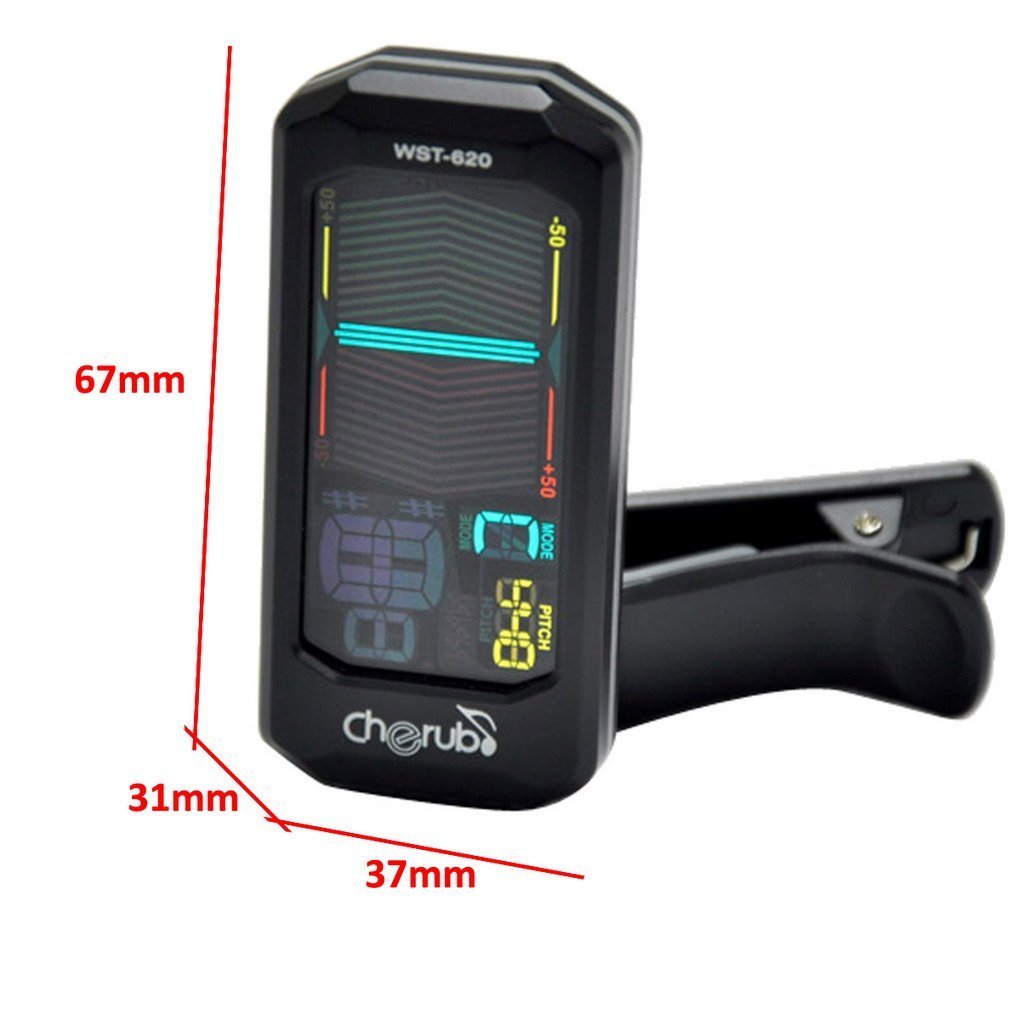
Slika: spredaj view of the Cherub WST-620 Flip Tuner with dimensions (67mm height, 37mm width, 31mm depth).

Slika: spredaj view of the Cherub WST-620 Flip Tuner, showing the LCD display with tuning indicators and pitch setting.

Slika: Zadaj view of the Cherub WST-620 Flip Tuner, highlighting the power/mode button, pitch button, flat button, and battery compartment.

Slika: Stran view of the Cherub WST-620 Flip Tuner, showing the adjustable clip mechanism.

Image: The Cherub WST-620 Flip Tuner attached to an instrument, demonstrating its flexible viewvhodni kot.
Nastavitev
1. Namestitev baterije
The WST-620 uses one CR2032 battery. If the display does not light up or is dim, replace the battery.
- Poiščite predal za baterije na zadnji strani sprejemnika.
- Use a coin or small screwdriver to twist the battery cover counter-clockwise to open.
- Vstavite novo baterijo CR2032 s pozitivno stranjo (+) obrnjeno navzgor.
- Replace the battery cover and twist clockwise to secure.
2. Pritrditev uglaševalnika
The WST-620 features a flexible clip and an orientation-sensing display.
- Open the clip and attach it firmly to the headstock of your instrument.
- Adjust the angle of the tuner for optimal viewing. The display will automatically orient itself.
Navodila za uporabo
1. Vklop/izklop
Pritisnite in držite MOČ / NAČIN button (located on the back) for 2 seconds to turn the tuner on or off.
2. Izbira načina uglaševanja
While the tuner is on, short press the MOČ / NAČIN button to cycle through the available tuning modes:
- C (Chromatic): Tunes all notes.
- G (Guitar): Tunes standard guitar notes (E, A, D, G, B, E).
- B (Bass): Tunes standard bass notes (E, A, D, G).
- V (Violin): Tunes standard violin notes (G, D, A, E).
- U (Ukulele): Tunes standard ukulele notes (G, C, E, A).
3. Setting Pitch (A4 Calibration)
The default A4 pitch is 440Hz. To adjust:
- Kratek pritisk na PITCH button to enter pitch calibration mode.
- Pritisnite PITCH button repeatedly to adjust the A4 frequency from 430Hz to 450Hz.
- The setting will be saved automatically after a few seconds of inactivity.
4. Flat Tuning (Guitar/Bass Mode)
In Guitar or Bass mode, you can set flat tuning:
- Kratek pritisk na STANOVANJE button to cycle through ♭, ♭♭, ♭♭♭, ♭♭♭♭, or no flat.
- This allows for tuning down by semitones.
5. Uglaševanje instrumenta
Once the tuner is on and the correct mode is selected:
- Zagrabite eno samo struno na svojem instrumentu.
- The display will show the note name and a meter indicating pitch accuracy.
- Stanovanje: If the needle is to the left and the display is red, the note is flat. Tighten the string.
- Ostro: If the needle is to the right and the display is red, the note is sharp. Loosen the string.
- V uglasbi: When the note is in tune, the needle will be in the center, and the display will turn green.
Vzdrževanje
1. Zamenjava baterije
Refer to the "Battery Installation" section under Setup for instructions on replacing the CR2032 battery.
2. Čiščenje
Wipe the tuner with a soft, dry cloth. Do not use liquid cleaners or solvents, as they may damage the finish or internal components.
3. Shranjevanje
If the tuner will not be used for an extended period, remove the battery to prevent leakage and store the device in a cool, dry place.
Odpravljanje težav
| Težava | Možen vzrok | rešitev |
|---|---|---|
| Sprejemnik se ne vklopi. | Prazna ali nepravilno nameščena baterija. | Replace the CR2032 battery, ensuring correct polarity (+ side up). |
| Zaslon je zatemnjen ali utripa. | Nizka moč baterije. | Zamenjajte baterijo CR2032. |
| Tuner does not detect notes accurately. | Incorrect tuning mode selected; weak vibration from instrument; noisy environment. | Ensure the correct tuning mode (C, G, B, V, U) is selected. Pluck strings firmly. Tune in a quiet environment. Ensure tuner is securely clipped. |
| Display does not flip automatically. | Rare sensor malfunction. | Try turning the tuner off and on again. If the issue persists, contact support. |
Specifikacije
- Model: WST-620
- Načini uglaševanja: Kromatski, kitara, bas, violina, ukulele
- A4 Frekvenca: 430–450 Hz (nastavljivo)
- Metoda odkrivanja: Vibration (Clip)
- Območje uglaševanja: A0 (27.5 Hz) - C8 (4186 Hz)
- moč: 3V (CR2032 Lithium Battery)
- Dimenzije: 12.7 x 7.62 x 5.08 cm (approx. 67 x 37 x 31 mm for the tuner unit)
- Teža: 45.4 g
Garancija in podpora
Cherub products are designed for reliability and performance. For warranty information or technical support, please refer to the official Cherub webspletno mesto ali se obrnite na lokalnega prodajalca. Račun shranite kot dokazilo o nakupu.
Za dodatno pomoč obiščite: www.cherubtechnology.com