
Uvod
Hvala za nakupasing the Orion 24" SLED2468W LED LCD HDTV. This manual provides essential information for the safe and efficient operation of your television. Please read it thoroughly before using the product and retain it for future reference.
Varnostne informacije
Za zagotovitev varnega delovanja in preprečevanje poškodb upoštevajte naslednje varnostne ukrepe:
- Televizorja ne izpostavljajte dežju ali vlagi.
- Ne blokirajte prezračevalnih odprtin.
- Televizor postavite na stabilno, ravno površino.
- Uporabljajte samo napajalni kabel, ki je priložen enoti.
- Med nevihtami ali če televizorja dalj časa ne uporabljate, ga izključite iz električnega omrežja.
- Za vse servise se obrnite na usposobljeno servisno osebje.
Kaj je v škatli
Previdno razpakirajte škatlo in se prepričajte, da so vsi predmeti prisotni:
- Orion 24" SLED2468W LED LCD HDTV
- TV stojalo
- Remote Control (batteries not included, requires 2 AAA batteries)
- Napajalni kabel
- Uporabniški priročnik (ta dokument)
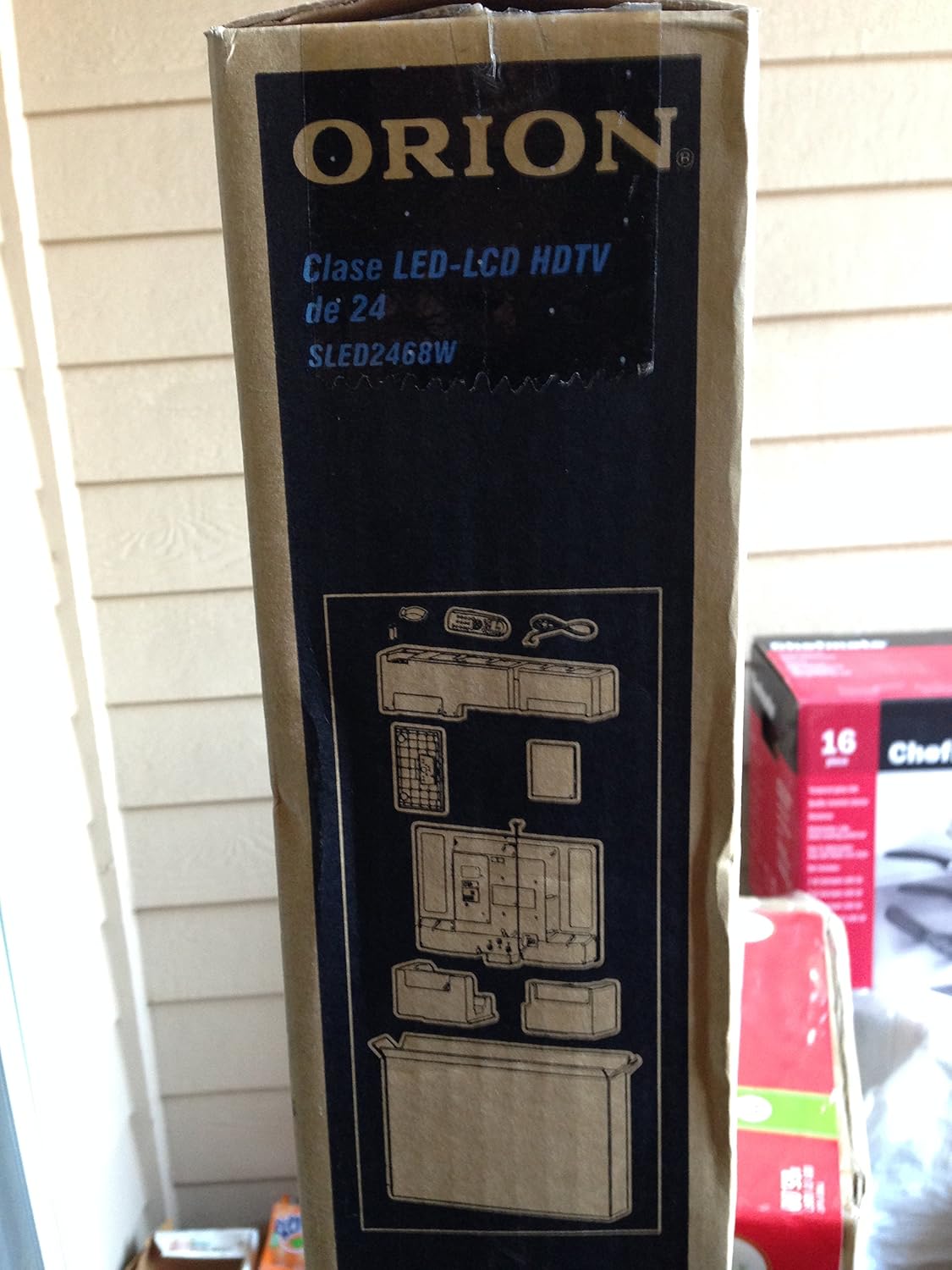
Image: The side of the Orion TV box illustrating the TV and stand components packed inside.
Nastavitev
1. Razpakiranje
Remove the TV and all accessories from the packaging. Retain the packaging for future transport or storage.

Image: The front of the Orion 24" LED-LCD HDTV box, displaying the model number SLED2468W and key features such as Integrated Digital Tuner, USB Time Shift, HDMI, and Headphone/Digital Audio Output.
2. Pritrditev stojala
Place the TV screen-down on a soft, clean surface. Align the TV stand with the mounting holes on the bottom of the TV. Secure the stand using the provided screws.
3. Priključitev napajanja
Connect the power cord to the TV's power input and then to a standard 110 VAC, 60 Hz electrical outlet.
4. Priključitev zunanjih naprav
Vaš televizor podpira različne priključke za zunanje naprave:
- HDMI: Za zvok in video visoke ločljivosti iz naprav, kot so predvajalniki Blu-ray, igralne konzole ali kabelski/satelitski sprejemniki.
- USB: For media playback or USB Time Shift functionality.
- Antena/kabel: For receiving broadcast television signals via the integrated ATSC tuner.
- PC vhod: For connecting a computer monitor.
- Headphone/Digital Audio Output (Coaxial): Za priklop zunanjih avdio sistemov.

Image: A diagram illustrating various connection ports on the TV, including headphone, audio, PC monitor, and coaxial outputs. Also shown are the unit dimensions and weight.
5. Čarovnik za začetno nastavitev
Upon first power-on, the TV will guide you through an initial setup process, including language selection, channel scanning, and time zone settings.
Delovanje
Basic Remote Control Functions
The remote control allows you to access all TV functions. Ensure batteries are correctly inserted.
- moč: Vklopi ali izklopi TV.
- Kanal gor/dol: Menjava televizijskih kanalov.
- Povečanje/zmanjšanje glasnosti: Prilagodi raven zvoka.
- Vnos/vir: Selects the input source (HDMI, TV, USB, etc.).
- meni: Dostopi do glavnega menija za prilagoditve nastavitev.
- Navigacijski gumbi (gor/dol/levo/desno/V redu): Uporablja se za navigacijo po menijih in potrditev izbir.
USB Time Shift
The TV features a USB Time Shift function. Connect a USB storage device to pause, rewind, or fast-forward live TV broadcasts. Refer to the on-screen menu for detailed instructions on activating and using this feature.
internetni brskalnik
This TV includes a basic internet browser. Connect the TV to your network (if applicable) to access web content. Performance may vary depending on network speed and website complexity.
Vzdrževanje
Čiščenje zaslona
Zaslon nežno obrišite z mehko krpo, ki ne pušča vlaken. Za trdovratne madeže rahlo obrišiteampKrpo obrišite z vodo ali specializiranim čistilom za zaslone. Tekočine nikoli ne pršite neposredno na zaslon.
Splošna nega
Keep the TV free from dust by regularly wiping the cabinet with a dry, soft cloth. Ensure adequate ventilation around the TV to prevent overheating.
Odpravljanje težav
Če imate težave s televizorjem, si pred stikom s podporo oglejte naslednjo tabelo:
| Težava | Možna rešitev |
|---|---|
| Brez moči | Check if the power cord is securely connected to both the TV and the outlet. Ensure the outlet is functional. |
| Ni slike, vendar je zvok prisoten | Preverite, ali je izbran pravilen vhodni vir. Preverite povezave zunanjih naprav. |
| Ni zvoka, vendar je slika prisotna | Check volume level and mute settings. Ensure external audio connections are secure. |
| Daljinski upravljalnik ne deluje | Zamenjajte baterije. Prepričajte se, da med daljinskim upravljalnikom in infrardečim senzorjem televizorja ni ovir. |
| Slaba kakovost slike | Check antenna connection. Adjust picture settings in the TV menu. |
Specifikacije
Technical specifications for the Orion 24" SLED2468W LED LCD HDTV:
| Funkcija | Specifikacija |
|---|---|
| Številka modela | SLED2468W |
| Velikost zaslona | 24 palcev |
| Tehnologija zaslona | LED-LCD |
| Resolucija | 720p |
| Hitrost osveževanja | 60 Hz |
| Razmerje stranic | 16:9 |
| Tehnologija povezljivosti | HDMI, USB |
| Vrsta sprejemnika | ATSC |
| Podprte internetne storitve | Brskalnik |
| Vrstica Voltage | 110 V AC 60 Hz |
| On Mode Power Consumption | 37W (as per box image) |
| Mere enote (ŠxGxV) | 21.65" x 5.39" x 14.21" (550 x 136.9 x 361 mm) (as per box image) |
| Teža enote | 3.6 kg (8.0 lbs) (as per box image) |
| Proizvajalec | Sansui |
| UPC | 755805020776 |
Garancija in podpora
For warranty information and technical support, please refer to the documentation included with your purchase or visit the official Orion product support webspletnega mesta. Shranite dokazilo o nakupu za uveljavljanje garancije.