
1. Uvod
This manual provides instructions for the installation, operation, and maintenance of your DIGITUS DN-70542 Wireless LAN USB 2.0 Adapter. This device allows your computer to connect to a wireless network using the 802.11n standard, offering data transfer rates of up to 300 Mbps.
The adapter is backward compatible with IEEE 802.11g and 802.11b standards and operates within the 2.4-2.4835GHz frequency range. It also features a Wireless Protected Setup (WPS) function for easy and secure network connection.

Slika 1.1: Zgornji del view of the DIGITUS DN-70542 Wireless LAN USB 2.0 Adapter.

Slika 1.2: Pod kotom view of the DIGITUS DN-70542 adapter, highlighting its compact design.

Slika 1.3: Podrobno view of the USB 2.0 connector of the DIGITUS DN-70542 adapter.
2. Vsebina paketa
Prosimo, preverite, ali so v paketu prisotni vsi elementi:
- 1 x DIGITUS DN-70542 Mini USB WiFi Adapter
- 1 x Product Support CD-ROM (containing drivers and utilities)
- 1 x Uporabniški priročnik (ta dokument)
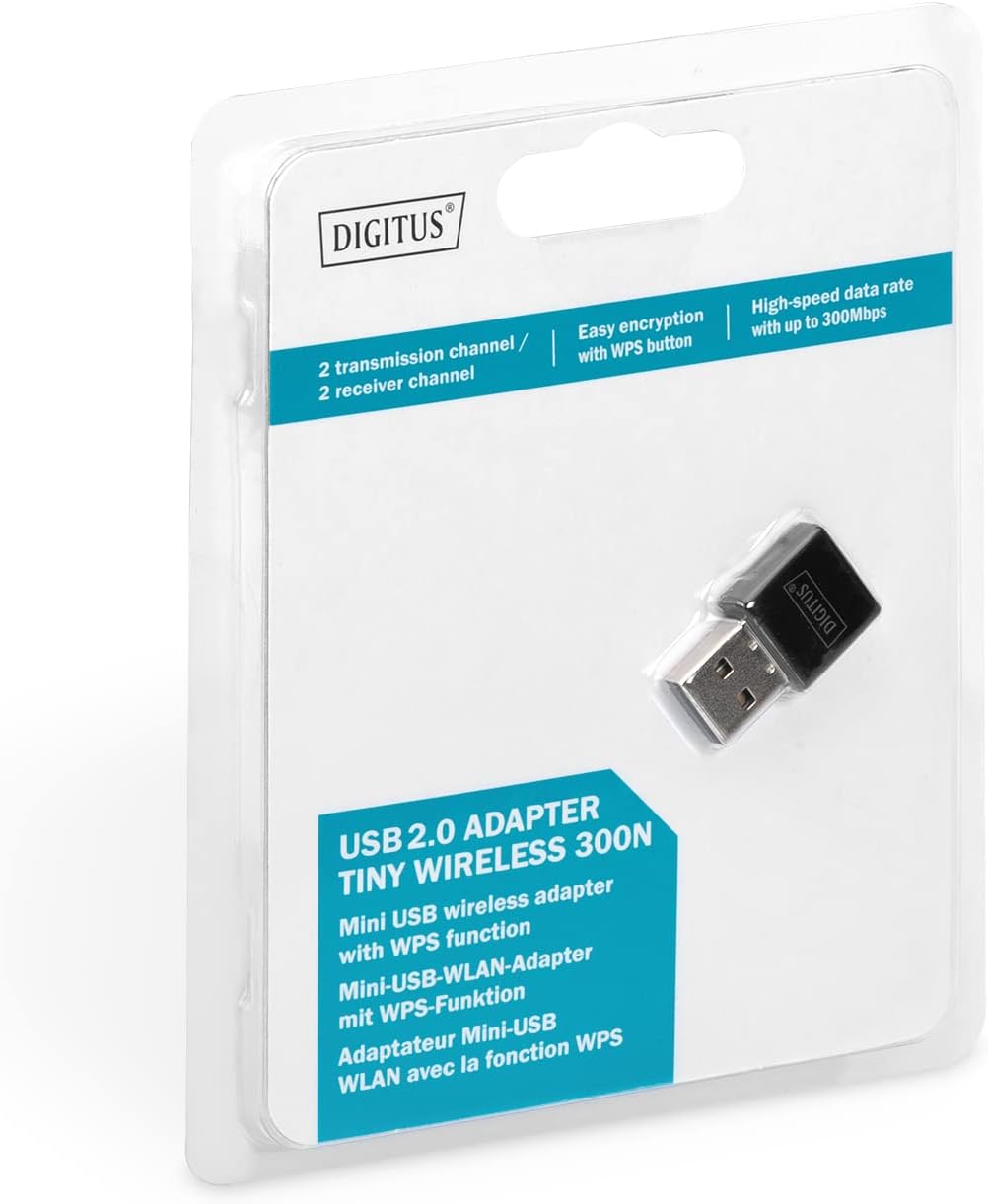
Figure 2.1: Retail packaging of the DIGITUS DN-70542 adapter, showing the adapter and its key features.
3. Navodila za namestitev
Follow these steps to install your Wireless LAN USB Adapter:
- Namesti gonilnike: Before connecting the adapter, insert the included Product Support CD-ROM into your computer's optical drive. Follow the on-screen instructions to install the necessary drivers. If your computer does not have an optical drive, or if you encounter issues, please visit the official DIGITUS website to download the latest drivers for your operating system (Windows).
Note: Some operating systems, particularly older versions of Windows, may require driver installation prior to connecting the device. Refer to the Troubleshooting section if you encounter issues during this step.
- Priključite adapter: Locate an available USB 2.0 port on your computer. Carefully insert the DIGITUS DN-70542 Wireless LAN USB 2.0 Adapter into the USB port.
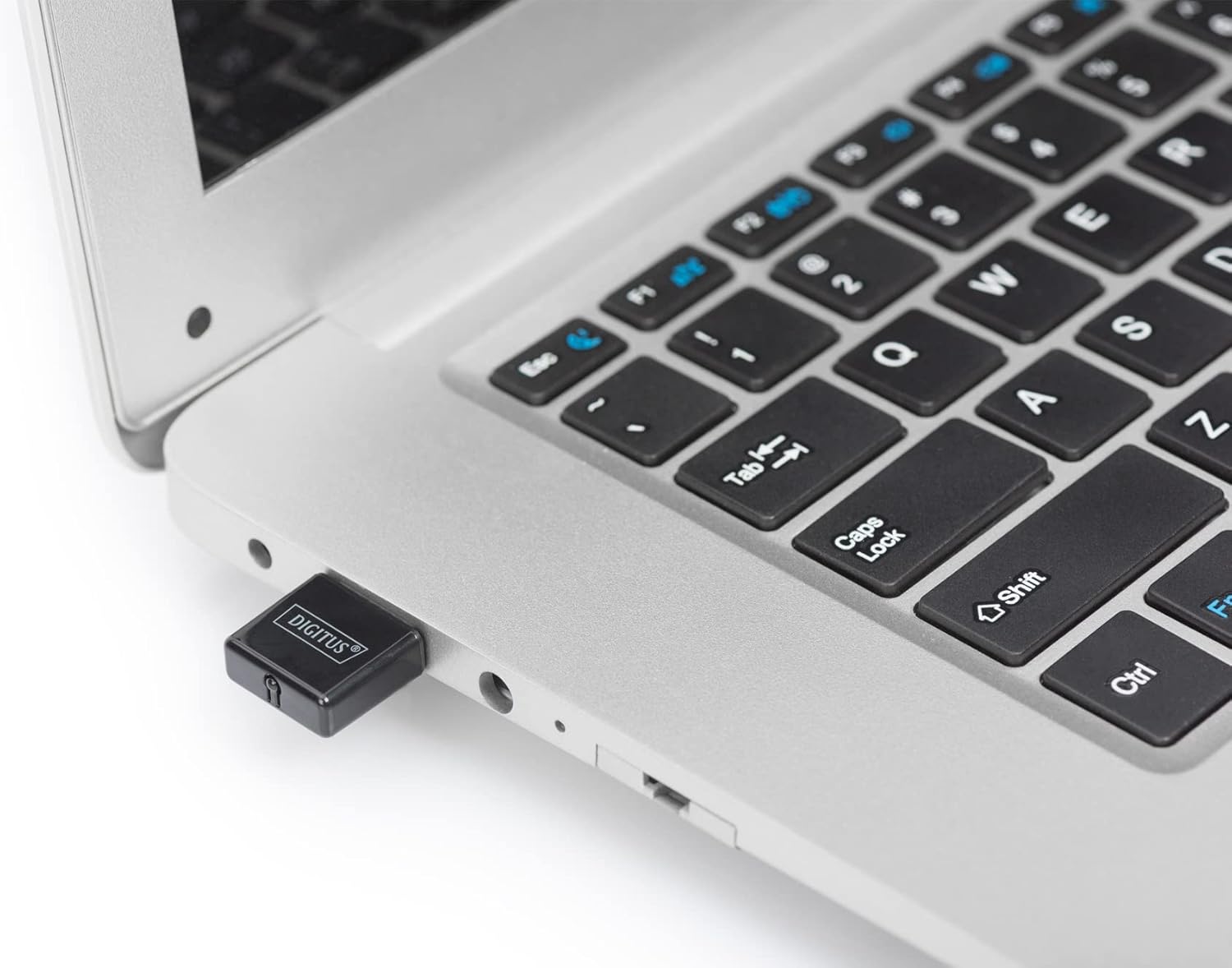
Figure 3.1: The DIGITUS DN-70542 adapter inserted into a laptop's USB port.

Slika 3.2: Zapiralo view of the adapter connected to a laptop, showing its compact size.
- Preverite namestitev: After connecting, your operating system should detect the new hardware and complete the installation. You can verify the installation by checking your computer's Device Manager (for Windows) to ensure the wireless adapter is listed and functioning correctly.
4. Navodila za uporabo
Once the adapter is successfully installed, you can connect to a wireless network.
- Povezovanje z brezžičnim omrežjem:
- Odprite nastavitve brezžičnega omrežja računalnika.
- Poiščite razpoložljiva brezžična omrežja.
- Select your desired network (SSID) from the list.
- Vnesite omrežni varnostni ključ (geslo), če ste pozvani.
- Click "Connect" to establish the wireless connection.
- Using WPS (Wi-Fi Protected Setup):
The adapter supports WPS for a simplified and secure connection to compatible routers.
- Pritisnite gumb WPS na brezžičnem usmerjevalniku.
- Within two minutes, press the WPS button on the DIGITUS DN-70542 adapter. The WPS button is a small, recessed button on the side of the adapter.
- The adapter and router will automatically establish a secure connection.

Figure 4.1: The WPS button located on the side of the adapter.
5. Vzdrževanje
To ensure optimal performance and longevity of your DIGITUS DN-70542 adapter, follow these guidelines:
- Adapter naj bo čist in brez prahu. Za čiščenje uporabljajte mehko, suho krpo.
- Adapterja ne izpostavljajte ekstremnim temperaturam, vlagi ali neposredni sončni svetlobi.
- Adapterja ne poskušajte razstavljati ali popravljati sami. S tem boste razveljavili garancijo.
- Ko adapterja ne uporabljate, ga shranite na varno mesto, da preprečite fizične poškodbe.
6. Odpravljanje težav
If you encounter issues with your DIGITUS DN-70542 Wireless LAN USB 2.0 Adapter, refer to the following common problems and solutions:
- Adapter Not Detected / Driver Installation Issues:
- Prepričajte se, da je adapter popolnoma vstavljen v delujoča vrata USB.
- Poskusite druga vrata USB.
- Reinstall the drivers from the provided CD-ROM.
- Download the latest drivers from the official DIGITUS webmesto.
- If using Windows 8.1 or newer and encountering issues like "Bluescreen" or "infected file" warnings during driver installation, temporarily disable antivirus software (like Windows Defender) during driver installation, then re-enable it immediately after. Ensure you are downloading drivers from a trusted source (DIGITUS official webspletnem mestu).
- Check Device Manager to see if the adapter is listed with any error symbols.
- Cannot Connect to Wireless Network:
- Verify that your wireless router is powered on and broadcasting a signal.
- Ensure you are entering the correct network security key (password).
- Za izboljšanje moči signala se premaknite bližje brezžičnemu usmerjevalniku.
- Znova zaženite računalnik in brezžični usmerjevalnik.
- Check if other devices can connect to the same wireless network.
- Počasna hitrost povezave:
- Ensure your router supports 802.11n for optimal speeds.
- Zmanjšajte motnje zaradi drugih elektronskih naprav (npr. mikrovalovnih pečic, brezžičnih telefonov).
- Posodobite vdelano programsko opremo usmerjevalnika.
- Preverite, ali v vašem omrežju obstajajo druge naprave, ki porabljajo pasovno širino.
7. Specifikacije
| Funkcija | Opis |
|---|---|
| Model | DN-70542 |
| Strojni vmesnik | USB 2.0 |
| Brezžični standardi | IEEE 802.11n, IEEE 802.11g, IEEE 802.11b |
| Hitrost prenosa podatkov | Do 300 Mbps |
| Frekvenčno območje | 2.4–2.4835 GHz |
| Varnostne funkcije | WPS (Wireless Protected Setup) function |
| Podpora za operacijski sistem | Windows |
| Dimenzije izdelka | 24 x 15 x 2 mm (approximate); 15 g |
| Proizvajalec | ASSMANN Electronic GmbH PES - BO DE |
8. Garancija in podpora
For warranty information and technical support, please refer to the documentation included with your product or visit the official DIGITUS website. Contact details for customer support can typically be found on the manufacturer's webmesto.
Prosimo, shranite dokazilo o nakupu za morebitne garancijske zahtevke.


