
Uvod
This manual provides detailed instructions for the installation, operation, and maintenance of your Akasa AK-CC7108EP01 CPU Cooler. Please read this manual thoroughly before installation and use to ensure proper function and longevity of the product. This CPU cooler is designed to efficiently dissipate heat from your computer's central processing unit (CPU), maintaining optimal operating temperatures.
Varnostne informacije
- Pred nameščanjem ali odstranjevanjem kakršnih koli komponent vedno izključite napajanje računalnika.
- Handle the CPU cooler and CPU with care to avoid damage to pins or components.
- Wear an anti-static wrist strap or frequently touch a grounded metal object to prevent electrostatic discharge (ESD) damage to sensitive electronic components.
- Hraniti izven dosega otrok.
- Ensure proper ventilation inside your computer case.
Vsebina paketa
Preverite, ali so v paketu prisotni vsi elementi:
- Akasa AK-CC7108EP01 CPU Cooler (Heatsink with pre-attached fan)
- Integrated push-pin mounting mechanism
- Pre-applied thermal interface material (TIM) on the heatsink base
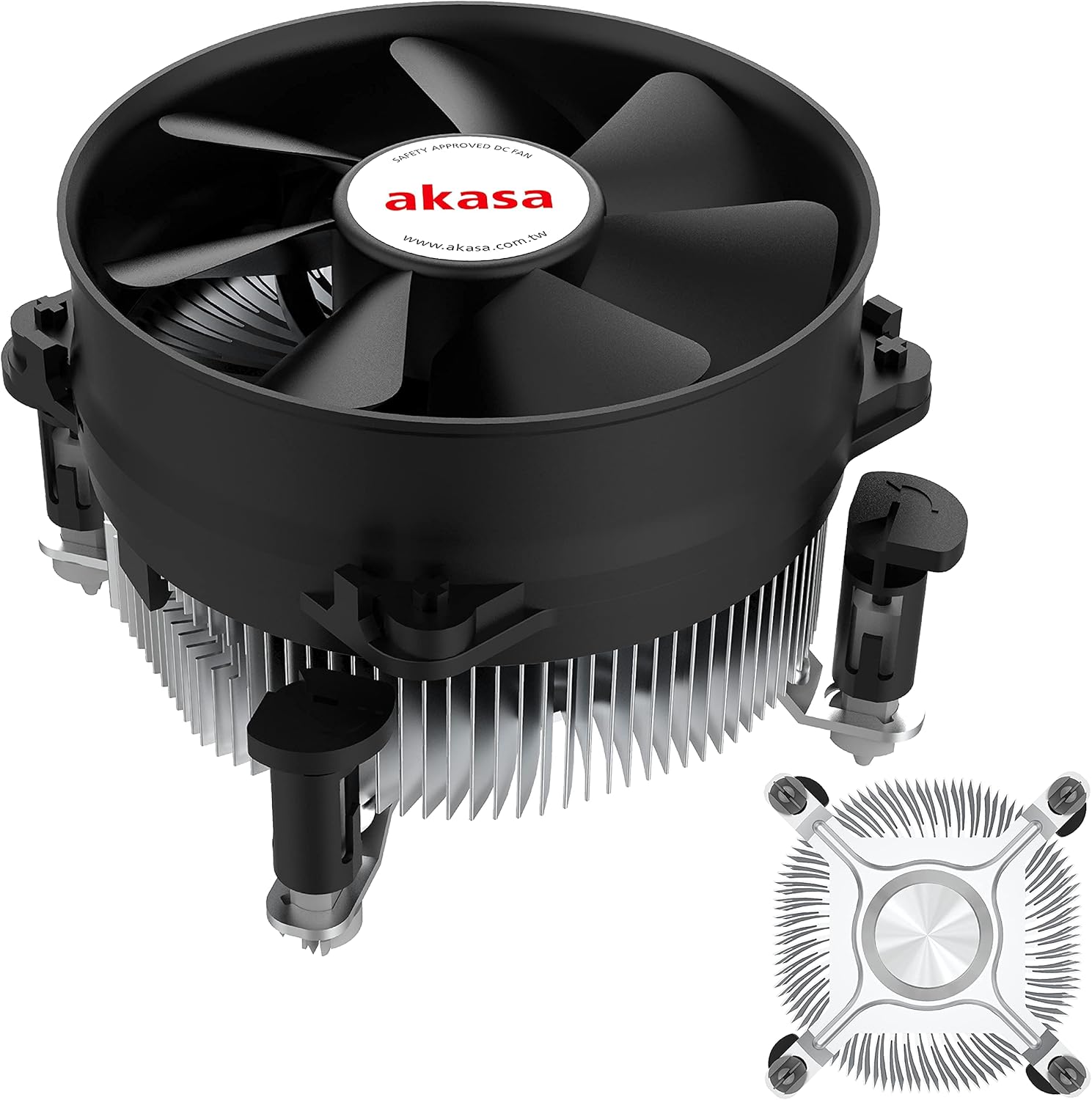
Slika 1: The Akasa AK-CC7108EP01 CPU Cooler, showing the fan, heatsink, and push-pin mounting system.
Nastavitev in namestitev
This section details the steps required to install the Akasa AK-CC7108EP01 CPU cooler onto your motherboard. This cooler utilizes a push-pin mounting system compatible with specific Intel sockets (e.g., LGA775, LGA115x).
1. Priprava
- Ugasniti: Prepričajte se, da je računalnik popolnoma izklopljen in izključen iz stenske vtičnice.
- Dostop do matične plošče: Open your computer case to gain access to the motherboard and CPU socket.
- Odstranite stari hladilnik (če je primerno): If replacing an existing cooler, carefully remove it. Clean any old thermal paste from the CPU surface using isopropyl alcohol and a lint-free cloth.
- Inspect CPU: Prepričajte se, da je procesor pravilno nameščen v podnožju in da je zadrževalna ročica zaklenjena.
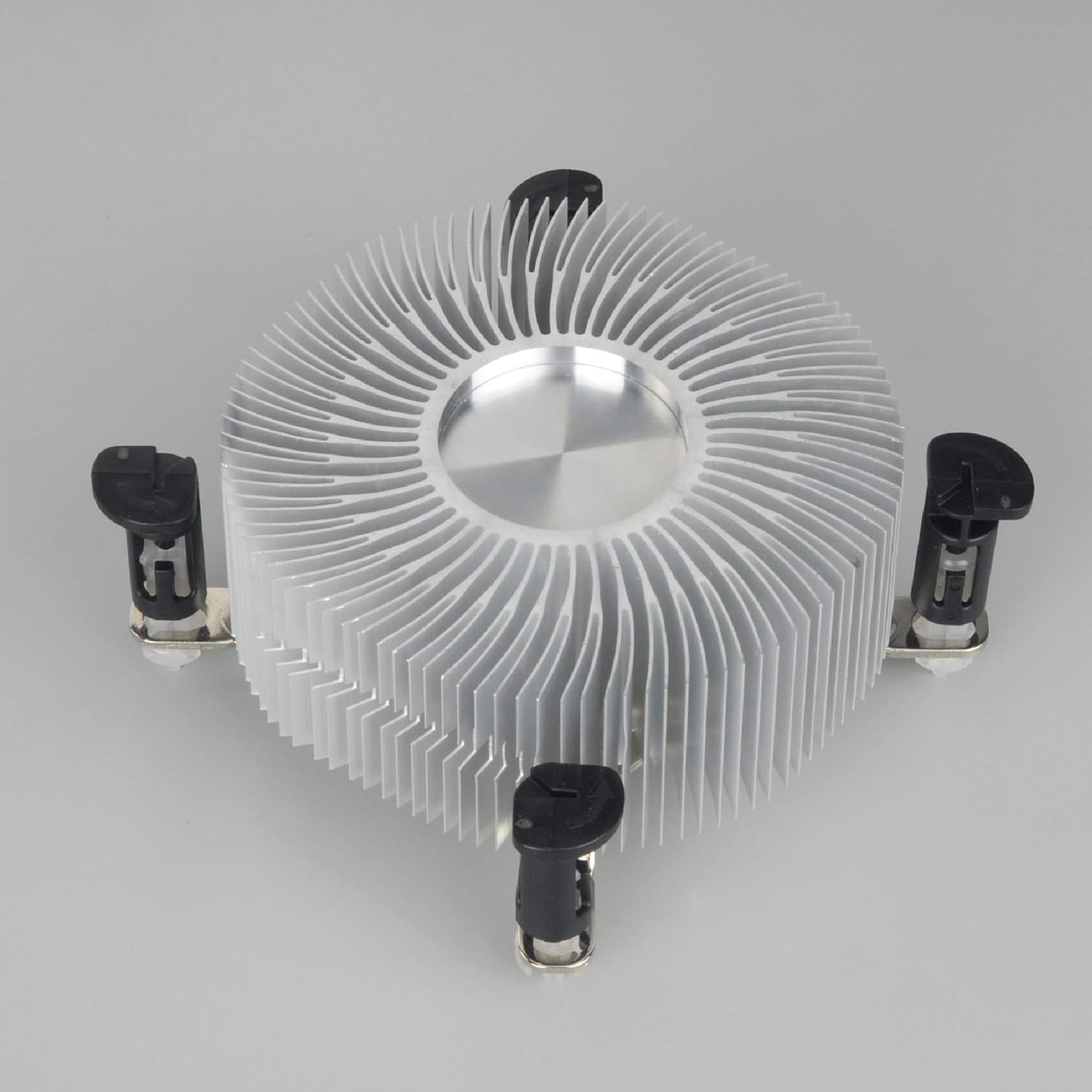
Slika 2: Spodnja stran view of the heatsink, showing the pre-applied thermal paste and the four push-pin mounting posts.
2. Montaža hladilnika
- Align Cooler: Carefully align the four push-pins on the cooler with the four mounting holes around the CPU socket on the motherboard.
- Push Pins Down: Press down firmly and evenly on each of the four push-pins until they click into place. You should hear a distinct click for each pin, indicating it has secured properly. Ensure all four pins are fully engaged.
- Preverite varno prileganje: Gently tug on the cooler to ensure it is securely attached to the motherboard and does not wobble. If it feels loose, re-engage the push-pins.
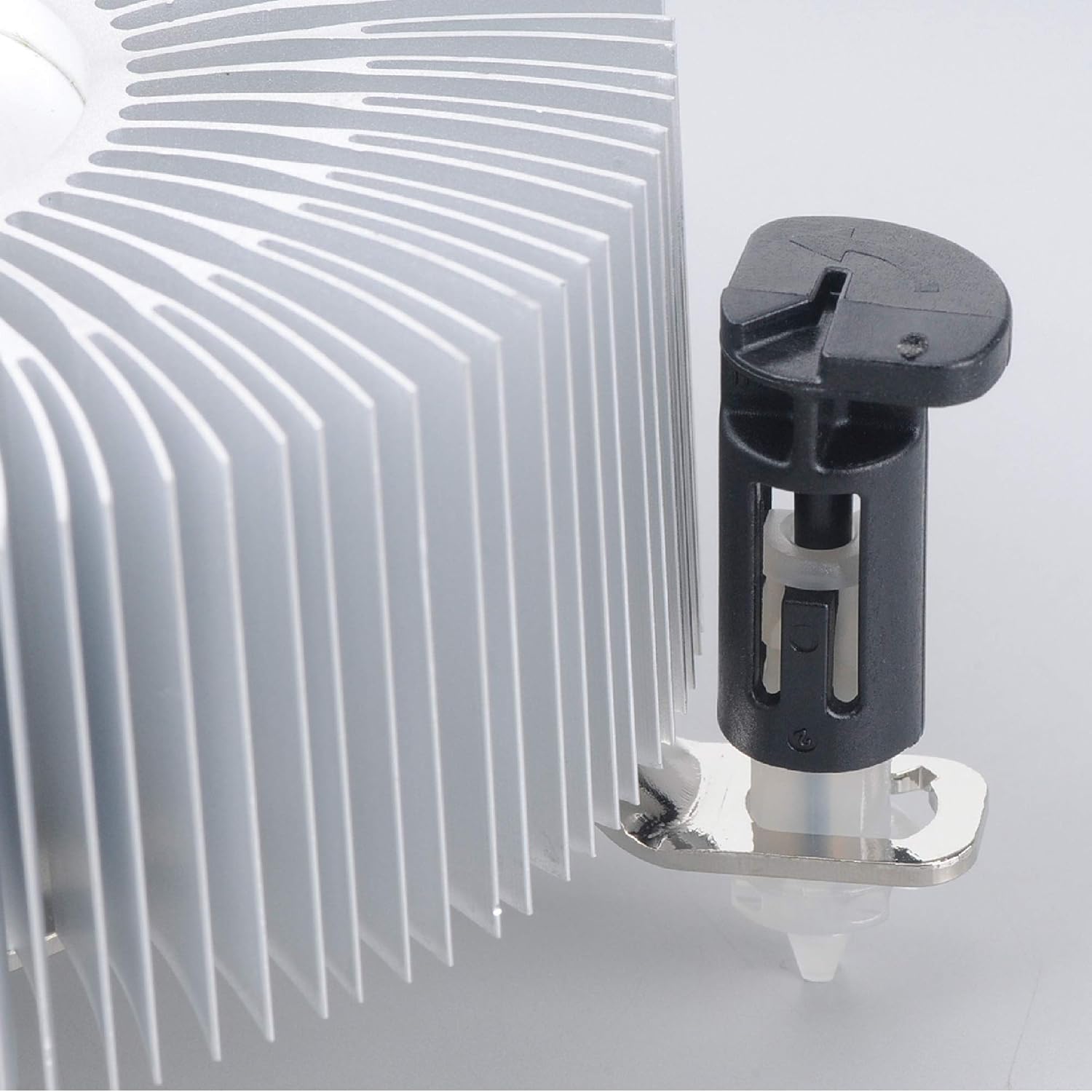
Slika 3: Detail of the push-pin mechanism. Ensure the black pin is pushed down through the white anchor to secure the cooler.
3. Connecting the Fan
- Locate CPU_FAN Header: Find the 4-pin CPU_FAN header on your motherboard. Refer to your motherboard manual if you are unsure of its location.
- Priključite kabel ventilatorja: Connect the 4-pin fan cable from the Akasa cooler to the CPU_FAN header on the motherboard. Ensure the connector is oriented correctly.

Slika 4: Stran view of the Akasa CPU cooler, highlighting the 4-pin fan power cable for connection to the motherboard.
4. Končni koraki
- Zapri primer: Once the cooler is securely installed and the fan connected, close your computer case.
- Vklop: Ponovno priključite napajalni kabel in vklopite računalnik.
- Preverjanje BIOS-a/UEFI-ja: Enter your system's BIOS/UEFI settings to verify that the CPU fan is detected and operating at appropriate speeds. Monitor CPU temperatures during initial use to ensure proper cooling.
Navodila za uporabo
The Akasa AK-CC7108EP01 CPU cooler operates automatically once installed and connected to the motherboard's CPU_FAN header. The 4-pin connector allows the motherboard to control the fan speed (PWM - Pulse Width Modulation) based on CPU temperature, optimizing cooling performance and noise levels.
- Samodejni nadzor hitrosti: The fan speed will adjust dynamically according to the CPU's thermal load.
- Spremljanje: You can monitor CPU temperatures and fan speeds using motherboard monitoring software or within the BIOS/UEFI settings.
- Optimalna zmogljivost: Ensure adequate airflow within your computer case to support the cooler's performance.
Vzdrževanje
Redno vzdrževanje pomaga zagotoviti optimalno delovanje in podaljša življenjsko dobo hladilnika procesorja.
- Odstranjevanje prahu: Periodically (e.g., every 3-6 months), power off and unplug your computer. Open the case and use compressed air to gently blow dust out of the heatsink fins and fan blades. Hold the fan blades to prevent them from spinning rapidly during cleaning, which can damage the fan motor.
- Pregled: Check the fan for any signs of damage or excessive noise. Ensure the cooler remains securely mounted to the motherboard.
- Termalna pasta: The pre-applied thermal paste is designed for long-term use. If you ever need to remove and re-install the cooler, it is recommended to clean off the old thermal paste from both the CPU and heatsink and apply a fresh layer of high-quality thermal paste.
Odpravljanje težav
If you encounter issues with your Akasa AK-CC7108EP01 CPU cooler, refer to the following common problems and solutions:
- Težava: CPU temperatures are high.
rešitev:
- Ensure the cooler is securely mounted and all four push-pins are fully engaged.
- Verify the fan cable is correctly connected to the CPU_FAN header on the motherboard.
- Check for excessive dust buildup on the heatsink fins and fan blades, and clean if necessary.
- Confirm that the thermal paste application is adequate. If the cooler was removed and reinstalled without fresh thermal paste, reapply it.
- Ensure proper airflow within the computer case.
- Težava: Ventilator se ne vrti.
rešitev:
- Check the fan cable connection to the CPU_FAN header.
- Verify that the CPU_FAN header is enabled in the BIOS/UEFI settings.
- Ensure no cables or obstructions are preventing the fan blades from spinning.
- Težava: Ventilator je pretirano hrupen.
rešitev:
- Clean any dust from the fan blades.
- Check if the fan is rubbing against any cables or components.
- In BIOS/UEFI, adjust fan speed curves if available, to reduce fan speed at lower temperatures.
- If the noise persists and is a grinding or rattling sound, the fan bearing may be failing, and replacement might be necessary.
Specifikacije
The following table outlines the technical specifications for the Akasa AK-CC7108EP01 CPU Cooler:
| Funkcija | Specifikacija |
|---|---|
| Znamka | Akasa |
| Model | AK-CC7108EP01 |
| Združljive naprave | Desktop (Intel LGA775, LGA115x) |
| Metoda hlajenja | zrak |
| Material | Aluminij |
| Največja vrtilna hitrost | 1800 RPM |
| Nivo hrupa | 92 Decibels (Maximum) |
| voltage | 12 volta |
| Wattage | 77 watts (TDP) |
| Vrsta napajalnega konektorja | 4-Pin PWM |
| Dimenzije izdelka | 9.5 x 9.5 x 5.85 cm |
| Teža predmeta | 290.3 g |
Garancija in podpora
For warranty information and technical support, please refer to the official Akasa webspletno mesto ali se obrnite na prodajalca. Shranite dokazilo o nakupu za uveljavljanje garancije.