
1. Uvod
Thank you for choosing the Coby LEDTV3216 32-Inch 720p 60Hz Slim-Bezel LED HDTV. This manual provides essential information for the safe and efficient operation of your television. Please read these instructions thoroughly before use and retain them for future reference.
The Coby LEDTV3216 offers a 32-inch widescreen display, a built-in digital TV tuner (ATSC/NTSC/QAM), and multiple connectivity options including HDMI and VGA. It features energy-efficient technology, digital noise reduction, and V-chip parental control.
2. Varnostne informacije
Za zagotovitev varnega delovanja in preprečevanje poškodb upoštevajte naslednje varnostne ukrepe:
- vir energije: Televizor priključite samo na napajanje z izmenično napetostjo 100–240 V, 50/60 Hz.
- Prezračevanje: Ne blokirajte prezračevalnih odprtin. Zagotovite dovolj prostora okoli televizorja za pravilen pretok zraka.
- Voda in vlaga: Do not expose the TV to rain, moisture, or place objects filled with liquids on or near it.
- Viri toplote: Televizor postavite stran od radiatorjev, grelnih teles, štedilnikov ali drugih naprav, ki oddajajo toploto.
- Čiščenje: Unplug the TV from the wall outlet before cleaning. Use a soft, dry cloth. Do not use liquid or aerosol cleaners.
- Servisiranje: Tega izdelka ne poskušajte servisirati sami. Vsa servisna dela prepustite usposobljenemu servisnemu osebju.
- Montaža na steno: If wall-mounting, ensure the mount is VESA 200mm x 200mm compatible and installed by qualified personnel.
3. Vsebina paketa
Preverite, ali so v paketu prisotni vsi elementi:
- Coby LEDTV3216 32-Inch LED HDTV
- TV stojalo
- Daljinski upravljalnik (potrebni sta 2 bateriji AAA, priloženi)
- Napajalni kabel
- Uporabniški priročnik (ta dokument)
4. Nastavitev
4.1 Pritrditev stojala
Za pritrditev priloženega stojala:
- Televizor postavite z zaslonom navzdol na mehko, čisto površino, da preprečite poškodbe zaslona.
- Poravnajte podstavek stojala z montažnimi luknjami na spodnji strani televizorja.
- Stojalo pritrdite s priloženimi vijaki. Prepričajte se, da so vsi vijaki trdno priviti.
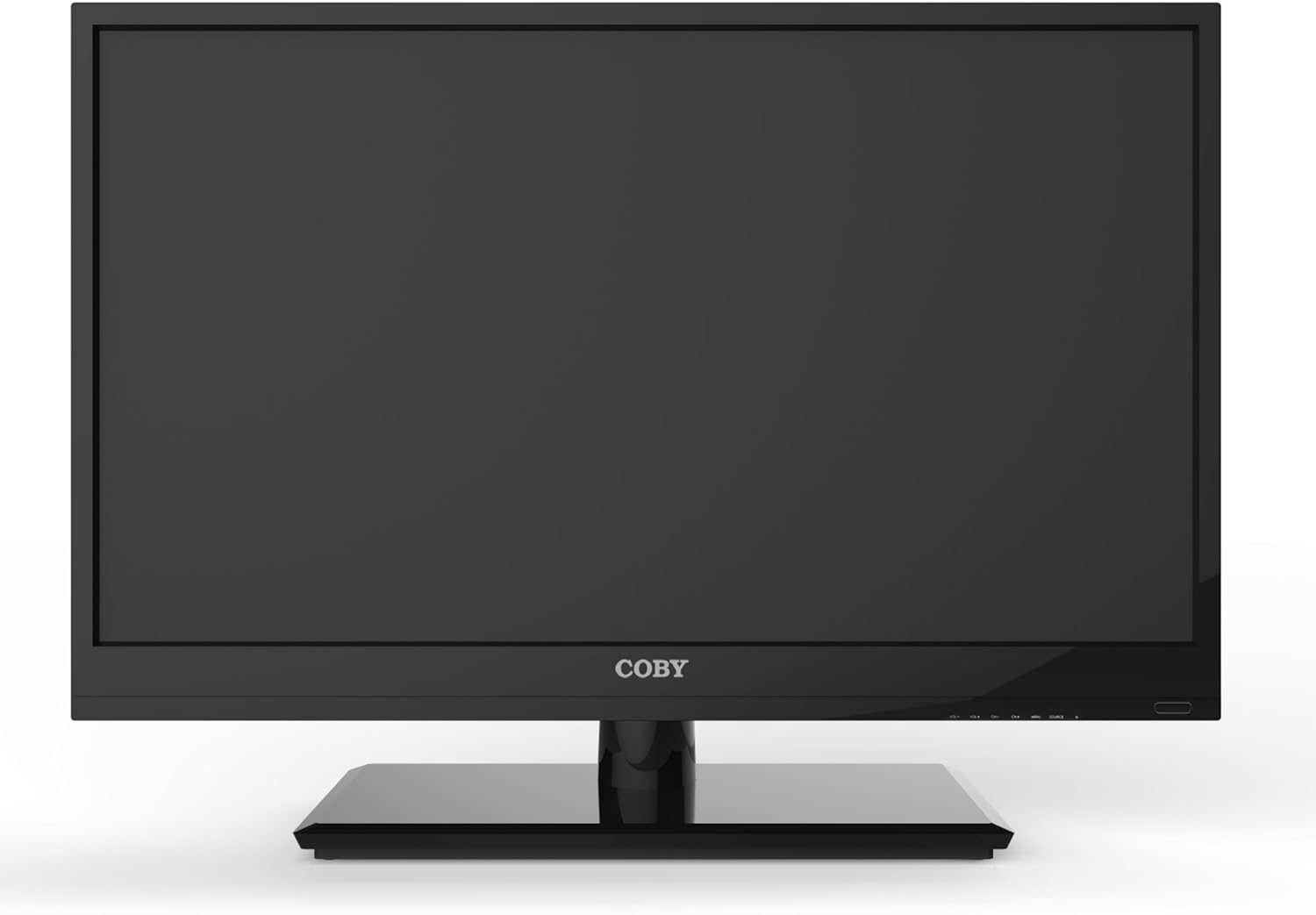
Slika 4.1: Spredaj view of the Coby LEDTV3216 with stand.
4.2 Stenska montaža (neobvezno)
The TV supports VESA 200mm x 200mm wall mounts. Wall mount hardware is not included. For safe installation, it is recommended to have the TV wall-mounted by a professional.
4.3 Povezovanje naprav
The Coby LEDTV3216 offers various input ports on the rear panel for connecting external devices.
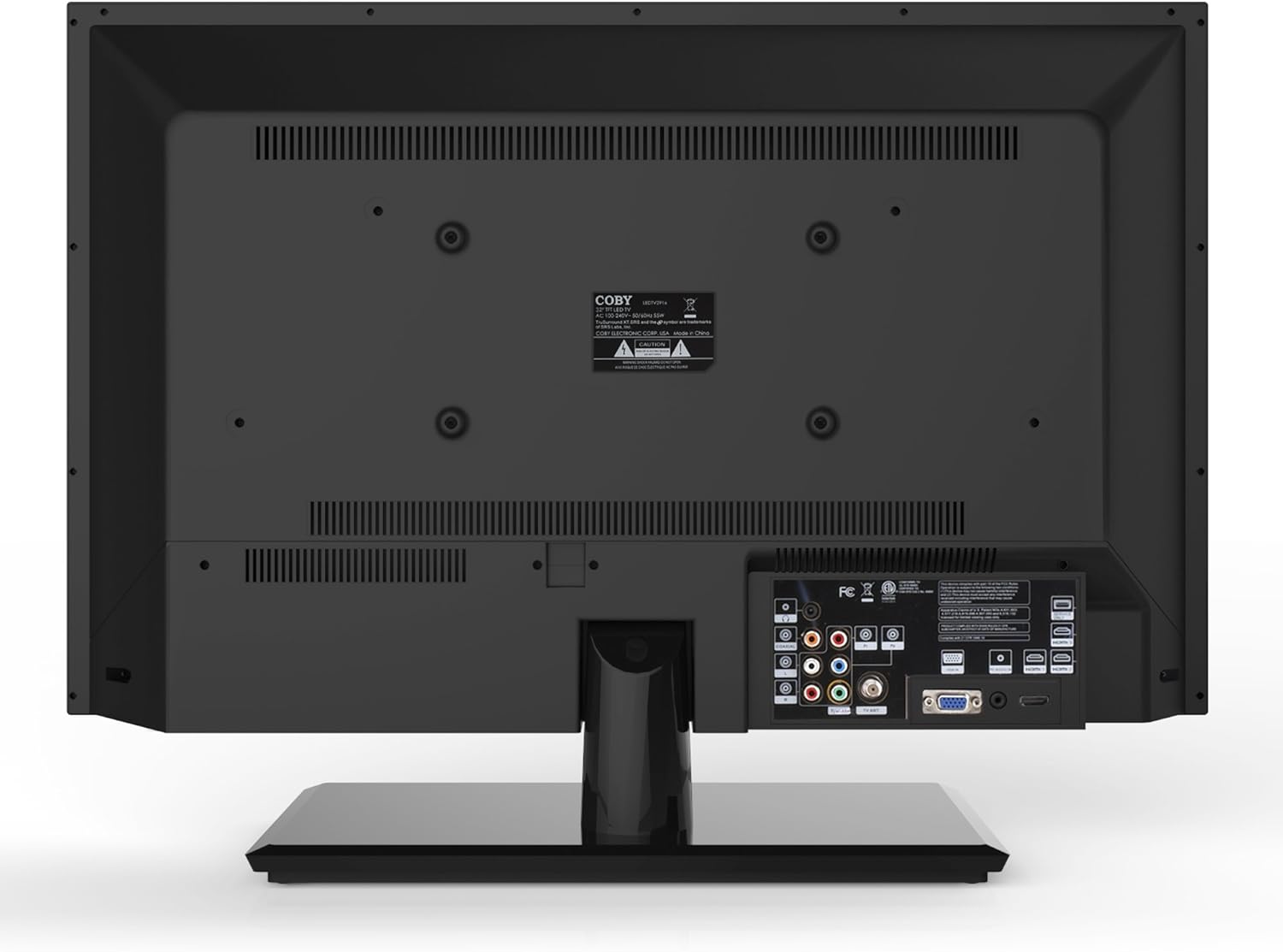
Slika 4.2: Zadaj view with input ports.
- HDMI: Connect high-definition devices such as Blu-ray players, game consoles, or cable/satellite boxes using an HDMI cable. The TV has 1 HDMI port.
- VGA (PC Input): Connect a computer to use the TV as a monitor. Use a VGA cable for video and a 3.5mm audio cable for audio input.
- Antena/kabel: Connect an antenna or cable TV feed to the RF input for receiving broadcast channels.
- Komponentni video (YPbPr): Connect devices using component video cables (red, green, blue) and corresponding audio cables (red, white).
- Kompozitni video (AV): Starejše naprave priključite s kompozitnimi video kabli (rumeni) in stereo avdio kabli (rdeči, beli).
4.4 Začetni vklop
After connecting all desired devices and the power cord, press the Power button on the TV or remote control. Follow the on-screen prompts for initial setup, including language selection and channel scanning.
5. Upravljanje televizorja
5.1 Funkcije daljinskega upravljalnika
The remote control allows you to access all TV functions. Insert the two included AAA batteries into the remote control, observing polarity.
- moč: Vklopi ali izklopi TV.
- Vnos/vir: Selects the input source (HDMI, VGA, TV, AV, Component).
- Glasnost (+/-): Prilagodi raven glasnosti.
- Kanal (CH +/-): Menjava televizijskih kanalov.
- meni: Opens the on-screen display (OSD) menu.
- Navigacijski gumbi (gor/dol/levo/desno): Krmarjenje po možnostih menija.
- OK/Vnesite: Potrjuje izbire.
- Izhod: Zapre meni.
- Mute: Izklopi ali vklopi zvok.
- Informacije: Displays channel or program information.
5.2 Navigacija po meniju
Pritisnite meni button on the remote to access the main menu. Use the navigation buttons to select categories such as Picture, Sound, Channel, Time, and Setup. Press OK to enter a sub-menu and adjust settings. Press Izhod da zapustite meni.
5.3 Nastavitve slike
Adjust settings like Brightness, Contrast, Color, Tint, and Sharpness to optimize your viewing experience. Picture modes (e.g., Standard, Dynamic, Movie, User) are available for quick adjustments.

Figure 5.1: Coby LEDTV3216 displaying an image.
5.4 Nastavitve zvoka
Adjust Bass, Treble, and Balance. Sound modes (e.g., Standard, Music, Movie, User) are available. The TV features premium sound powered by SRS Labs.
5.5 Nastavitve kanala
Perform auto-scan or manual scan to find available channels. The built-in digital TV tuner supports ATSC, NTSC, and QAM standards.
5.6 Parental Control (V-Chip)
The V-chip parental control feature allows you to block programs based on their rating. Access this setting through the menu and follow the on-screen instructions to set up a password and content restrictions.
6. Lastnosti
Key features of the Coby LEDTV3216 include:
- Energy efficient technology (standby power less than 0.5W).
- Extended backlight life expectancy (30,000 hours).
- Built-in digital TV tuner (ATSC/NTSC/QAM).
- HDMI digital connection for perfect signal transmission.
- PC VGA connection for use as a computer monitor.
- Premium sound powered by SRS Labs.
- Digitalno zmanjšanje šuma.
- V-chip parental control, Closed-Caption, and Electronic Program Guide support.
- Energy Star 5.3 compliant.
- Multi-language on-screen display.
- Wall-Mountable design (200mm x 200mm VESA Mount).
7. Specifikacije
| Funkcija | Specifikacija |
|---|---|
| Ime modela | LEDTV3216 |
| Velikost zaslona | 32 palcev |
| Tehnologija zaslona | LED |
| Resolucija | 720p |
| Hitrost osveževanja | 60 Hz |
| Kontrastno razmerje | 3,000:1 |
| Odzivni čas | 6 milisekund |
| Tehnologija povezljivosti | HDMI, VGA |
| Total Number of HDMI Ports | 1 |
| Vrsta sprejemnika | ATSC, NTSC, QAM |
| Starševski nadzor | V-čip |
| Standard VESA za montažo | 200 x 200 mm |
| Teža predmeta | 18.08 funta |
| barva | Črna |

Figure 7.1: Estimated Yearly Energy Cost for LEDTV3216.
8. Vzdrževanje
8.1 Čiščenje zaslona
Zaslon nežno obrišite z mehko krpo, ki ne pušča vlaken. Za trdovratne madeže rahlo obrišiteampKrpo obrišite z vodo ali specializiranim čistilom za zaslone. Čistila nikoli ne pršite neposredno na zaslon.
8.2 Čiščenje omarice
Wipe the TV cabinet with a soft, dry cloth. Avoid using abrasive cleaners or solvents that may damage the finish.
9. Odpravljanje težav
Če imate težave s televizorjem, si oglejte naslednje pogoste težave in rešitve:
| Težava | Možen vzrok/rešitev |
|---|---|
| Brez moči | Ensure the power cord is securely plugged into the TV and a working electrical outlet. Check the power indicator light. |
| Ni slike, vendar je zvok prisoten | Preverite, ali je izbran pravilen vhodni vir. Preverite kabelske povezave z zunanjimi napravami. |
| Ni zvoka, vendar je slika prisotna | Preverite glasnost in se prepričajte, da televizor ni utišan. Preverite povezave avdio kablov za zunanje naprave. |
| Slaba kakovost slike | Adjust picture settings (brightness, contrast, sharpness). Ensure the antenna or cable connection is secure. For digital channels, perform a channel scan. |
| Daljinski upravljalnik ne deluje | Check and replace batteries if necessary. Ensure there are no obstructions between the remote and the TV's IR sensor. |
10. Garancija in podpora
The Coby LEDTV3216 comes with a limited warranty. Please refer to the warranty card included with your product for specific terms and conditions. For technical support or service inquiries, please contact Coby customer service through their official webspletnega mesta ali kontaktnih podatkov, navedenih v garancijski dokumentaciji.