
Fysic FX-6000
Uporabniški priročnik za telefon Fysic FX-6000 Big Button DECT
Model: FX-6000
1. Uvod
Hvala za nakupasing the Fysic FX-6000 Big Button DECT Phone. This manual will guide you through the setup, operation, and maintenance of your new cordless telephone. Please read these instructions carefully before using the phone to ensure proper functionality and safety. Keep this manual for future reference.
2. Pomembne varnostne informacije
- Uporabljajte samo priloženi napajalnik in baterije.
- Telefona ne izpostavljajte vodi ali prekomerni vlagi.
- Izogibajte se postavljanju telefona v bližino virov toplote ali neposredne sončne svetlobe.
- Ne poskušajte odpreti ali popraviti telefona sami. Vsa servisna dela prepustite usposobljenemu osebju.
- Baterije odvrzite odgovorno v skladu z lokalnimi predpisi.
3. Vsebina paketa
Prosimo, preverite, ali so v vašem paketu vsi artikli:
- Slušalke FYSIC FX-6000
- Bazna postaja
- Napajalnik za bazno postajo
- Telefonski kabel
- 2 x AAA NiMH polnilne baterije
- Uporabniški priročnik
4. Izdelek je končanview
The Fysic FX-6000 features large buttons and a clear display for ease of use.

Slika 4.1: Spredaj view of the Fysic FX-6000 handset in its charging base, highlighting the large, easy-to-read buttons and the clear, backlit display.
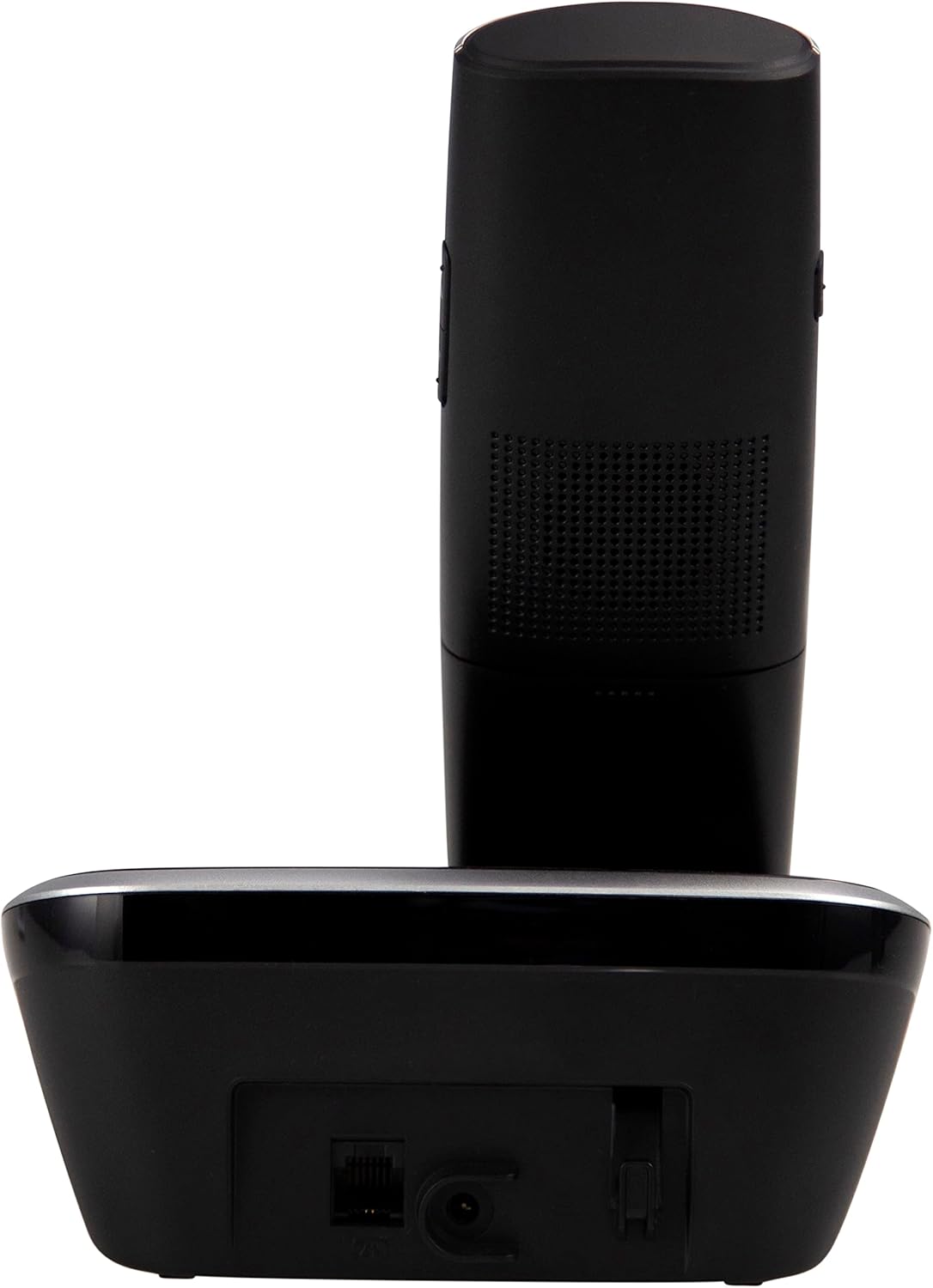
Slika 4.2: Stran view of the Fysic FX-6000 handset docked in its base station, showing the ergonomic design and side volume buttons.

Slika 4.3: Detailed close-up of the Fysic FX-6000 phone's keypad, emphasizing the large, clearly labeled buttons for easy dialing.

Slika 4.4: Od blizu view of the Fysic FX-6000 phone's backlit display, showing clear icons for battery status, signal strength, and call information.
Postavitev slušalke
- Zaslon: 1.8-inch backlit screen for caller ID, menu, and status.
- Navigacijske tipke: For menu navigation and volume adjustment.
- Številčnica: Large, easy-to-read numeric keys (0-9, *, #).
- Gumbi za klic/konec klica: Green button to answer/make calls, Red button to end calls.
- Memory Keys (M1, M2, M3): For speed dialing frequently used numbers.
- Gumb za zvočnik: To activate hands-free mode.
Postavitev bazne postaje
- Podstavek za polnjenje: Za polnjenje slušalke.
- Gumb za iskanje strani: Za iskanje izgubljene slušalke.
- Vtičnica: Za priključitev napajalnika.
- Telephone Line Socket: For connecting to the telephone line.
5. Nastavitev
5.1 Namestitev baterije
- Odprite pokrov prostora za baterije na zadnji strani slušalke.
- Vstavite dve priloženi polnilni bateriji AAA NiMH in pri tem upoštevajte pravilno polarnost (+ in -).
- Trdno zaprite pokrov prostora za baterije.
5.2 Priključitev bazne postaje
- Connect one end of the telephone line cord to the telephone line socket on the base station.
- Drugi konec telefonskega kabla priključite v telefonsko vtičnico.
- Priključite napajalnik v vtičnico na osnovni postaji.
- Priključite napajalnik v ustrezno električno vtičnico (220–240 V).
5.3 Initial Charging and Handset Registration
Place the handset on the base station. The handset will automatically begin charging. For optimal battery performance, allow the handset to charge for at least 16 hours before its first use. The handset is pre-registered to the base station from the factory. If for any reason the handset loses its registration, refer to the troubleshooting section for re-registration steps.
6. Navodila za uporabo
6.1 Klicanje
- Predhodno klicanje: Enter the phone number using the dial pad, then press the Zeleni klic gumb.
- Neposredno klicanje: Pritisnite Zeleni klic button, then enter the phone number.
- Using Memory Keys (M1, M2, M3): Press and hold the desired memory key (M1, M2, or M3) to dial the stored number.
6.2 Sprejemanje klica
Ko telefon zazvoni, pritisnite Zeleni klic button to answer. The display will show the caller's number if Caller ID service is active.
6.3 Končanje klica
Pritisnite Rdeča končna klicna linija gumb ali postavite slušalko nazaj na osnovno postajo.
6.4 Prilagajanje glasnosti
During a call, use the volume up/down buttons on the side of the handset to adjust the earpiece volume. The ringtone volume can be adjusted via the phone's menu settings.
6.5 Prostoročno delovanje
Med klicem pritisnite tipko Zvočnik button to switch to hands-free mode. Press it again to return to earpiece mode.
6.6 Imenik
The phonebook allows you to store frequently called numbers. Refer to the on-screen menu for options to add, edit, or delete contacts.
6.7 Ponovno klicanje
Pritisnite Ponovni poziv button (often integrated with the call log or a dedicated button) to view and redial the last dialed numbers.
6.8 Funkcija izklopa zvoka
Med klicem pritisnite tipko Mute button to temporarily disable your microphone. The other party will not hear you. Press it again to unmute.
7. Vzdrževanje
7.1 Čiščenje
Telefon in osnovno postajo obrišite z mehko krpoamp krpo. Ne uporabljajte abrazivnih čistil ali topil. Pred čiščenjem se prepričajte, da je telefon izklopljen iz električnega omrežja.
7.2 Skrb za baterije
- Always use the supplied rechargeable NiMH batteries.
- Če telefona ne boste uporabljali dlje časa, odstranite baterije, da preprečite puščanje.
- Baterije zamenjajte, ko se njihova zmogljivost znatno poslabša.
8. Odpravljanje težav
| Težava | Možen vzrok | rešitev |
|---|---|---|
| Ni znaka centrale | Telephone line not connected; Power adapter not connected; Handset out of range or not registered. | Check all cable connections; Ensure base station is powered; Move handset closer to base; Re-register handset (see manual for specific steps). |
| Slušalka se ne polni | Handset not properly seated in cradle; Dirty charging contacts; Faulty batteries. | Ensure handset is correctly placed; Clean charging contacts on handset and base with a dry cloth; Replace batteries if necessary. |
| Slaba kakovost klica / Statični signali | Handset too far from base; Interference from other electronic devices. | Move closer to the base station; Move base station away from other electronic devices (Wi-Fi routers, microwaves). |
| Zaslon je prazen | Batteries are depleted or not inserted correctly. | Charge handset for at least 16 hours; Check battery polarity. |
9. Tehnične specifikacije
- Model: FX-6000
- Znamka: Fizično
- barva: Črna
- Vrsta telefona: Brezžični DECT telefon
- Zaslon: 1.8-palčni osvetljeni LCD-zaslon
- Baterije: 2 x AAA NiMH Rechargeable (1.2V, 500 mAh)
- Base Power Supply: 6 V DC, 300 mA
- Omrežna moč: 220-240V
- Čas pogovora: Do 10 ur
- Čas pripravljenosti: Do 100 ur
- Notranji obseg: Do 50 metre
- Zunanji doseg: Do 300 metre
- Dimenzije (D x Š x V): Approximately 8 x 20 x 17 cm (Handset in base)
- Teža: Približno 534 gramov
- Posebne lastnosti: Large buttons, Hearing aid compatible, Adjustable ringtone/call volume, Mute function, Hands-free operation, GAP compatible.
10. Garancija in podpora
Fysic products are designed and manufactured to the highest quality standards. For information regarding warranty terms and conditions, please refer to the warranty card included with your product or visit the official Fysic website. For technical support or service inquiries, please contact Fysic customer service through their official channels. Keep your purchase receipt as proof of purchase.
Ask a question about this manual
Ask about setup, troubleshooting, compatibility, parts, safety, or missing instructions. Manuals+ will review the question and use this page’s manual context to help answer it.