
1. Uvod
This manual provides detailed instructions for the XP Deus LCD Remote Control Display. This device serves as the primary interface for controlling the XP Deus metal detector, featuring a back-lit display and an integrated audio speaker. It is designed as a direct replacement or standard component for the XP Deus system, ensuring full compatibility and seamless integration.
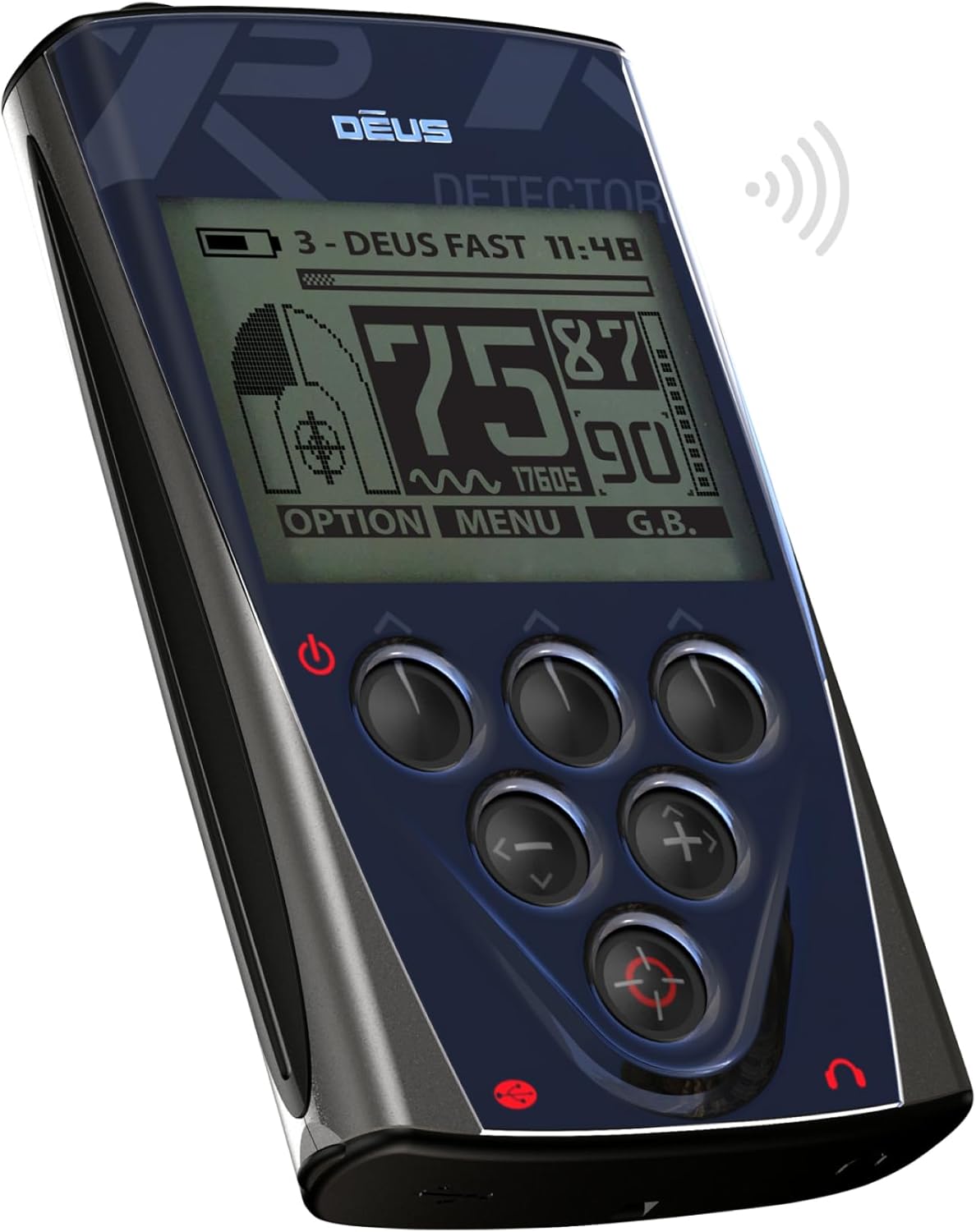
Slika 1: Pod kotom view of the XP Deus LCD Remote Control Display. This image shows the device from an angle, highlighting its ergonomic design, the main display screen, and the arrangement of its control buttons.
2. Izdelek je končanview
The XP Deus LCD Remote Control Display is a sophisticated control unit for the XP Deus metal detector. It features a clear, back-lit LCD screen for displaying detection information, settings, and menus. An integrated audio speaker provides audible alerts and tones, enhancing the user's detection experience. The unit is equipped with various control buttons for navigation and selection, allowing for precise adjustment of detector parameters.

Slika 2: Spredaj view of the XP Deus LCD Remote Control Display. This image provides a direct view of the device's front panel, clearly showing the LCD screen, the power button, and the array of control buttons for menu navigation and setting adjustments.
Ključne značilnosti:
- Back-lit LCD display for clear visibility in various lighting conditions.
- Integrated audio speaker for immediate target response.
- Ergonomska oblika za udobno rokovanje.
- Intuitive button control for easy navigation and setting adjustments.
- Powered by an included Lithium Polymer battery.
3. Nastavitev
3.1. Začetno polnjenje
The remote control display comes with a pre-installed Lithium Polymer battery. Before first use, it is recommended to fully charge the device. Connect the provided charging cable to the charging port on the remote control and to a suitable USB power source. The display will indicate charging status.
3.2. Attaching to the Metal Detector (Optional)
The remote control can be used handheld or attached to the shaft of your XP Deus metal detector using the appropriate mounting bracket (sold separately or included with the detector kit). Ensure the remote control is securely fastened to prevent accidental drops during use.

Slika 3: XP Deus LCD Remote Control Display mounted on a metal detector shaft. This image illustrates how the remote control integrates with the full metal detector assembly, showing its position on the shaft for convenient access during operation.
3.3. Pairing with the XP Deus Coil
For the remote control to function, it must be paired wirelessly with the XP Deus search coil. Refer to your main XP Deus metal detector manual for specific instructions on the pairing process. Generally, this involves powering on both devices and initiating a pairing sequence through the remote control's menu.
4. Navodila za uporabo
4.1. Vklop/izklop
- To power on: Press and hold the power button (usually located at the bottom left of the control panel) until the display illuminates.
- To power off: Press and hold the power button until the device shuts down.
4.2. Krmarjenje po meniju
The remote control features a series of buttons for menu navigation:
- Puščični gumbi: Use the up, down, left, and right arrow buttons to navigate through menu options and adjust settings.
- Gumb menija: Typically used to access the main menu or confirm selections.
- Gumb za izbiro: May provide quick access to frequently used settings or contextual options.
Detailed information on specific menu functions and settings (e.g., discrimination, sensitivity, ground balance, frequency) can be found in the comprehensive XP Deus metal detector user manual.
4.3. Avdio zvočnik
The integrated speaker provides audible feedback for detected targets. Volume can typically be adjusted through the remote control's menu settings. For private listening or in noisy environments, headphones can be connected to the appropriate port (if available) or used wirelessly with compatible XP Deus headphones.
5. Vzdrževanje
5.1. Čiščenje
Wipe the remote control display and casing z mehkim, damp krpo. Izogibajte se uporabi abrazivnih čistil, topil ali agresivnih kemikalij, saj lahko poškodujejo zaslon aliasing. Ensure the charging port and any other openings are free from dirt and debris.
5.2. Shranjevanje
When not in use, store the remote control in a dry, cool place, away from direct sunlight and extreme temperatures. If storing for an extended period, ensure the battery is partially charged (around 50%) to prolong its lifespan. Avoid storing in environments with high humidity.
5.3. Skrb za baterijo
The Lithium Polymer battery is designed for long life. To maximize battery health, avoid fully discharging the battery frequently. Recharge the device as needed. If the battery performance significantly degrades over time, contact XP METAL DETECTORS support for service options.
6. Odpravljanje težav
6.1. Zaslon se ne vklopi
- Prepričajte se, da je baterija napolnjena. Napravo priključite na polnilnik in počakajte nekaj minut, preden jo poskusite znova vklopiti.
- Preverite gumb za vklop, če je kakšna ovira ali poškodba.
6.2. No Audio from Speaker
- Verify that the volume setting in the menu is not set to zero or muted.
- Ensure no headphones are plugged in, which might disable the internal speaker.
- Check for any physical obstruction in the speaker grille.
6.3. Remote Control Not Connecting to Coil
- Ensure both the remote control and the search coil are powered on.
- Repeat the pairing procedure as outlined in the main XP Deus metal detector manual.
- Check for any strong electromagnetic interference in the immediate vicinity.
6.4. Erratic Behavior
- Try restarting the remote control.
- Ensure the firmware is up to date. Refer to the XP METAL DETECTORS webspletno mesto za navodila za posodobitev vdelane programske opreme.
7. Specifikacije
| Funkcija | Podrobnost |
|---|---|
| Model | XP Deus LCD Remote Control Display |
| Znamka | XP DETEKTORJI KOVIN |
| Teža predmeta | 6.1 unč |
| Baterije | 1 litijeva polimerna baterija (priložena) |
| Tehnologija povezljivosti | Infrared (for internal communication, wireless for coil) |
| Vrsta krmilnika | Nadzor gumbov |
| Posebna funkcija | Ergonomic, Back-lit Display, Integrated Speaker |
| ASIN | B0069VDPOC |
8. Garancija in podpora
For warranty information, technical support, or service inquiries, please refer to the official XP METAL DETECTORS webspletno mesto ali se obrnite neposredno na njihovo službo za stranke. Shranite dokazilo o nakupu za uveljavljanje garancije.
You can visit the official XP METAL DETECTORS store for more information: XP METAL DETECTORS Store


