
Uvod
The AKG C520 is a professional head-worn condenser microphone designed for hands-free vocal performance. It offers a wide dynamic range for clear vocal sound, making it suitable for vocalists, keyboardists, drummers, guitarists, and dancing performers. Its design incorporates features to ensure durability and high-quality audio in various live performance settings.
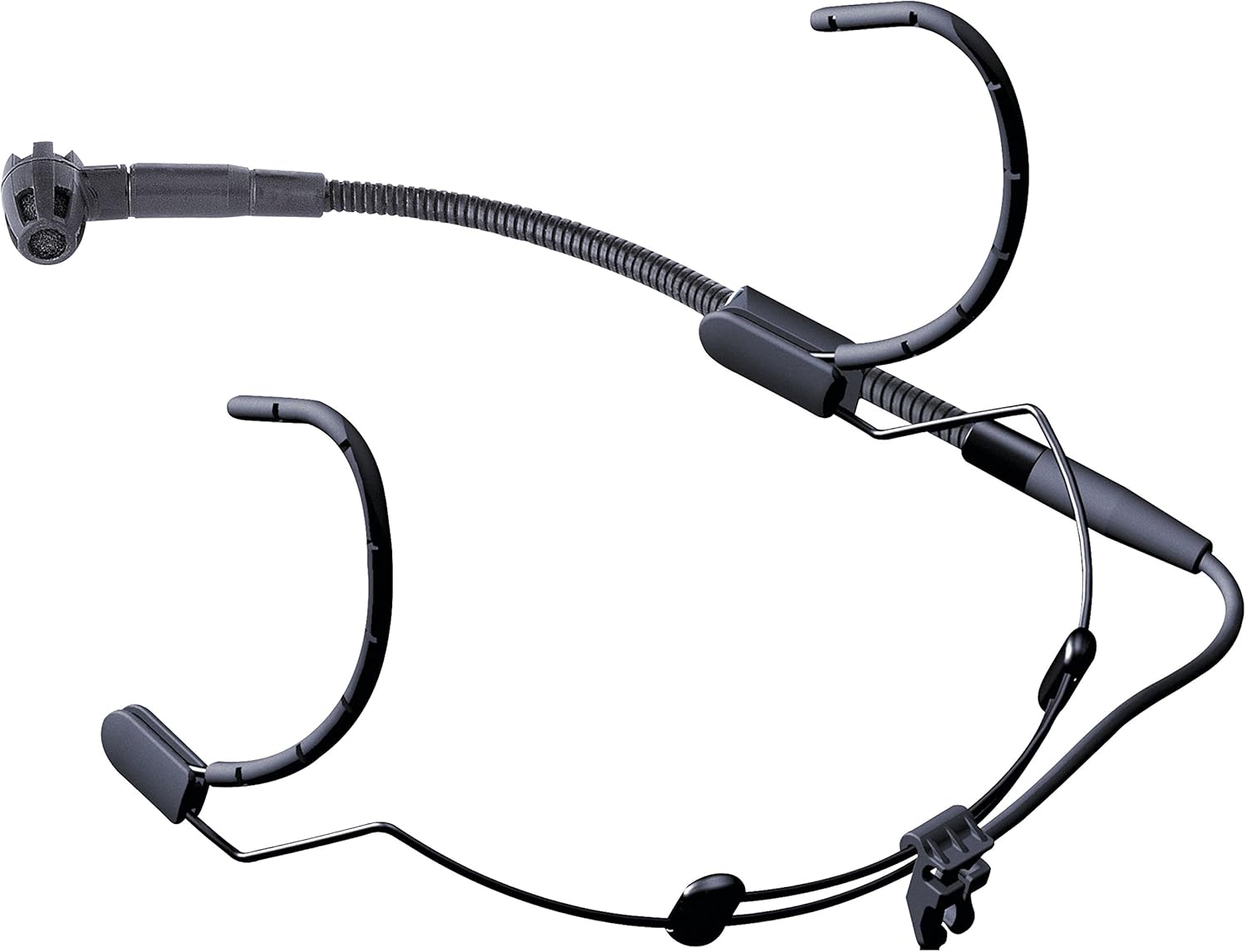
Kaj je vključeno
The AKG C520 package typically includes the following components:
- C520 Head-Worn Microphone with Standard XLR Connector
- W44 Windscreen

Vodnik za namestitev
- Prilagodite naglavni trak: Carefully place the headset on your head. Adjust the headband for a secure yet comfortable fit. The lightweight design allows for extended wear without discomfort.
- Position the Boom Arm: The microphone boom arm can be mounted on either the left or right side of the headband. Position the boom arm so that the microphone capsule is approximately 1-2 inches from the corner of your mouth. This precise positioning helps optimize sound capture and minimize plosives.
- Attach the Windscreen: Slide the W44 windscreen over the microphone capsule. The windscreen helps reduce breath noises and plosives, especially in live performance environments.
- Priključite kabel XLR: Connect the standard XLR connector of the C520 microphone to a compatible audio input on your mixing console, amplifier, or audio interface. Ensure the connection is firm.
- Aktivirajte fantomsko moč: The AKG C520 is a condenser microphone and requires fantomsko moč (typically +48V) to operate. Ensure that phantom power is activated on the input channel of your connected audio device. Without phantom power, the microphone will not function.

Navodila za uporabo
- Namestitev mikrofona: The C520 features a cardioid polar pattern, which is most sensitive to sound from the front and rejects sound from the sides and rear. This helps minimize feedback and unwanted ambient noise. Ensure the microphone capsule is pointed directly towards your mouth for optimal vocal capture.
- Pridobitaging: Set the input gain on your mixer or audio interface to an appropriate level. Start with the gain low and gradually increase it while speaking or singing into the microphone until a strong, clear signal is achieved without clipping (distortion).
- Zaščita pred vlago: The integrated moisture shield prevents perspiration from reaching the transducer element, ensuring consistent performance even during energetic activities.
- Zmanjšanje hrupa: The transducer shock mount effectively reduces mechanical noise, body noise, and handling noise, providing a cleaner audio signal.
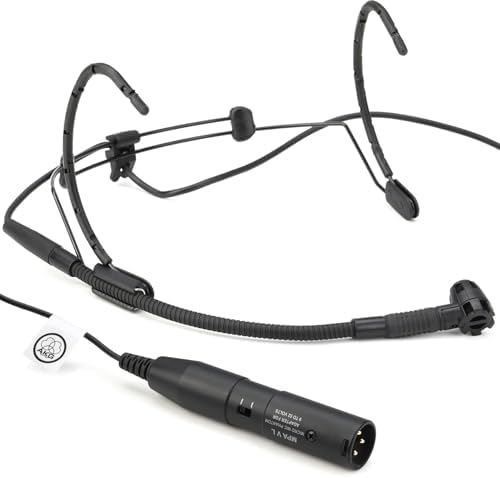
Vzdrževanje
- Čiščenje: Use a soft, dry cloth to wipe down the headband and boom arm after each use. For the microphone capsule and windscreen, gently remove any debris. Avoid using harsh chemicals or abrasive materials.
- Nega vetrobranskega stekla: The W44 windscreen can be carefully removed and cleaned with mild soap and water if necessary. Ensure it is completely dry before reattaching.
- Shranjevanje: Store the microphone in a clean, dry place, preferably in its original packaging or a protective case, to prevent dust accumulation and physical damage. Avoid extreme temperatures and humidity.
- Pregled kabla: Periodically check the XLR cable for any signs of wear, fraying, or damage. Damaged cables can affect audio quality and reliability.
Odpravljanje težav
| Težava | Možen vzrok | rešitev |
|---|---|---|
| Ni zvoka | Phantom power not activated; incorrect connection; faulty cable. | Ensure +48V phantom power is enabled on the mixer/interface. Check all cable connections. Test with a different XLR cable if available. |
| Low or weak sound | Low input gain; microphone too far from mouth. | Increase input gain on your audio device. Adjust the boom arm to position the microphone closer to your mouth (1-2 inches). |
| Popačen zvok | Input gain too high; microphone too close to mouth (plosives). | Reduce input gain. Slightly reposition the microphone further from your mouth or slightly to the side to minimize plosives. Ensure the windscreen is properly installed. |
| Excessive background noise/feedback | Microphone picking up ambient sound; improper speaker placement. | Ensure the microphone is pointed directly at the sound source and away from speakers. Utilize the cardioid pattern effectively. Adjust monitor speaker placement. |
Tehnične specifikacije
| Funkcija | Podrobnost |
|---|---|
| Faktor oblike mikrofona | Head-worn, microphone only |
| Polarni vzorec | Enosmerna (kardioidna) |
| Vir napajanja | Phantom Power (+48V required) |
| Vrsta priključka | Standardni XLR |
| Frekvenčni odziv | 15 KHz (upper limit, typical range is wider) |
| Razmerje med signalom in hrupom | 80 dB |
| Teža predmeta | 0.68 funta (približno 10.9 unče) |
| Mere izdelka (D x Š x V) | 7.8 x 5.5 x 2.7 palcev |
| Material | Plastika |
| barva | Črna |
| Vključene komponente | C520 Head-Worn Microphone, W44 Windscreen |
| Združljive naprave | Osebni računalnik, Amplifier, Mixing Console (with XLR input and phantom power) |
Informacije o garanciji in podpori
The AKG C520 Professional Head-Worn Condenser Microphone is covered by a manufacturer's warranty. For detailed information regarding warranty terms, duration, and conditions, please refer to the documentation included with your purchase or visit the official AKG webmesto.
For technical support, service, or further inquiries, please contact AKG customer service through their official website or authorized service centers. Keep your proof of purchase for warranty claims.
Official AKG Webspletno mesto: www.akg.com