
InFocus IN124
InFocus IN124 DLP projektor
Uporabniški priročnik
1. Uvod
This manual provides comprehensive instructions for the setup, operation, and maintenance of your InFocus IN124 DLP Projector. Please read this manual thoroughly before using the projector to ensure proper functionality and to maximize its lifespan.
The InFocus IN124 is designed to deliver clear and bright projections, suitable for various environments including home cinema and business presentations. Its compact design and robust features make it a versatile display solution.
2. Sestavni deli izdelka
Upon unboxing your InFocus IN124 DLP Projector, please verify that all the following components are included:
- InFocus IN124 DLP Projector Unit
- Daljinski upravljalnik
- Napajalni kabel
- VGA Cable (may vary by region/package)
- User Manual (this document, typically on CD or downloadable)
If any items are missing or damaged, please contact InFocus customer support immediately.
3. Nastavitev
3.1 Fizična namestitev
Position the projector on a stable, flat surface or mount it securely to a ceiling. Ensure adequate ventilation around the unit to prevent overheating. Maintain a clear path between the projector lens and the projection surface (screen or wall).
3.2 Povezovanje naprav
The InFocus IN124 supports various input sources. Connect your source device (e.g., laptop, DVD player, gaming console) to the projector using the appropriate cable.
- HDMI: For high-definition digital video and audio. Connect an HDMI cable from your source device to the HDMI port on the projector.
- VGA: For analog video input, commonly used with computers. Connect a VGA cable from your computer's VGA output to the VGA input on the projector.
- Kompozitni video: For standard definition video. Connect a composite video cable (yellow RCA) to the corresponding port.
- Avdio vhod/izhod: Connect external audio devices if needed.
3.3 Vklop
Po priključitvi vseh potrebnih kablov:
- Connect the power cable to the projector and then to a power outlet.
- Press the power button on the projector's control panel or the remote control. The power indicator light will change, and the projector lamp bo osvetlil.
- Allow a few moments for the projector to warm up and display the image.
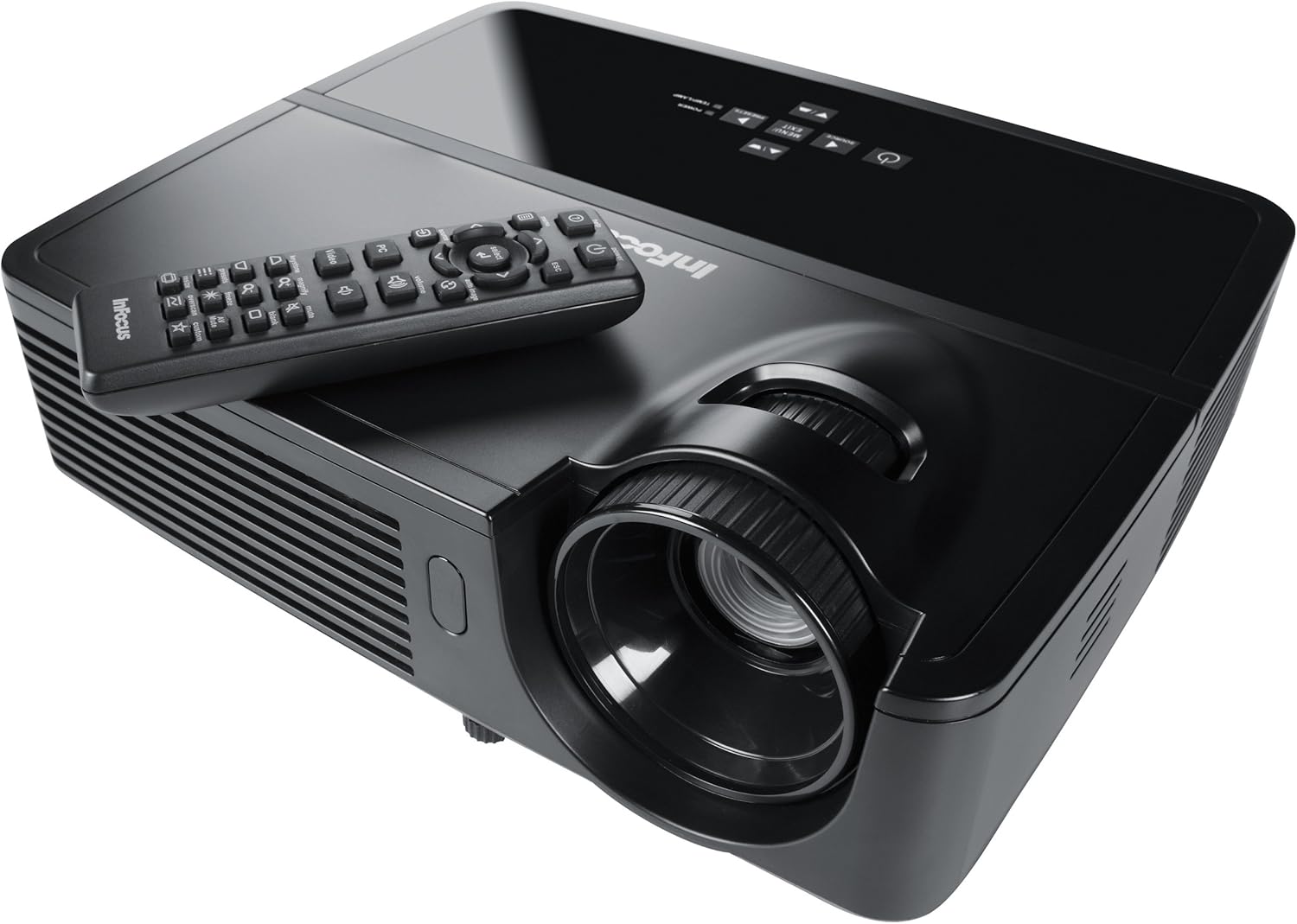
Figure 1: InFocus IN124 DLP Projector with its remote control. The image shows the top-down view of the black projector unit, highlighting the lens, ventilation grilles, and the control panel. The remote control is placed on top of the projector.
4. Upravljanje projektorja
4.1 Osnovne kontrole
The projector can be operated using the control panel on the unit or the included remote control.
- Gumb za vklop: Vklopi ali izklopi projektor.
- Gumb za vir: Cycles through available input sources (HDMI, VGA, Video).
- Gumb menija: Dostopi do zaslonskega menija (OSD) za prilagoditve nastavitev.
- Puščični gumbi: Pomikajte se po možnostih menija in prilagajajte vrednosti.
- Gumb za vnos/izberi: Potrdi izbire v meniju.
- Gumbi za glasnost: Prilagodi izhodni nivo zvoka.
- Trapezni popravek: Adjusts the image shape to correct trapezoidal distortion.
- Fokusni obroč: Manually adjust the lens to sharpen the image.
4.2 Navigacija po menijih in nastavitve
Press the "Menu" button to open the On-Screen Display (OSD). Use the arrow keys to navigate through categories such as "Picture," "Display," "Setup," and "Advanced." Press "Enter" to select a category or option. Adjust settings like brightness, contrast, color temperature, aspect ratio, and resolution to optimize your viewizkušnje.
4.3 3D funkcionalnost
The InFocus IN124 is 3D-ready. To experience 3D content, you will need compatible 3D source material, a 3D-capable player, and active DLP Link 3D glasses (sold separately). Refer to your 3D source device's manual for specific setup instructions.
5. Vzdrževanje
Redno vzdrževanje zagotavlja optimalno delovanje in podaljšuje življenjsko dobo vašega projektorja.
5.1 Čiščenje leče
Uporabite mehko krpo, ki ne pušča vlaken in je posebej zasnovana za optične leče. Nežno obrišite površino leče, da odstranite prah ali madeže. Izogibajte se uporabi abrazivnih čistil ali prekomerne sile, saj lahko lečo opraskate.
5.2 Čiščenje zračnih filtrov
The projector has air filters to prevent dust from entering the internal components. Locate the filter cover (refer to the diagram in the full manual if available) and remove it. Clean the filter using a small brush or a vacuum cleaner with a brush attachment. Replace the filter securely.
5.3 Lamp Zamenjava
Projektor lamp ima omejeno življenjsko dobo. Ko lamp indicator light illuminates or the image becomes dim, it's time to replace the lamp. Always allow the projector to cool down completely before attempting lamp replacement. Consult the full service manual or a qualified technician for detailed lamp replacement procedures specific to the IN124 model.
6. Odpravljanje težav
Ta razdelek obravnava pogoste težave, na katere lahko naletite pri uporabi projektorja.
| Težava | Možen vzrok | rešitev |
|---|---|---|
| Nobena slika ni prikazana | Incorrect input source selected; Loose cable connection; Projector not powered on. | Press the "Source" button to cycle inputs; Check all cable connections; Ensure projector is powered on and lamp sveti. |
| Slika je zamegljena | Out of focus; Incorrect resolution setting. | Adjust the focus ring on the lens; Adjust the resolution setting in the OSD menu or on your source device. |
| Slika je trapezoidna | Projektor ni pravokoten glede na platno. | Use the keystone correction feature (digital or manual) to square the image. Reposition the projector if possible. |
| Brez zvoka | Volume too low; Incorrect audio input selected; Muted. | Increase volume; Check audio cable connections; Ensure projector or source device is not muted. |
| Projektor se pregreje in izklopi | Blocked ventilation; Dirty air filter. | Ensure clear space around vents; Clean air filter as per maintenance section. |
For issues not listed here, please refer to the comprehensive online support resources or contact InFocus customer service.
7. Specifikacije
Below are the key technical specifications for the InFocus IN124 DLP Projector:
| Funkcija | Podrobnost |
|---|---|
| Številka modela | IN124 |
| Tehnologija zaslona | DLP |
| Izvorna ločljivost | 1280x720 (HD) |
| Svetlost | Do 3200 Lumens |
| Kontrastno razmerje | 3000:1 |
| Povezljivost | HDMI, VGA, kompozitni video |
| Posebne lastnosti | 3D-pripravljen |
| Mere izdelka (D x Š x V) | 12.99 x 12.99 x 5.9 palcev |
| Teža predmeta | 4.78 funtov (2.17 kg) |
| Napajalnik | 100-240 Volts at 50-60 Hz |
| Priporočena uporaba | Domači kino |
8. Garancija in podpora
InFocus provides a limited warranty for the IN124 DLP Projector. For detailed warranty terms and conditions, please refer to the warranty card included with your product or visit the official InFocus webspletnega mesta. Račun shranite kot dokazilo o nakupu za uveljavljanje garancije.
For technical support, troubleshooting assistance beyond this manual, or service requests, please contact InFocus customer support through their official website or the contact information provided in your product documentation. Online resources, including FAQs and driver downloads, may also be available.
Ask a question about this manual
Ask about setup, troubleshooting, compatibility, parts, safety, or missing instructions. Manuals+ will review the question and use this page’s manual context to help answer it.