
Uvod
This manual provides essential information for the proper setup, operation, and maintenance of your Spectra SP-PC Stereo Computer Transcription Headset. Please read these instructions carefully to ensure optimal performance and longevity of your device.
Konec izdelkaview
The Spectra SP-PC is a stereo headset designed for computer transcription and other audio applications. It features an under-chin bow design, twin speakers, and a 10-foot cord with a 3.5mm right-angle plug for convenient connection to various devices.

Image 1: The Spectra SP-PC Stereo Computer Transcription Headset, showing the under-chin design, twin speakers, and the coiled 10-foot cord with a 3.5mm right-angle plug.
Nastavitev
- Razpakirajte slušalke: Carefully remove the headset from its packaging. A black pouch is included for storage.
- Prepoznajte avdio priključek: Locate the 3.5mm right-angle plug at the end of the headset's 10-foot cord.
- Povežite se z napravo: Insert the 3.5mm plug into the audio output jack of your computer, laptop, tablet, or any compatible device. Ensure the connection is secure.
- Adjust System Volume: The Spectra SP-PC headset does not feature an inline volume control. Adjust the audio volume directly through your computer's operating system or the application you are using.
Navodila za uporabo
- Nošenje slušalk: Position the headset with the flexible band resting gently under your chin. The twin speakers should sit comfortably just outside your ear canals. This under-chin design is intended for extended wear comfort.
- Predvajanje zvoka: Once connected, initiate audio playback from your chosen application (e.g., transcription software, media player).
- Prilagoditev glasnosti: Use your device's native volume controls to set the desired listening level.
- Optimized for Voice: This headset is particularly suited for voice clarity, making it ideal for transcription tasks.
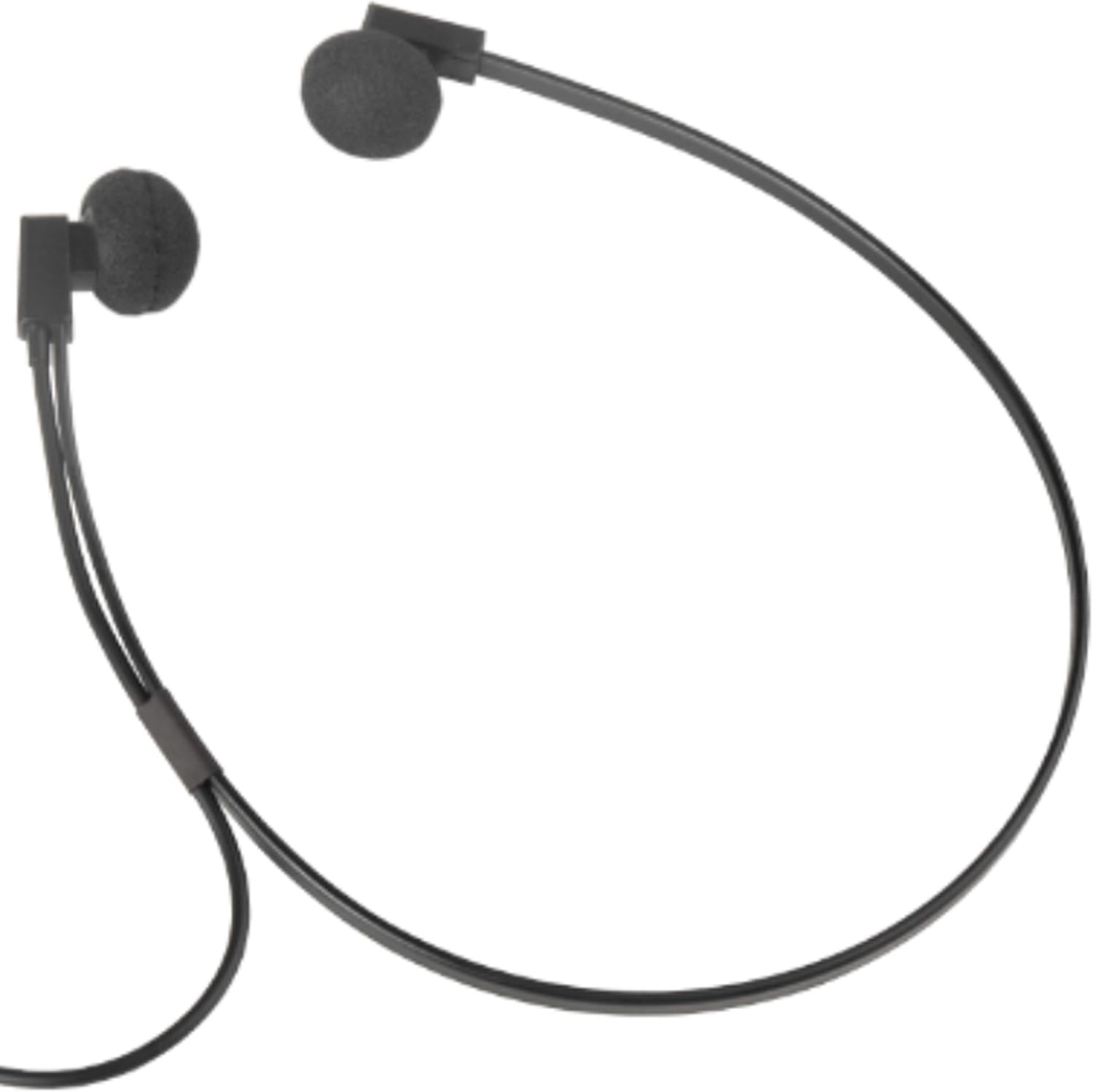
Slika 2: Bližnji posnetek view of the Spectra SP-PC headset, demonstrating how the under-chin band supports the earpieces for comfortable wear.
Vzdrževanje
- Čiščenje: Gently wipe the earpieces and cable with a soft, dry cloth. Avoid using harsh chemicals or abrasive materials.
- Ear Foam Replacement: The headset comes with extra ear foam covers. If the existing foam covers become worn or damaged, carefully remove them and replace them with the new ones provided.
- Shranjevanje: When not in use, store the headset in the provided black pouch to protect it from dust and damage. Avoid tangling the cord.
- Ravnanje: While durable, avoid dropping the headset on hard surfaces, as this may cause damage to the earpieces or internal components.
Odpravljanje težav
- Ni zvoka:
- Ensure the 3.5mm plug is fully inserted into the audio jack of your device.
- Check your device's volume settings to ensure it is not muted or set too low.
- Test the headset with another audio source or device to rule out a device-specific issue.
- Popačen zvok:
- Reduce the volume on your device.
- Prepričajte se, da je zvočni vir dobre kakovosti.
- Check for any damage to the cable or plug.
- Discomfort During Extended Use:
- While designed for comfort, individual ear sensitivity varies. Take short breaks during prolonged listening sessions.
- Ensure the ear foam covers are properly seated and not causing irritation.
Specifikacije
| Znamka | SPECTRA |
| Številka modela | SP-PC |
| Tehnologija povezljivosti | Žično |
| Priključek za slušalke | 3.5 mm Jack |
| Funkcija kabla | 10 feet 3.5 mm right angle stereo plug |
| Namestitev ušesa | In Ear (Under-Chin Form Factor) |
| Vrsta zvočnega gonilnika | Dinamični gonilnik |
| Teža predmeta | 2.4 unč |
| Dimenzije izdelka | 9 x 1 x 12 palcev |
| Združljive naprave | Devices with a 3.5mm Jack (PC, Laptops, Tablets) |
| Posebna funkcija | Lahka |
| Material torbice | Mehak material |
Garancija in podpora
For warranty information and technical support, please refer to the documentation included with your purchase or contact the manufacturer directly. Specific warranty terms may vary by region and retailer.