
1. Uvod
The InFocus IN1112 Ultra Mobile Widescreen DLP Projector is designed for professionals requiring a portable and high-performance display solution. Its combination of high brightness, lightweight design, and compact size makes it suitable for various environments, from brightly lit rooms to limited spaces. This manual provides essential information for setting up, operating, maintaining, and troubleshooting your projector.
Ključne značilnosti:
- Compact and lightweight (approximately 2.7 lbs / 1.2 kg) for easy portability.
- 2200 lumens of brightness for clear projection in various lighting conditions.
- HDMI input for versatile connectivity with modern devices including laptops, smartphones, and gaming consoles.
- Durable design built for frequent travel.
- Widescreen (WXGA) resolution to match contemporary laptop displays.
2. Varnostne informacije
Please read all safety instructions before operating the projector to prevent injury or damage to the unit.
- Do not look directly into the projector lens ko je lamp je vklopljena. Močna svetloba lahko povzroči poškodbe oči.
- Ensure proper ventilation. Do not block ventilation openings, as this can lead to overheating and damage.
- Projektor postavite na stabilno, ravno površino, da preprečite njegov padec.
- Uporabljajte samo napajalni kabel, ki je priložen projektorju.
- Projektorja ne izpostavljajte dežju, vlagi ali prekomerni vlažnosti.
- Vsa servisna dela prepustite usposobljenemu serviserju. Projektorja ne poskušajte odpirati ali popravljati sami.
- Projektor hranite stran od virov toplote in neposredne sončne svetlobe.
3. Vsebina paketa
Preverite, ali so v paketu prisotni vsi elementi:
- InFocus IN1112 Projector
- Napajalni kabel
- Daljinski upravljalnik (z baterijami)
- VGA kabel
- HDMI kabel
- Uporabniški priročnik (ta dokument)
- Carrying Case (may vary by region)
4. Izdelek je končanview
Familiarize yourself with the main components of your InFocus IN1112 projector.
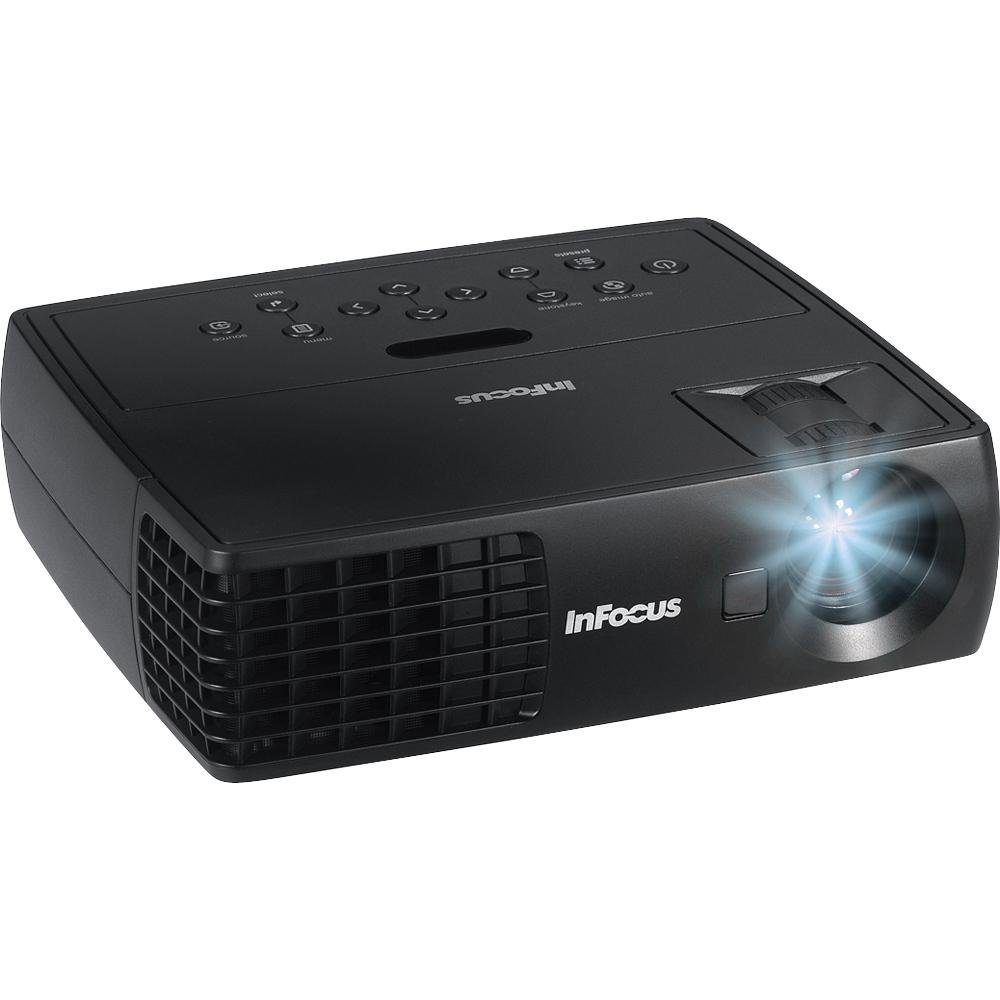
Slika 4.1: Spredaj view of the InFocus IN1112 Projector. This image displays the projector's lens, ventilation, and part of the control panel.

Slika 4.2: stran view of an InFocus projector, illustrating typical connectivity ports such as HDMI and VGA.
4.1. Sprednja plošča
- Projekcijski objektiv: Oddaja sliko na zaslon.
- Fokusni obroč: Prilagodi ostrino projicirane slike.
- Ročica za zoom: Prilagodi velikost projicirane slike.
4.2. Top Panel (Control Panel)
- Gumb za vklop: Vklopi ali izklopi projektor.
- Gumb menija: Dostopi do menija na zaslonu (OSD).
- Navigacijski gumbi (gor/dol/levo/desno): Navigacija po možnostih menija.
- Gumb za vnos: Potrdi izbire v meniju.
- Gumb za vir: Selects the input source (HDMI, VGA, USB).
4.3. Zadnja plošča (povezljivost)
- Vrata HDMI: Connects to devices with HDMI output (laptops, media players).
- VGA vrata: Connects to computers with VGA output.
- Vrata USB: For service or connecting compatible USB devices.
- Vhodna moč: Povezuje napajalni kabel.
5. Nastavitev
5.1. Umestitev
- Projektor postavite na ravno, stabilno površino.
- Ensure there is adequate space around the projector for ventilation (at least 30 cm / 12 inches).
- Projektor namestite na ustrezno razdaljo od platna, da dosežete želeno velikost slike.
5.2. Napajalni priključek
- Priključite napajalni kabel na vhod za napajanje projektorja.
- Drugi konec napajalnega kabla priključite v ozemljeno električno vtičnico.
5.3. Connecting a Source Device
Choose the appropriate cable for your source device:
- HDMI: Connect one end of the HDMI cable to the projector's HDMI port and the other end to your laptop, media player, or other HDMI-enabled device.
- VGA: Connect one end of the VGA cable to the projector's VGA port and the other end to your computer's VGA output. Secure the screws on the VGA connector if available.
6. Delovanje
6.1. Vklop/izklop
- Za vklop: Press the Power button on the projector's control panel or the remote control. The power indicator light will turn steady blue.
- Za izklop: Press the Power button again. A confirmation message may appear. Press Power again to confirm shutdown. The projector will enter a cooling cycle, and the power indicator will flash before turning off.
6.2. Selecting an Input Source
Pritisnite Vir button on the projector or remote control repeatedly to cycle through available input sources (e.g., HDMI, VGA). The projector will automatically detect an active signal if connected.
6.3. Prilagajanje slike
- Fokus: Vrtite obroč za ostrenje na objektivu, dokler slika ni ostra in jasna.
- Zoom: Use the zoom lever on the lens to adjust the size of the projected image.
- Trapezni popravek: If the image appears trapezoidal, use the Keystone Correction function in the OSD menu to square the image.
6.4. Using the On-Screen Display (OSD) Menu
- Pritisnite meni button on the projector or remote control to open the OSD menu.
- Uporabite Navigacija buttons (Up/Down/Left/Right) to move through menu options.
- Pritisnite Vnesite gumb za izbiro možnosti ali potrditev nastavitve.
- Uporabite Navigacija buttons to adjust values or select sub-options.
- Pritisnite meni ponovno pritisnite gumb, da zaprete meni OSD.
Common OSD settings include Brightness, Contrast, Color Temperature, Aspect Ratio, and Advanced Settings.
7. Vzdrževanje
7.1. Čiščenje projektorja
- Casing: Uporabite mehko krpo, ki ne pušča vlaken, dampened with water or a mild cleaner. Do not use abrasive cleaners or solvents.
- Objektiv: Use a professional lens cleaning cloth and lens cleaning solution. Gently wipe the lens in a circular motion. Avoid touching the lens with your fingers.
- Prezračevalne odprtine: Periodically clean the ventilation openings with a soft brush or compressed air to prevent dust buildup.
7.2. Lamp Skrb
Projektor lamp has an operating life of approximately 5000 hours. When the lamp reaches the end of its life, the image brightness may decrease, or the lamp indicator may illuminate. Refer to the full service manual for lamp replacement procedures, which should be performed by qualified personnel.
8. Odpravljanje težav
Ta razdelek obravnava pogoste težave, na katere lahko naletite pri uporabi projektorja.
| Težava | Možen vzrok | rešitev |
|---|---|---|
| Ni projicirane slike | Power cable loose; Source not selected; Input device off; Lamp vprašanje. | Check power connection; Select correct input source; Ensure input device is on; Contact support if lamp indicator is active. |
| Slika je zamegljena | Objektiv ni izostren; Projektor je preblizu/predaleč od platna. | Adjust the focus ring on the lens; Adjust projector distance or zoom. |
| Slika je trapezoidna | Projektor ni pravokoten glede na platno. | Use Keystone Correction in the OSD menu; Reposition the projector. |
| Daljinski upravljalnik ne deluje | Batteries dead; Obstruction between remote and projector; Remote sensor blocked. | Replace batteries; Remove obstructions; Ensure remote is pointed at the projector's sensor. |
| Projektor se pregreje in izklopi | Blokirano prezračevanje; Visoka temperatura okolice. | Ensure ventilation openings are clear; Operate in a well-ventilated area. |
9. Specifikacije
Detailed technical specifications for the InFocus IN1112 Projector.
| Funkcija | Specifikacija |
|---|---|
| Znamka | InFocus |
| Ime modela | IN1112 Ultra |
| Vrsta zaslona | DLP |
| Svetlost | 2200 Lumens (2100 ANSI Lumens) |
| Izvorna ločljivost | 1920 x 1080 (Full HD, though WXGA is mentioned in title, 1920x1080 is in specs) |
| Največja ločljivost zaslona | 1920 x 1080 |
| Kontrastno razmerje | 2600:1 |
| Tehnologija povezljivosti | HDMI, VGA, USB |
| Življenjska doba svetlobnega vira | 5000 uri |
| Teža predmeta | 1.2 kg (2.65 lbs) |
| Wattage | 185 watts (Lamp Wattage: 165 vatov) |
| barva | Black (Note: Product images may show white units for illustration) |
| Priporočene uporabe | Business, Traveling |
| Vrsta namestitve | Namizni nosilec |
| Nadzorna metoda | Daljinski upravljalnik, upravljanje z gumbi |
10. Garancija in podpora
10.1. Informacije o garanciji
The InFocus IN1112 Projector typically comes with a manufacturer's limited warranty. Please refer to the warranty card included with your product or visit the official InFocus webZa posebne garancijske pogoje, vključno s trajanjem in podrobnostmi o kritju, obiščite spletno mesto. Dokazilo o nakupu shranite za uveljavljanje garancije.
10.2. Podpora strankam
For technical assistance, troubleshooting beyond this manual, or service inquiries, please contact InFocus customer support. You can find contact information, FAQs, and additional resources on the official InFocus webspletno mesto: www.infocus.com


