
Uvod
The Mackie HD1221 is a 12-inch 2-way compact high-definition powered loudspeaker designed for professional audio applications. It features 1200W of Class-D Fast Recovery amplification, high-definition audio processing, and custom-designed transducers by EAW. This manual provides essential information for the safe and effective use of your HD1221 loudspeaker, including setup, operation, maintenance, and troubleshooting.
Varnostne informacije
Before operating the Mackie HD1221 loudspeaker, please read and understand all safety instructions. Failure to do so may result in electric shock, fire, or other injuries. Keep these instructions for future reference.
- vir energije: Napravo priključite samo na napajanje, ki je opisano v navodilih za uporabo ali označeno na napravi.
- Ozemljitev: Ensure the loudspeaker is properly grounded to prevent electric shock.
- Prezračevanje: Ne blokirajte prezračevalnih odprtin. Namestite v skladu z navodili proizvajalca.
- Voda in vlaga: Naprave ne uporabljajte v bližini vode in je ne izpostavljajte kapljanju ali brizganju.
- Čiščenje: Čistite samo s suho krpo.
- Servisiranje: Za vse servise se obrnite na usposobljeno servisno osebje. Servis je potreben, če je bil aparat kakor koli poškodovan, na primer poškodovan je napajalni kabel ali vtič, je bila polita tekočina ali so v aparat padli predmeti, je bil aparat izpostavljen dežju ali vlagi, ne deluje normalno , ali je bil opuščen.
- Montaža: Uporabljajte samo z vozičkom, stojalom, trinožnikom, nosilcem ali mizo, ki jih določi proizvajalec ali se prodajajo skupaj z napravo. Ko uporabljate voziček, bodite previdni pri premikanju kombinacije vozička/naprave, da preprečite poškodbe zaradi prevrnitve.
Vsebina paketa
Verify that the following items are included in your Mackie HD1221 package:
- Mackie HD1221 Powered Loudspeaker
- Napajalni kabel
- Vodnik za hitri začetek (če je primerno)
- Informacije o garanciji
Če kateri koli predmet manjka ali je poškodovan, se takoj obrnite na svojega prodajalca.
Konec izdelkaview
The Mackie HD1221 is a versatile loudspeaker designed for various applications, including main PA, stage monitor, and flown installations. It features a robust construction and advanced audio processing.
Spredaj in stransko Views
Slika 1: Sprednji in stranski view of the HD1221 loudspeaker, highlighting the durable grille and integrated handles for portability.

Slika 2: Leva stran view of the HD1221 loudspeaker.
Krmilni elementi in priključki na zadnji plošči

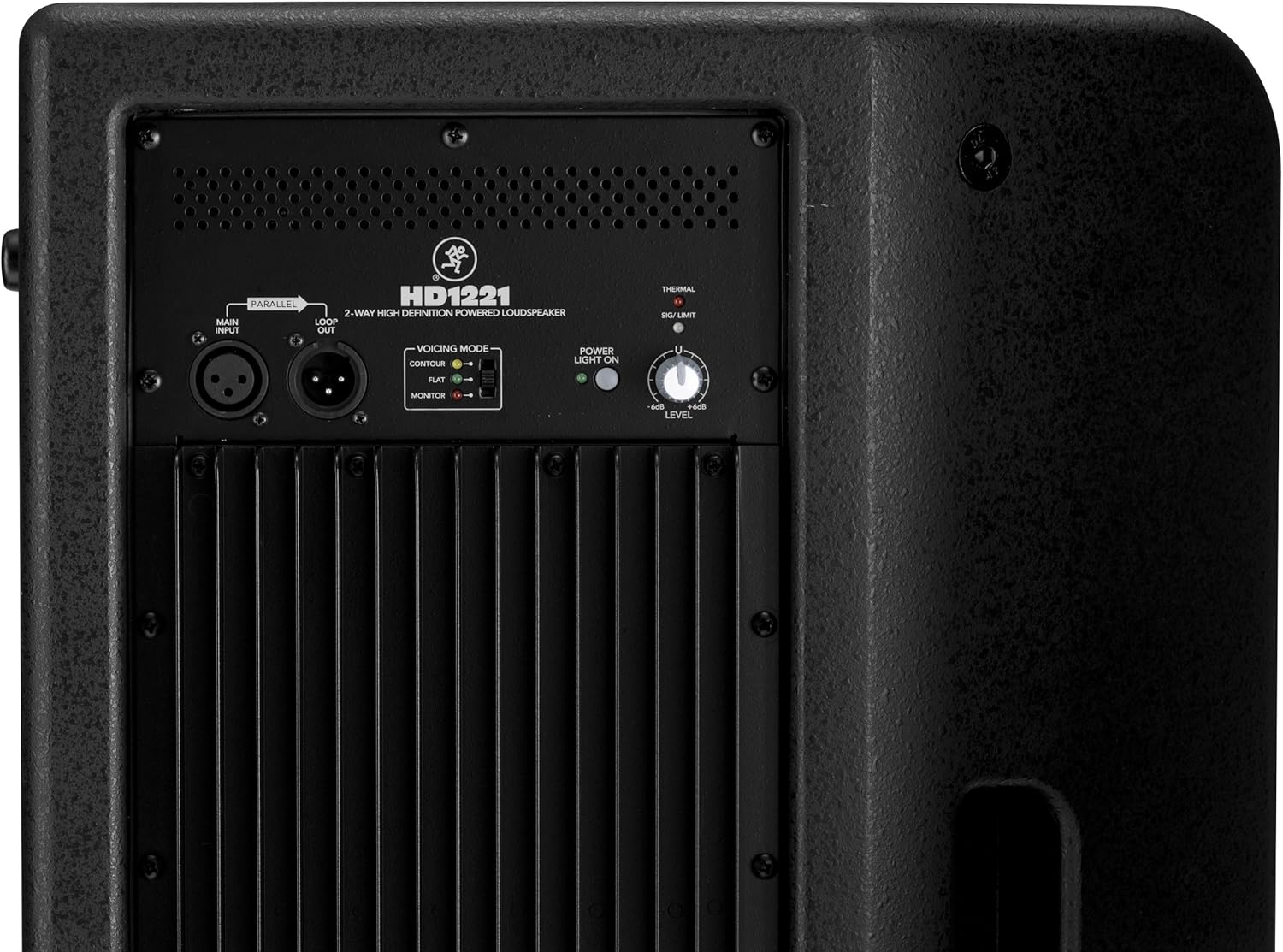
Figure 3: Rear panel of the HD1221, detailing the input/output section, voicing mode switch, power indicator, and level control knob.
- Main Input (XLR): Connect your audio source here.
- Loop Out (XLR): Provides a parallel output of the main input signal for connecting to additional loudspeakers or other audio equipment.
- Voicing Mode Switch: Selects between Contour, Flat, and Monitor modes to optimize the loudspeaker's frequency response for different applications.
- Lučka za napajanje sveti: Označuje stanje napajanja enote.
- Thermal/Sig/Limit Indicators: Provide visual feedback on the loudspeaker's operational status, including thermal protection, signal presence, and limiting.
- Nadzor ravni: Prilagodi skupno izhodno glasnost zvočnika.
- Vhod za izmenični tok: Connects the power cable to the mains supply.
Notranje komponente
Slika 4: Notranji view of the HD1221, showcasing the 12-inch neodymium woofer and 1.75-inch titanium compression driver, designed by EAW.
Nastavitev
Proper setup ensures optimal performance and safety. Follow these steps for initial setup:
Napajalni priključek
- Ensure the Level control on the rear panel is set to its minimum position.
- Connect the supplied AC power cable to the AC Power Input on the rear panel of the HD1221.
- Drugi konec napajalnega kabla priključite v ozemljeno električno vtičnico.
Avdio povezave
- Connect your audio source (e.g., mixer, instrument) to the Main Input (XLR) on the rear panel.
- If connecting multiple loudspeakers, use the Loop Out (XLR) to send the signal to the next loudspeaker.
Možnosti namestitve
The HD1221 offers several mounting options for flexibility:
Montaža na palico

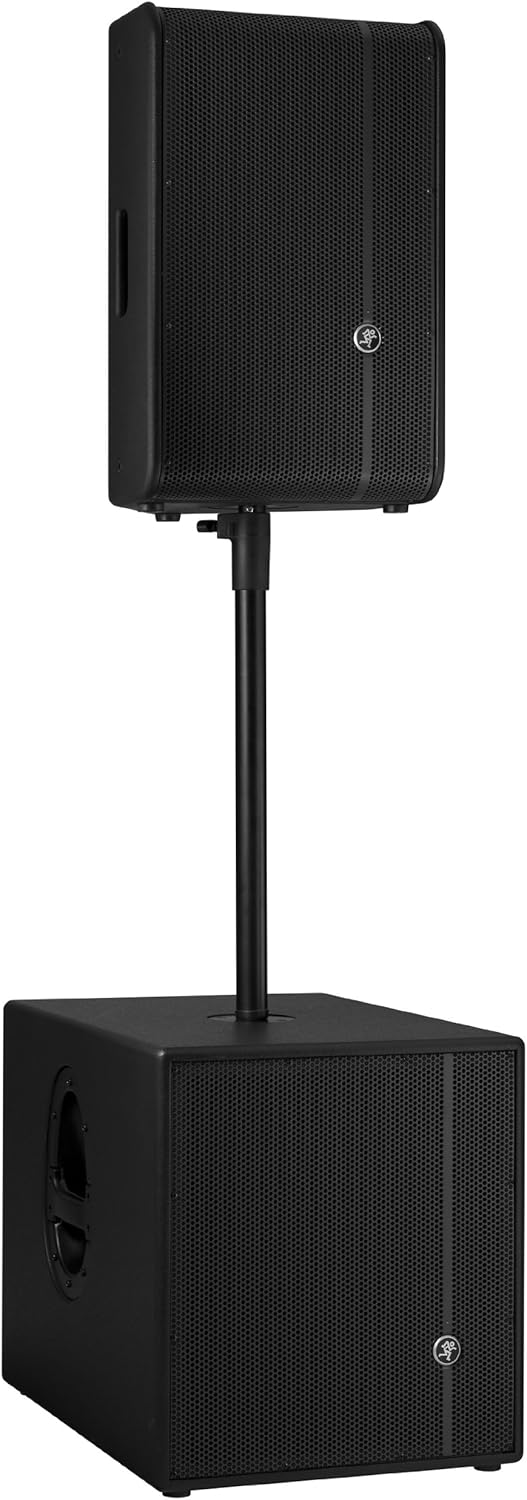
Figure 5: The HD1221 mounted on a pole, typically above a subwoofer like the HD1501 for a full-range PA system.
The HD1221 can be mounted on a standard speaker pole stand. Ensure the stand is stable and rated for the weight of the loudspeaker (approximately 58 lbs).
Stage Monitor Placement
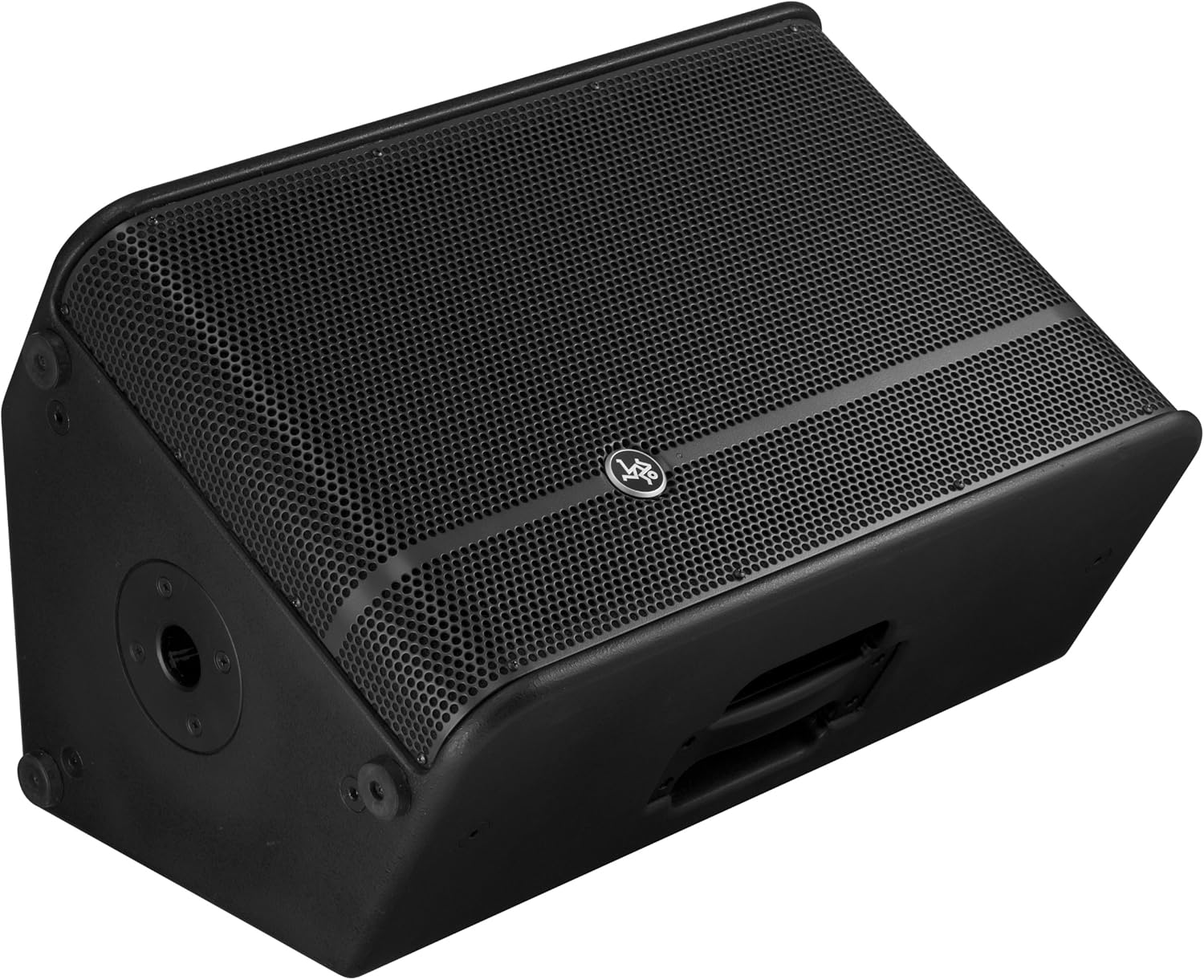
Figure 6: The HD1221 configured as a stage monitor, utilizing its 60-degree angle for optimal sound projection towards the performer.
The cabinet design allows for use as a stage monitor with a 60-degree angle. Place the loudspeaker directly on the stage floor, angled towards the performer.
Flying/Suspension

Figure 7: The HD1221 suspended vertically using appropriate rigging hardware.

Figure 8: The HD1221 suspended horizontally using appropriate rigging hardware.
The HD1221 can be flown both vertically and horizontally. Always use certified rigging hardware and consult with a qualified professional for safe installation. The user-rotatable horn allows for precise sound placement in either orientation.
Navodila za uporabo
Ko je zvočnik nastavljen, sledite tem korakom za uporabo:
- Vklop: Turn on your audio source (mixer, etc.) first, then turn on the HD1221 loudspeaker. The 'Power Light On' indicator should illuminate.
- Set Voicing Mode: Use the Voicing Mode switch on the rear panel to select the appropriate setting for your application:
- Kontura: Provides a sculpted frequency response, often suitable for music playback.
- Stanovanje: Offers a neutral frequency response, ideal for critical listening or when external EQ is used.
- Monitor: Optimizes the frequency response for use as a stage monitor, reducing low-end rumble and enhancing clarity.
- Prilagodi raven: Slowly increase the Level control on the rear panel to achieve the desired volume. Monitor the 'Sig/Limit' indicator; if it flashes frequently or stays lit, reduce the input level from your source or the HD1221's level to prevent distortion and potential damage.
- Ugasniti: When finished, turn off the HD1221 loudspeaker first, then turn off your audio source.
Uradni videoposnetek izdelka
Video 1: Overview of the Mackie HD1221 12-inch 2-Way High-Definition Powered Loudspeaker, demonstrating its features and applications.
Vzdrževanje
Regular maintenance helps prolong the life and performance of your HD1221 loudspeaker.
- Čiščenje: Use a dry, lint-free cloth to clean the exterior of the loudspeaker. Do not use liquid cleaners or solvents.
- Rešetka: Periodically check the steel grille for any damage or debris. Clean gently if necessary.
- Povezave: Prepričajte se, da so vsi kabli varno priključeni in nepoškodovani.
- Shranjevanje: When not in use, store the loudspeaker in a dry, temperate environment, protected from dust and extreme temperatures.
Odpravljanje težav
If you encounter issues with your HD1221, refer to the following common problems and solutions:
| Težava | Možen vzrok | rešitev |
|---|---|---|
| Ni zvoka | No power; incorrect connections; low level setting; faulty cable. | Check power cable and outlet. Verify audio cable connections. Increase Level control. Test with a different cable. |
| Popačen zvok | Input level too high; faulty cable; damaged speaker component. | Reduce input level from source or HD1221. Check 'Sig/Limit' indicator. Test with a different cable. If distortion persists, contact support. |
| Brez lučke za napajanje | No power; power switch off; internal fuse blown. | Ensure power cable is connected and outlet is active. Check power switch. If still no light, contact support. |
| Overheating (Thermal indicator lit) | Insufficient ventilation; prolonged high-volume operation. | Ensure adequate airflow around the unit. Reduce volume. Allow unit to cool down. |
Specifikacije
Detailed technical specifications for the Mackie HD1221 powered loudspeaker:
- Izhodna moč: 1200 W največja
- Vrsta zvočnika: 2-Way High-Definition Powered Loudspeaker
- Nizkotonec: 12-inch Neodymium Woofer
- Kompresijski gonilnik: 1.75-palčni titanov kompresijski gonilnik
- hupa: Hupa, ki jo lahko vrtite za 90° x 50°
- Material omarice: 15 mm brezova vezana plošča
- Rešetka: Hladno valjano jeklo
- Kot monitorja: 60 stopinj
- Načini izražanja: Contour, Flat, Monitor
- Ampolajšanje: Class-D Fast Recovery
- Impedanca: 8 Ohmov
- Teža artikla: 58 funta
- Protokol povezljivosti: Wi-Fi (Note: This specification might refer to internal processing or future features, as direct Wi-Fi audio input is not typical for this type of speaker.)
- Številka modela: HD1221
- UPC: 663961030495
Garancija
The Mackie HD1221 loudspeaker comes with a comprehensive warranty:
- Elektronika: 3-letna garancija
- Vozniki: 2-letna garancija
Please retain your proof of purchase for warranty claims. For full terms and conditions, refer to the warranty card included with your product or visit the official Mackie webmesto.
Podpora
For additional assistance, technical support, or service inquiries, please contact Mackie Customer Support. You can find contact information and frequently asked questions on the official Mackie webmesto.
Spletni viri: Obiščite Trgovina Mackie na Amazonu za informacije o izdelkih in posodobitve.