
1. Uvod
Thank you for choosing the Takstar E 340 Karaoke Microphone. This manual provides essential information for the proper setup, operation, and maintenance of your microphone. Please read this manual thoroughly before using the product to ensure optimal performance and longevity.
2. Izdelek je končanview
The Takstar E 340 is a high-quality unidirectional handheld dynamic microphone designed for clear vocal reproduction, ideal for karaoke and general speech applications. It features a robust construction and a design focused on user comfort and sound clarity.
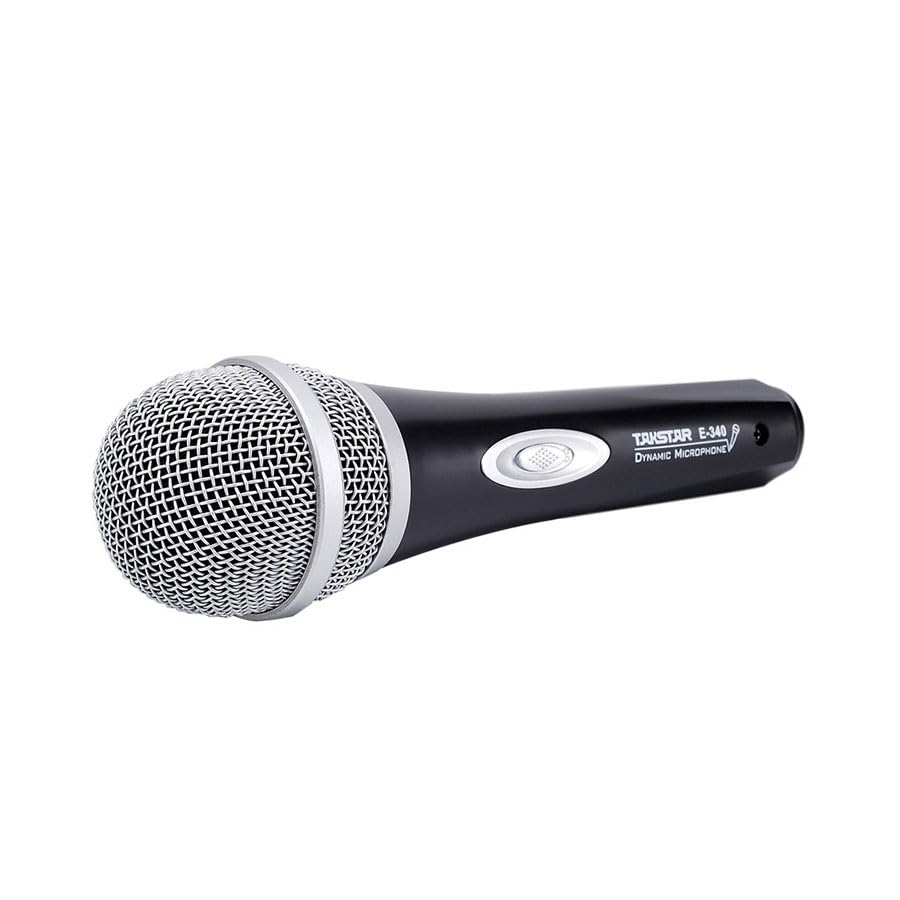
Figure 2.1: Takstar E 340 Handheld Dynamic Microphone. This image shows the full view of the microphone, highlighting its black body and silver grille.
Ključne značilnosti:
- Enosmerni polarni vzorec: Osredotoča se na zvok od spredaj in zmanjša hrup v ozadju.
- Dinamična kapsula: Provides clear and powerful sound reproduction.
- Vzdržljiva konstrukcija: Plastic housing with a paint finish for comfortable handling and durability.
- XLR povezljivost: Utilizes a dual-core XLR cable for clear signal transmission and noise interference shielding.
- Lahek dizajn: Ensures ease of use and portability.

Slika 2.2: Podrobno view of the Takstar E 340 microphone highlighting its internal dynamic capsule and the robust construction. This image illustrates the quality components and design features.
Identifikacija komponente:
- Rešetka mikrofona: Protects the microphone capsule and helps shape the sound.
- Ohišje mikrofona: Houses the internal components and provides a comfortable grip.
- Stikalo za vklop/izklop: Nadzira moč mikrofona.
- XLR Output Connector: For connecting the microphone to an audio interface or karaoke machine.
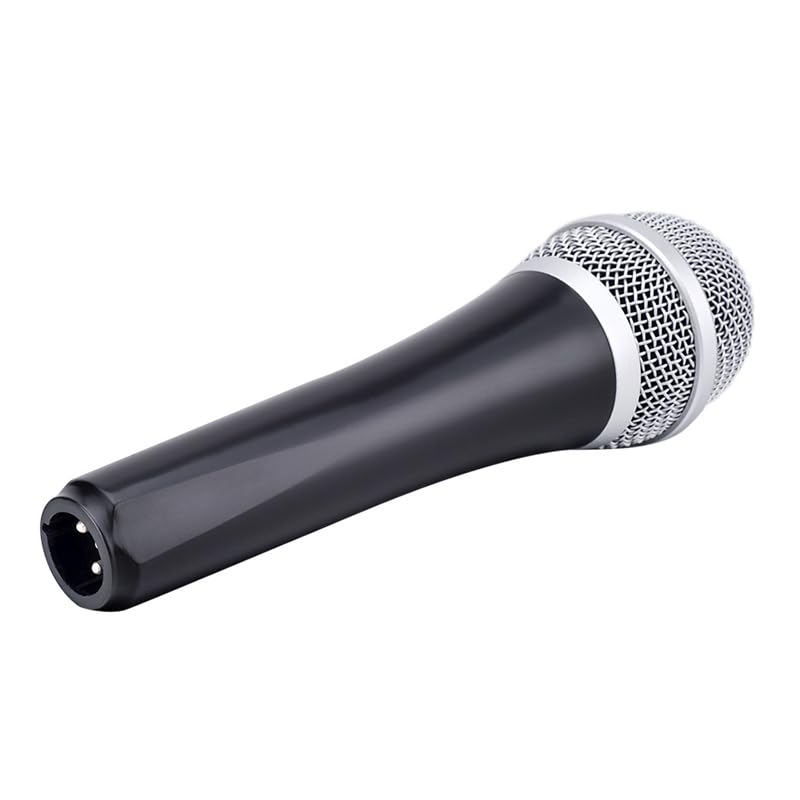
Figure 2.3: The XLR output connector located at the base of the Takstar E 340 microphone. This is where the microphone cable connects.
3. Navodila za nastavitev
- Razpakirajte mikrofon: Carefully remove the Takstar E 340 microphone and any included accessories from its packaging.
- Priključite kabel: Insert the XLR end of your microphone cable into the XLR output connector at the base of the microphone. Ensure it clicks securely into place.
- Povezava z zvočno napravo: Connect the other end of the microphone cable (e.g., 1/4-inch jack or USB Type-C, depending on your cable) to the microphone input of your karaoke machine, mixer, or audio interface.
- Vklop: Ensure your audio device is powered on and its volume is set to a low level before activating the microphone.
4. Navodila za uporabo
- Turn On the Microphone: Locate the On/Off switch on the microphone body and slide it to the 'ON' position.
- Pozicioniranje: Hold the microphone approximately 2-6 inches (5-15 cm) from your mouth for optimal sound pickup. Experiment with distance to find the best sound for your voice and environment.
- Prilagoditev glasnosti: Gradually increase the volume on your connected audio device until the desired sound level is achieved. Avoid setting the volume too high to prevent feedback or distortion.
- Enosmerni prevzem: The E 340 is a unidirectional microphone, meaning it primarily picks up sound from the front. Point the top of the microphone directly towards the sound source (your mouth) for the clearest audio.
- Izklop: When finished, slide the On/Off switch to the 'OFF' position and then turn off your audio device.
5. Nega in vzdrževanje
- Čiščenje: Use a soft, dry cloth to clean the microphone body. For the grille, a soft brush can be used to gently remove dust or debris. Do not use liquid cleaners or solvents.
- Shranjevanje: Store the microphone in a dry, cool place away from direct sunlight and extreme temperatures. If possible, use a protective case to prevent physical damage.
- Ravnanje: Pazite, da vam mikrofon ne pade na tla ali da ga ne izpostavljate močnim udarcem, saj lahko to poškoduje notranje komponente.
- Skrb za kabel: Always grasp the connector, not the cable, when plugging or unplugging. Avoid bending or kinking the cable excessively.
6. Odpravljanje težav
| Težava | Možen vzrok | rešitev |
|---|---|---|
| Ni zvoka | Stikalo za mikrofon je IZKLOPLJENO Kabel ni pravilno priključen Audio device input volume too low Faulty cable or audio device input | Potisnite stikalo v položaj »VKLOP« Prepričajte se, da je kabel varno priključen na obeh koncih Increase input volume on audio device Test with a different cable or audio input |
| Nizek ali popačen zvok | Mikrofon je predaleč od vira zvoka Input volume too high (distortion) Poškodovana mikrofonska kapsula | Hold microphone closer to mouth Reduce input volume on audio device Contact customer support if damage is suspected |
| Povratna informacija (tuljenje) | Mikrofon preblizu zvočnikov Prevelik glasnost Mikrofon usmerjen proti zvočnikom | Increase distance between microphone and speakers Reduce overall volume Ensure microphone is not pointed directly at speakers |
7. Tehnične specifikacije
| Funkcija | Specifikacija |
|---|---|
| Model | E340 |
| Polarni vzorec | Enosmerno |
| Faktor oblike mikrofona | Ročni |
| Impedanca | 600 Ohmov |
| Razmerje signal / šum (SNR) | 72 dB |
| Frekvenčni odziv | 16 KHz |
| Audio Občutljivost | 54 decibelov |
| Tehnologija povezljivosti | UHF (via cable) |
| Vrsta priključka | USB Type-C (implied for cable connection, typically XLR on mic) |
| Združljive naprave | Karaoke stroj |
| Vir napajanja | Električni na kabel |
| Teža predmeta | 580 g |
| Dimenzije paketa | 24.8 x 12.6 x 8 cm |
| Posebna funkcija | Adjustable Headband (Note: This feature is typically associated with headsets, but listed in product specifications.) |
8. Garancija in podpora
For warranty information and customer support, please refer to the documentation provided at the time of purchase or visit the official Takstar webspletnega mesta. Shranite dokazilo o nakupu za morebitne garancijske zahtevke.