
1. Uvod
This manual provides instructions for the proper setup, operation, and maintenance of your Cetis Scitec 2510D-e corded telephone. This single-line desk phone is designed for reliable communication and features a durable heavy metal base.
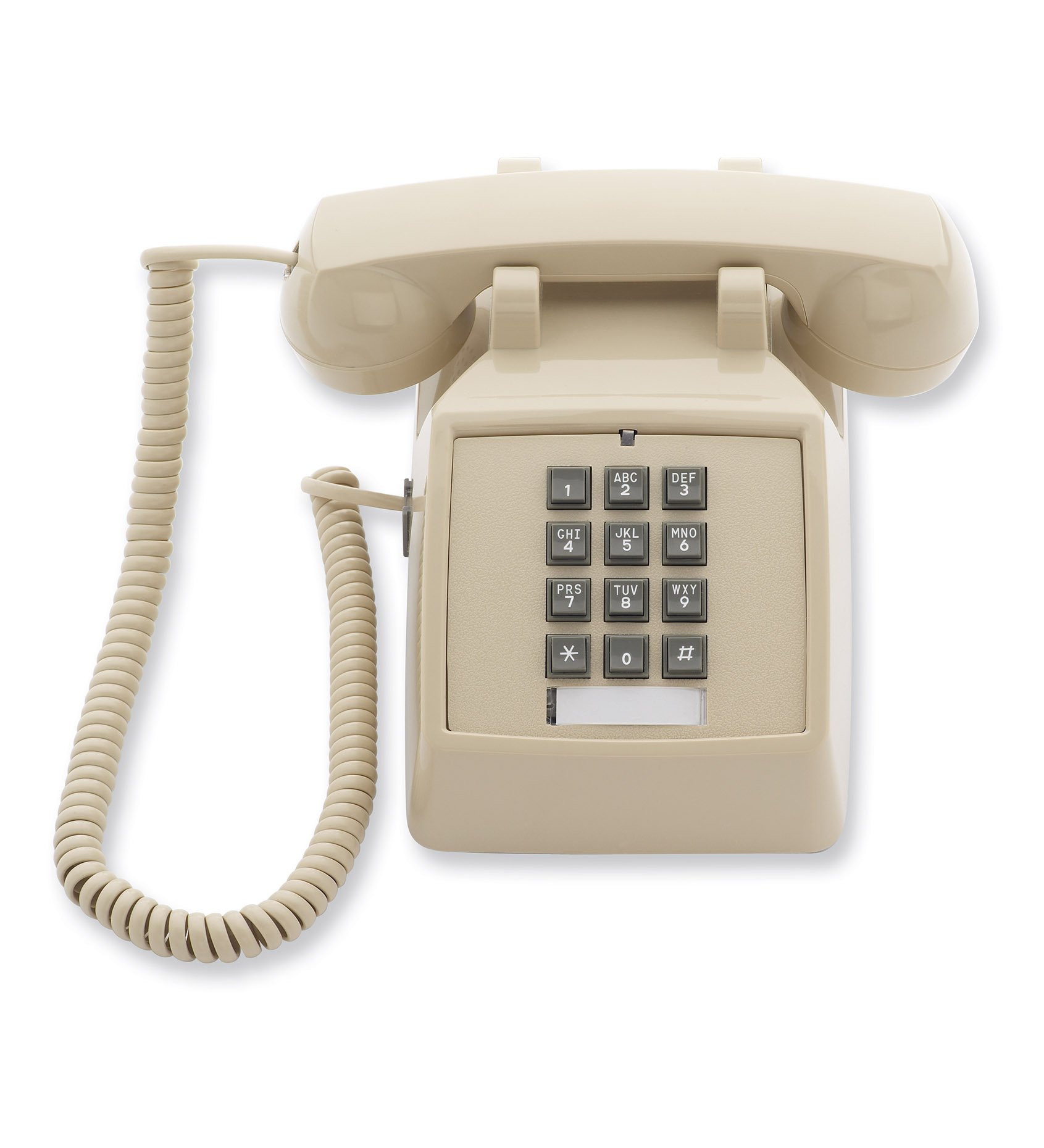
Figure 1: Cetis Scitec 2510D-E Corded Telephone. This image displays the complete Cetis Scitec 2510D-E corded telephone. It features a classic design with a beige/ash colored body, a coiled handset cord on the left, and a 12-button keypad on the front panel. The handset rests securely on the base.
2. Varnostne informacije
OPOZORILO: This product contains chemicals known to the State of California to cause cancer and birth defects or other reproductive harm. For more information, please refer to California Proposition 65 warnings.
- Do not expose the telephone to excessive moisture or extreme temperatures.
- Avoid dropping the telephone or subjecting it to strong impacts.
- Use only the provided cords or approved replacements.
3. Vsebina paketa
Preverite, ali vaš paket vsebuje naslednje elemente:
- Cetis Scitec 2510D-e Telephone Unit
- Slušalka
- Zvit kabel za slušalko
- Telefonski kabel
4. Nastavitev
- Priključite slušalko: Plug one end of the coiled handset cord into the handset and the other end into the jack on the side of the telephone base.
- Priključite telefonsko linijo: Plug one end of the telephone line cord into the LINE jack on the back or side of the telephone base. Plug the other end into a standard telephone wall jack.
- Umestitev: Place the telephone on a stable, flat surface. Ensure it is not near sources of heat or moisture.
5. Navodila za uporabo
5.1 Klicanje
- Dvignite slušalko.
- Poslušajte znak centrale.
- Z uporabo tipkovnice pokličite želeno telefonsko številko.
- Počakajte, da se klic poveže.
- Za končanje klica postavite slušalko nazaj na odlagalno ploščo.
5.2 Sprejemanje klica
- Ko telefon zazvoni, dvignite slušalko.
- Begin speaking.
- Za končanje klica postavite slušalko nazaj na odlagalno ploščo.
5.3 Using the Data Port
The telephone is equipped with a data port, typically located on the side or back of the unit. This port allows for the connection of another device, such as a modem or fax machine, to the same telephone line. Consult the manual of the connected device for specific setup instructions.
6. Vzdrževanje
- Čiščenje: Telefon obrišite z mehko krpoamp krpo. Ne uporabljajte močnih kemikalij ali abrazivnih čistil.
- Nega kabla: Avoid tangling or stretching the coiled handset cord and the telephone line cord excessively to prevent damage.
- Okoljski pogoji: Keep the telephone away from direct sunlight, heat sources, and areas with high humidity.
7. Odpravljanje težav
| Težava | Možen vzrok | rešitev |
|---|---|---|
| Ni znaka centrale | Telefonski kabel je odklopljen ali pokvarjen. | Ensure the telephone line cord is securely plugged into both the phone and the wall jack. Test with another phone or cord if available. |
| Ne slišim klicatelja / Klicatelj me ne sliši | Handset cord connection issue or line interference. | Check that the coiled handset cord is firmly connected at both ends. Try adjusting the handset's position or gently wiggling the cord. If the issue persists, the telephone line itself may have interference. |
| Ringer sound is electronic, not a mechanical gong | Product specification variation. | The Cetis Scitec 2510D-e model features an electronic ringer. This is standard for the unit. |
8. Specifikacije
| Funkcija | Podrobnost |
|---|---|
| Znamka | Cetis |
| Številka modela | 2510D-e |
| Vrsta telefona | Zrezani |
| Večvrstično delovanje | Enovrstično delovanje |
| Vrsta klicalnika | Enojna tipkovnica |
| Material | Metal (Enclosure Material) |
| barva | pepel |
| Dimenzije (D x Š x V) | 9 cm x 4.5 cm x 7 cm |
| Teža | 2.45 lbs |
| Vir napajanja | Električni na kabel |
| Podatkovna vrata | ja |
| Država izvora | Kitajska |
| Skladno z RoHS | št |
9. Garancija in podpora
The Cetis Scitec 2510D-e telephone comes with a 1-letna garancija proizvajalca. Ta garancija pokriva napake v materialu in izdelavi pri normalni uporabi.
For technical support or warranty claims, please contact Cetis customer service. Refer to the packaging or the official Cetis webspletno mesto za najnovejše kontaktne podatke.