
1. Uvod in konecview
This manual provides detailed instructions for the safe and efficient use of the Helios ESA 3 Surface-Mounted Fan Speed Controller, Model 239. This device is designed to regulate the speed of compatible ventilation fans, offering precise control over airflow. Please read this manual thoroughly before installation and operation to ensure proper function and safety.
2. Varnostna navodila
OPOZORILO: Electrical shock hazard. Always disconnect power before installing, servicing, or cleaning this device. Installation should only be performed by a qualified electrician in accordance with all local and national electrical codes.
- Ensure the power supply matches the device's requirements (230 Volts).
- Ne prekoračite največjega nazivnega toka 2.5 Amperes or power rating of 575 Watts.
- Do not operate the device with damaged wiring or if it has been exposed to moisture.
- Med delovanjem in vzdrževanjem naj se otroci ne približujejo napravi.
- Ta naprava je namenjena samo za uporabo v zaprtih prostorih.
3. Vsebina paketa
Pred začetkom namestitve preverite, ali so prisotne vse komponente:
- Helios ESA 3 Fan Speed Controller (Model 239)
- Installation material (screws, anchors, etc.)
4. Nastavitev in namestitev
The Helios ESA 3 is designed for surface mounting. Follow these steps for proper installation:
- Izberite lokacijo: Select a suitable, dry, and easily accessible location for surface mounting. Ensure adequate space for wiring and operation.
- Odklop napajanja: Before making any electrical connections, ensure the main power supply to the installation area is completely disconnected at the circuit breaker.
- Namestite napravo: Use the provided installation material to securely mount the controller to the chosen surface. The device dimensions are approximately 16 x 7 x 27 cm.
- Žične povezave: This device uses screw terminals for wiring. Connect the power supply and the fan wiring according to the electrical diagram provided with the device (not included in this manual, refer to product packaging or manufacturer's website for specific wiring diagrams). Ensure all connections are tight and secure. The connector type is plug-in.
- Preverite namestitev: Double-check all connections and mounting security before restoring power.
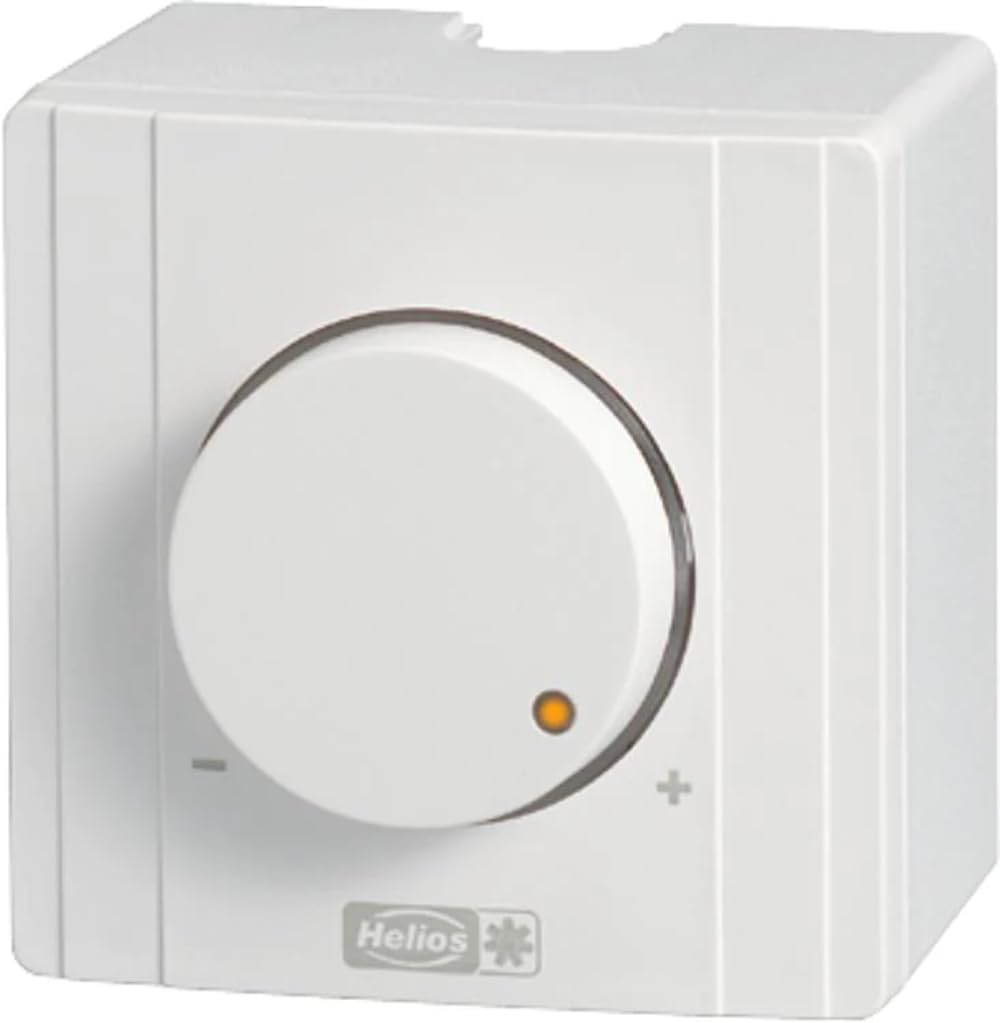
Slika 1: Spredaj view of the Helios ESA 3 Fan Speed Controller. This image shows the general appearance of the device, which is designed for surface mounting and features control buttons.
5. Navodila za uporabo
The Helios ESA 3 Fan Speed Controller operates with a simple ON-OFF mode and allows for speed adjustment via button control or remote control.
- VKLOP/IZKLOP: Use the main push-button actuator to switch the connected fan ON or OFF.
- Prilagoditev hitrosti: Once the fan is ON, use the control buttons on the device or the remote control (if applicable and purchased separately) to adjust the fan speed. The transistor switch type allows for smooth regulation.
- Nadzorna metoda: The device supports both direct button control and remote control functionality.
6. Vzdrževanje
Regular maintenance ensures the longevity and optimal performance of your speed controller.
- Čiščenje: Disconnect power before cleaning. Wipe the exterior of the device with a soft, dry cloth. Do not use abrasive cleaners or solvents.
- Pregled: Periodically inspect the wiring connections for any signs of wear or loosening.
- Rezervni deli: Information regarding the availability of spare parts for this model is currently unavailable. Please contact Helios customer support for assistance if replacement parts are needed.
7. Odpravljanje težav
If you encounter issues with your Helios ESA 3 Fan Speed Controller, refer to the following common problems and solutions:
| Težava | Možen vzrok | rešitev |
|---|---|---|
| Naprava se ne vklopi. | No power supply; loose wiring; faulty circuit breaker. | Check power supply at the source. Verify all wiring connections are secure. Reset the circuit breaker. |
| Fan speed cannot be adjusted. | Incorrect wiring; incompatible fan; faulty control buttons/remote. | Ensure wiring is correct according to the diagram. Confirm the fan is compatible with speed control. Test control buttons or remote. |
| Fan operates erratically. | Loose connections; electrical interference; device malfunction. | Check all wiring connections. Ensure the device is not near sources of strong electrical interference. If problem persists, contact support. |
If troubleshooting steps do not resolve the issue, please contact Helios customer support.
8. Specifikacije
| Številka modela | 239 |
| Znamka | Helios |
| Dimenzije (D x Š x V) | 16 x 7 x 27 cm |
| Teža | 2 kilograma |
| Delovna zvezatage | 230 volta |
| Trenutna ocena | 2.5 Amperes |
| Moč | 575 vatov |
| Način delovanja | PRIŽGI UGASNI |
| Vrsta namestitve | Površinska montaža |
| Nadzorna metoda | Button Control, Remote Control |
| Tip aktuatorja | Pritisni gumb |
| Tip stikala | Tranzistor |
| Tip terminala | Vijak |
| Vrsta priključka | Vtičnik |
| Material | Plastic (housing), Copper (contact material) |
| Certifikati | CE, ISO 9001, TÜV |
| Vključene komponente | Inštalacijski material |
9. Garancija in podpora
Helios products are manufactured to high-quality standards. For specific warranty information, please refer to the documentation included with your purchase or visit the official Helios website. For technical support, service, or inquiries about spare parts, please contact your retailer or Helios customer service directly.