
1. Uvod
This manual provides essential information for the safe and efficient operation of your Sharp Aquos LC42D64U 42-Inch 1080p LCD HDTV. Please read these instructions thoroughly before using your television and retain them for future reference. The Sharp Aquos D64 series offers a slim design, Full HD 1080p resolution, and advanced features for an enhanced viewizkušnje.
2. Pomembne varnostne informacije
Pri uporabi tega televizorja vedno upoštevajte osnovne varnostne ukrepe, da zmanjšate tveganje požara, električnega udara in poškodb.
- vir energije: Televizor priključite samo na vir napajanja, ki je naveden na nalepki.
- Prezračevanje: Zagotovite ustrezno prezračevanje. Ne blokirajte prezračevalnih odprtin.
- Voda in vlaga: Televizorja ne izpostavljajte dežju ali vlagi. Na televizor ne postavljajte predmetov, napolnjenih s tekočinami.
- Čiščenje: Pred čiščenjem izključite televizor iz stenske vtičnice. Uporabite mehko, suho krpo.
- Servisiranje: Tega izdelka ne poskušajte servisirati sami. Vsa servisna dela prepustite usposobljenemu servisnemu osebju.
- Montaža: If wall-mounting, ensure the mount is compatible and installed by qualified personnel.
- otroci: Nadzorujte otroke, da preprečite plezanje po televizorju ali igranje z njim.
3. Kaj je v škatli
Preden nadaljujete z namestitvijo, preverite, ali so vse komponente prisotne.
- Sharp Aquos LC42D64U 42-Inch LCD HDTV
- Daljinski upravljalnik
- Namizno stojalo
- Napajalni kabel
- Uporabniški priročnik (ta dokument)
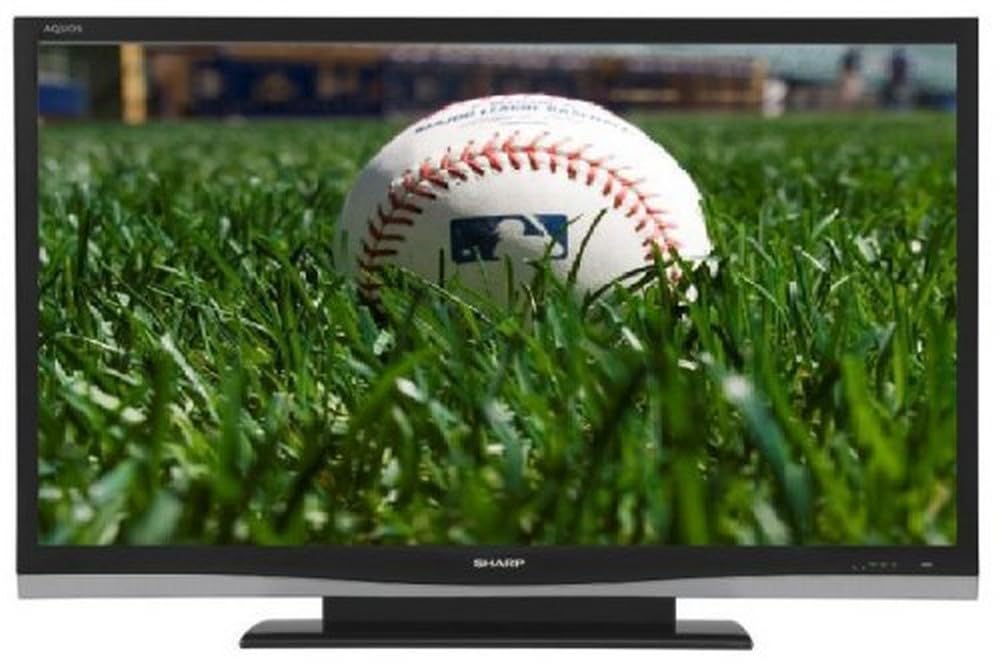
Slika: spredaj view of the Sharp Aquos LC42D64U 42-Inch LCD HDTV with its included table stand.
4. Nastavitev
4.1 Pritrditev namiznega stojala
If you are not wall-mounting the television, attach the included table stand. Refer to the separate assembly guide for detailed instructions on securing the stand to the TV. Ensure all screws are tightened securely.
4.2 Priključitev zunanjih naprav
Connect your external devices (e.g., cable box, Blu-ray player, game console) to the appropriate input terminals on the rear or side of the TV.
- HDMI: For high-definition digital video and audio. The TV features three HDMI 1.3 inputs (two rear, one side).
- Component Video (Y, Pb, Pr): For high-definition analog video. Two inputs are available.
- Composite Video (A/V): For standard-definition analog video and audio. One side and one rear input.
- S-Video: For standard-definition video. One side and one rear input.
- PC Input (D-Sub 15-pin): Priključite računalnik za uporabo kot monitor.
- RF Antenna Inputs: Two inputs for connecting an antenna or cable TV.
- Ethernet vrata: For network connectivity (DLNA).
4.3 Napajalni priključek
After connecting all desired devices, plug the power cord into the TV's power inlet and then into a wall outlet. The TV will enter standby mode.
5. Navodila za uporabo
5.1 Initial Power On and Channel Setup
- Pritisnite MOČ gumb na daljinskem upravljalniku ali televizorju, da ga vklopite.
- The first time you power on, the TV will guide you through the initial setup process, including language selection and channel scanning.
- Select your preferred language (English, Spanish, or French).
- Perform an "Easy Setup" or "Channel Setup" scan to detect available digital (ATSC, QAM) and analog (NTSC) channels.
5.2 Osnovne funkcije daljinskega upravljalnika
- MOČ: Turns the TV on or off (standby).
- VHOD: Cycles through available input sources (HDMI, Component, PC, etc.).
- CH +/-: Spreminja kanale.
- GLASNOST +/-: Prilagodi glasnost.
- MENI: Accesses the on-screen menu for settings adjustments.
- PUŠČIČNI GUMBI: Krmarjenje po možnostih menija.
- VNESI: Potrjuje izbire.
- EXIT/RETURN: Zapre menije ali se vrne na prejšnji zaslon.
5.3 Navigacija po menijih in nastavitve
Pritisnite MENI button to access various settings categories:
- Slika: Adjust brightness, contrast, color, tint, sharpness, and backlight. The OPC function automatically adjusts brightness based on room conditions.
- Avdio: Control volume, bass, treble, balance, and select audio modes.
- Kanal: Rescan channels, add/delete channels, and set up favorite channels.
- Nastavitev: General settings like language, time, sleep timer, and parental controls (V-Chip).
- Napredne funkcije: Access settings for DLNA, Picture-in-Picture, and AQUOS LINK.
6. Napredne funkcije
6.1 AQUOS LINK (HDMI-CEC)
AQUOS LINK allows convenient control of compatible Sharp devices connected via HDMI using just your AQUOS TV remote. Ensure connected devices also support HDMI-CEC (Consumer Electronics Control) and are enabled in their respective settings.
6.2 DLNA Compatibility
The TV is DLNA-compatible, enabling interoperability with other DLNA-certified electronics, computers, and mobile devices. Connect the TV to your home network via the Ethernet port to access and share digital content (photos, videos, music) from compatible devices on your network.
6.3 Slika v sliki (PIP)
The Picture-in-Picture function allows simultaneous viewing of a TV program and a video or PC source. Consult the on-screen menu for PIP activation and source selection.
6.4 V-Chip System
The V-Chip system allows you to block TV and movie programs based on their rating, providing parental control over objectionable content. Access V-Chip settings through the TV's setup menu.
7. Vzdrževanje
7.1 Čiščenje zaslona
Zaslon nežno obrišite z mehko krpo, ki ne pušča vlaken. Za trdovratne madeže rahlo obrišiteampkrpo z vodo ali specializiranim čistilom za zaslone. ne uporabljajte agresivnih kemikalij, abrazivnih čistil ali pršite tekočin neposredno na zaslon.
7.2 Čiščenje omarice
Wipe the TV cabinet with a soft, dry cloth. Avoid using solvents or abrasive materials.
7.3 Splošna nega
- Med nevihtami ali če televizorja dalj časa ne uporabljate, ga izključite iz električnega omrežja.
- Televizorja hranite stran od neposredne sončne svetlobe, virov toplote in prekomernega prahu.
- Zagotovite dovolj prostora okoli televizorja za pravilno prezračevanje.
8. Odpravljanje težav
Preden se obrnete na podporo strankam, poskusite z naslednjimi rešitvami za pogoste težave:
| Težava | Možna rešitev |
|---|---|
| Brez moči | Preverite, ali je napajalni kabel varno priključen v televizor in stensko vtičnico. Prepričajte se, da je vtičnica pod napetostjo. |
| Ni slike, vendar je zvok prisoten | Preverite, ali je izbran pravilen vhodni vir. Preverite kabelske povezave z zunanjimi napravami. |
| Ni zvoka, vendar je slika prisotna | Preverite glasnost in nastavitev utišanja. Prepričajte se, da so avdio kabli pravilno priključeni. |
| Daljinski upravljalnik ne deluje | Zamenjajte baterije. Prepričajte se, da med daljinskim upravljalnikom in infrardečim senzorjem televizorja ni ovir. |
| "Hotel Mode" issue (as per customer review) | If the TV is stuck in a limited functionality mode, contact Sharp customer support for assistance in disabling "Hotel Mode." This typically requires a specific service menu sequence. |
9. Specifikacije
| Funkcija | Podrobnost |
|---|---|
| Številka modela | LC42D64U |
| Velikost zaslona | 42 palcev |
| Tehnologija zaslona | LCD |
| Resolucija | 1080p (polna visoka ločljivost) |
| Kontrastno razmerje | 10,000:1 Dynamic |
| Odzivni čas | 4 milisekund |
| Vrata HDMI | 3 (2 zadnja, 1 stranska) |
| Komponentni video vhodi | 2 |
| Kompozitni video vhodi | 3 (1 stranske, 2 zadaj) |
| S-Video Inputs | 2 (1 stranske, 1 zadaj) |
| PC vhod | 1 (D-Sub 15-pin) |
| Ethernet vrata | ja |
| Vrsta sprejemnika | ATSC, QAM, NTSC |
| Starševski nadzor | V-čip |
| Teža | 70.2 funta (približno) |
| Modelno leto | 2008 |
10. Garancija in podpora
10.1 Omejena garancija
This Sharp Aquos LC42D64U television comes with a 1 Year Parts and 1 Year Labor Warranty from the date of original purchase. This warranty covers manufacturing defects in materials and workmanship under normal use. It does not cover damage caused by misuse, accident, modification, or unauthorized repair.
Za garancijske zahtevke shranite dokazilo o nakupu.
10.2 Podpora strankam
For technical assistance, troubleshooting beyond this manual, or warranty service, please contact Sharp Customer Support. Refer to the contact information provided with your product documentation or visit the official Sharp webspletno mesto za najnovejše podrobnosti o podpori.
When contacting support, please have your model number (LC42D64U) and serial number ready.