
Uvod
This manual provides essential instructions for the safe and efficient operation of your NEC VT670 Value LCD Video Projector. Please read this manual thoroughly before using the projector and keep it for future reference. The NEC VT670 is designed for clear image projection with a native resolution of 1024 x 768 and a brightness of up to 2,100 ANSI lumens.
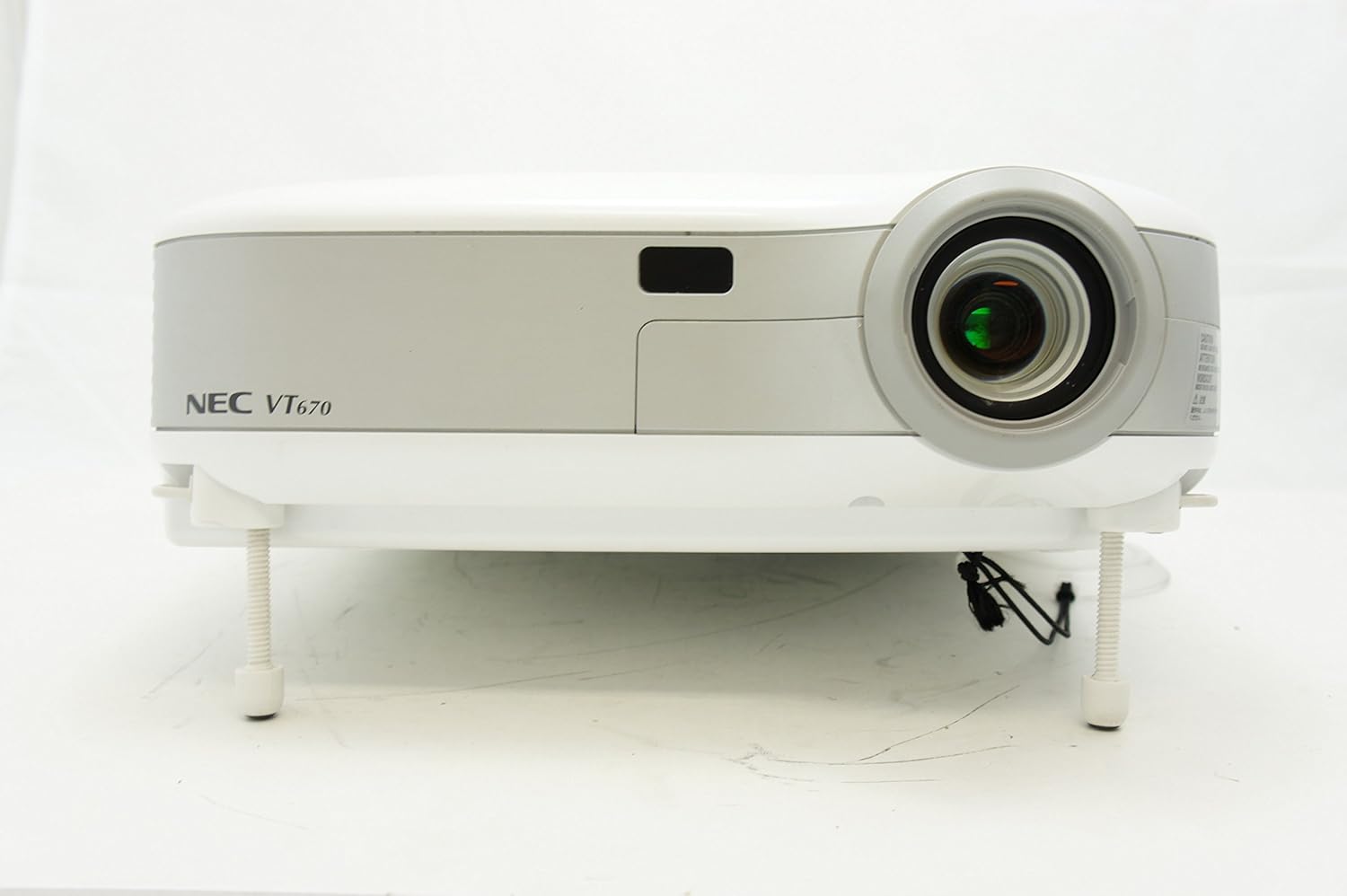
Slika 1: Spredaj view of the NEC VT670 projector, showing the lens and front panel.
Nastavitev
Follow these steps to set up your NEC VT670 projector:
- Umestitev: Position the projector on a stable, flat surface or mount it according to the instructions for your specific mounting solution. Ensure adequate ventilation around the unit. The projector is designed for tabletop mounting.
- Napajalni priključek: Napajalni kabel priključite na vtičnico za napajanje projektorja in nato na ozemljeno električno vtičnico.
- Izvorna povezava: Connect your video source (e.g., computer, DVD player) to the appropriate input port on the projector. The VT670 supports VGA (D-Sub), S-Video, and composite video inputs. Use the color-coded connections for ease of setup.
- Kabelske povezave: Ensure all necessary cables, such as the VGA cable for computer input, are securely connected to both the projector and the source device.
- Zvočna povezava: If your source provides audio, connect it to the projector's audio input ports. The projector features built-in speakers.
- Začetni vklop: Pritisnite gumb za vklop na projektorju ali daljinskem upravljalniku, da vklopite enoto.

Slika 2: Rear panel of the NEC VT670 projector, illustrating various input and output ports including VGA, S-Video, and audio connections.

Slika 3: Example of a VGA cable (left) and a power cable (right) used for connecting the projector.
Navodila za uporabo
This section details the basic operation of your projector.
Vklop/izklop
- Za vklop pritisnite MOČ enkrat pritisnite gumb. Indikator napajanja bo zasvetil.
- Za izklop pritisnite MOČ button twice. The projector will enter a cooling cycle before shutting down completely.
Izbira vhodnega vira
- Uporabite VNOS or dedicated source buttons (e.g., RAČUNALNIK 1, VIDEO) on the control panel or remote to cycle through available input sources.

Slika 4: Top control panel of the NEC VT670 projector, showing power, input selection, and navigation buttons.
Prilagoditev ostrenja in povečave
- Prilagodite FOKUS ring on the lens until the image is sharp and clear.
- Uporabite POVEČAVAJ lever on the lens to adjust the image size to fit your screen.
Navigacija po meniju
- Pritisnite MENI button to access the on-screen display (OSD) menu.
- Uporabite puščične gumbe (UP, DOL, LEVO, PRAV) za navigacijo po možnostih menija.
- Pritisnite ENTER or IZBERI za potrditev izbire.
- Pritisnite EXIT or MENI again to close the OSD menu.
Vzdrževanje
Redno vzdrževanje zagotavlja optimalno delovanje in podaljšuje življenjsko dobo vašega projektorja.
Lamp Zamenjava
Projektor lamp ima omejeno življenjsko dobo. Ko lamp Če indikator zasveti ali slika postane temna, se prikažeamp may need replacement. Refer to the full service manual for detailed lamp postopki zamenjave. Preden poskusite, pustite, da se projektor popolnoma ohladi.amp zamenjava.
Čiščenje zračnega filtra
Dust accumulation on the air filter can reduce cooling efficiency and affect projector performance. Clean the air filter regularly (e.g., every 100 hours of operation) by removing it and gently brushing off dust or using a vacuum cleaner. Replace the filter if it is damaged.
Čiščenje leč
Lečo projektorja nežno obrišite z mehko krpo, ki ne pušča vlaken in je posebej zasnovana za optične površine. Ne uporabljajte abrazivnih čistil ali prekomerne sile.
Odpravljanje težav
V tem razdelku so rešitve za pogoste težave, na katere lahko naletite.
| Težava | Možen vzrok | rešitev |
|---|---|---|
| Nobena slika ni prikazana |
|
|
| Slika je zamegljena |
|
|
| Brez zvoka |
|
|
Specifikacije
Key technical specifications for the NEC VT670 Value LCD Video Projector:
- Ime modela: VT670
- Vrsta zaslona: LCD
- Izvorna ločljivost: 1024 x 768 (XGA)
- Največja svetlost: 2,100 ANSI lumeni
- Kontrastno razmerje: 400:1
- Tehnologija povezljivosti: VGA (D-Sub), S-Video, Composite Video
- Povezljivost strojne opreme: D-Sub, VGA
- Največja velikost slike: 300 palcev
- Faktor oblike: Prenosni
- Vrsta pritrditve: Namizni nosilec
- Vrsta regulatorja: Nadzor gumbov
- Teža artikla: 9.2 funta
- Dodatne funkcije: Vgrajeni zvočniki
- Podprti signali: PC, NTSC, PAL, SECAM, HDTV
Informacije o garanciji
The NEC VT670 Value LCD Video Projector comes with a 2-letna garancija. This warranty covers defects in materials and workmanship under normal use. For specific terms and conditions, please refer to the warranty card included with your product or contact NEC customer support.
Podpora
For further assistance, technical support, or service inquiries regarding your NEC VT670 projector, please visit the official NEC website or contact their customer service department. Keep your product model number (VT670) and serial number ready when contacting support.
Spletni viri: www.nec.com