
Uvod
This manual provides essential instructions for the safe and efficient use of your Olympus Note Corder 100 digital voice recorder. Please read this manual thoroughly before operating the device and retain it for future reference.
Konec izdelkaview
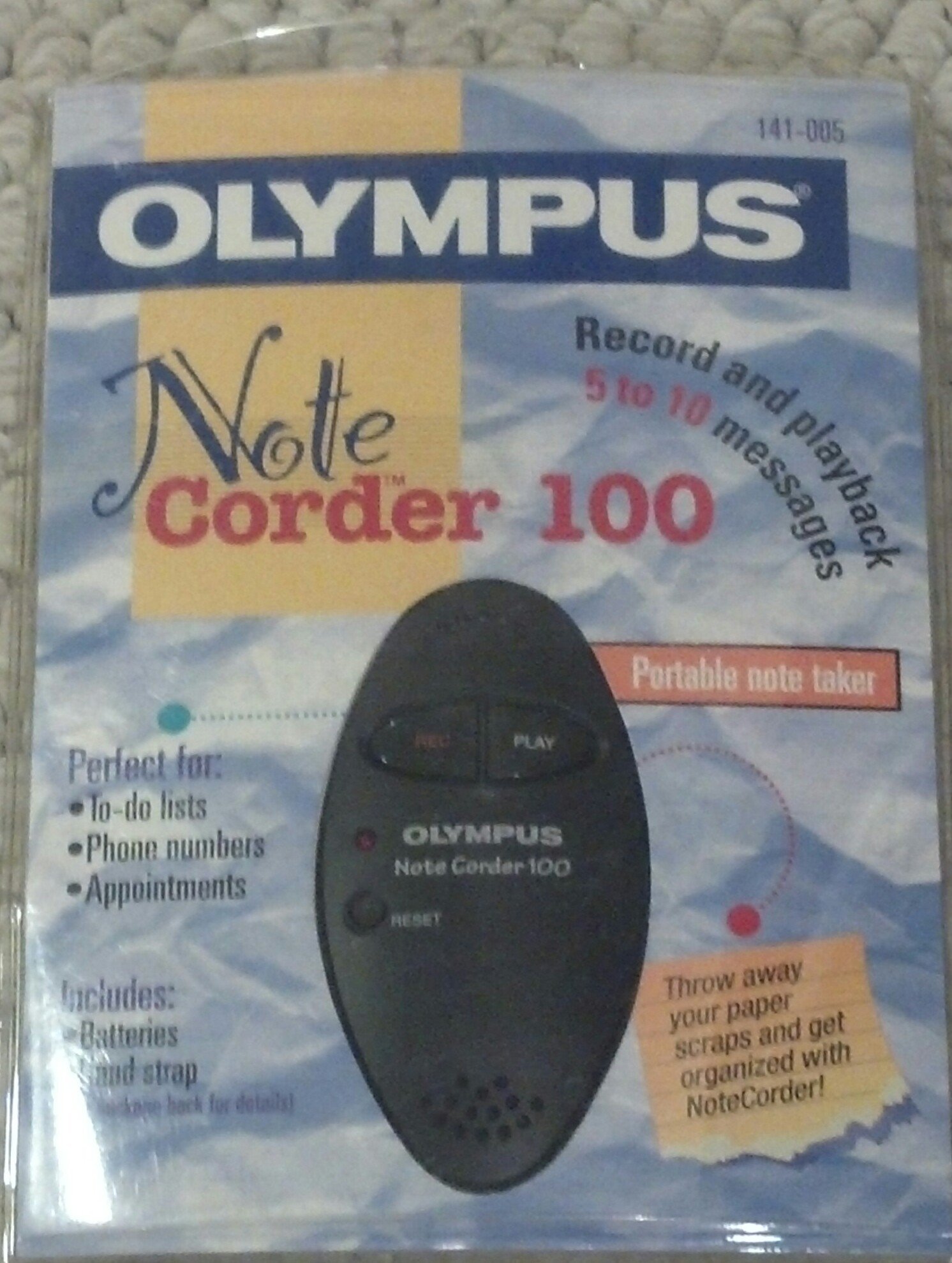
Image: The Olympus Note Corder 100 digital voice recorder, packaged. This image illustrates the product's compact design and highlights its primary features such as ergonomic design, 20-second recording time, and an LED indicator.
The Olympus Note Corder 100 is a compact, portable digital voice recorder designed for quick and convenient voice memos. Its ergonomic design ensures comfortable handling, making it ideal for recording short notes on the go.
Ključne značilnosti:
- Ergonomska oblika: Udobno se prilega dlani.
- 20-Second Recording Time: Ideal for short, concise messages.
- LED indikator: Zagotavlja vizualne povratne informacije o stanju naprave.
- Vgrajen pomnilnik: Stores recordings internally.
- Portable Format: Enostaven za prenašanje in uporabo kjerkoli.
Nastavitev
1. Namestitev baterije
The Note Corder 100 requires two (2) CR2032 1.5V batteries for operation. Ensure correct polarity when inserting the batteries.
- Poiščite pokrov predalčka za baterijo na napravi.
- Open the cover by sliding or lifting it according to the markings.
- Insert two CR2032 batteries, observing the positive (+) and negative (-) terminals.
- Trdno zaprite pokrov prostora za baterije.
2. Pritrditev ročnega traku
Attach the included hand strap to prevent accidental drops and for convenient carrying.
- Locate the strap attachment point on the device.
- Thread the thin loop of the hand strap through the attachment point.
- Pass the main strap through the loop and pull firmly to secure it.
Navodila za uporabo
1. Snemanje sporočil
The Note Corder 100 allows for quick voice recordings up to 20 seconds in length.
- Pritisnite in držite Zapis button. The LED indicator will illuminate.
- Govorite jasno v vgrajen mikrofon.
- Spustite Zapis button to stop recording. The LED indicator will turn off.
- If the recording exceeds 20 seconds, the device will automatically stop recording.
2. Predvajanje sporočil
To listen to your recorded messages:
- Pritisnite Igraj button. The device will play back the last recorded message.
- Če želite ustaviti predvajanje, pritisnite Igraj gumb znova.
3. LED indikator
The LED indicator provides visual cues for the device's status:
- Illuminated during Record: Indicates active recording.
- Izklop: Indicates standby or stopped recording/playback.
Vzdrževanje
1. Zamenjava baterije
Replace batteries when the device's performance degrades or the LED indicator suggests low power.
- Sledite korakom za namestitev baterije, opisanim v razdelku Nastavitev.
- Always use two new CR2032 1.5V batteries.
- Stare baterije zavrzite odgovorno v skladu z lokalnimi predpisi.
2. Čiščenje
Keep your Note Corder 100 clean to ensure optimal performance.
- Zunanjost naprave obrišite z mehko, suho krpo.
- Do not use liquid cleaners, solvents, or abrasive materials.
- Izogibajte se vdoru vlage v morebitne odprtine.
Odpravljanje težav
| Težava | Možen vzrok | rešitev |
|---|---|---|
| Naprava se ne vklopi. | Baterije so prazne ali nepravilno vstavljene. | Replace batteries with new CR2032 cells, ensuring correct polarity. |
| Cannot record messages. | Record button not held down, or batteries are low. | Ensure the Record button is pressed and held during recording. Check and replace batteries if necessary. |
| Med predvajanjem ni zvoka. | No message recorded, or low battery. | Verify a message has been recorded. Replace batteries. |
Specifikacije
- Model: Olympus Note Corder 100 (Model No. 141-005)
- Čas snemanja: Up to 20 seconds per message
- vir energije: 2 x CR2032 1.5V Lithium Batteries
- Pomnilnik: Built-in (non-expandable)
- Mikrofon: Integrirano
- Povezava z računalnikom: Ni podprto
- Glasovna aktivacija: Ni podprto
- Year of Introduction: 1996
Garancija in podpora
The Olympus Note Corder 100 comes with a 90-dnevna omejena garancija od datuma nakupa. Ta garancija krije proizvodne napake pri normalni uporabi.
For warranty claims or technical support, please contact Olympus America Inc. at the address below. Please have your proof of purchase and product model number ready.
Olympus America Inc.Two Corporate Center Drive
Melville, NY 11747-3157 USA
Opomba: This product was manufactured in China.